
Comprehensive Guide to Creating a 3D Model Script for Open PC Cases
Designing a precise and efficient PC case for Mini-ITX, NVIDIA 4060 GPU, and PSU using FreeCAD
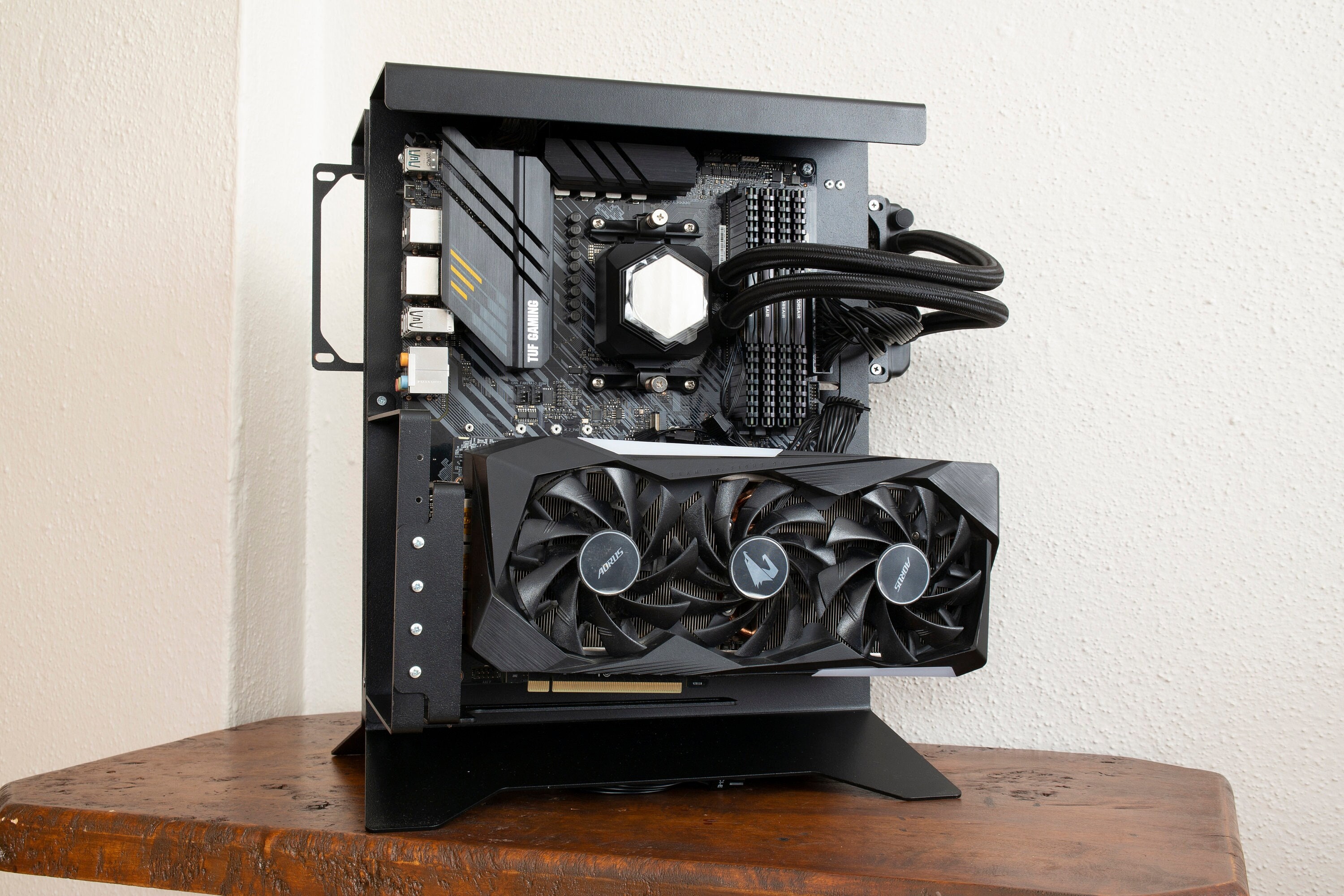
Key Takeaways
- Precise Dimensioning: Understanding and accurately defining the dimensions of each component ensures a tight and secure fit.
- Parametric Design: Utilizing a parametric approach in FreeCAD allows for flexibility and easy modifications.
- Ventilation and Cable Management: Incorporating effective airflow and organized cable routing is crucial for optimal performance and aesthetics.
Introduction
Designing a custom open PC case tailored to specific components like a Mini-ITX motherboard, NVIDIA 4060 GPU, and a PSU requires meticulous planning and precise modeling. FreeCAD, with its powerful Python API, offers a versatile platform for creating such detailed 3D models. This guide provides a step-by-step approach to generating a 3D model script compatible with FreeCAD and other similar CAD software, ensuring that your PC case is both functional and aesthetically pleasing.
Design Considerations
Component Dimensions
Accurate dimensions are the foundation of a well-fitting PC case. Below are the standard dimensions for the components to be accommodated:
Mini-ITX Motherboard
- Dimensions: 170mm x 170mm - Mounting Points: Ensure alignment with the motherboard's mounting holes.
NVIDIA 4060 GPU
- Approximate Size: 240mm (length) x 120mm (width) x 40mm (height) - Clearance: Sufficient space for airflow and cable management.
Power Supply Unit (PSU)
- Standard ATX PSU Dimensions: 150mm x 86mm x 140mm - SFX PSU Dimensions: Approximately 125mm x 63.5mm x 125mm - Mounting Considerations: Placement should facilitate efficient cable routing.
Ventilation and Cooling
Effective ventilation is critical to maintain optimal operating temperatures. Incorporate ventilation holes, mesh panels, and support for additional cooling solutions like fans or liquid cooling systems.
Cable Management
Organized cable routing not only enhances the aesthetic appeal but also improves airflow. Design dedicated channels and tie-down points to keep cables tidy and out of the way.
Step-by-Step Guide to Creating the 3D Model Script
1. Define Parameters
Start by defining all necessary parameters for the components and case structure. This parametric approach allows for easy adjustments and scalability.
import FreeCAD, Part, Draft, Sketcher

# Define component dimensions (in mm)
MB_WIDTH = 170
MB_HEIGHT = 170
MB_THICKNESS = 1.6

GPU_LENGTH = 240
GPU_WIDTH = 120
GPU_HEIGHT = 40

PSU_LENGTH = 150  # Adjust to 125 for SFX
PSU_WIDTH = 86    # Adjust to 63.5 for SFX
PSU_HEIGHT = 140  # Adjust to 125 for SFX

CASE_THICKNESS = 3
STANDOFF_DIAMETER = 4
STANDOFF_HEIGHT = 10
VENT_SIZE = 50
2. Create the Base Structure
Construct the base plate of the case, ensuring it accommodates the motherboard dimensions.
# Create a new document
doc = FreeCAD.newDocument("OpenPC_Case")

# Base Plate
base_plate = Part.makeBox(MB_WIDTH + 20, MB_HEIGHT + 20, CASE_THICKNESS)
base_part = doc.addObject("Part::Feature", "BasePlate")
base_part.Shape = base_plate
3. Add Motherboard Mounting Points
Position standoffs corresponding to the motherboard's mounting holes to secure it firmly within the case.
# Motherboard Standoffs
def add_standoff(x, y):
    standoff = Part.makeCylinder(STANDOFF_DIAMETER/2, STANDOFF_HEIGHT)
    standoff.translate(FreeCAD.Vector(x, y, CASE_THICKNESS))
    standoff_part = doc.addObject("Part::Feature", f"Standoff_{x}_{y}")
    standoff_part.Shape = standoff
    return standoff_part

# Example positions for standoffs (adjust based on motherboard layout)
standoff_positions = [
    (10, 10),
    (MB_WIDTH + 10, 10),
    (10, MB_HEIGHT + 10),
    (MB_WIDTH + 10, MB_HEIGHT + 10)
]

for pos in standoff_positions:
    add_standoff(*pos)
4. Create GPU Mount
Design a mounting bracket or support for the NVIDIA 4060 GPU, ensuring proper alignment and clearance.
# GPU Support Structure
gpu_support = Part.makeBox(GPU_LENGTH, GPU_WIDTH, GPU_HEIGHT)
gpu_support.translate(FreeCAD.Vector(10, MB_HEIGHT + 30, CASE_THICKNESS))
gpu_support_part = doc.addObject("Part::Feature", "GPU_Support")
gpu_support_part.Shape = gpu_support
5. Design PSU Mount
Allocate space for the PSU, considering whether you are using a standard ATX or SFX PSU. Incorporate mounting features accordingly.
# PSU Mount Area
psu_mount = Part.makeBox(PSU_LENGTH, PSU_WIDTH, PSU_HEIGHT)
psu_mount.translate(FreeCAD.Vector(MB_WIDTH + 40, 10, CASE_THICKNESS))
psu_mount_part = doc.addObject("Part::Feature", "PSU_Mount")
psu_mount_part.Shape = psu_mount
6. Incorporate Ventilation
Add ventilation holes or mesh panels to the case to facilitate airflow and cooling.
# Ventilation Holes
ventilation = Part.makeCylinder(VENT_SIZE/2, CASE_THICKNESS)
ventilation.translate(FreeCAD.Vector(MB_WIDTH/2 + 10, MB_HEIGHT + GPU_WIDTH + 40, 0))
ventilation_cut = Part.cut(base_plate, ventilation)

# Update Base Plate with Ventilation
base_part.Shape = ventilation_cut
7. Add Cable Management Features
Implement channels or tie-down points within the case for organized cable routing.
# Cable Management Holes
cable_hole = Part.makeCylinder(10, CASE_THICKNESS)
cable_hole.translate(FreeCAD.Vector(MB_WIDTH/2, 0, 0))
cable_cut = Part.cut(base_part.Shape, cable_hole)

# Update Base Plate with Cable Management
base_part.Shape = cable_cut
8. Final Assembly and Recompute
Fuse all components to form the complete case structure and recompute the document to visualize the model.
// Example of fusing parts (simplified)
case_shell = base_part.Shape.fuse(gpu_support_part.Shape).fuse(psu_mount_part.Shape)
doc.addObject("Part::Feature", "CaseShell").Shape = case_shell

# Recompute the document to update the view
doc.recompute()
Detailed Script Explanation
Parameter Definitions
Defining variables for component dimensions and case thickness ensures that the script is easily adjustable. This modular approach allows for quick modifications without altering the core logic of the script.
Base Structure Creation
The base plate serves as the foundation of the PC case. By slightly increasing the motherboard dimensions, additional clearance is provided for mounting and cable management.
Mounting Points
Standoffs are essential for securing the motherboard. Positioning them accurately according to the motherboard's mounting holes prevents misalignment and ensures stability.
Component Mounts
Designing dedicated mounts for the GPU and PSU ensures that these components are securely held in place, reducing the risk of movement and potential damage.
Ventilation Integration
Ventilation is critical for maintaining optimal temperatures. Strategic placement of ventilation holes enhances airflow, preventing overheating and promoting efficient cooling.
Cable Management Implementation
Organized cables not only improve the aesthetic appeal but also facilitate better airflow. Incorporating cable management features aids in maintaining a clean and efficient internal layout.
Enhanced Features for Optimal Design
Parametric Flexibility
Utilizing parametric design principles allows for easy adjustments to the model. By altering parameter values, you can adapt the case to accommodate different components or preferences without rewriting significant portions of the script.
Modular Components
Designing modular components enables you to interchange parts of the case easily. This approach enhances customization and makes it straightforward to upgrade individual components in the future.
Precision and Tolerances
Ensuring precise dimensions and incorporating tolerances is vital for component compatibility. Accurate measurements prevent issues during assembly and contribute to the overall integrity of the PC build.
Sample HTML Table of Component Dimensions
| Component | Length (mm) | Width (mm) | Height/Depth (mm) |
|---|---|---|---|
| Mini-ITX Motherboard | 170 | 170 | 1.6 |
| NVIDIA 4060 GPU | 240 | 120 | 40 |
| Standard ATX PSU | 150 | 86 | 140 |
| SFX PSU | 125 | 63.5 | 125 |
Conclusion
Crafting a 3D model script for an open PC case tailored to a Mini-ITX motherboard, NVIDIA 4060 GPU, and PSU demands a blend of precision, flexibility, and strategic design. By leveraging FreeCAD's Python API, you can create a parametric and modular case that not only fits your components snugly but also promotes efficient airflow and organized cable management. This comprehensive guide serves as a foundation for developing a robust and customizable PC case model, adaptable to future upgrades and varying component specifications.
References
Last updated February 12, 2025