
Unlock Image Potential: Adjusting Photos Using a Reference Image
Discover how AI and other tools transform your images by learning from another – a comprehensive guide.
Highlights: Key Insights into Reference-Based Image Editing
- Versatile Adjustments: Learn how one image can influence another's color, style, composition, or even generate entirely new content using the first as a guide.
- AI-Powered Precision: Explore advanced AI tools that automate complex adjustments, from subtle color corrections to dramatic stylistic transformations based on a reference image.
- Diverse Toolset: Discover a range of software, including professional suites like Adobe Photoshop and accessible online editors, designed for various image manipulation needs involving reference inputs.
The Art of Reference-Based Image Adjustment
Yes, it is indeed possible to adjust an image based on another image where both are provided as inputs. This technique, often falling under terms like "reference-based editing," "style transfer," or "image-to-image translation," allows you to leverage the characteristics of one image (the reference) to modify another (the target). This can range from subtle tweaks in color and tone to significant alterations in style or even the generation of new visual elements.
What Does It Mean to Adjust an Image Based on Another?
The concept of adjusting one image based on another encompasses several distinct approaches, each serving a different purpose:
Color and Style Transfer
This involves modifying the target image to adopt the color palette, lighting conditions, textures, or overall artistic style of the reference image. AI algorithms analyze the reference image's visual attributes and apply them to the target, creating a harmonious blend or a complete stylistic overhaul.
Geometric Alignment and Registration
Here, the goal is to spatially transform the target image (e.g., by scaling, rotating, or translating it) so that it aligns correctly with the reference image. This is crucial in fields like medical imaging, cartography, or when combining multiple photos of the same scene taken from different perspectives or at different times. It often involves identifying corresponding feature points in both images.
AI-Driven Generative Content
Modern AI models can use a reference image to guide the generation of new image content. This can mean creating variations of the target image that incorporate elements or styles from the reference, or even generating entirely new scenes inspired by the reference. This often involves techniques like "image-to-image" translation or using a reference in conjunction with text prompts.
Image Comparison for Guided Edits
Sometimes, the reference image serves as a "before" state or an ideal outcome. By comparing the target image to the reference, editors can identify discrepancies in color, composition, or detail. This comparison can then guide manual adjustments or inform automated correction processes to make the target image more closely resemble the reference.
Tools and Techniques in Action
A variety of digital tools, leveraging both traditional image processing algorithms and cutting-edge artificial intelligence, facilitate these reference-based adjustments. The choice of tool often depends on the specific type of adjustment required and the desired level of control.
AI-Powered Style and Color Mimicry
Many modern photo editors incorporate AI to intelligently transfer styles or color schemes. These tools analyze the reference image for its dominant colors, contrast levels, lighting, and textural patterns, then apply these characteristics to the target image. This can be used to ensure consistency across a series of photos or to imbue an image with a specific artistic mood.
Examples include Adobe Photoshop's "Reference Image" feature (currently in beta for generative AI), Leonardo AI for style application, Pincel for AI image generation based on reference photos, and dedicated color correction tools like those from ImgGen AI and Upscale Media. Fotor's AI Photo Editor also offers functionalities that can leverage reference concepts for enhancements.
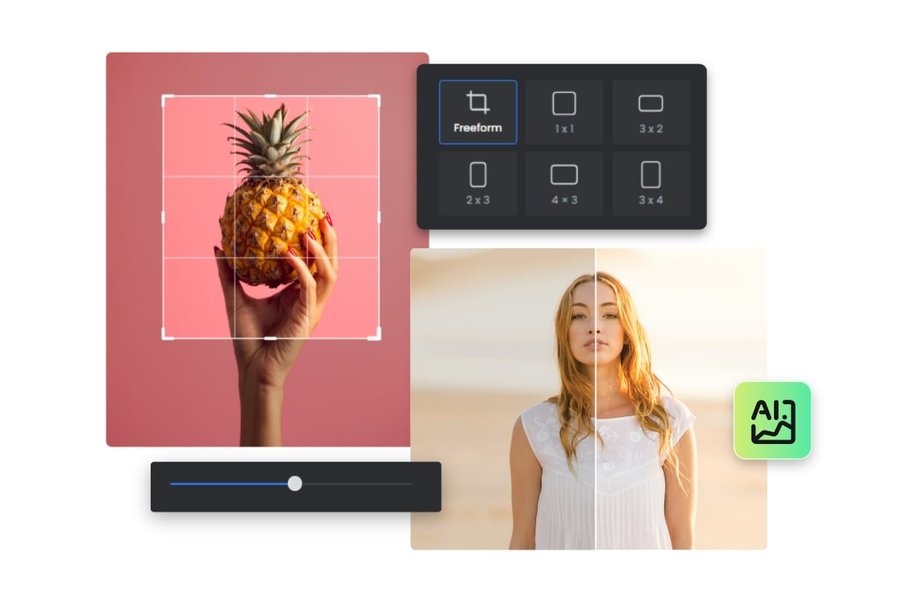
AI-powered editing tools like Fotor can enhance images, sometimes using implied reference styles for quality improvements.
Achieving Spatial Harmony: Geometric Alignment
When images need to be precisely overlaid or compared for structural differences, geometric alignment is key. This process involves transforming one image so its features match the corresponding features in another. Software often allows users to define pairs of reference points on both images; the system then calculates the optimal transformation (e.g., affine, perspective) to align them. Libraries like OpenCV and tools such as ImageMagick provide powerful functionalities for image registration, often used in scientific and technical applications.
Generating New Visions: AI Image Generation with References
Generative AI has opened new frontiers for reference-based image creation. "Image-to-image" (Img2Img) models, like those based on Stable Diffusion, can take an input image and a text prompt (and sometimes an additional style reference image) to generate a new image that blends these influences. Adobe Photoshop's Generative Fill, when used with its "Reference Image" feature, allows users to select an area and generate content that is stylistically consistent with an uploaded reference, offering remarkable control over the creative process.
Overlaying and Compositing Images
A more straightforward approach involves simply overlaying one image onto another, often with adjustments to transparency, size, and position. Tools like Fotor's image overlay feature allow for basic compositing, useful for creating double exposures, adding watermarks, or simple collages where one image acts as a background and the other as a foreground element based on the reference input.

Comparing images side-by-side, as facilitated by tools like Fotor, is a common way to evaluate adjustments based on a reference.
Visualizing Adjustment Capabilities: A Comparative Look
Different methods of adjusting images based on a reference offer varying balances of ease of use, creative control, and reliance on AI. The radar chart below provides an opinionated comparison of common approaches based on several key characteristics. The scores range from 2 (lower) to 10 (higher/better suited for that characteristic). This visualization helps illustrate how each method might suit different needs and skill levels.
This chart highlights, for example, that while simple overlay techniques are very easy to use and predictable, they offer less creative control compared to AI-driven methods. Generative AI, while powerful, might be less predictable and more resource-intensive but offers unique creative possibilities.
Navigating the Landscape of Image Adjustment
Understanding the different facets of reference-based image adjustment can help you choose the right approach for your project. The mindmap below outlines the core methods, key considerations when undertaking such tasks, and some common tools available in this domain.
This mindmap visually structures the various pathways and factors involved, from the specific techniques like color transfer or geometric alignment to the broader considerations such as the quality of your input images and the features offered by different software.
Step-by-Step: Applying a Style from a Reference Image (Example Workflow)
While specific steps vary by tool, here's a general workflow for applying the style of one image to another using a typical AI-powered editor:
- Prepare Your Images: Select your target image (the one you want to change) and your reference image (the one whose style you want to apply). Ensure both are clear and of reasonable quality.
- Upload Images to the Tool: Most online AI editors allow you to drag and drop or upload both images directly into their interface.
- Select the "Style Transfer" or "Reference Image" Feature: Look for options like "Apply Style," "Use Reference Image," or similar. Some tools might integrate this into a generative AI workflow.
- Adjust Parameters (If Available): You might be able to control the intensity of the style transfer, which elements to prioritize (e.g., color, texture), or blend the styles. If using a generative tool, you might pair the reference image with a text prompt to guide the output further (e.g., "Apply the color scheme of the reference image to the main subject of the target image").
- Process and Preview: Initiate the AI processing. The tool will analyze both images and generate a new version of your target image with the applied style.
- Refine and Download: Review the result. Many tools offer variations or further refinement options. Once satisfied, download your newly styled image.

Visuals showing 'before' and 'after' states are common outputs of reference-based image adjustments, highlighting the transformation.
Key Tool Categories and Their Strengths
The ability to adjust an image based on another is supported by various software, each with its unique strengths. The table below summarizes some key categories of tools and their typical characteristics when handling two image inputs for adjustment purposes.
| Tool Category / Approach | Key Features | Primary Use Case | Input Method for Reference | AI Involvement |
|---|---|---|---|---|
| Comprehensive AI Photo Editors (e.g., Adobe Photoshop with Reference Image, Fotor AI Editor) | Style transfer, generative fill with reference, color matching, object replacement guided by reference. | Creative editing, stylistic consistency, complex manipulations. | Direct upload of reference image alongside target image; specific "reference" slots. | High; core AI algorithms for analysis and generation. |
| Dedicated Style Transfer Tools (e.g., Leonardo AI, Pincel) | Applying artistic styles, textures, and color palettes from a reference to a target image. | Artistic transformations, creating unique visual effects. | Upload reference image specifically for style adoption. | High; specialized AI for style extraction and application. |
| Color Correction Services (e.g., ImgGen AI, Upscale Media) | Automated adjustment of hue, saturation, exposure, and tone, sometimes implicitly using learned ideal references. | Enhancing visual appeal, color balancing, achieving professional look. | Primarily single image input, but AI uses learned data which acts like a vast set of references. Some may offer explicit reference comparison. | Moderate to High; AI for analysis and correction. |
| Geometric Alignment Software (e.g., OpenCV, ImageMagick, specialized plugins) | Scaling, rotation, translation, perspective correction based on user-defined or automatically detected feature points. | Aligning images for comparison, stitching panoramas, scientific analysis. | Both images uploaded, with tools for marking corresponding points. | Low to Moderate; algorithms for transformation calculation, some AI for feature detection. |
| Image Comparison Tools (e.g., Diffchecker) | Side-by-side or overlay display to highlight differences in pixels, color, or structure. | Identifying changes, quality control, guiding manual edits. | Upload both images for direct visual comparison. | Low; primarily for display, though some use algorithms for difference highlighting. |
| Basic Overlay/Compositing Tools (e.g., Fotor's overlay feature) | Placing one image on top of another with transparency and position adjustments. | Simple collages, double exposures, adding elements. | One image as background, another as overlay. | Minimal; user-driven manual adjustments. |
This table illustrates that the "best" tool depends heavily on whether you need precise geometric matching, artistic style transfer, subtle color enhancements, or complex AI-driven content generation based on your reference image.
Understanding Image Differences: A Foundation for Adjustment
Before, or after, making adjustments based on a reference image, it's often useful to precisely identify the differences between two images. This can help in understanding what changes are needed or verifying the success of an adjustment. The following video demonstrates a technique in Adobe Photoshop for comparing two images to spot discrepancies, a skill that complements reference-based editing workflows.
Techniques like these, whether manual or automated, can provide valuable insights when you're trying to make one image conform to another, either by replicating its style, correcting deviations, or aligning its content.
Best Practices for Reference-Based Editing
To achieve the best results when adjusting an image based on another, consider these tips:
- High-Quality Inputs: The quality of both your target and reference images significantly impacts the outcome. Clear, well-lit, and sufficiently high-resolution images generally yield better results, especially for AI-driven processes.
- Relevance of Reference: Choose a reference image that is genuinely relevant to the desired adjustment. If transferring style, ensure the style is compatible with the target image's content. If aligning, ensure there are clear corresponding features.
- Start with Similar Images: For tasks like color or style transfer, AI tools often perform better if the source and reference images are not drastically different in terms of composition or subject matter. For instance, applying the style of a landscape to a portrait might yield unpredictable results.
- Understand Tool Capabilities: Different tools excel at different tasks. A tool designed for geometric alignment might not be suitable for artistic style transfer. Research or experiment to find the right tool for your specific need.
- Iterate and Refine: Especially with AI-based tools, the first result might not be perfect. Be prepared to tweak settings, try different reference images, or make manual post-adjustments to achieve your vision.
- Consider Image Formats and Resolution: When comparing or aligning images, using similar file formats (e.g., JPEG, PNG) and resolutions can help avoid inaccuracies introduced by format conversion or scaling discrepancies.
- Manage Expectations: While powerful, these tools are not magic. Complex adjustments may require multiple steps or a combination of techniques. Some AI-generated results, particularly with features in beta, may still require manual touch-ups.
Frequently Asked Questions (FAQ)
What exactly does "adjusting one image based on another" mean?
It means using a second image (the "reference image") to influence or dictate changes to a primary image (the "target image"). This can involve various types of adjustments, such as:
- Style Transfer: Applying the artistic style (colors, textures, mood) of the reference image to the target image.
- Color Correction: Matching the color palette, brightness, or contrast of the target image to that of the reference.
- Geometric Alignment: Resizing, rotating, or warping the target image to align spatially with the reference.
- Content Generation: Using AI to generate new visual elements in the target image that are inspired by or consistent with the reference image.
- Compositional Guidance: Using the reference image's layout or subject placement to inform edits on the target image.
Are there free tools available for this type of image adjustment?
Yes, there are free tools and free tiers of paid tools that offer capabilities for reference-based image adjustments. For example:
- Many online AI photo editors (like some mentioned, e.g., Fotor, Pixlr) offer free versions with basic AI enhancement features that can implicitly use reference styles or allow for manual comparison and adjustment.
- Image comparison tools like Diffchecker are often free for basic use.
- Open-source software like GIMP (GNU Image Manipulation Program) can be used for manual adjustments, overlays, and color matching, though it requires more manual effort than dedicated AI tools.
- Some AI art generators or style transfer websites offer limited free credits or access to basic features.
The extent of features and processing power may be limited in free versions compared to paid subscriptions.
What's the difference between style transfer and geometric alignment when using a reference image?
They are fundamentally different processes:
- Style Transfer focuses on the appearance and artistic attributes of an image. The goal is to make the target image look like it was painted in the style of the reference artwork, or to adopt its color grading, lighting, and textures. The geometric structure of the target image usually remains intact, but its visual characteristics change.
- Geometric Alignment (or image registration) focuses on the spatial relationship between images. The goal is to transform the target image (by scaling, rotating, skewing, etc.) so that its features physically line up with the corresponding features in the reference image. This is about matching shapes and positions, not artistic style.
In essence, style transfer changes *how* an image looks, while geometric alignment changes *where* its parts are positioned relative to another image.
How important is the quality and content of the reference image?
The quality and content of the reference image are critically important for achieving good results:
- Quality: A low-resolution, blurry, or noisy reference image will likely lead to poor-quality adjustments. AI algorithms learn from the data they are given; if the reference is flawed, those flaws might be transferred or result in muddled outputs.
- Content Relevance: The reference image's content should be appropriate for the intended adjustment. For style transfer, a reference with a clear, distinct style works best. For color correction, the reference should exhibit the desired color balance. If the reference image is vastly different in subject matter or composition from the target image, the AI might struggle to make sensible or aesthetically pleasing adjustments.
- Clarity of Features: For geometric alignment, the reference image must have clear, distinguishable features that correspond to features in the target image to allow for accurate point matching.
In short, "garbage in, garbage out" applies. A well-chosen, high-quality reference image is a key ingredient for successful reference-based image editing.
Recommended Further Exploration
If you're interested in diving deeper into image manipulation and AI editing, consider exploring these related queries:
- How do AI image generators use reference images for style consistency?
- What are the best tools for automatic color correction based on a sample image?
- Techniques for aligning multiple photos of the same scene using reference points.
- Exploring ethical considerations when using AI to modify images based on other artworks.
References
 photo.stackexchange.com

Last updated May 6, 2025