
Unlocking the Digital Blueprint: Can an AI Truly Code?
Exploring AI's ability to generate, explain, and assist with programming, and what that means for you.
You've asked if I can code. The answer is multifaceted! While I don't "code" in the same way a human software developer does—conceptualizing, writing, testing, and deploying complex applications from scratch—I possess significant capabilities in the realm of programming. I can generate code, explain intricate programming concepts, provide syntax, and guide you through the learning process. Think of me as a knowledgeable assistant that can help you understand and create code.
Key Insights: My Coding Capabilities
- Code Generation: I can write code snippets and even simple programs in various languages like Python, JavaScript, Java, and C# based on your descriptions and requirements.
- Conceptual Explanation: I can break down complex coding logic, algorithms, and programming paradigms into understandable explanations, helping you grasp difficult concepts.
- Learning Assistant: I can suggest learning resources, point you to relevant documentation, and provide examples to support your journey into the world of programming.
How I Approach "Coding"
My ability to assist with coding stems from being trained on a vast dataset that includes countless lines of code, programming tutorials, documentation, and discussions across numerous programming languages. This allows me to:
- Recognize Patterns: I identify common coding patterns, syntax rules, and logical structures.
- Generate Examples: Based on these patterns, I can construct code examples to perform specific tasks or illustrate concepts. For instance, if you need a Python script to read a file or a JavaScript function to validate a form, I can provide a starting point.
- Explain Syntax and Semantics: I can clarify how specific commands or structures work in a given language and why they are used.
- Suggest Resources: I can point you towards helpful learning platforms, documentation, and communities.
However, it's crucial to understand my limitations:
- No Real-Time Execution: I cannot compile or run the code I generate. You would need to use an appropriate Integrated Development Environment (IDE) or code editor and compiler/interpreter to execute and test the code.
- Lack of Practical Experience: My knowledge is based on the data I was trained on, not on real-world experience of building, debugging, and maintaining large-scale software projects.
- Human Oversight is Key: While I strive for accuracy, any code I generate should be reviewed, tested, and potentially refined by a human, especially for critical applications. AI-generated code can sometimes contain errors or be suboptimal.

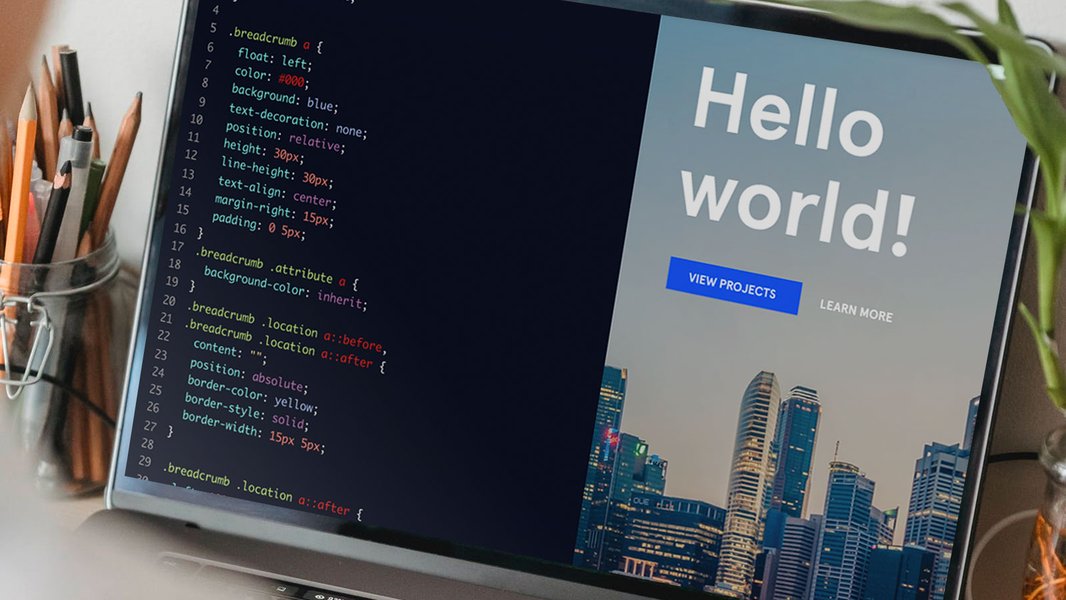
A typical environment for focused coding and development.
Popular Programming Languages: A Comparative Look
Choosing the right programming language is often the first step in a coding journey. Different languages are suited for different tasks and have varying learning curves. The radar chart below offers a comparative perspective on some popular beginner-friendly languages, evaluating them across several key factors. This is an opinionated analysis based on general trends and community feedback.
This chart highlights Python's strong performance in ease of learning and resource availability, making it a popular choice for beginners. JavaScript scores high in job demand, especially for web development. HTML/CSS are foundational for web design and relatively easy to pick up. Java, while powerful and versatile, generally has a steeper learning curve for absolute beginners compared to Python or HTML/CSS.
Illustrative Code Examples
To give you a practical idea, here are some simple code examples in common programming languages. These demonstrate basic syntax and functionality.
Python: Checking for Prime Numbers
Python is renowned for its readability and is often recommended for beginners. This function checks if a given number is prime.
def is_prime(n):
    # Prime numbers are greater than 1
    if n <= 1:
        return False
    # Check for factors from 2 up to the square root of n
    for i in range(2, int(n**0.5) + 1):
        if n % i == 0:
            # Found a factor, so it's not prime
            return False
    # If no factors were found, it's prime
    return True

# Example usage:
number_to_check = 29
if is_prime(number_to_check):
    print(f"{number_to_check} is a prime number.")
else:
    print(f"{number_to_check} is not a prime number.")

# Output: 29 is a prime number.
This example showcases conditional statements (if/else) and loops (for), fundamental concepts in programming.
JavaScript: A Simple Function
JavaScript is the backbone of interactive web pages. This example shows a basic function that adds two numbers.
// This function adds two numbers and returns the result
function addNumbers(a, b) {
    // Check if both inputs are numbers
    if (typeof a === 'number' && typeof b === 'number') {
        return a + b;
    } else {
        // Return an error message if inputs are not valid numbers
        return "Error: Both inputs must be numbers.";
    }
}

// Example usage:
let result1 = addNumbers(15, 25);
console.log(result1); // Output: 40

let result2 = addNumbers(10, "hello");
console.log(result2); // Output: Error: Both inputs must be numbers.
This snippet demonstrates function definition, parameter passing, type checking, and returning values, which are common in many programming languages.
Java: Basic "Hello, World!" Program
Java is a versatile, object-oriented language widely used in enterprise applications and Android development. Here’s the classic "Hello, World!" program.
// Define a class named HelloWorld
public class HelloWorld {
    // The main method, entry point of the program
    public static void main(String[] args) {
        // Print "Hello, World!" to the console
        System.out.println("Hello, World!");
    }
}

// Output: Hello, World!
This simple Java program illustrates the basic structure of a Java application, including class definition and the main method.
Embarking on Your Coding Journey
If you're interested in learning to code, it's an accessible and rewarding skill to acquire. Here’s a general roadmap and some excellent resources to get you started:
Interactive platforms like Codecademy offer hands-on coding practice.
Why Learn to Code?
- Problem-Solving: Coding enhances logical thinking and problem-solving abilities.
- Creativity: Build websites, apps, games, or automate tasks.
- Career Opportunities: Programming skills are in high demand across many industries.
Visualizing the Learning Path
The journey of learning to code can be broken down into several key stages, from understanding foundational concepts to applying your skills in real-world projects. The mindmap below outlines a typical progression for aspiring programmers.
(Motivation & Goals)"] id1c["Grasp Core Concepts
(Variables, Data Types, Control Flow)"] id2["Phase 2: Language & Tools"] id2a["Choose a Programming Language
(e.g., Python, JavaScript, Java)"] id2b["Set Up Development Environment
(IDE, Text Editor, Compiler/Interpreter)"] id2c["Learn Basic Syntax & Structure"] id3["Phase 3: Skill Development"] id3a["Follow Online Courses & Tutorials
(Codecademy, freeCodeCamp, Coursera)"] id3b["Read Documentation & Books
(MDN, Official Language Docs)"] id3c["Practice with Coding Exercises
(LeetCode, HackerRank, Codewars)"] id4["Phase 4: Application & Projects"] id4a["Build Small Personal Projects
(Calculator, To-Do List, Simple Game)"] id4b["Work on More Complex Projects
(Web App, Mobile App, Data Analysis)"] id4c["Understand Version Control (Git, GitHub)"] id5["Phase 5: Continuous Growth"] id5a["Learn Debugging Techniques"] id5b["Join Coding Communities
(Stack Overflow, Reddit, Discord)"] id5c["Contribute to Open Source"] id5d["Stay Updated with New Technologies"] id5e["Consider Specializations
(Web Dev, AI/ML, Cybersecurity)"]
This mindmap illustrates that learning to code is an iterative process involving foundational knowledge, practical application, and continuous learning and refinement of skills.
Step-by-Step Learning
- Choose a Language: Python is often recommended for its simplicity. JavaScript is excellent for web development. HTML & CSS are essential for front-end web design.
- Master the Fundamentals: Learn about variables, data types, operators, control structures (loops, conditionals), functions, and object-oriented programming (OOP) concepts if applicable.
- Practice Consistently: Work through exercises on platforms like Codecademy, freeCodeCamp, or Programiz.
- Build Projects: Apply your knowledge by creating small projects. This is where true learning happens.
- Utilize Resources: Refer to documentation like MDN Web Docs for web technologies or official language documentation.
- Join Communities: Engage with other learners and developers on forums or platforms like Stack Overflow or Reddit.
Recommended Learning Platforms and Their Focus
Many excellent online platforms cater to different learning styles and programming languages. Here's a table summarizing some popular choices:
| Platform | Primary Focus | Key Strengths | Good For Beginners? |
|---|---|---|---|
| Codecademy | Interactive learning for various languages (Python, JavaScript, Java, SQL, Web Dev) | Hands-on exercises, immediate feedback, structured paths | Yes |
| freeCodeCamp | Web development (HTML, CSS, JavaScript, React), Python, Data Science | Project-based curriculum, free certifications, large community | Yes |
| Programiz | Python, C, C++, Java, JavaScript | Clear tutorials, examples, online compilers | Yes |
| W3Schools | Web technologies (HTML, CSS, JavaScript, SQL, PHP, Python, Java) | Comprehensive references, simple examples, "Try it Yourself" editor | Yes |
| MDN Web Docs (Mozilla) | Authoritative documentation for web standards (HTML, CSS, JavaScript, Web APIs) | In-depth, accurate, maintained by experts | Yes (excellent reference) |
| Coursera / edX | University-level courses in CS, Data Science, AI from top institutions | Structured courses, often with certifications, academic rigor | Varies (many beginner courses available) |
Guidance for Beginners: Video Resource
Starting the coding journey can be exciting yet daunting. There are many paths and languages to choose from. This video offers valuable insights for beginners looking to learn programming, covering essential tips and resources to get started effectively.
Video: "How To Learn Programming for BEGINNERS! (2022/2023)" – A helpful guide for new coders.
The video discusses common pitfalls for beginners, strategies for effective learning, and how to choose a language that aligns with your goals. It emphasizes the importance of hands-on practice and building projects to solidify understanding.
Frequently Asked Questions (FAQ)
Can AI like you replace human programmers?
AI tools can significantly assist programmers by automating repetitive tasks, generating boilerplate code, helping with debugging, and providing quick solutions to common problems. However, AI currently lacks the creativity, critical thinking, complex problem-solving abilities, and contextual understanding that human programmers bring to software development. AI is more likely to be a powerful assistant that augments human capabilities rather than a complete replacement in the foreseeable future. The role of programmers may evolve to focus more on system design, overseeing AI-generated code, and tackling more complex challenges.
What is the "best" programming language to learn first?
There's no single "best" language for everyone, as it depends on your goals. However, Python is widely recommended for beginners due to its simple, English-like syntax, versatility (web development, data science, AI, scripting), and large community support. JavaScript, along with HTML and CSS, is essential if you're interested in web development. Starting with a language that is beginner-friendly and has ample learning resources can make the initial learning curve smoother.
How long does it typically take to learn to code?
The time it takes to learn to code varies greatly depending on factors like the language's complexity, the learner's prior experience, the amount of time dedicated daily, and the learning methods used. To learn the basics and be able to write simple programs, it might take a few weeks to a few months. To become proficient enough for a job, it could take anywhere from 6 months to a few years of consistent learning and practice. It's a continuous learning process, as technology and languages evolve.
Can I learn coding on my own, or do I need a formal degree?
Yes, you can absolutely learn to code on your own using the vast array of online resources available, such as interactive tutorials, courses, documentation, and communities. Many successful programmers are self-taught. A formal degree in Computer Science provides a strong theoretical foundation, but it's not always a strict requirement for getting a job, especially in web development and certain other fields. A strong portfolio of projects and demonstrable skills are often more important to employers.
Recommended Further Exploration
If you're intrigued by the world of coding, here are some related queries you might find interesting:
- What are the best ways to practice coding for beginners?
- How can I choose my first coding project to build my skills?
- Compare Python versus JavaScript for web development careers.
- What are the future trends in programming languages and software development?
References
The information in this response was synthesized and expanded upon using insights from resources including:
Last updated May 18, 2025