
Streamlining Customer Support: Leveraging AI for Workflow Optimization
Enhancing Freshdesk with Intelligent Case Management and Automated Responses
In the dynamic landscape of customer service, efficiently managing incoming queries and providing timely, accurate responses is paramount. As the volume of support tickets grows, agents can often find themselves facing recurring issues and repetitive tasks. This can lead to decreased productivity, increased resolution times, and potential agent burnout. The integration of artificial intelligence (AI), particularly machine learning (ML), offers a powerful solution to these challenges, transforming traditional ticketing systems like Freshdesk into intelligent, proactive support platforms.
Workflow optimization, defined as the strategies and tactics used to increase the efficiency of processes within an organization, is a core principle in improving customer service operations. By streamlining workflows, businesses can reduce expenses, minimize errors, and decrease the time required to complete tasks. In the context of customer support, this involves analyzing existing processes, identifying bottlenecks, and implementing solutions that automate repetitive actions and provide agents with the information they need to resolve issues quickly.
Key Highlights of AI in Customer Service Workflow Optimization
- Automated Ticket Triage and Routing: AI can analyze incoming tickets, identify keywords, urgency, and context, and automatically categorize and route them to the most appropriate agent or department, significantly reducing manual sorting time.
- Intelligent Response Suggestions: Leveraging machine learning, the system can analyze the current ticket and historical data to suggest relevant answers, knowledge base articles, or macros to the agent, speeding up resolution.
- Proactive Issue Identification: By analyzing patterns in incoming tickets and customer interactions, AI can potentially identify emerging issues or widespread problems before they escalate, allowing support teams to address them proactively.
The Freshdesk Use Case: Addressing Repetitive Issues with AI
Consider a scenario within a customer support team using Freshdesk. Agents are receiving a high volume of similar support tickets, often accompanied by images, related to a specific recurring product issue. Manually identifying the exact nature of the problem, searching for the correct resolution, and providing a consistent response for each ticket is time-consuming and inefficient. This is a prime opportunity to leverage AI and workflow optimization.
Identifying the Problem: Repetitive Customer Issues
The first step in optimizing this workflow is to formally identify the deficiency. Agents are spending excessive time on repetitive issues, specifically those involving similar images and descriptions. This suggests a pattern that can be learned and addressed by a machine learning model.
Identifying deficient areas in your legal case management workflow is the first step to improving operations. Similarly, in customer service, recognizing the patterns of recurring issues is crucial for implementing effective solutions.
Implementing an AI-Powered Solution
To address this, an AI-powered feature could be integrated into the Freshdesk interface. Imagine a pop-up or sidebar that appears alongside the open ticket. This feature, powered by machine learning, analyzes the ticket content, including text descriptions and attached images, to understand the core issue. Drawing upon a vast dataset of previously resolved tickets and their corresponding solutions, the AI suggests potential answers or actions to the agent.
Analyzing Ticket Content with Machine Learning
Machine learning models can be trained on historical ticket data, including the text of customer inquiries, agent responses, resolution steps, and even the content of attached images. Natural Language Processing (NLP) can be used to understand the text, extracting key information and identifying the sentiment and intent of the customer. Computer Vision techniques can be employed to analyze images, recognizing patterns, product components, or error messages that are indicative of a specific issue.
By analyzing customer interactions and feedback, machine learning models can predict the likelihood of a customer issue escalating to a higher level of support. In this use case, the AI analyzes the current ticket to predict the most probable issue and suggest the relevant solution.
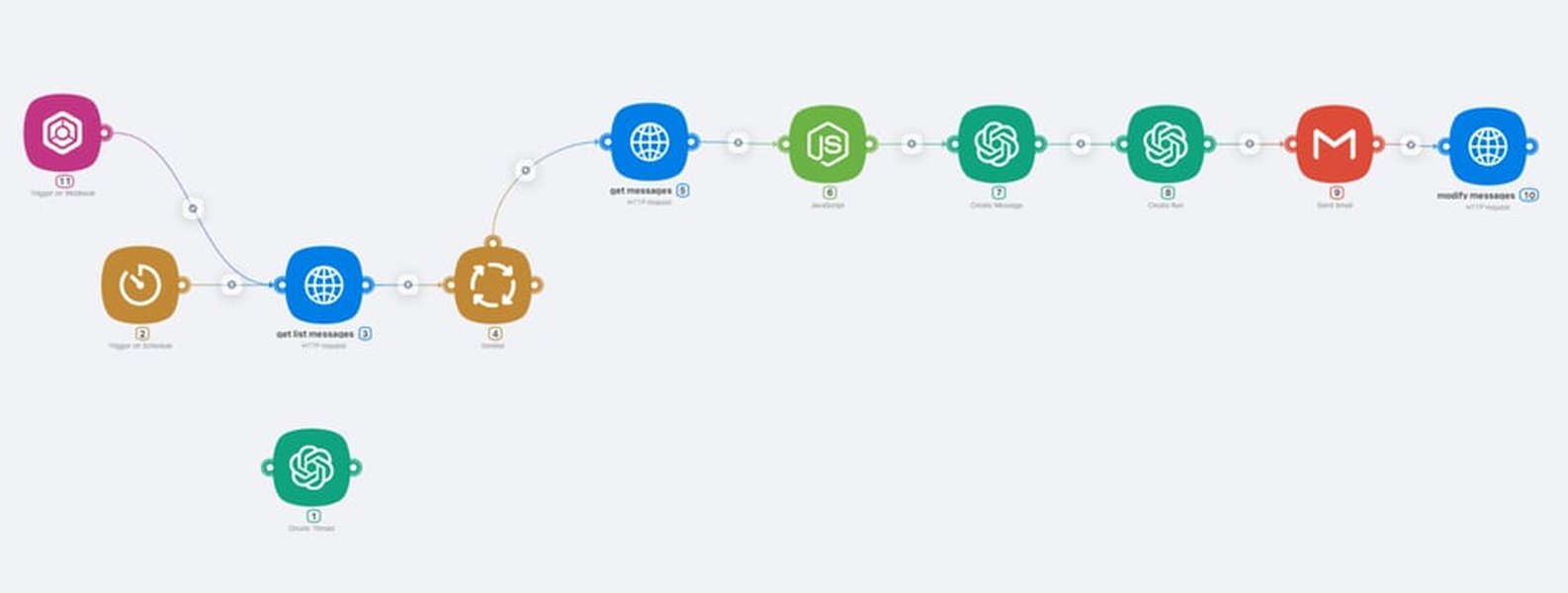
AI processing customer inquiries to provide support.
Providing Intelligent Suggestions
Based on its analysis, the AI presents the agent with a set of possible answers or actions. These suggestions could range from pre-written response templates and links to relevant knowledge base articles to step-by-step troubleshooting guides. The AI's ability to learn from past interactions means that the suggestions become more accurate and relevant over time.
Machine learning in customer service is used to provide a higher level of convenience for customers and efficiency for support agents.
Multiple Possible Answers and Continuous Learning
The AI should offer a range of potential solutions because similar symptoms can sometimes point to different underlying causes. The agent can then review the suggestions, select the most appropriate one, and tailor it to the specific customer's situation. This process of the agent confirming or correcting the AI's suggestion provides valuable feedback, allowing the machine learning model to continuously learn and improve its accuracy.
Machine learning transforms customer service by making it more personalized, efficient, and responsive to customer needs. It's like having a super-smart assistant that learns and adapts to provide top-notch service.
Benefits of AI-Powered Workflow Optimization in Freshdesk
Increased Agent Efficiency and Productivity
By automating the identification of recurring issues and suggesting solutions, the AI significantly reduces the time agents spend on repetitive tasks. This frees up agents to focus on more complex or unique customer issues, increasing their overall productivity and allowing them to handle a larger volume of tickets.
Automate mundane and repetitive tasks such as data entry, ticket routing and basic customer inquiries, allowing agents to focus on more complex issues.
Faster Resolution Times
With intelligent suggestions readily available, agents can quickly identify the correct solution and respond to customers faster. This leads to a decrease in average resolution times, improving customer satisfaction.
AI technology offers 24/7 availability, scalability, efficiency, and data-driven insights.
Improved Response Consistency
The AI's suggestions are based on successful past resolutions, promoting consistency in the information provided to customers. This ensures that customers receive accurate and standardized responses, regardless of the agent handling their ticket.
Enhanced Agent Experience
Reducing the burden of repetitive tasks and providing helpful suggestions can significantly improve the agent experience, leading to higher job satisfaction and reduced burnout.
AI in customer service can help maximize the value of feedback through automated data analysis.
Scalability of Support Operations
As the business grows and the volume of support tickets increases, an AI-powered system can scale to handle the increased load without proportionally increasing the number of agents. This makes support operations more cost-effective and sustainable.
The platform leverages AI to automate ticket routing and response processes, making it easier for teams to deliver timely, accurate support to customers across various channels.
Implementing AI Automation in Freshdesk
Freshdesk offers various automation features that can be leveraged to implement this type of AI-powered workflow optimization. Automation rules can be set up to trigger actions based on specific conditions, such as keywords in the ticket subject or description, or the presence of attachments.
Setting up Automation Rules
Automation rules in Freshdesk can be configured to run on ticket creation, ticket updates, or based on hourly triggers. For the use case of identifying repetitive issues, a rule triggered on ticket creation would be most relevant. This rule could analyze the incoming ticket's content and, if it matches certain criteria (e.g., contains specific keywords related to the recurring issue or an image attachment), it could trigger an action.
A quick guide for creating an automation rule to run on ticket creation: Go to Admin > Workflows > Automations. Click on New Rule.
Integrating with AI/ML Models
Integrating a custom AI/ML model for image analysis and intelligent suggestion would likely require utilizing Freshdesk's API capabilities. This would allow the automation rule to send the ticket data, including the image, to the external AI model for analysis. The AI model would then return the suggested solutions back to Freshdesk, where they could be displayed to the agent within the ticket interface.
Using the Freshdesk APIs would allow you to get a list of all your automations, and then you can filter the list based on a condition.
Example Automation Flow
Here's a simplified example of how this automation flow might work:
- A customer submits a support ticket with a description and an attached image.
- Freshdesk creates a new ticket.
- An automation rule triggered on ticket creation analyzes the ticket.
- If the rule's conditions are met (e.g., the ticket contains an image and keywords related to the recurring issue), the rule triggers an external API call to the custom AI/ML model.
- The AI/ML model analyzes the ticket text and image and identifies potential solutions based on its training data.
- The AI/ML model sends the suggested solutions back to Freshdesk via API.
- Freshdesk displays the suggested solutions to the agent handling the ticket, perhaps in a dedicated section of the ticket view.
- The agent reviews the suggestions, selects the most appropriate one, and responds to the customer.
- The agent's action and the ticket resolution are used as feedback to further train and improve the AI/ML model.
This video explains how Freshdesk automations can streamline customer support.
Leveraging Existing Freshdesk AI Features
While a custom AI model might be needed for specific image analysis, Freshdesk already incorporates AI features that can contribute to this workflow optimization. Freddy AI, Freshdesk's built-in AI, can automatically suggest ticket fields for new tickets based on past data, which can help in categorizing and prioritizing tickets related to recurring issues.
Freshdesk’s built-in AI, Freddy AI, learns from past tickets and automatically suggests ticket fields for new ones.
Workflow vs. Case Management in this Context
It's important to distinguish between workflow and case management, although they are related. Workflow is typically associated with defined, linear processes, where tasks follow a predictable sequence. Case management, on the other hand, is better suited for complex, unpredictable processes that may deviate from a standard path, often requiring a more dynamic and information-rich approach.
Workflow is for defined linear processes, and can give you quick efficiency gains by automating the routing of a piece of work. Case Management is for processes that can deviate from a defined path.
In the described Freshdesk use case, while the initial routing and suggestion of solutions can be viewed as workflow automation (a defined sequence of analysis and suggestion), the agent's subsequent interaction, decision-making based on the AI's suggestions, and potential deviation from a suggested path to address unique aspects of the customer's issue fall more under the umbrella of case management. The AI acts as an intelligent assistant within the broader case management process.
Examples of AI in Customer Service
Beyond the specific Freshdesk use case, AI and machine learning are transforming customer service in numerous ways:
| AI Application | Description | Benefit in Customer Service |
|---|---|---|
| Chatbots and Virtual Assistants | Handling routine inquiries, providing instant answers, and guiding customers to relevant resources. | 24/7 availability, reduced agent workload, faster resolution of simple issues. |
| Predictive Analytics | Analyzing customer data to predict behavior, identify potential issues before they arise, and personalize interactions. | Proactive support, improved customer satisfaction, opportunity for upselling/cross-selling. |
| Sentiment Analysis | Analyzing customer communication (text, voice) to understand their emotional state and prioritize urgent or frustrated customers. | Improved handling of sensitive cases, better customer experience. |
| Automated Ticket Categorization and Routing | Using ML to analyze incoming tickets and automatically assign them to the correct department or agent based on content and urgency. | Faster initial response times, improved agent efficiency. |
| Knowledge Base Optimization | Analyzing search queries and ticket data to identify gaps in the knowledge base and suggest new articles or improvements. | Enhanced self-service options, reduced ticket volume. |
Machine learning transforms customer service by enabling personalized interactions, increasing efficiency, and driving customer satisfaction.
FAQ
What is workflow optimization in customer service?
Workflow optimization in customer service involves analyzing and improving the processes and tasks involved in handling customer inquiries and resolving issues. The goal is to increase efficiency, reduce errors, and improve the overall customer experience.
How does machine learning help in customer service?
Machine learning helps in customer service by enabling automation of repetitive tasks, providing data-driven insights, predicting customer needs and behaviors, personalizing interactions, and improving the speed and accuracy of support.
Can AI analyze images in customer support tickets?
Yes, with the application of computer vision techniques, AI can be trained to analyze images attached to customer support tickets to identify product issues, error messages, or other relevant visual information.
How can Freshdesk utilize AI for ticket management?
Freshdesk can utilize AI for ticket management through features like automatic ticket categorization and routing, AI-powered response suggestions, and integrations with external AI models for more advanced analysis like image recognition.
What are the benefits of using AI in a ticketing system like Freshdesk?
Using AI in a ticketing system like Freshdesk can lead to increased agent efficiency, faster resolution times, improved response consistency, enhanced agent experience, and greater scalability of support operations.
References
Last updated May 5, 2025