
Creating an AI Poster
A comprehensive guide to designing engaging AI-generated posters
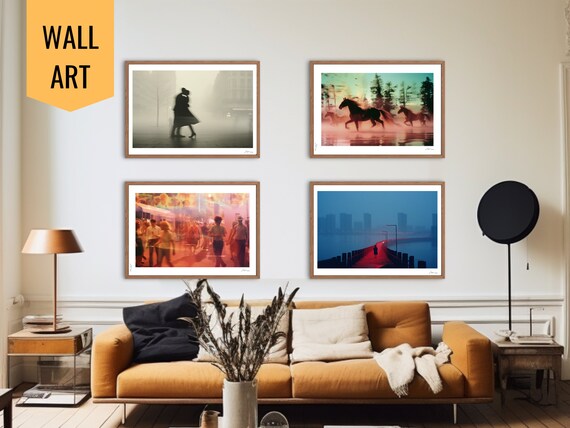
Highlights
- Select the Right Tool: Explore AI poster generators like Adobe Express, Canva, and Visme for unique templates.
- Define Your Objectives: Establish the purpose and key messaging to guide your design choices.
- Customize and Enhance: Tailor the generated design with fonts, colors, and graphical elements to suit your needs.
Understanding AI Poster Generators
AI poster creators have revolutionized the way designers and non-designers approach graphic design. With powered algorithms and user-friendly interfaces, these tools allow you to generate compelling poster designs by simply entering textual prompts or choosing presets. Each tool brings its own strengths, whether it's high customization, ease of use, or a broad library of design elements.
Popular AI Poster Generation Tools
There are several market leaders that offer AI-powered poster generation:
- Adobe Express: Known for its user-friendly experience with AI templates and safe, professional designs.
- Canva: A versatile tool allowing both AI-driven and manual design inputs, making it highly flexible.
- Visme: Merges AI’s power with design flexibility, offering extensive customization for marketing and promotional materials.
- Piktochart: Offers rapid design based on simple text prompts, perfect for those without design experience.
- Phot.AI: Specializes in generating visually appealing designs tailored to various corporate needs.
Steps to Create Your AI Poster
1. Define Your Objective
The first step in crafting an effective AI poster is to clearly outline its purpose. Ask yourself what you wish to communicate with the poster. Is it for an event promotion, product advertisement, or to showcase information about artificial intelligence itself? Understanding your target audience and the message will guide the selection of colors, fonts, imagery, and layout. A well-defined objective ensures that the design process remains focused.
2. Choose the Appropriate AI Tool
Depending on your objectives, select an AI tool that offers the right capabilities. Some platforms are more suited for quick designs with many templates, while others offer deeper customization. The table below compares some popular AI poster generators:
| Tool | Strengths | Key Features |
|---|---|---|
| Adobe Express | User-friendly, commercially safe designs | Templates, prompt-driven design, high-res exports |
| Canva | Versatility, integrated design elements | Drag-and-drop interface, extensive template library |
| Visme | Flexibility, wide range of customization | AI integration with design editing tools, infographic support |
| Piktochart | Ease-of-use for beginners | Quick text to design conversion, simple interface |
| Phot.AI | Corporate focus, intuitive design prompts | AI-driven personalization, support for various formats |
3. Develop a Thoughtful AI Prompt
With your objective set and tool chosen, craft a detailed prompt that encapsulates the essence of what you want your poster to express. Include the following in your prompt:
- Message and Tone: Identify the primary message and the emotional impact (e.g., excitement, trust).
- Visual Elements: Describe any specific elements like images, icons, or illustrations (robots, circuits, or AI brain illustrations for an AI theme).
- Style and Color Palette: Define a color scheme that reflects the intended mood and the brand or message identity.
- Additional Features: If needed, mention interactive elements such as QR codes or infographics.
4. Generate and Customize Your Poster
Once you submit your prompt, the AI tool will generate several design options. Examine these drafts carefully:
- Review Layouts: Check if the structure of the poster is balanced, ensuring that the text and visuals are harmonious.
- Adjust Details: Make use of built-in editing tools to tweak text size, positioning, and visual elements. This step allows you to tailor the design specifically to your needs, rectifying any misalignments from the AI’s interpretation.
- Enhance Aesthetic Appeal: Apply filters, change backgrounds, or switch fonts to ensure that the poster is not only visually appealing but also reads clearly at a glance.
5. Finalize, Export, and Share
After you’re satisfied with the customized design, preview it one final time to verify that it aligns with your original objective. Most tools allow you to export your finished poster in multiple formats such as JPG, PNG, or PDF. Consider the primary use case:
- Digital Sharing: For use on social media or websites, select high-resolution digital formats.
- Print Purposes: For physical prints, ensure the resolution and format are optimal for printing.
With the final product in hand, you are ready to share your creation—be it as an advertisement, announcement, or informative piece.
Enhancing Your AI Poster with Creative Advice
The artistic touch in poster creation comes from merging technology with human creativity. Even though AI assists in generating the layout, the real magic appears when you personalize and fine-tune the details.
Aesthetic and Functional Considerations
Designing for Impact
An effective poster not only captures attention but also communicates its message instantly. Here are key aspects to consider:
- Bold Typography: Use accessible fonts that make headlines stand out. Contrast is important for readability.
- Strategic Color Use: Colors communicate mood—bright colors for excitement, muted tones for sophistication.
- Visual Hierarchy: Implement a hierarchy that leads the viewer's eyes from the headline to supporting elements. Ensure the most crucial information is prominent.
- Minimal Clutter: Avoid overcrowding your design. Space and simplicity enhance the message's clarity.
Integrating AI-Specific Visuals
For an AI-themed poster, incorporating technology-inspired visuals can help bridge the gap between abstract concepts and tangible design. Consider using elements that allude to:
- Machine learning visuals such as network diagrams or algorithmic traces.
- Illustrations of neural networks, abstract AI motifs, or futuristic robotics imagery.
- Infographics that highlight statistics or significant trends in AI development.
Real-World Applications and Use Cases
AI-generated posters are widely used across various domains. For businesses, an AI poster can be the ideal tool for product launches, event promotions, or corporate communications. For educators and researchers, posters can visually summarize complex AI topics to facilitate quick comprehension. Understanding your target audience is critical; a tech-savvy group might appreciate more intricate visuals, while a broader public audience might benefit from a more straightforward presentation.
Additional Customization Tips
Beyond simply generating a poster, the greatest designs integrate subtle customizations that enhance overall coherence and attractiveness. Below are some actionable tips:
Fine-Tuning using Editing Platforms
Although many AI tools yield impressive preliminary results, further edits using comprehensive platforms like Adobe Illustrator or even PowerPoint can elevate the design's standards. This might involve:
- Matching the style with your brand identity by adjusting the color palette.
- Fixing alignments or positions of elements for better visual flow.
- Overlaying custom text or icons that better capture your intended message.
Utilizing Interactive Elements
In a digital age where interactivity can boost engagement, consider integrating QR codes or hyperlinks that direct viewers to further information such as video demonstrations, detailed infographics, or online resources. These interactive components can transform a static poster into a dynamic communication medium.
References
- Phot.AI - Phot.AI
-
Adobe Express - Adobe
- Piktochart - Piktochart
- Visme - Visme
- Fotor - Fotor
Recommended Further Queries
Last updated March 12, 2025