
全面指南:開發一個簡便的Android簡訊讀取應用
利用基本函數持續監看並處理特定號碼的簡訊
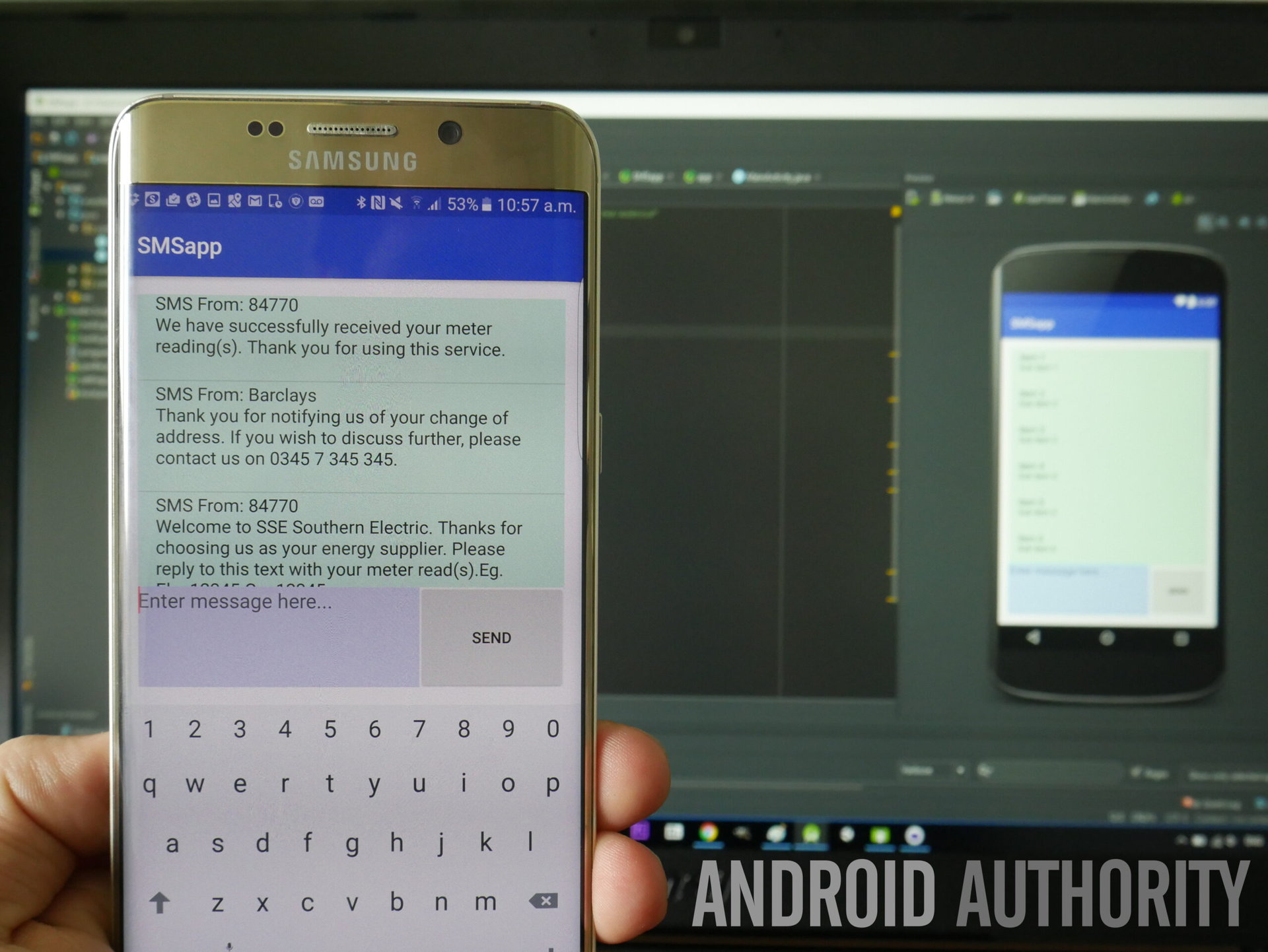
主要重點
- 設定權限與環境:確保應用具備必要的簡訊讀取與接收權限。
- 實作BroadcastReceiver:監聽新進簡訊,並過濾來自特定號碼的訊息。
- 顯示簡訊內容與時間:在應用界面上展示簡訊內容並透過Toast通知使用者。
一、專案準備
1. 設定開發環境
在開始開發之前,請確保您已經安裝並設定好了Android Studio,並且熟悉基本的Android應用開發流程。此外,確保您的開發設備運行的是Android 6.0 (API Level 23) 或更高版本,以便處理運行時權限。
2. 創建新的Android專案
打開Android Studio,選擇Create New Project,選擇適合的模板(例如Empty Activity),並填寫專案名稱、包名等必要資訊。完成後,點擊Finish建立專案。
二、設定應用權限
1. 在AndroidManifest.xml中添加權限
為了使應用能夠接收和讀取簡訊,需要在AndroidManifest.xml中添加以下權限:
<uses-permission android:name="android.permission.RECEIVE_SMS" />
<uses-permission android:name="android.permission.READ_SMS" />
這些權限允許應用接收簡訊廣播並讀取簡訊內容。
2. 設定BroadcastReceiver
在AndroidManifest.xml中註冊一個BroadcastReceiver,用於監聽簡訊接收事件:
<application
    ...>
    <receiver android:name=".SmsReceiver">
        <intent-filter android:priority="1000">
            <action android:name="android.provider.Telephony.SMS_RECEIVED" />
        </intent-filter>
    </receiver>
</application>
設定android:priority="1000"可確保應用在其他應用之前接收到簡訊廣播。
三、實作BroadcastReceiver
1. 創建SmsReceiver類別
在專案的package中創建一個新的Java類,命名為SmsReceiver,並繼承自BroadcastReceiver。此類別將負責處理接收到的簡訊並進行篩選。
import android.content.BroadcastReceiver;
import android.content.Context;
import android.content.Intent;
import android.os.Bundle;
import android.telephony.SmsMessage;
import android.widget.Toast;

public class SmsReceiver extends BroadcastReceiver {
    @Override
    public void onReceive(Context context, Intent intent) {
        if ("android.provider.Telephony.SMS_RECEIVED".equals(intent.getAction())) {
            Bundle bundle = intent.getExtras();
            if (bundle != null) {
                Object[] pdus = (Object[]) bundle.get("pdus");
                if (pdus != null) {
                    for (Object pdu : pdus) {
                        SmsMessage smsMessage = SmsMessage.createFromPdu((byte[]) pdu);
                        String sender = smsMessage.getDisplayOriginatingAddress();
                        String messageBody = smsMessage.getMessageBody();
                        long timestamp = smsMessage.getTimestampMillis();

                        if ("123456789".equals(sender)) {
                            // 更新UI
                            Intent displayIntent = new Intent(context, MainActivity.class);
                            displayIntent.putExtra("sender", sender);
                            displayIntent.putExtra("message", messageBody);
                            displayIntent.addFlags(Intent.FLAG_ACTIVITY_NEW_TASK);
                            context.startActivity(displayIntent);

                            // 顯示Toast
                            String formattedTime = new SimpleDateFormat("yyyy-MM-dd HH:mm:ss", Locale.getDefault()).format(new Date(timestamp));
                            String displayText = "時間: " + formattedTime + "\n內容: " + messageBody;
                            Toast.makeText(context, "收到來自 " + sender + " 的新簡訊: " + messageBody, Toast.LENGTH_LONG).show();
                        }
                    }
                }
            }
        }
    }
}
此程式碼實作了對簡訊廣播的接收,並篩選出發送者為123456789的簡訊,然後將其內容和時間顯示在應用界面上並以Toast方式通知使用者。
2. 處理運行時權限
從Android 6.0開始,應用需要在運行時請求敏感權限。以下是在MainActivity中實作權限請求的範例:
import android.Manifest;
import android.content.pm.PackageManager;
import android.os.Bundle;
import android.widget.Toast;
import androidx.annotation.NonNull;
import androidx.appcompat.app.AppCompatActivity;
import androidx.core.app.ActivityCompat;
import androidx.core.content.ContextCompat;

public class MainActivity extends AppCompatActivity {
    private static final int SMS_PERMISSION_CODE = 101;
    private TextView smsTextView;

    @Override
    protected void onCreate(Bundle savedInstanceState) {
        super.onCreate(savedInstanceState);
        setContentView(R.layout.activity_main);
        smsTextView = findViewById(R.id.smsTextView);

        // 檢查並請求權限
        if (ContextCompat.checkSelfPermission(this, Manifest.permission.RECEIVE_SMS) != PackageManager.PERMISSION_GRANTED ||
            ContextCompat.checkSelfPermission(this, Manifest.permission.READ_SMS) != PackageManager.PERMISSION_GRANTED) {
            ActivityCompat.requestPermissions(this,
                new String[]{Manifest.permission.RECEIVE_SMS, Manifest.permission.READ_SMS},
                SMS_PERMISSION_CODE);
        }

        // 接收來自SmsReceiver的資料
        Intent intent = getIntent();
        if (intent != null) {
            String sender = intent.getStringExtra("sender");
            String message = intent.getStringExtra("message");
            if (sender != null && message != null) {
                String timestamp = new SimpleDateFormat("yyyy-MM-dd HH:mm:ss", Locale.getDefault())
                                    .format(new Date(System.currentTimeMillis()));
                String displayText = "時間: " + timestamp + "\n內容: " + message;
                smsTextView.setText(displayText);
                Toast.makeText(this, displayText, Toast.LENGTH_LONG).show();
            }
        }
    }

    @Override
    public void onRequestPermissionsResult(int requestCode, @NonNull String[] permissions,
                                           @NonNull int[] grantResults) {
        super.onRequestPermissionsResult(requestCode, permissions, grantResults);
        if (requestCode == SMS_PERMISSION_CODE) {
            if (grantResults.length > 0 &&
                grantResults[0] == PackageManager.PERMISSION_GRANTED &&
                grantResults[1] == PackageManager.PERMISSION_GRANTED) {
                Toast.makeText(this, "簡訊權限已授予", Toast.LENGTH_SHORT).show();
            } else {
                Toast.makeText(this, "簡訊權限被拒絕", Toast.LENGTH_SHORT).show();
            }
        }
    }
}
此範例碼負責在應用啟動時檢查並請求必要的簡訊權限,並處理使用者的授權回應。
四、設計應用界面
1. 創建Layout檔案
在res/layout/activity_main.xml中,添加一個TextView來顯示簡訊內容和時間:
<?xml version="1.0" encoding="utf-8"?>
<LinearLayout xmlns:android="http://schemas.android.com/apk/res/android"
    android:layout_width="match_parent"
    android:layout_height="match_parent"
    android:orientation="vertical"
    android:padding="16dp">

    <TextView
        android:id="@+id/smsTextView"
        android:layout_width="wrap_content"
        android:layout_height="wrap_content"
        android:text="等待接收簡訊..."
        android:textSize="18sp"
        android:padding="16dp" />

</LinearLayout>
此布局提供了一個簡單的界面,用於顯示接收到的簡訊內容和時間標記。
五、測試應用
1. 安裝並授予權限
將應用安裝到您的Android設備上,並確保在啟動時授予RECEIVE_SMS和READ_SMS的權限。如果權限被拒,應用將無法接收和讀取簡訊。
2. 發送測試簡訊
使用指定的簡訊發送號碼123456789,向應用所運行的設備發送簡訊。確認應用能夠在界面上顯示簡訊內容和時間,並透過Toast通知使用者。
3. 驗證功能
確保只有來自123456789的簡訊會被應用識別和處理。其他號碼發送的簡訊應不會觸發應用的顯示和通知功能。
六、注意事項
-
從Android 9.0 (API Level 28)開始,Google加強了SMS權限政策,僅允許符合條件的應用訪問簡訊功能。若應用僅供個人使用或未上架至Play Store,可繼續使用上述方法。
-
處理用戶簡訊時,務必注重隱私和安全,避免未經授權的訊息存取或洩露。
-
在發布應用前,請詳細檢查Google Play的權限政策,以確保應用符合相關規定。
結論
透過上述步驟,您可以輕鬆開發一個Android應用,實現簡訊的接收、篩選及顯示功能。這個應用將持續監看新進簡訊,並在收到特定號碼123456789的訊息時,將其內容和連線時間顯示在應用界面上,同時透過Toast進行即時通知。遵循上述指南,您能夠快速實作並驗證該功能,為進一步開發更複雜的簡訊應用奠定基礎。
參考資料
Last updated January 23, 2025