
Unlock the Power of Your Voice: How Android Apps Listen for Keywords and Alert You Instantly
Discover how Android apps can run as background services to recognize speech, detect keywords, and provide timely alerts, seamlessly integrating into your digital life.
In an increasingly voice-activated world, the ability for your Android device to not just understand speech but also to listen for specific keywords and alert you accordingly is a powerful functionality. This capability, often running silently as a background service, allows apps to provide timely notifications or trigger actions without requiring your constant attention. Let's delve into how these speech recognition keyword alert applications operate on the Android platform, the technologies that power them, and what options are available as of 2025.
Key Insights: At a Glance
- Background Operation is Key: Android apps can function as services, enabling continuous speech recognition and keyword spotting even when the app isn't actively open or the device is locked.
- AI and ML Driven Accuracy: Modern speech recognition relies heavily on Artificial Intelligence (AI) and Machine Learning (ML) for improved accuracy, noise cancellation, and understanding various accents and languages.
- Diverse Applications: From parental monitoring and accessibility tools to productivity enhancers and security alerts, keyword detection from speech has a wide range of practical uses on Android devices.
The Technology Behind Voice-Activated Alerts
Speech recognition keyword alert applications for Android devices are sophisticated tools that combine several advanced technologies to achieve their purpose. They essentially transform your smartphone into an attentive listener, poised to react when specific trigger words or phrases are spoken either by you or in your surroundings.
Core Speech Recognition Engine
At the heart of these applications lies speech recognition technology. This has evolved significantly, largely thanks to advancements in AI and ML. These systems are trained on vast datasets of spoken language, allowing them to convert audio signals into text with increasing accuracy. Many modern applications leverage cloud-based AI models for processing, which provides robust performance but may require an internet connection. However, on-device solutions are also becoming more capable.
Key components include:
- Acoustic Model: Translates audio signals into phonetic representations.
- Language Model: Predicts the likelihood of word sequences, helping to disambiguate similar-sounding phrases.
- Noise Cancellation: Advanced algorithms filter out background noise to improve recognition accuracy in real-world environments.
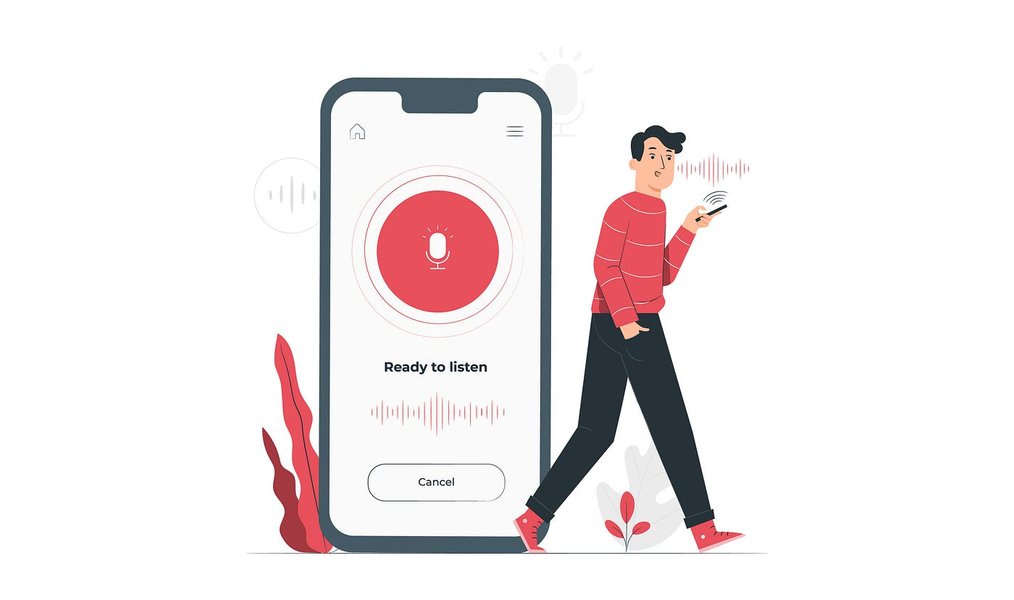
Voice recognition technology forms the foundation of keyword alert systems.
Keyword Spotting (KWS)
A specialized subset of speech recognition crucial for alert apps is Keyword Spotting (KWS), sometimes referred to as wake-word detection (like "Hey Google" or "Alexa"). Instead of transcribing all speech, KWS systems are optimized to detect a predefined, limited set of keywords or phrases. This allows the application to remain in a low-power listening mode, only fully activating its speech processing capabilities when a target keyword is detected. This is vital for applications running as background services to conserve battery life.
Running as an Android Service
For an app to continuously listen for keywords, it must operate as an Android Service. A Service is an application component that can perform long-running operations in the background without providing a user interface. This is essential for keyword alert apps that need to function even when the user is interacting with other apps or when the device screen is off.
Android APIs for Speech Recognition
Android provides developers with APIs to implement speech recognition:
SpeechRecognizerAPI: This is the primary API for accessing speech recognition services on the device. It can convert spoken language into text. Developers can use this within a Service to enable background listening. However, continuous listening withSpeechRecognizerrequires careful management of the recognition lifecycle and Android's restrictions on background microphone access (especially from Android 9 Pie onwards).RecognitionServiceAPI: This allows developers to create custom speech recognition services or integrate third-party engines more deeply into the Android system.
Implementing a robust background service for speech recognition involves handling permissions (like RECORD_AUDIO and potentially FOREGROUND_SERVICE for persistent operation), managing battery consumption, and respecting user privacy.
Understanding the Ecosystem: A Mindmap View
To better grasp how these components interact to deliver a keyword alert service on Android, consider the following mindmap. It illustrates the flow from voice input to the final alert, highlighting the key technologies and platform considerations involved in building such a system.
This mindmap shows the interconnected nature of the system, from capturing audio to delivering an alert, all while operating within the Android framework.
Available Applications and Solutions
The Google Play Store and other sources offer a variety of applications that incorporate speech recognition and keyword alerting, either as their primary function or as part of a broader feature set. These range from dedicated alert apps to more general monitoring tools and developer SDKs.
Dedicated Keyword Alert Apps
Some applications are specifically designed to listen for keywords and trigger notifications.
- AlertMe - Notification Alarms: This app can monitor notifications and can be configured to listen for keywords in spoken content by integrating with Android's speech recognition capabilities. It runs as a background service and can trigger alerts when defined keywords are detected. It supports multiple languages and offers customization for alert types.
- Monitoring Apps (e.g., mSpy, XNSPY, FamiEyes, iKeyMonitor): Primarily marketed for parental control or employee monitoring, these apps often include keyword alert features that can extend to spoken words. They typically run discreetly in the background, capture audio, perform speech-to-text conversion, and then scan the transcribed text for predefined keywords, sending alerts (often to a remote dashboard or email) when a match is found. These apps usually require subscriptions and their use is subject to privacy laws and ethical considerations.
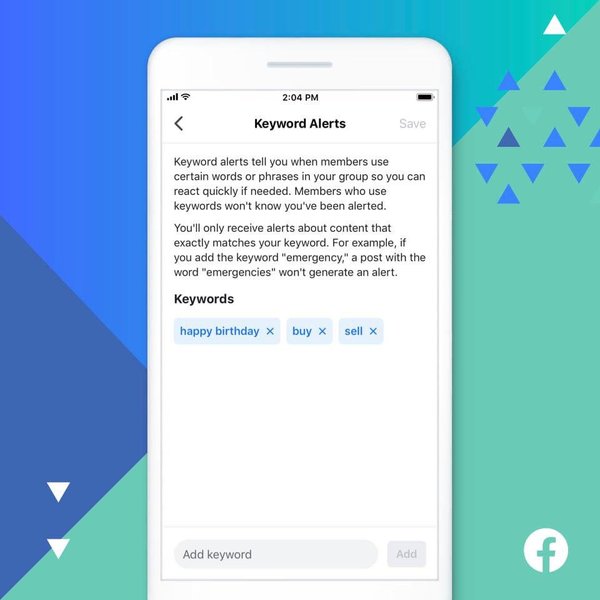
Keyword alert systems scan for specific words to trigger notifications.
General Speech Recognition Tools with Potential for Alerting
- Google's Live Transcribe: While primarily an accessibility tool for real-time transcription of conversations, its output could theoretically be processed by another application or script to detect keywords and trigger alerts. It leverages Google's powerful speech recognition and supports many languages.
- Google's Speech Recognition and Synthesis Service: This is the foundational speech engine on most Android devices, powering Google Assistant, Gboard voice typing, and many third-party apps. Developers can tap into this service to build custom keyword alert functionalities.
- Dragon Anywhere: A professional-grade dictation app known for its high accuracy. While not an alert app itself, its robust speech-to-text capabilities could be a component in a custom solution.
Developer Libraries and Open Source Projects
For those looking to build custom solutions or understand the underlying mechanics:
- kws_on_android (GitHub project by robin1001): This project demonstrates keyword spotting directly on an Android device, capable of waking an app or triggering an action when a specific phrase (like "你好小瓜") is recognized. It serves as a practical example for on-device KWS.
- LocalSTT (GitHub project by ccoreilly): An Android speech recognition service that runs entirely offline. This could be valuable for privacy-sensitive applications or scenarios without reliable internet connectivity, forming a base for an offline keyword alert system.
- Vosk Speech Recognition Toolkit: An open-source speech recognition toolkit that supports Android and can be used to build applications with keyword spotting capabilities.
Comparative Overview of Solution Aspects
When considering a speech recognition keyword alert solution on Android, several factors come into play. The radar chart below provides a conceptual comparison of different approaches based on key attributes. Note that these are generalized assessments and actual performance can vary.
This chart visualizes trade-offs: for example, custom development offers high accuracy and privacy control but may be less cost-effective initially and require more effort for stability. Off-the-shelf apps might offer a good balance for general users.
Feature Comparison of Select Android Solutions
To further clarify the landscape, the following table summarizes key characteristics of different types of Android solutions for speech recognition keyword alerts. This provides a quick reference for comparing their approaches and capabilities.
| Solution Type / App Example | Primary Function | Keyword Alert Mechanism | Background Service Operation | Notable Feature/Consideration | Typical User |
|---|---|---|---|---|---|
| AlertMe | Notification Management & Alerts | Monitors app notifications; can integrate speech via Android STT for spoken keyword alerts. | Yes, runs as a background service. | User-friendly setup for keyword-based notification triggers. | General users seeking specific event alerts. |
| mSpy / XNSPY | Comprehensive Monitoring (Parental/Employee) | Scans typed text and transcribed speech for predefined keywords, sends remote alerts. | Yes, designed for persistent background operation. | Extensive monitoring features beyond keywords; subscription-based, privacy implications. | Users needing detailed device activity tracking. |
| Google Live Transcribe | Real-time Speech Transcription | No direct keyword alert; transcribed text could be used by other apps/scripts for alerts. | Yes, can run continuously in the background. | High accuracy, supports many languages, free; requires integration for alerts. | Accessibility, users needing live captions. |
| Custom Development (using Android APIs & KWS libraries like Vosk, kws_on_android) | Tailored Application | Developer-implemented keyword spotting logic on recognized speech. | Yes, developer must implement service and manage lifecycle. | Maximum flexibility, potential for on-device processing, high control over privacy and features. | Developers, businesses with specific needs. |
| Google Speech Recognition Service (as an engine) | Core Speech-to-Text Engine | Provides STT for apps; apps build keyword logic on top. | Serves requests from apps, including background services. | Powers many Android voice features; reliable and widely available. | App developers integrating voice features. |
This table highlights that while some apps offer ready-to-use keyword alerting from speech, others provide the foundational technology or require custom development to achieve this specific functionality as a robust background service.
This video, "Easily Create Your Own Speech to Text Android App in just 15 ...", provides a tutorial on implementing speech-to-text features in Android apps. While not specific to keyword alerts as a service, it covers the fundamental Android development aspects of capturing and processing speech, which is a prerequisite for building such an application. Understanding these basics is crucial for appreciating how more complex keyword alert services are constructed.
Challenges and Considerations
Implementing or using speech recognition keyword alert services on Android comes with several challenges:
- Privacy: Continuous microphone access raises significant privacy concerns. Apps must be transparent about data collection and usage, and ideally, offer on-device processing to avoid sending audio data to the cloud. Users must grant explicit permission for microphone access.
- Battery Consumption: Constant audio processing can drain the battery quickly. Developers need to optimize their apps, perhaps using low-power keyword spotting techniques and efficient background service management.
- Accuracy and Reliability: Background noise, accents, and unclear speech can affect recognition accuracy. While AI has improved this, false positives (triggering an alert incorrectly) or false negatives (missing a keyword) can still occur.
- Android Background Execution Limits: Modern Android versions impose restrictions on background processes to save battery and improve performance. Apps running as services need to correctly handle these restrictions (e.g., Doze mode, app standby buckets) and may need to run as a foreground service (with a persistent notification) for reliable operation.
- Resource Management: A poorly designed service can consume excessive CPU and memory, impacting overall device performance.
- Permissions: Apps require
RECORD_AUDIOpermission. For continuous operation,FOREGROUND_SERVICEpermission might be needed, which requires displaying an ongoing notification to the user.
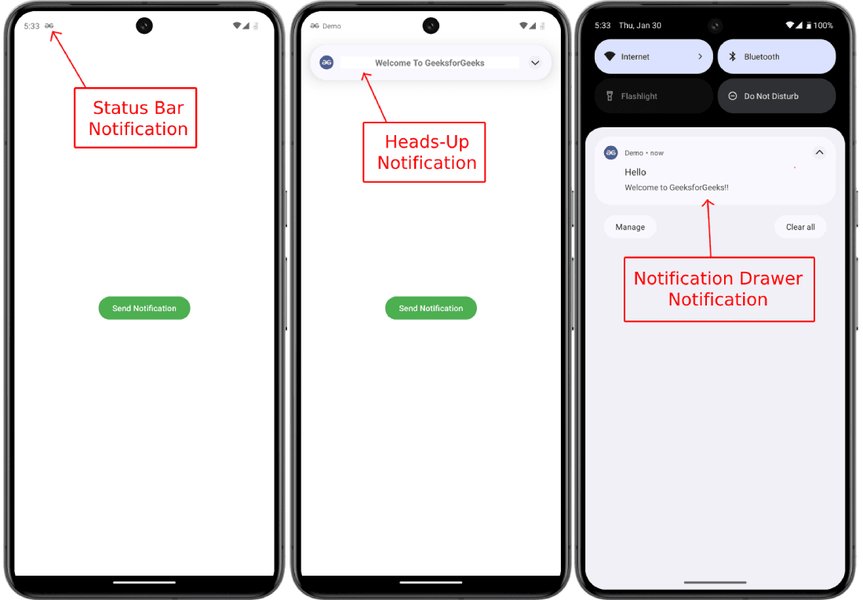
Effective notification delivery is a crucial part of the keyword alert system.
Frequently Asked Questions (FAQ)
Can these apps work offline?
Some speech recognition engines and keyword spotting libraries support offline operation (e.g., LocalSTT, or apps built with on-device models). However, many high-accuracy solutions, especially those from major providers like Google, rely on cloud processing for best results, thus requiring an internet connection. Always check the specific app's capabilities.
How accurate is keyword detection in noisy environments?
Accuracy can decrease in noisy environments. However, modern AI-powered speech recognition systems incorporate advanced noise cancellation techniques. High-quality apps can achieve impressive accuracy (e.g., 90%+) even with moderate background noise, but performance will vary depending on the specific app, the clarity of speech, and the intensity of the noise.
What are the main privacy concerns with these apps?
The primary concern is that these apps require access to the device's microphone, potentially listening to private conversations. It's crucial to use apps from reputable developers that are transparent about their data handling practices, offer on-device processing options where possible, and comply with privacy regulations. Always review permissions and privacy policies before use.
Do these apps significantly drain the phone's battery?
Continuous speech recognition can be power-intensive. Well-optimized apps use techniques like efficient keyword spotting (listening for only specific words in a low-power mode) and careful management of background services to minimize battery drain. However, heavy usage or poorly optimized apps can still lead to noticeable battery consumption. Foreground services, while more reliable, also tend to use more power.
Recommended Further Exploration
- How can one optimize battery life when developing Android background services for speech recognition?
- What are the detailed privacy implications and best practices for applications that continuously monitor voice on Android?
- How do on-device speech recognition solutions compare to cloud-based ones for keyword spotting accuracy and latency on Android?
- What are the steps involved in developing and training a custom keyword spotting model for an Android application?
References
Last updated May 9, 2025