
Unlocking Android Data Persistence: Can SQLite Handle Full CRUD Operations?
Discover how Android apps leverage SQLite's power to create, read, update, and delete data seamlessly.
Storing and managing data effectively is crucial for many Android applications, whether it's user preferences, application content, or complex relational data. A common question among developers is whether the built-in SQLite database system supports the full range of data manipulation operations. The answer is a definitive yes.
Key Takeaways: SQLite & CRUD on Android
- Full CRUD Support: SQLite, natively integrated into Android, fully supports all four fundamental database operations: Create (insert), Read (query), Update, and Delete.
- Core Mechanism: Developers typically interact with SQLite through the
SQLiteOpenHelperclass for database creation and version management, and theSQLiteDatabaseclass to execute SQL commands for CRUD actions. - Modern Alternative: While direct SQLite manipulation offers fine-grained control, Google recommends using the Room persistence library, an abstraction layer over SQLite that simplifies database access, reduces boilerplate code, and provides compile-time query verification.
Understanding SQLite in the Android Ecosystem
Why SQLite is a Go-To for Local Storage
SQLite is a lightweight, file-based, embedded relational database management system (RDBMS). Unlike server-based databases (like MySQL or PostgreSQL), SQLite stores the entire database in a single file directly on the device's storage. This makes it exceptionally well-suited for mobile applications where a self-contained, zero-configuration database is needed.
Its integration within the Android SDK means developers don't need to bundle a separate database engine, simplifying development and deployment. It provides a robust, transactional (ACID-compliant) way to manage structured data locally, ensuring data integrity even if operations are interrupted.
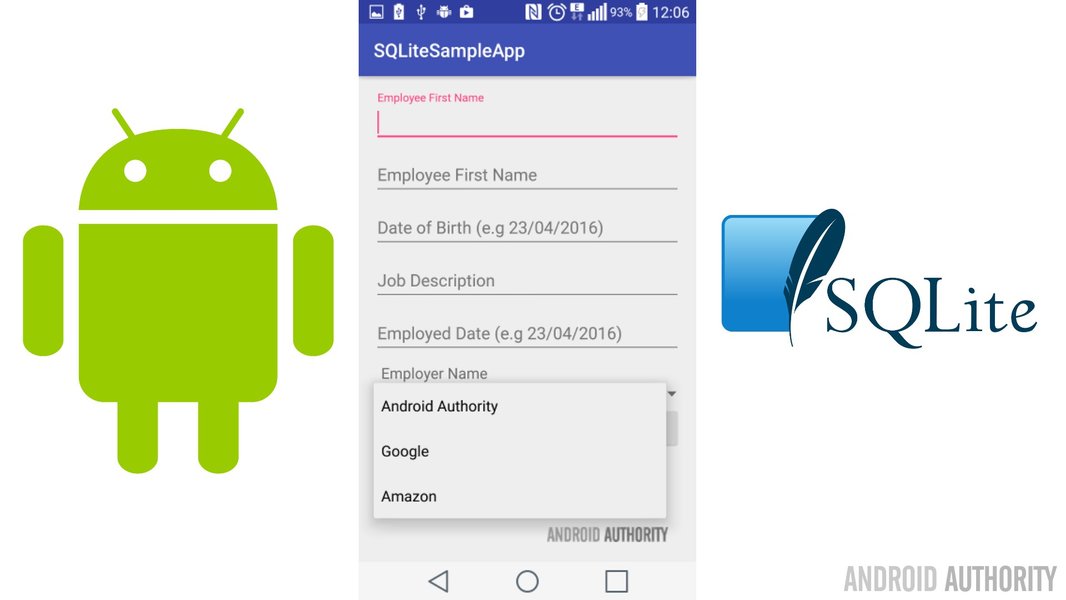
Conceptual view of integrating SQLite for local data storage in Android applications.
The Role of SQLiteOpenHelper
The cornerstone of managing an SQLite database in Android is the SQLiteOpenHelper class. This abstract class simplifies two critical tasks:
- Database Creation: When the application first tries to access the database, the
onCreate(SQLiteDatabase db)method is called if the database file doesn't exist. Inside this method, you execute the initial SQLCREATE TABLEstatements to define your database schema. - Version Management: As your application evolves, you might need to alter the database schema (e.g., add new tables or columns). By incrementing the database version number passed to the
SQLiteOpenHelperconstructor, you trigger theonUpgrade(SQLiteDatabase db, int oldVersion, int newVersion)method. Here, you implement the logic (e.g.,ALTER TABLEstatements) to migrate the existing database schema to the new version without losing user data. TheonDowngrade()method handles cases where the database version needs to be reverted.
Using SQLiteOpenHelper ensures that database setup and updates are handled systematically and reliably.
Implementing CRUD Operations with SQLite
Once the database is set up using SQLiteOpenHelper, you can obtain instances of SQLiteDatabase (using getWritableDatabase() or getReadableDatabase()) to perform the four core CRUD operations.
Create (Insert) Operation
Adding New Data
To insert new rows into a table, you typically use the insert() method of the SQLiteDatabase object. This method takes the table name and a ContentValues object as arguments. ContentValues acts like a map, pairing column names (as keys) with the data you want to insert (as values). It helps prevent SQL injection vulnerabilities compared to constructing raw SQL strings.
// Obtain a writable database instance
SQLiteDatabase db = dbHelper.getWritableDatabase();

// Create a new map of values, where column names are the keys
ContentValues values = new ContentValues();
values.put("column_name_1", "value1");
values.put("column_name_2", 123);

// Insert the new row, returning the primary key value of the new row,
// or -1 if an error occurred.
long newRowId = db.insert("your_table_name", null, values);
Read (Query) Operation
Retrieving Data
To retrieve data, you use the query() method or execute raw SQL SELECT statements using rawQuery(). The query() method offers a structured way to define the query parameters:
- Table name
- Columns to return
- Selection criteria (WHERE clause)
- Selection arguments (to replace '?' placeholders in the selection criteria)
- GROUP BY clause
- HAVING clause
- ORDER BY clause
Both methods return a Cursor object. The Cursor provides read-only access to the result set returned by the query. You need to iterate through the Cursor (e.g., using moveToFirst(), moveToNext()) to access the data in each row and column (e.g., using getString(), getInt(), etc., specifying the column index). It's crucial to close the Cursor (using cursor.close()) once you're finished with it to release resources and prevent memory leaks.
Update Operation
Modifying Existing Data
To modify existing rows, you use the update() method. Similar to insert(), you provide a ContentValues object containing the new values for the columns you want to change. You also specify the table name and the selection criteria (WHERE clause) to identify which rows should be updated. The method returns the number of rows affected.
SQLiteDatabase db = dbHelper.getWritableDatabase();

// New value for one column
ContentValues values = new ContentValues();
values.put("column_name_1", "new_value");

// Which row to update, based on the ID
String selection = "id = ?";
String[] selectionArgs = { "1" }; // Example ID

int count = db.update(
    "your_table_name",
    values,
    selection,
    selectionArgs);
Delete Operation
Removing Data
To remove rows from a table, you use the delete() method. You provide the table name and the selection criteria (WHERE clause) to specify which rows should be deleted. You can delete all rows by passing null as the selection criteria. The method returns the number of rows affected.
SQLiteDatabase db = dbHelper.getWritableDatabase();

// Define 'where' part of query.
String selection = "column_name_1 = ?";
// Specify arguments in placeholder order.
String[] selectionArgs = { "value_to_delete" };

// Issue SQL statement.
int deletedRows = db.delete("your_table_name", selection, selectionArgs);
Visualizing the SQLite CRUD Workflow
The interaction between your Android application code, the SQLiteOpenHelper, the SQLiteDatabase object, and the underlying database file can be visualized. This mindmap illustrates the typical flow for performing CRUD operations using the standard Android SQLite framework.
(Define Schema - CREATE TABLE)"] id1a2["onUpgrade()
(Handle Schema Changes - ALTER TABLE)"] id2["Get Database Instance"] id2a["getWritableDatabase()
(For Create, Update, Delete)"] id2b["getReadableDatabase()
(For Read/Query)"] id3["Perform CRUD Operations (SQLiteDatabase Methods)"] id3a["Create (Insert)"] id3a1["db.insert()"] id3a2["ContentValues (Data)"] id3b["Read (Query)"] id3b1["db.query() / db.rawQuery()"] id3b2["Cursor (Result Set)"] id3b3["Iterate & Extract Data"] id3b4["Close Cursor!"] id3c["Update"] id3c1["db.update()"] id3c2["ContentValues (New Data)"] id3c3["WHERE Clause (Selection)"] id3d["Delete"] id3d1["db.delete()"] id3d2["WHERE Clause (Selection)"] id4["Resource Management"] id4a["Close Database Connection (db.close())"] id4b["Close Cursor (cursor.close())"] id5["Data Persistence"] id5a["Data Stored in .db File on Device"]
This flow highlights the key components and steps involved, from setting up the database schema to executing specific operations and managing resources.
Direct SQLite vs. Room Persistence Library
While directly using SQLiteOpenHelper and SQLiteDatabase gives you complete control over SQL queries and database interactions, it can lead to verbose and potentially error-prone code. Managing Cursor objects requires care, and there's no compile-time verification of your SQL queries – errors might only surface at runtime.
To address these challenges, Google introduced the Room persistence library as part of Android Jetpack. Room acts as an abstraction layer over SQLite, offering several advantages:
- Reduced Boilerplate: Room significantly reduces the amount of repetitive code needed for database setup and queries.
- Compile-Time SQL Verification: Room checks your SQL queries at compile time, catching errors early in the development process.
- Object Mapping: It easily maps database query results to Java/Kotlin objects (POJOs).
- Integration with LiveData/Flow: Room integrates seamlessly with other Jetpack components like LiveData and Kotlin Flow, allowing you to observe data changes reactively.
Room uses annotations to define database entities (tables), Data Access Objects (DAOs) where you define your database interactions (CRUD methods), and a database class that ties everything together.
Comparative Analysis: Room vs. Raw SQLite
The choice between using Raw SQLite and the Room library often depends on project complexity, team familiarity, and specific requirements. The radar chart below provides an opinionated comparison across several key factors, where higher scores generally indicate a more favorable characteristic (Note: 'Lower is Better' for factors like Boilerplate and Learning Curve has been inverted for consistent 'higher is better' scoring on the chart).
As the chart suggests, Room generally offers better ease of use, safety, and maintainability, especially for complex applications, while Raw SQLite provides maximum control and potentially slightly better raw performance in specific micro-optimizations, at the cost of more manual effort and higher risk of runtime errors.
Practical Example: Android CRUD Tutorial Video
To see these concepts in action, the following video provides a step-by-step tutorial on implementing CRUD operations using SQLite directly in an Android application built with Android Studio. It covers creating the helper class, defining the layout, and writing the Java code for inserting, reading, updating, and deleting data.
Android CRUD Tutorial with SQLite (Create, Read, Update, Delete) by Simplified Coding.
This tutorial demonstrates the practical application of the `SQLiteOpenHelper`, `SQLiteDatabase`, `ContentValues`, and `Cursor` objects discussed earlier, providing a tangible example of how to build data persistence features into an Android app using the fundamental SQLite framework.
Summary of Core SQLiteDatabase Methods for CRUD
The following table summarizes the primary `SQLiteDatabase` methods used for performing CRUD operations when working directly with SQLite (without the Room library).
| Operation | Method | Key Parameters | Return Value | Description |
|---|---|---|---|---|
| Create | insert() |
Table Name, ContentValues |
long (ID of new row or -1 on error) |
Adds a new row to the specified table. |
| Read | query() |
Table Name, Columns, Selection, Selection Args, Group By, Having, Order By | Cursor (Result set) |
Retrieves rows based on specified criteria. Requires cursor management. |
| Read | rawQuery() |
SQL Query String, Selection Args | Cursor (Result set) |
Executes a raw SQL SELECT statement. Requires cursor management. |
| Update | update() |
Table Name, ContentValues, Selection, Selection Args |
int (Number of rows affected) |
Modifies existing rows matching the selection criteria. |
| Delete | delete() |
Table Name, Selection, Selection Args | int (Number of rows affected) |
Removes rows matching the selection criteria. |
Frequently Asked Questions (FAQ)
Is SQLite the only option for local data persistence in Android?
No, SQLite is not the only option. Android offers several ways to persist data locally:
- Shared Preferences: Best for storing small amounts of key-value data (like user settings or flags).
- Internal/External Storage: Suitable for saving larger files like images, documents, or media directly to the device's filesystem.
- DataStore: A newer Jetpack library intended as a replacement for SharedPreferences, offering asynchronous operations and support for protocol buffers alongside key-value pairs.
- SQLite/Room: Ideal for storing large amounts of structured, relational data that needs to be queried efficiently.
The best choice depends on the type and amount of data you need to store.
Do I need to write raw SQL queries with Room?
Often, no. For basic CRUD operations, Room generates the necessary SQL based on annotations in your DAO interface (e.g., `@Insert`, `@Update`, `@Delete`, `@Query("SELECT * FROM ...")`). You define the method signature and potentially a simple query string within the `@Query` annotation, and Room handles the implementation details.
However, Room still allows you to write complex SQL queries within the `@Query` annotation if needed, providing flexibility while still offering compile-time validation.
What are database transactions and why are they important?
A database transaction is a sequence of operations performed as a single logical unit of work. Transactions have ACID properties (Atomicity, Consistency, Isolation, Durability).
- Atomicity: Ensures that all operations within the transaction complete successfully; otherwise, none of them are committed, and the database is rolled back to its previous state.
- Consistency: Guarantees that a transaction brings the database from one valid state to another.
- Isolation: Ensures that concurrent transactions do not interfere with each other.
- Durability: Ensures that once a transaction is committed, its changes are permanent, even in the event of system failures.
Using transactions (e.g., via `db.beginTransaction()`, `db.setTransactionSuccessful()`, and `db.endTransaction()`) is crucial when performing multiple related database writes (inserts, updates, deletes). It ensures data integrity (e.g., preventing partial updates if an error occurs mid-sequence) and can often improve performance by reducing disk I/O overhead compared to committing each operation individually.
How can I prevent SQL injection when using raw SQLite?
SQL injection occurs when user-provided input is improperly included in SQL statements, potentially allowing attackers to manipulate the query. The best way to prevent this is to use parameterized queries or placeholder mechanisms provided by the Android SQLite API.
- Use methods like `query()`, `insert()`, `update()`, and `delete()` which take selection criteria and arguments separately. Use `?` as placeholders in your selection string (WHERE clause) and provide the actual values in the `selectionArgs` string array. The API handles proper escaping.
- Avoid concatenating user input directly into raw SQL strings passed to `rawQuery()` or `execSQL()`. If you must use `rawQuery()`, ensure any user input included is rigorously sanitized or use placeholders (`?`) in the query string and pass the values in the second argument array.
- Using `ContentValues` for inserts and updates inherently helps prevent injection for the data values themselves.
Recommended Further Exploration
- How can I implement the Room persistence library for Android CRUD operations?
- What are the best practices for managing SQLite database schema migrations in Android?
- Can you compare the different local storage options available in Android, such as SQLite, DataStore, and SharedPreferences?
- How do I use LiveData or Kotlin Flow with Room to make my Android UI update automatically when database changes occur?
References
Last updated May 5, 2025