
Time for a Change? Unveiling Why Android Could Be Your Ideal Smartphone Platform in 2025
Balancing robust personal security with unparalleled customization to match your dynamic lifestyle.
You're at a crossroads: stick with the familiar iPhone or venture into the world of Android. Your priorities are clear: strong personal security, a deep love for customization, and a desire for a device that can keep up with your ever-changing preferences. Given these factors, and your openness to either platform, a switch to Android is the recommended path for you. Let's explore why.
Key Highlights: Why Android Shines for You
- Unmatched Customization: Android offers a vast playground for personalization, allowing you to tailor almost every aspect of your device's look and feel to perfectly match your mood and style.
- Robust and Evolving Security: While iOS is known for its strong security, modern Android devices, especially flagships from reputable manufacturers, deliver excellent security features and timely updates, providing a safe environment when managed responsibly.
- Flexibility for a Dynamic Lifestyle: Android's open nature and diverse ecosystem mean you can continuously refresh your digital environment, catering to your preference for frequent changes.
Why Android is the Recommended Choice for You
The decision to switch platforms is significant, but Android's core characteristics align remarkably well with your stated desires for deep personalization and adaptability, without compromising on security when the right choices are made.
Embracing Unrivaled Customization
The Android Advantage: A World of Personalization
If you love to "customize things," Android is where you'll feel most at home. Its open-source nature grants you an unparalleled level of control over your device's interface and functionality. You can:
- Change Launchers: Completely overhaul the home screen experience, app drawer, and overall UI navigation with third-party launchers.
- Utilize Widgets: Place interactive widgets of various sizes and functionalities directly on your home screens for at-a-glance information and quick access to app features.
- Apply Icon Packs and Themes: Transform the look of your app icons and system-wide interface elements with countless icon packs and themes available.
- Set Default Apps: Choose your preferred applications for web browsing, messaging, email, and more, rather than being locked into pre-selected options.
- Advanced Tweaks: For the tech-savvy, options extend to even deeper system-level modifications (though this requires caution).
This extensive customizability means your phone can truly reflect your personality and adapt to your changing moods. If you want a new look and feel, you can achieve it on Android often without needing to buy a new device.
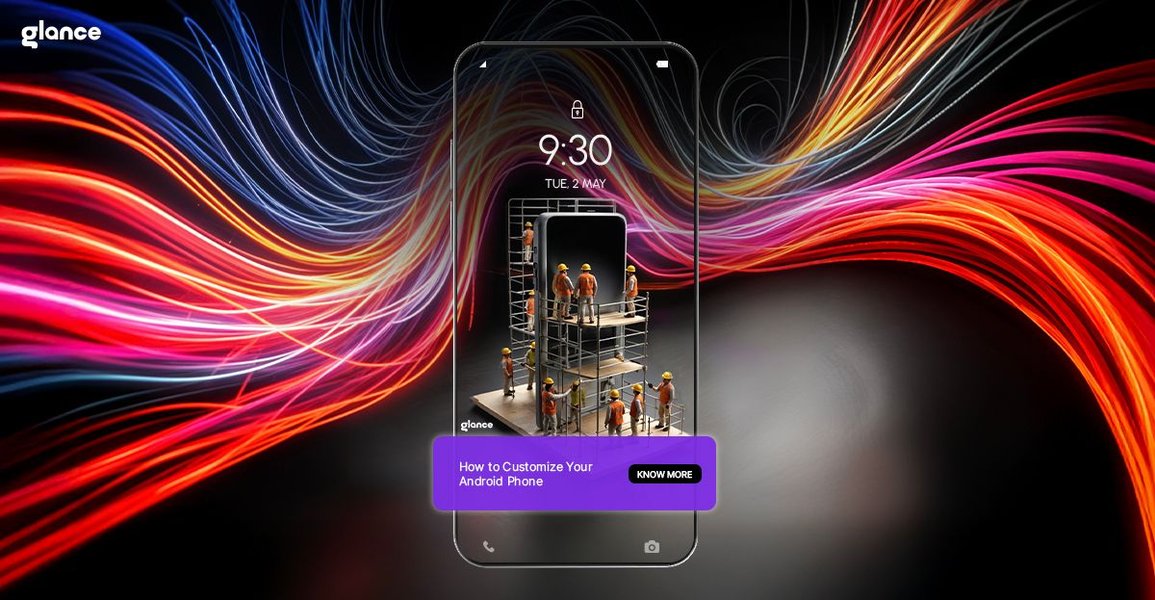
Android offers extensive options to tailor your phone's interface to your liking.
iOS Customization: Evolving but More Prescribed
While Apple's iOS has made strides in customization in recent years, introducing home screen widgets and more flexible app library management, it still operates within a more controlled framework. The extent of visual and functional overhaul possible on Android is significantly greater than what iOS typically allows, which might feel restrictive given your desire to "keep on changing things."
Navigating the Security Landscape: Android's Strengths
The Evolution of Android Security
Personal security is paramount for you, and it's a valid consideration when comparing platforms. Historically, iOS has often been perceived as having an edge due to its "walled garden" ecosystem. However, Android's security has matured significantly. Reputable manufacturers like Google (with its Pixel line) and Samsung (with its Galaxy series) invest heavily in security:
- Hardware-Backed Security: Many modern Android phones include dedicated security chips (like Google's Titan M2 or Samsung's Knox) that protect sensitive data and operations at the hardware level.
- Google Play Protect: This built-in malware protection service scans billions of apps daily, both on and off the Google Play Store, to identify and mitigate threats.
- Regular Security Updates: Leading Android manufacturers now provide timely monthly security patches and several years of OS version updates for their flagship and mid-range devices, addressing vulnerabilities promptly.
- Granular Permissions: Android offers fine-grained control over app permissions, allowing you to decide what data and features each app can access.
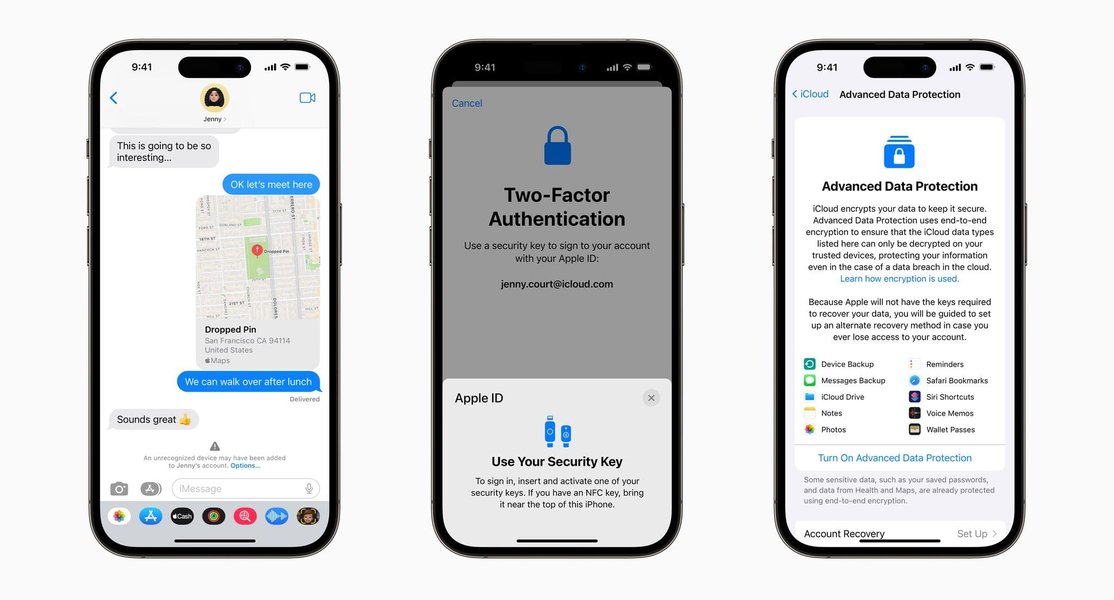
Both major platforms, including Android, are continuously enhancing security features to protect users.
iOS Security: The Walled Garden Approach
iOS benefits from Apple's tight control over hardware and software, a stringent app review process for the App Store, and consistent, timely updates across all compatible devices. This integrated approach contributes to its strong security reputation.
Achieving a Secure Android Experience
While Android's openness can present a larger theoretical attack surface, a secure experience is highly achievable by following good practices:
- Choose devices from manufacturers with a strong track record for security updates (e.g., Google, Samsung).
- Install apps primarily from the Google Play Store and scrutinize app permissions.
- Keep your device's operating system and apps updated.
- Utilize built-in security features like screen locks, two-factor authentication for your Google account, and find-my-device services.
For a user who is security-conscious and willing to engage with these practices, Android can provide a robustly secure environment that also satisfies the desire for customization.
Catering to Your Dynamic Nature: Android's Adaptability
A Playground for Change
Your "moody" nature and desire to "keep on changing things" in your environment find a perfect match in Android's adaptability. The platform's flexibility isn't just skin deep. Beyond UI tweaks, you can change default browsers, keyboard apps, messaging clients, and much more. This means that as your preferences shift, your phone can shift with you without needing a complete overhaul or new hardware.
The Broader Ecosystem and Device Choice
The Android ecosystem offers a vast array of devices from numerous manufacturers, catering to different price points, feature sets, and design philosophies. This diversity gives you more options to find hardware that perfectly suits your needs at any given time. Furthermore, switching between Android devices is generally a straightforward process, with tools available to migrate your data and settings seamlessly.
Platform Showdown: A Visual Comparison
To better illustrate how Android and iOS stack up against your key preferences, consider this radar chart. It provides an opinionated comparison across several factors, with higher scores indicating a stronger alignment with that particular aspect. Remember, "Security (Default)" refers to out-of-the-box protection, while "Security (User-Configurable)" reflects the potential for security enhancement through user actions and choices, which is often greater on more open platforms when managed wisely.
As depicted, Android generally offers greater freedom in customization and environmental change, aligning well with your stated preferences. While iOS scores high on default security, Android's user-configurable security potential is also strong, especially with informed choices.
Mapping Your Decision: Key Factors at a Glance
This mindmap provides a visual summary of the core considerations influencing the recommendation, breaking down your preferences and how each platform addresses them. It helps to see the interconnectedness of these factors in leading to the choice of Android for your specific needs.
(Launchers, Widgets, Themes, Icons)"] HighFlexibility["High Flexibility for Mood-Driven Changes"] RobustSecurityOptions["Robust Security Options
(Flagship Devices, Good Practices)"] OpenEcosystem["Open & Diverse Ecosystem"] UserControl["Greater User Control over Device"] AndroidConsiderations["Points to Note for Android"] SecurityManagement["Active Security Management Advised
(Updates, App Vetting)"] iOSAlternative["Alternative: iOS"] iOSStrengths["iOS Strengths"] ExcellentDefaultSecurity["Excellent Default Security (Closed System)"] StreamlinedExperience["Streamlined & Consistent User Experience"] iOSLimitationsForYou["iOS Limitations for You"] MoreRestrictedCustomization["More Restricted Customization Options"] LessAdaptableEnvironment["Less Adaptable to Frequent Wholesale Changes"]
The mindmap highlights how Android's strengths in customization and flexibility directly cater to your primary desires, while its security capabilities can meet your needs with mindful usage.
Feature Face-Off: Android vs. iOS for Your Needs
This table offers a direct comparison of Android and iOS concerning features most relevant to your query, particularly focusing on customization, security, and adaptability.
| Feature | Android | iOS | Relevance to Your Needs |
|---|---|---|---|
| UI Customization (Launchers, Themes, Widgets) | Extensive; full launcher replacements, system-wide themes, highly versatile widgets. | Improving; widgets available, some theme-like adjustments via Focus Modes, but no full launcher changes. | High. Android's depth here directly supports your love for customization and changing your environment. |
| System-Level Modifications | Possible (e.g., custom ROMs for advanced users, though carries risks and complexities). Developer options readily accessible. | Highly restricted; jailbreaking required for similar depth, which voids warranty and has security implications. | Medium. While not essential for all, Android's openness offers this path for ultimate control if desired. |
| Default App Choices | Full freedom to choose and set default apps for most functions (browser, email, SMS, etc.). | Increasingly flexible, but some core apps remain less easily replaceable. | High. Allows tailoring the core experience to your preferred tools. |
| Security Approach | Open-source with multiple layers of security (hardware, OS, Play Protect); manufacturer and user diligence play a role. | Closed ecosystem; Apple controls hardware, software, and app distribution for tight integration and security. | Critical. Both offer strong security. Android requires more user awareness for optimal protection but offers flexibility. |
| App Sideloading | Permitted (installing apps from outside the official app store), offers flexibility but requires caution. | Generally not permitted without workarounds; primary app source is the App Store. (Note: Regulatory changes may impact this in some regions). | Medium. Offers more software choices on Android, aligning with flexibility, but security vigilance is key. |
| Ease of Environmental Change | Very high; UI can be dramatically altered frequently and easily. | Moderate; changes are more incremental within Apple's design language. | Very High. Android excels at allowing you to refresh your device's look and feel as your mood dictates. |
| Ease of Data Transfer (Switching from iOS) | Google's "Switch to Android" app and manufacturer tools facilitate data migration (contacts, photos, calendars). | Apple's "Move to iOS" app for Android-to-iOS transfers. | Important for a smooth transition if you decide to switch. Tools exist for both directions. |
Perspectives on Switching: A User's Journey
Hearing from others who have made a similar transition can be insightful. While individual experiences vary, videos discussing switches often highlight the practical aspects of moving between these ecosystems. The following video shares a perspective on switching from iPhone to Android in 2025, which might resonate with your considerations. It touches upon motivations, the experience of using Android, and potential drawbacks, offering a balanced view.
This user's journey, discussing aspects like the Google Pixel 9 and the overall Android experience, can provide additional context as you weigh your decision.
Top Android Contenders in 2025 (Based on Current Trends)
If you decide to switch to Android, several flagship devices in 2025 are expected to offer an excellent balance of performance, customization capabilities, and strong security features. These are often highlighted for their advanced AI integrations, camera systems, and commitment to software updates.
Samsung Galaxy S25 Ultra
Frequently lauded for its powerful camera system, extensive feature set including advanced AI capabilities, and Samsung's One UI, which offers a wealth of customization options on top of Android. Samsung DeX also provides a desktop-like experience.
Google Pixel 9 Pro
Known for its "pure" Android experience, exceptional camera software powered by Google's AI, and prompt OS and security updates directly from Google. Pixel devices are often favored by those who want a clean, intelligent, and highly integrated Android experience.
Other Notable Mentions
Brands like OnePlus continue to offer devices with powerful performance and highly customizable software (OxygenOS). Foldable phones, such as the OnePlus Open or Samsung Galaxy Z Fold series, also provide unique form factors within the Android ecosystem for those seeking something different.
Modern Android phones offer deep customization possibilities, as illustrated by enterprise-level custom builds.
Frequently Asked Questions (FAQ)
Is Android really as secure as iPhone in 2025?
Both platforms have robust security. iOS benefits from a closed ecosystem and strict app vetting. High-end Android devices (like Google Pixel or Samsung flagships) offer strong hardware-based security, regular patches, and features like Google Play Protect. For most users practicing good digital hygiene (using strong passwords, updating regularly, downloading apps from official stores, being wary of phishing), Android can be very secure. The key difference often lies in user freedom: Android's openness, which allows for greater customization, also means users need to be slightly more vigilant, especially if sideloading apps or modifying system settings extensively.
How extensive is customization on Android really?
Extremely extensive. You can change almost anything:
- Launchers: Completely alter the home screen, app drawer, animations, and gestures.
- Icon Packs: Change the appearance of all your app icons.
- Widgets: Place dynamic, interactive app windows on your home screen.
- Themes: Many manufacturer skins (like Samsung's One UI) allow system-wide theming of colors, fonts, and styles.
- Keyboards: Install third-party keyboards with different layouts, features, and themes.
- Default Apps: Choose your preferred browser, messaging app, email client, etc.
- Advanced: Rooting (for experts) can unlock even deeper system modifications.
Will I find it difficult to switch from iPhone to Android?
Switching has become much easier. Google provides a "Switch to Android" app that helps transfer important data like contacts, photos, videos, calendar events, and even some app data from your iPhone to a new Android device. Many Android manufacturers also offer their own dedicated switching tools. While the user interface and some app ecosystems will be different, the learning curve is generally manageable, especially since you're open to either platform. Key services like Gmail, Google Maps, Google Photos, and many popular third-party apps are available on both platforms, easing the transition.
What if I prioritize simplicity over deep customization later?
That's the beauty of Android's flexibility. While it allows for deep customization, it doesn't require it. You can use an Android phone with its default launcher and settings for a very straightforward and simple experience, especially with interfaces like Google's Pixel UI, which is known for its clean design. If your preferences shift towards simplicity, you can easily revert to a more basic setup without needing to switch platforms again. Android caters to both the tinkerer and the user who prefers a "set it and forget it" approach, though the latter is often more synonymous with iOS out of the box.
Recommended Further Exploration
To delve deeper into areas that might interest you based on this recommendation, consider exploring these topics:
- Explore best Android launchers for maximum customization in 2025.
- Understand Android security best practices for new users in 2025.
- Compare the latest Google Pixel 9 Pro and Samsung Galaxy S25 Ultra features for customization and security.
- How to easily transfer all data from iPhone to a new Android device.
References
Last updated May 6, 2025