
Exploring APIs for AI and Cloud Services: Puter.com, OpenRouter, and Google Gemini
A Comprehensive Guide to Their Capabilities and Access
Key Highlights
- Puter.js offers serverless auth, cloud storage, and AI capabilities (including access to models like GPT-4o mini and Claude 3.7 Sonnet, and DALL-E 3 for text-to-image) directly in your browser-side JavaScript without requiring API keys or backend setup.
- OpenRouter acts as a unified API gateway, providing access to numerous AI models through a single endpoint, simplifying integration and potentially offering cost-effectiveness by allowing use of shared credit pools.
- Google Gemini API provides access to Google's advanced generative AI models, with different models optimized for various tasks and performance needs, and offers a free tier for getting started.
This document provides an overview of the API documentation and capabilities for three distinct platforms: Puter.com, OpenRouter, and Google Gemini. Each platform offers unique services, ranging from serverless cloud and AI features accessible directly in the browser to unified access to a multitude of AI models and cutting-edge generative AI from Google.
Puter.com: Serverless Cloud and AI in Your Browser
Effortless Integration with Puter.js
Puter.com focuses on providing a privacy-first personal cloud and an open-source cloud operating system. A key component of their offering for developers is Puter.js, a JavaScript library that brings serverless authentication, cloud storage, and AI services directly to your frontend code. This eliminates the need for backend code or complex configurations, and notably, does not require API keys for basic usage.
With Puter.js, developers can readily implement features such as user authentication, file storage, and database interactions. Furthermore, Puter.js provides access to various AI capabilities, including chat models like GPT-4o mini and Claude 3.7 Sonnet, as well as text-to-image generation using DALL-E 3. The library is designed for simplicity, allowing developers to focus on building their applications without the overhead of managing backend infrastructure.
Getting Started with Puter.js
Integrating Puter.js into a web application is straightforward. You simply need to include the Puter.js script in your HTML. Once included, a global puter object becomes available, providing access to all the library's functionalities. Authentication is handled seamlessly; when your code attempts to access a cloud service, the user is prompted to sign in with their Puter.com account if they haven't already. This allows you to build your application as if the user is always signed in, with Puter.js managing the authentication flow.
For AI functionalities, such as using a chat model, you can call functions like puter.ai.chat(), providing an array of message objects with roles and content. For text-to-image generation, the puter.ai.txt2img() function is available.
Available Services via Puter.js
- Serverless Authentication
- Cloud Storage (File Operations)
- Databases (Key-Value Storage)
- AI Chat (Access to models like GPT-4o mini, Claude 3.7 Sonnet)
- Text-to-Image Generation (Using DALL-E 3)
- Website Hosting (Deploying static websites)
- Text-to-Speech
The Puter.js documentation offers a comprehensive list of available services and functions, along with tutorials for specific use cases like implementing authentication or utilizing text-to-speech.
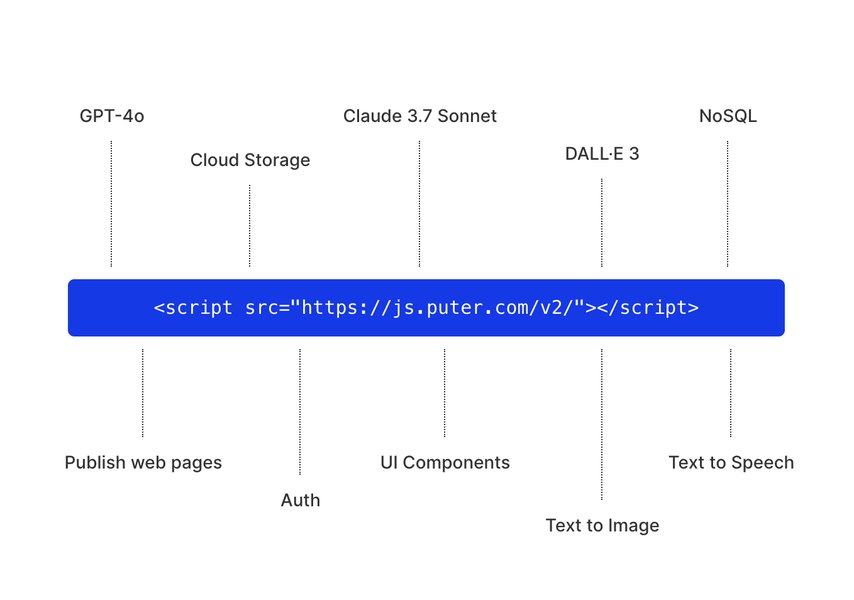
Puter.js - Serverless Auth, Cloud, and AI.
API Documentation Availability
While Puter.js provides a high-level interface for accessing Puter's services, the direct API documentation for api.puter.com is currently being developed and is expected to be released once the API is deemed mature enough.
OpenRouter: A Unified API Gateway for AI Models
Accessing Diverse LLMs Through a Single Endpoint
OpenRouter positions itself as a unified API gateway that provides developers with access to a wide range of AI models through a single endpoint. This approach simplifies the process of integrating various large language models (LLMs) into applications, eliminating the need to manage multiple API keys and different integration methods.
The core benefit of OpenRouter lies in its ability to act as an intermediary, connecting your application to numerous AI providers. This not only streamlines development but also offers flexibility in choosing the best model for a specific task and potentially provides cost advantages through shared credit pools.
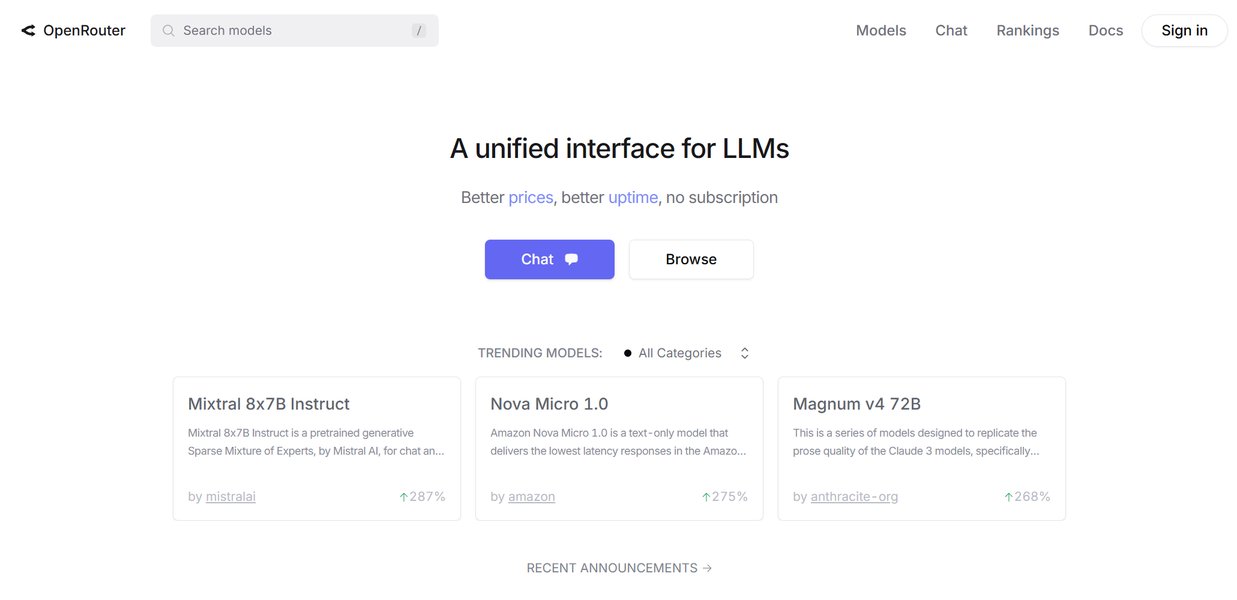
Integrating with the OpenRouter API.
OpenRouter API Structure and Usage
OpenRouter's API design is intentionally similar to the OpenAI Chat API, which makes it easier for developers already familiar with the OpenAI ecosystem to adopt OpenRouter. The API reference provides detailed information on available endpoints, request and response schemas, and parameters.
To use OpenRouter, you typically obtain an API key from their platform. This key is then used to authenticate your requests to the single OpenRouter endpoint. The specific AI model you wish to use is often specified within the API call payload.
Key Features of OpenRouter
-
Unified API for multiple AI models
-
Simplified integration process
-
Potential cost savings through shared credits
-
Flexibility to switch between models easily
-
API structure similar to OpenAI
OpenRouter's documentation includes a quickstart guide to help developers get up and running quickly, as well as examples of integrating with different SDKs.
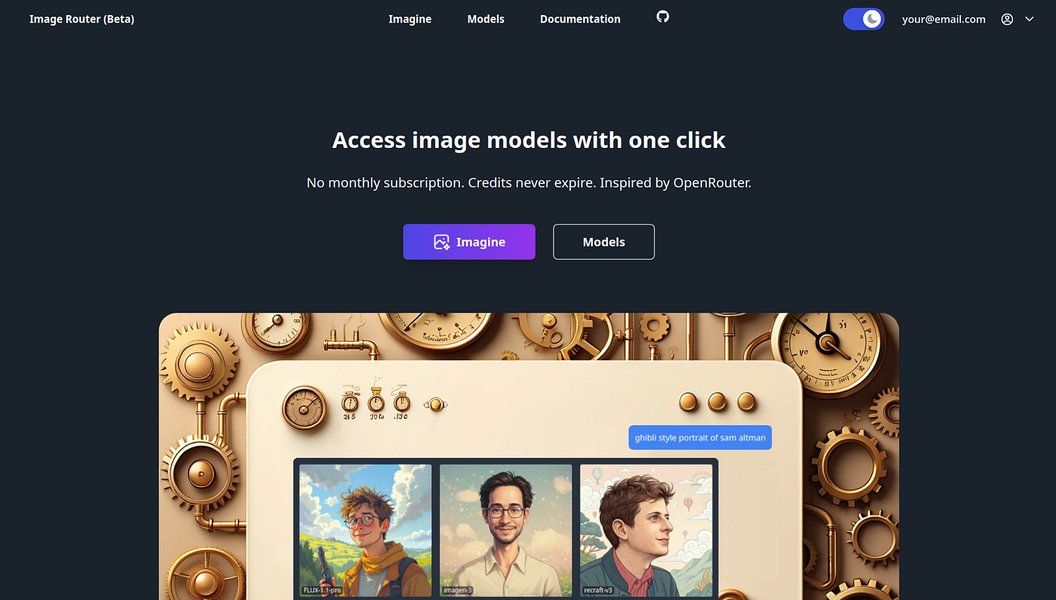
Exploring the capabilities of OpenRouter for image generation.
OpenRouter and Openrouteservice - Not the Same
It is important to note that OpenRouter, the AI gateway, is distinct from Openrouteservice. Openrouteservice is a separate open-source project focused on providing geospatial services, including routing, isochrones, and matrix calculations, based on OpenStreetMap data. While both are open projects, they serve entirely different purposes and have separate API documentation and usage.
Google Gemini API: Accessing Google's Generative AI
Integrating Advanced AI Models into Your Applications
The Google Gemini API provides developers with access to Google's latest and most powerful generative AI models, collectively known as Gemini. These models are designed for a variety of tasks, including complex reasoning, sophisticated content generation, and handling multimodal inputs (text, images, audio). Google offers different Gemini models, such as Gemini 1.5 Pro and Gemini 1.5 Flash, each optimized for different performance requirements and use cases.
Access to the Gemini API is typically managed through Google AI Studio or Google Cloud Platform. Developers need to obtain an API key to authenticate their requests. Google provides SDKs for various programming languages, including JavaScript, to facilitate integration into web applications and other projects.
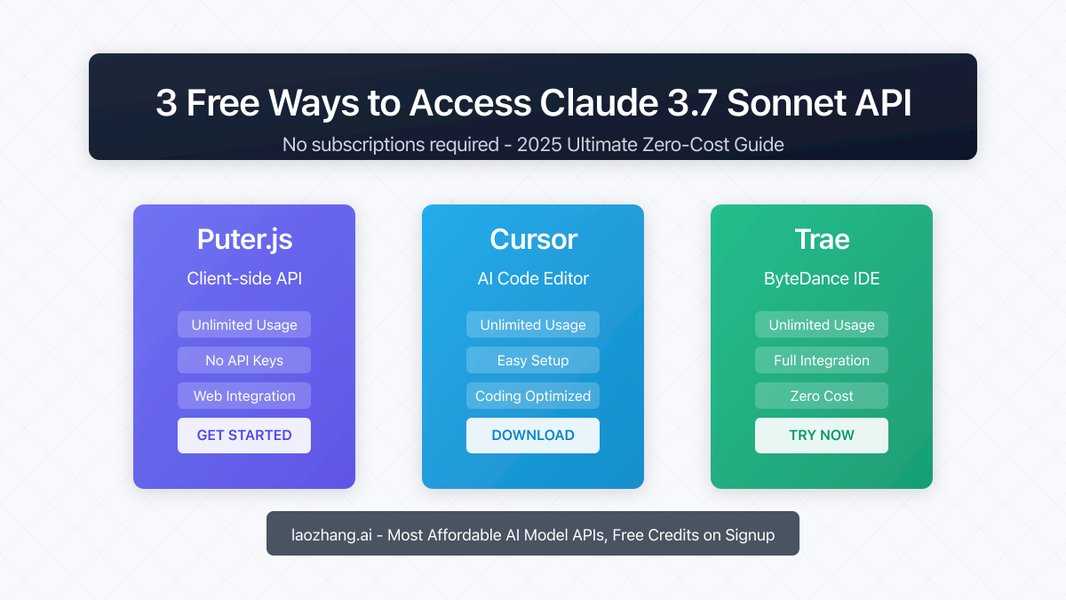
Exploring AI API access, which can include models available via Gemini.
Getting Started with Gemini API
To begin using the Gemini API, you generally start by obtaining an API key from Google AI Studio. Google provides extensive documentation, including quickstarts and tutorials, to guide developers through the process of setting up their environment, making their first API calls, and exploring the various features of the Gemini models, such as multimodal prompting and function calling.
For web applications, the Google AI JavaScript SDK can be used to interact with the Gemini API directly from client-side code. The documentation includes examples and guides for building generative AI features into web apps.
Gemini API Capabilities and Models
The Gemini API allows for a wide range of generative AI tasks. The available models offer different levels of capability and cost. For instance, Gemini 1.5 Pro is designed for complex tasks, while Gemini 1.5 Flash is a more lightweight option for applications requiring speed and high throughput. Google also offers a free tier for getting started with the Gemini API.
Multimodal capabilities are a key feature of Gemini, allowing developers to build applications that can process and generate content based on combinations of text, images, and other media.
API Documentation and Resources
Google provides detailed API reference documentation for the Gemini API, covering the available classes, methods, and parameters. Additionally, the Gemini API Cookbook on GitHub offers hands-on tutorials and practical examples to help developers learn how to use the API effectively. Resources are also available for using Gemini within Google Cloud Platform (Vertex AI) for more scalable and enterprise-level applications.
It's important to stay updated on the availability of specific models and features, as Google continues to evolve the Gemini family of models and their API.
Comparison of API Access and Features
Understanding the Differences and Use Cases
While all three platforms offer access to AI capabilities, they differ significantly in their approach, target users, and the scope of services provided. The table below summarizes some key differences:
| Feature | Puter.com (Puter.js) | OpenRouter | Google Gemini API |
|---|---|---|---|
| Primary Focus | Serverless Cloud OS and AI in Browser | Unified AI Model Gateway | Google's Advanced Generative AI Models |
| API Key Required (Basic Usage) | No | Yes | Yes (Free tier available) |
| Backend Required | No (Browser-side JavaScript) | No (API endpoint) | No (API endpoint, SDKs available) |
| Models Accessible | GPT-4o mini, Claude 3.7 Sonnet, DALL-E 3, others via Puter backend | Numerous models from various providers | Google Gemini models (1.5 Pro, 1.5 Flash, etc.) |
| Additional Services | Auth, Cloud Storage, Database, Website Hosting, Text-to-Speech | Unified access, model management | Integrated with Google Cloud (Vertex AI) |
| Ideal Use Case | Rapid prototyping, frontend applications needing cloud/AI, privacy-focused apps | Accessing diverse models, comparing models, cost optimization | Integrating cutting-edge generative AI, multimodal applications, Google Cloud users |
Choosing the right platform depends on your specific needs, technical expertise, and project requirements. Puter.js is ideal for frontend developers looking for quick access to cloud and AI without backend setup. OpenRouter is suitable for those who need flexibility and access to a wide variety of models. The Google Gemini API is the choice for developers who want to leverage Google's latest advancements in generative AI and potentially integrate with the Google Cloud ecosystem.
Frequently Asked Questions
What is Puter.js and how is it different?
Puter.js is a JavaScript library that provides serverless auth, cloud storage, and AI capabilities directly in the browser. Its key differentiator is the ability to access these services without requiring a backend or API keys for basic use, making it very easy to get started for frontend developers.
How does OpenRouter provide access to multiple AI models?
OpenRouter acts as a unified API gateway. You interact with a single OpenRouter endpoint using an OpenRouter API key, and OpenRouter routes your requests to the desired AI model from their supported list, handling the underlying interactions with various AI providers.
Do I need a Google Cloud account to use the Gemini API?
You can get started with the Gemini API through Google AI Studio, which does not strictly require a full Google Cloud account for initial exploration and use of the free tier. However, for more extensive usage, higher rate limits, or integration with other Google Cloud services, a Google Cloud account and using Vertex AI may be necessary.
Is there a free tier for these APIs?
Puter.js offers its services without requiring API keys or usage restrictions for many basic functionalities. OpenRouter operates on a credit-based system where you pay for usage, but the unified access can be cost-effective. The Google Gemini API offers a free tier for getting started, with pay-as-you-go plans for scaling.
Can I use these APIs for commercial projects?
Generally, yes, but you should review the terms of service and pricing for each platform. Puter.js is part of the open-source Puter ecosystem. OpenRouter is designed for developers and offers paid plans. Google Gemini API has a free tier and paid options suitable for commercial applications.
References
Last updated May 4, 2025