
Unlock Precision: Master AppSheet's Dynamic Filtering Capabilities
Discover how to intelligently refine data views, enhance security, and personalize user experiences in your AppSheet applications.
Key Insights into AppSheet Filtering
- Slices are fundamental for creating virtual subsets of data, dynamically adjusting what users see based on defined conditions.
- The FILTER() and SELECT() functions are powerful expression-based tools for extracting specific data subsets or lists of keys, enabling complex, dynamic data manipulation.
- Security filters provide robust row-level data access control, ensuring that users only view authorized information, crucial for data privacy and compliance.
AppSheet offers a comprehensive suite of filtering mechanisms designed to empower app creators with granular control over data visibility and accessibility. Whether you aim to enhance user experience by presenting only relevant information, bolster data security, or improve app performance, AppSheet’s filtering capabilities are indispensable. These methods range from creating virtual data subsets through slices to applying robust security filters and leveraging powerful expression functions like FILTER() and SELECT().
The Core Mechanics of AppSheet Filtering
Filtering in AppSheet is about defining conditions that determine which data rows are displayed or accessible within an application. This process is vital for building dynamic, secure, and user-centric apps, especially when dealing with large datasets where targeted views are essential. The underlying principle involves using expressions that evaluate to TRUE or FALSE for each row, thereby dictating its inclusion or exclusion from a view or operation.
Slices: Virtual Tables for Dynamic Views
Slices are a cornerstone of AppSheet’s filtering architecture, allowing you to create virtual tables that display only a subset of rows from a larger base table. This is achieved by defining a "Row filter condition" – a Yes/No expression that determines which rows are included. Slices are particularly effective for dynamic filtering, where the displayed data changes based on user input or other criteria, and for implementing per-user filtering, providing each user with a customized data view.
Crafting Slice Conditions with the Expression Assistant
When creating a slice, you define its filter condition using AppSheet's Expression Assistant. This intuitive tool helps construct precise expressions, ensuring that the logic for including or excluding rows is accurate. For instance, to filter data for the currently signed-in user, a common expression would be [AssignedTo] = USEREMAIL(), limiting the view to items assigned to that specific user.
Slices are also instrumental in scenario-based filtering. For example, if you have a "Filter" table with user-editable criteria (like "Color"), a slice can be configured to show only data where the "Color" column matches the value selected in the filter table. This allows users to interactively narrow down their data views.
Powerful Expressions: FILTER() and SELECT() Functions
AppSheet provides dedicated functions such as FILTER() and SELECT() that are crucial for constructing complex filtering expressions. These functions allow for programmatic data manipulation and retrieval, going beyond simple row-level conditions.
FILTER(): Retrieving Specific Rows
The FILTER(table-name, filter-expression) function returns a list of keys (Refs) to rows from a specified table or slice for which the filter-expression evaluates to TRUE. This function is incredibly versatile and can be used in various contexts, such as virtual columns, actions, or workflows, to dynamically gather related data subsets.
FILTER("Orders", ([Customer] = [_THISROW].[Customer]))This example demonstrates how FILTER() can return orders associated with the customer of the current row, making it ideal for displaying related information in forms or detail views.
SELECT(): Extracting Specific Data
The SELECT(table-name[column-name], filter-expression) function retrieves a list of values from a specific column based on a defined condition. Without a filter, it returns all data from the specified column. SELECT() is powerful for populating dynamic dropdowns, filtering data based on specific criteria, or displaying unique values.
SELECT(Students[First Name], [Class] = "Math")This example returns the first names of students enrolled in a "Math" class, showcasing its utility in creating context-aware selections or filtered lists.
Security Filters: Enforcing Row-Level Access Control
Security filters are a critical feature for maintaining data privacy and compliance. They are an advanced form of filtering used to control user access to data at the row level, ensuring that users only see information relevant to their role or permissions. This is configured under Security > Security filters in the app editor.
Implementing User-Specific Data Access
For robust row-level security, app sign-in is required, and the USEREMAIL() expression is frequently employed. For example, a security filter like [AssignedTo]=USEREMAIL() would ensure that a user only sees items assigned specifically to them. This type of filter is applied at the data source level, meaning unauthorized data is not even downloaded to the user's device, significantly enhancing security and performance.
User-Driven Filtering and Advanced Techniques
Beyond static or security-based filters, AppSheet enables highly interactive filtering based on direct user input, enhancing the dynamism and usability of applications.
Dynamic Filtering via User Input Forms
AppSheet allows developers to design applications where users can dynamically filter data through forms. This approach is intuitive, enabling users to refine their data views without needing to understand complex expressions.
Form-Based Filtering Mechanisms
A common strategy involves creating a "Filter" table, often with a single row, that users can edit. This row acts as a control for how the main data table is filtered, typically via a slice. For instance, users can input values into fields within this filter form (e.g., a "Category" or "Date Range"), and upon saving, they are redirected to a filtered view of the data that matches their criteria. This offers a highly customizable user experience, allowing them to explore data based on their specific needs.
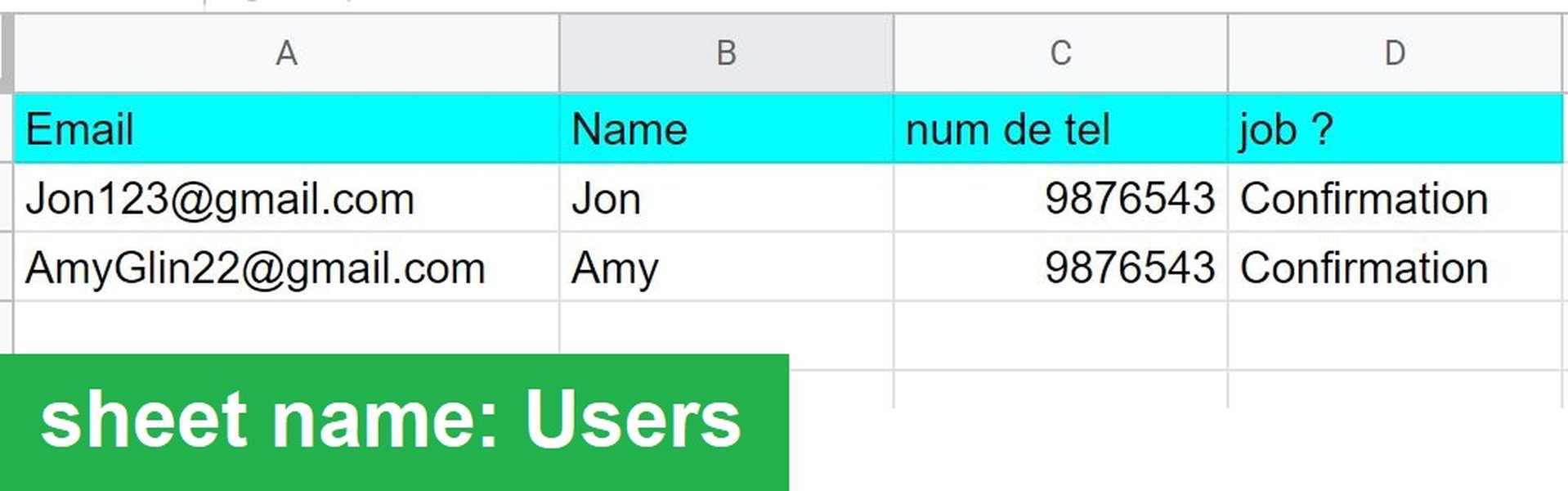
Advanced Per-User Filtering Dashboards
For more sophisticated scenarios, AppSheet supports advanced filtering techniques, such as constructing per-user filtering dashboards. These dashboards often involve a dedicated "search" or "filter" table where each user has their own unique filter record. A slice then filters the main data table based on the criteria specified in that user's record, providing a highly personalized and efficient data exploration experience.
Implementing Multiple Filters in a View
AppSheet can handle multiple filter criteria within a single view, combining conditions using logical operators like AND() and OR(). This allows for highly specific data segmentation, enabling users to apply various filters simultaneously (e.g., filtering by "Category" AND "Status" AND "Date Range").
Visualizing Filtering Capabilities
To better understand the multifaceted nature of AppSheet's filtering mechanisms, consider the following radar chart, which illustrates the relative strengths and applications of different filtering types.
This radar chart provides an analytical perspective on various AppSheet filtering methods across several key dimensions, such as ease of setup, performance impact, flexibility, and suitability for security. Each spoke represents a different criterion, and the plotted lines indicate the perceived effectiveness or strength of each filtering method in that area. For example, security filters excel in "Data Security," while slices offer high "Flexibility in Views." This visualization helps in selecting the most appropriate filtering strategy based on specific application requirements.
Comparing AppSheet Filtering Methods
To further clarify the distinctions and optimal uses of different filtering methods, the following table provides a concise comparison based on their primary characteristics and typical applications.
| Filtering Method | Primary Use Case | Key Feature(s) | Configuration Location | Impact on Performance |
|---|---|---|---|---|
| Slices | Creating dynamic views for specific user contexts or categories. | Virtual subset of a table based on a "Row filter condition." | Data > Slices > New Slice | Improves performance by reducing data displayed. |
| Security Filters | Enforcing row-level data access control for security and privacy. | Limits data loaded and seen by users at the source. | Security > Security filters | Significant performance improvement due to pre-filtering. |
| FILTER() Function | Returning lists of keys (Refs) for conditional data retrieval in expressions. | Used in virtual columns, actions, or workflows to dynamically gather related data. | Within expressions (Expression Assistant) | Can impact performance depending on expression complexity and data volume. |
| SELECT() Function | Extracting specific column values based on conditions, useful for dropdowns. | Retrieves lists of values, supports complex logical expressions. | Within expressions (Expression Assistant) | Similar to FILTER(), performance depends on expression and data. |
| Form-Based Filtering | Allowing users to interactively define filter criteria. | User input in a form dynamically updates slices or views. | Requires a "Filter" table and associated slices/views. | Good for user experience; performance tied to underlying slice/expression. |
Navigating Filtering Concepts: A Mindmap Overview
This mindmap provides a hierarchical overview of the main filtering concepts in AppSheet, illustrating how different methods and functionalities interconnect to form a comprehensive filtering system. It helps to visualize the relationships between core features like slices, security filters, and expression functions, and how they contribute to dynamic, user-specific, and secure data views. This visual representation can aid in understanding the overall architecture of AppSheet filtering and identify how various components work together.
Deep Dive: FILTER() vs. SELECT() Functions
Understanding the nuances between the FILTER() and SELECT() functions is crucial for building efficient and powerful AppSheet applications. While both are used for data retrieval and manipulation, their specific applications and outputs differ.
This video provides a detailed explanation of the differences between the FILTER() and SELECT() functions in AppSheet, illustrating their unique functionalities and how to leverage them effectively in your app development. It's an excellent resource for anyone looking to deepen their understanding of these core AppSheet expressions.
Best Practices for Effective AppSheet Filtering
To maximize the benefits of AppSheet's filtering capabilities, adhere to the following best practices:
- Leverage the Expression Assistant: Always use AppSheet's Expression Assistant when building filter conditions. This tool provides syntax validation, error checking, and auto-completion, ensuring your expressions are correct and efficient.
- Optimize Data Structure: Design your data tables with filtering in mind. Well-structured data with appropriate column types and relationships will lead to more efficient and accurate filtering.
- Utilize User-Specific Filters: For applications requiring personalized data views, implement user-specific filters using
USEREMAIL()in conjunction with slices or security filters. This ensures that each user sees only their relevant data. - Combine Slices and Security Filters: For enhanced performance and robust security, use a combination of slices (for view-level filtering) and security filters (for row-level access control). Security filters act as the first line of defense, reducing the amount of data downloaded, while slices refine the displayed view.
- Test Thoroughly: Always test your filters extensively across different user roles and data scenarios to ensure they function as intended and provide the correct data subsets.
Frequently Asked Questions (FAQ)
What is the primary purpose of filtering in AppSheet?
How do slices contribute to filtering in AppSheet?
When should I use security filters instead of slices?
Can I combine multiple filtering methods in AppSheet?
What is the role of the USEREMAIL() function in AppSheet filtering?
Conclusion
AppSheet's filtering capabilities are a cornerstone for developing highly functional, secure, and user-friendly applications. By mastering the use of slices, security filters, and expression functions like FILTER() and SELECT(), developers can precisely control data visibility and access. These tools enable the creation of personalized user experiences, ensure data privacy, and optimize app performance, ultimately leading to more effective and robust AppSheet solutions.
Recommended Searches
- How to implement per-user filtering in AppSheet dashboards?
- AppSheet expressions for dynamic dropdowns
- Optimizing AppSheet performance with security filters
- Building interactive search forms in AppSheet