
Streamlining Database Performance: Automating Daily SQL Index Reindexing
A Comprehensive Guide to Efficient Index Maintenance for SQL Server
Key Insights for Automated Index Reindexing
- Strategic Approach is Crucial: While daily reindexing might seem beneficial, a well-defined strategy based on fragmentation levels and database activity is more effective and less resource-intensive than a blanket daily rebuild.
- Leverage Automation Tools: SQL Server Agent, Maintenance Plans, and third-party tools like Ola Hallengren's scripts or ApexSQL Defrag are powerful allies in automating index maintenance, eliminating manual intervention.
- Distinguish Rebuild vs. Reorganize: Understanding the difference between rebuilding and reorganizing indexes is vital for optimizing performance. Reorganize is lighter for lower fragmentation, while rebuild is for higher fragmentation.
Automating the process of reindexing SQL indexes daily is a common goal for database administrators seeking to optimize performance and reduce fragmentation. While it's technically feasible to schedule daily reindexing, a more nuanced approach often yields better results, balancing performance gains with resource consumption. The primary goal of index maintenance is to address fragmentation, which occurs as data is inserted, updated, and deleted, leading to disorganization within the index's physical storage and impacting query performance. This guide will explore various methods for automating index reindexing in SQL Server, providing a comprehensive understanding of best practices and considerations.
Understanding SQL Index Fragmentation
The Impact on Database Performance
Index fragmentation is a natural byproduct of data modification operations. When data is added, deleted, or updated, SQL Server may not be able to maintain perfect logical ordering of index pages or compact pages efficiently, leading to fragmented indexes. This fragmentation comes in two primary forms:
- Logical Fragmentation: Pages in the leaf level of an index are out of logical order. This forces SQL Server to perform more I/O operations to read data, as it has to jump between non-contiguous pages.
- Physical Fragmentation: Free space within index pages (due to fill factor settings not being maintained) or extent fragmentation where allocated extents are not contiguous. This also contributes to increased I/O.
Both types of fragmentation can significantly degrade query performance, increase disk I/O, and consume more system resources. By reindexing, you essentially reorganize or rebuild the index, putting its pages back into a more contiguous and logically ordered state, thereby improving data retrieval efficiency.
Choosing the Right Index Maintenance Strategy: Rebuild vs. Reorganize
Tailoring Your Approach to Fragmentation Levels
Before automating, it's crucial to understand the two main operations for index maintenance: REORGANIZE and REBUILD. Each has its own characteristics and is suited for different levels of fragmentation.
- REORGANIZE (ALTER INDEX REORGANIZE):
- This is a lighter, online operation (meaning the index remains available during the process).
- It physically reorders the leaf-level pages of the index to match the logical order.
- It also compacts index pages to reclaim free space, but doesn't necessarily respect the original fill factor setting.
- Recommended for indexes with lower fragmentation (e.g., 5% to 30% logical fragmentation).
- If the operation is cancelled, the progress made is kept.
- REBUILD (ALTER INDEX REBUILD):
- This operation essentially drops and recreates the index.
- It removes fragmentation, reclaims disk space, and reapplies the fill factor setting.
- For SQL Server Enterprise Edition, online rebuilds are possible (index is available during the process), but standard edition often requires an offline operation, leading to downtime.
- Recommended for indexes with higher fragmentation (e.g., above 30% logical fragmentation).
- This operation can be resource-intensive and time-consuming, especially for large databases. Starting with SQL Server 2014,
WAIT_AT_LOW_PRIORITYandMAX_DURATIONoptions can help manage locking issues during online rebuilds. Resumable index rebuilds, introduced in SQL Server 2017, allow pausing and resuming the operation.
The choice between reorganize and rebuild often depends on the fragmentation percentage. A common recommendation is to reorganize for fragmentation between 5% and 30% and rebuild for fragmentation above 30%.
Comparative Analysis: Rebuild vs. Reorganize
This radar chart illustrates the trade-offs between index rebuild and reorganize operations. An index rebuild generally has a higher impact on performance and resource usage, potentially leading to more downtime (especially in Standard Edition SQL Server). However, it is highly effective at reducing fragmentation and fully applies the defined fill factor. Conversely, an index reorganize has a lower impact, consumes fewer resources, and has minimal to no downtime, making it suitable for online operations and less severe fragmentation. It is less effective at severe fragmentation and does not apply the fill factor.
Methods for Automating SQL Index Reindexing
Leveraging Built-in and Third-Party Solutions
Several methods are available to automate index maintenance in SQL Server, catering to different environments and levels of complexity.
1. SQL Server Maintenance Plans
SQL Server Maintenance Plans provide a user-friendly interface within SQL Server Management Studio (SSMS) to schedule and automate various database tasks, including index maintenance. This is often the simplest approach for many environments.
Steps to Set Up a Maintenance Plan:
- Open SSMS and connect to your SQL Server instance.
- Navigate to Management > Maintenance Plans.
- Right-click on Maintenance Plans and select "New Maintenance Plan..." or "Maintenance Plan Wizard...". The wizard is often easier for initial setup.
- Give your plan a name and configure its schedule. For daily reindexing, you would set a recurring daily schedule, ideally during off-peak hours.
- Add an "Rebuild Index Task" or "Reorganize Index Task" (or both, with conditional logic if needed) to your plan.
- Configure the task:
- Select the databases and tables you want to include.
- Choose whether to rebuild or reorganize.
- Specify options like "Compact large object heap" and "Keep index online" (for Enterprise Edition).
- You can also configure "Change free space per page percentage" (fill factor) if rebuilding.
- Add a "Update Statistics Task" as index rebuilds and reorganizations can impact statistics, which are crucial for the query optimizer.
- Save the plan. SQL Server Agent will create a job to execute the plan on the specified schedule.
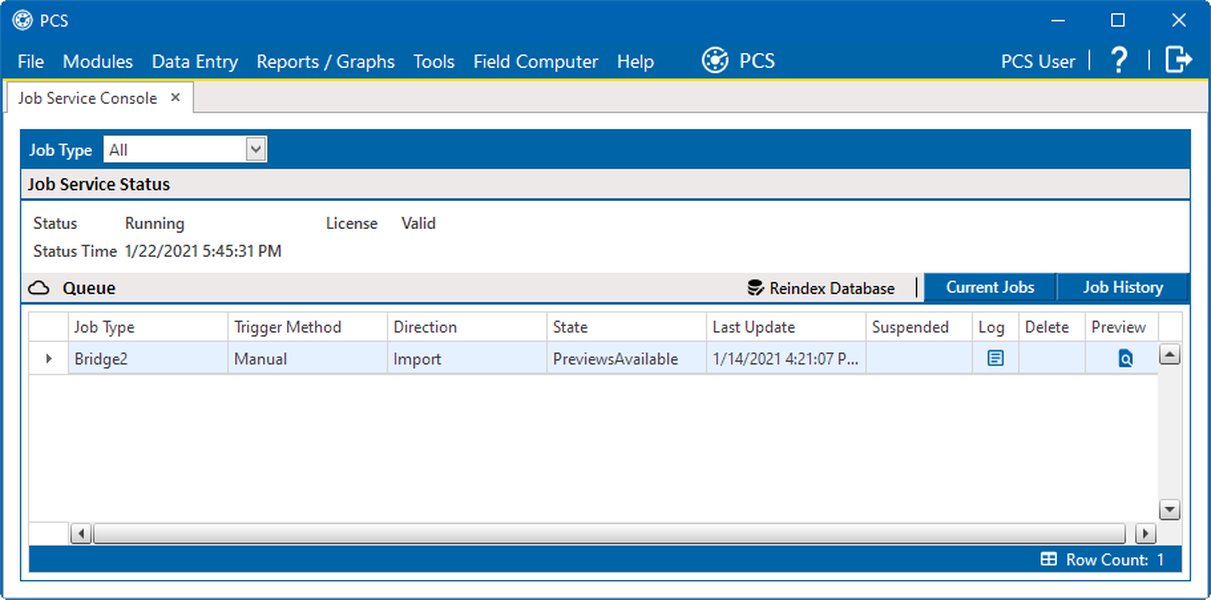
Screenshot of a SQL Server Reindex Database Job in Service Console.
2. Custom T-SQL Scripts with SQL Server Agent Jobs
For more granular control and flexibility, creating custom T-SQL scripts and scheduling them via SQL Server Agent Jobs is a popular and powerful method. This allows you to implement sophisticated logic, such as conditionally rebuilding or reorganizing based on fragmentation levels.
Example Script Logic:
-- Declare a table variable to hold index fragmentation data
DECLARE @IndexesToMaintain TABLE
(
    ObjectID INT NOT NULL,
    IndexID INT NOT NULL,
    PartitionNumber INT NOT NULL,
    AvgFragmentationInPercent FLOAT NOT NULL,
    PageCount INT NOT NULL
);

-- Populate the table with fragmentation data
INSERT INTO @IndexesToMaintain
SELECT
    s.object_id,
    s.index_id,
    s.partition_number,
    s.avg_fragmentation_in_percent,
    s.page_count
FROM
    sys.dm_db_index_physical_stats(DB_ID(), NULL, NULL, NULL, 'LIMITED') s
INNER JOIN
    sys.indexes i ON s.object_id = i.object_id AND s.index_id = i.index_id
WHERE
    s.avg_fragmentation_in_percent > 5 -- Only consider fragmented indexes
    AND i.name IS NOT NULL -- Exclude heap tables (no index name)
    AND s.page_count > 1000 -- Only consider indexes with significant pages
ORDER BY
    s.avg_fragmentation_in_percent DESC;

-- Loop through fragmented indexes and perform maintenance
DECLARE
    @CurrentObjectID INT,
    @CurrentIndexID INT,
    @CurrentPartitionNumber INT,
    @CurrentFragPercent FLOAT,
    @TableName NVARCHAR(256),
    @IndexName NVARCHAR(256),
    @SchemaName NVARCHAR(256),
    @SQLCommand NVARCHAR(MAX);

WHILE (SELECT COUNT(*) FROM @IndexesToMaintain) > 0
BEGIN
    SELECT TOP 1
        @CurrentObjectID = ObjectID,
        @CurrentIndexID = IndexID,
        @CurrentPartitionNumber = PartitionNumber,
        @CurrentFragPercent = AvgFragmentationInPercent
    FROM
        @IndexesToMaintain
    ORDER BY
        AvgFragmentationInPercent DESC;

    SELECT
        @TableName = OBJECT_NAME(@CurrentObjectID),
        @IndexName = i.name,
        @SchemaName = SCHEMA_NAME(o.schema_id)
    FROM
        sys.indexes i
    INNER JOIN
        sys.objects o ON i.object_id = o.object_id
    WHERE
        i.object_id = @CurrentObjectID
        AND i.index_id = @CurrentIndexID;

    IF @CurrentFragPercent >= 30
    BEGIN
        -- Rebuild index for high fragmentation
        SET @SQLCommand = N'ALTER INDEX [' + @IndexName + N'] ON [' + @SchemaName + N'].[' + @TableName + N'] REBUILD WITH (ONLINE = ON, SORT_IN_TEMPDB = ON, DATA_COMPRESSION = NONE);';
    END
    ELSE IF @CurrentFragPercent >= 5 AND @CurrentFragPercent < 30
    BEGIN
        -- Reorganize index for medium fragmentation
        SET @SQLCommand = N'ALTER INDEX [' + @IndexName + N'] ON [' + @SchemaName + N'].[' + @TableName + N'] REORGANIZE;';
    END
    ELSE
    BEGIN
        -- No action needed for low fragmentation
        SET @SQLCommand = N'-- Index ' + @IndexName + N' on ' + @TableName + N' has low fragmentation (' + CAST(@CurrentFragPercent AS NVARCHAR(10)) + N'%). No action.';
    END;

    PRINT @SQLCommand;
    EXEC sp_executesql @SQLCommand;

    -- Remove processed index from the table variable
    DELETE FROM @IndexesToMaintain
    WHERE ObjectID = @CurrentObjectID
      AND IndexID = @CurrentIndexID
      AND PartitionNumber = @CurrentPartitionNumber;
END;

-- Update statistics after index maintenance
EXEC sp_updatestats;
You would then create a SQL Server Agent Job and create a "T-SQL" step, pasting this script into it. Configure the job's schedule to run daily.
3. Third-Party Solutions and Community Scripts
Many database professionals opt for robust, community-driven scripts or commercial tools for advanced index maintenance. A widely recognized solution is Ola Hallengren's SQL Server Maintenance Solution, which provides highly configurable scripts for index and statistics maintenance.
- Ola Hallengren's Scripts: This comprehensive solution allows you to rebuild or reorganize indexes and update statistics based on fragmentation levels, page counts, and other parameters. It's highly flexible and supports various SQL Server versions, including Azure SQL Database and Managed Instance. It is an excellent choice for automating sophisticated maintenance routines.
- Commercial Tools: Tools like ApexSQL Defrag offer graphical interfaces and advanced features for monitoring, analyzing, and managing SQL Server index defragmentation across multiple servers and databases.
4. Azure SQL Database and Managed Instance Specifics
For Azure SQL Database and Managed Instance, traditional SQL Server Agent jobs or Maintenance Plans are not directly available. Instead, you can leverage Azure Automation to schedule index maintenance.
- Azure Automation: You can create a PowerShell runbook in Azure Automation that connects to your Azure SQL Database/Managed Instance and executes T-SQL scripts for index maintenance. This provides a cloud-native way to automate these tasks. Microsoft provides an 'AWSSQLServer-Index Automation' document as well for SQL Server index maintenance.
- Elastic Job Agent: For Azure SQL Databases, Elastic Job Agent can also be used to automate rebuild indexes and update statistics.
This video provides a step-by-step guide to index maintenance in Azure SQL Database using an Automation Account, demonstrating how to create and schedule a PowerShell runbook for optimal performance.
Considerations for Daily Reindexing
Balancing Performance and Resources
While automating daily reindexing is possible, it's important to consider its implications, especially for very large databases or those with 24/7 operations:
- Resource Consumption: Index rebuilds can be resource-intensive, consuming significant CPU, I/O, and temporary disk space (tempdb). Daily full rebuilds on a large, busy database might cause performance bottlenecks.
- Downtime (Standard Edition): If you are using SQL Server Standard Edition, index rebuilds are offline operations, meaning the tables are locked during the process. This can lead to significant downtime if performed daily on production systems.
- Fragmentation Thresholds: Not all indexes require daily maintenance. Many indexes might have low fragmentation or not be frequently accessed. Implementing conditional logic (as shown in the T-SQL script example) to only target indexes above a certain fragmentation threshold is more efficient.
- Statistics Updates: Rebuilding an index automatically updates its statistics. However, reorganizing an index does not. Ensure your maintenance strategy includes updating statistics regularly, especially for frequently changing data, to help the query optimizer create efficient execution plans.
- Database Size and Activity: For smaller databases with low transaction volumes, daily reindexing might be acceptable. For large databases (e.g., 2.5TB with 20GB daily data deletion/partition changes), a daily full rebuild might take 8-24 hours, making it impractical. In such scenarios, focus on highly fragmented indexes or specific partitions.
- Monitoring: Continuously monitor your database performance and fragmentation levels to adjust your maintenance strategy. Tools like
sys.dm_db_index_physical_statsare invaluable for this.
Best Practices for Automated Index Maintenance
Optimizing Your Reindexing Strategy
To ensure your automated index reindexing process is effective and efficient, consider the following best practices:
| Practice | Description | Why It Matters |
|---|---|---|
| Analyze Fragmentation | Regularly query sys.dm_db_index_physical_stats to identify fragmented indexes and their fragmentation percentages. |
Helps in making informed decisions on whether to reorganize or rebuild, and which indexes to target. |
| Implement Thresholds | Set clear thresholds (e.g., <5% no action, 5-30% reorganize, >30% rebuild) for index maintenance operations. | Avoids unnecessary resource consumption by only maintaining truly fragmented indexes. |
| Schedule During Off-Peak Hours | Schedule maintenance jobs during periods of low database activity to minimize impact on users. | Reduces performance degradation and potential blocking issues for production workloads. |
| Consider Online Operations | Utilize online index rebuilds (available in SQL Server Enterprise Edition and Azure SQL Database) to allow concurrent access to the index during maintenance. | Minimizes downtime and ensures high availability for critical applications. |
| Update Statistics | Always include a step to update statistics after index maintenance, or run a separate statistics update job. | Ensures the query optimizer has accurate information to generate optimal query plans, leading to better query performance. |
| Monitor Performance | After implementing automated maintenance, monitor system performance (CPU, I/O, query execution times) to confirm improvements and detect any new bottlenecks. | Verifies the effectiveness of your maintenance strategy and allows for adjustments. |
| Utilize Resumable Index Rebuilds | For very large indexes, leverage resumable index rebuilds (SQL Server 2017+) to pause and resume the operation, providing more flexibility. | Enables better management of large maintenance windows and allows for recovery from interruptions. |
| Choose the Right Tool | Select the automation method (Maintenance Plans, T-SQL scripts, third-party tools, Azure Automation) that best fits your environment's complexity, budget, and specific requirements. | Ensures efficient and scalable index maintenance. |
Frequently Asked Questions (FAQs)
Is it always necessary to rebuild indexes daily?
What is the difference between index rebuild and index reorganize?
Can I automate index maintenance in Azure SQL Database?
What are the risks of frequent index rebuilding?
Conclusion
Automating SQL index reindexing is a critical component of proactive database maintenance. While the idea of daily reindexing might appeal for its simplicity, a more strategic approach that evaluates fragmentation and distinguishes between reorganize and rebuild operations is often more effective. Leveraging tools like SQL Server Maintenance Plans, custom T-SQL scripts with SQL Server Agent Jobs, or Azure Automation allows for efficient and tailored automation. By implementing these practices, database administrators can significantly improve query performance, reduce I/O overhead, and ensure the long-term health and responsiveness of their SQL Server databases, freeing up valuable time for other critical tasks.
Recommended Further Exploration
- How to analyze SQL Server index fragmentation to determine maintenance needs?
- What are the best practices for SQL Server statistics maintenance alongside index reindexing?
- Explore the impact of fill factor on SQL Server index performance and its role in reindexing.
- Discover advanced T-SQL scripts for conditional and optimized index maintenance in SQL Server.
References

Last updated May 21, 2025