
Unlock Perfect Hues: Top Tools for Sample-Based Automatic Color Correction
Discover AI-powered solutions that effortlessly match your desired color aesthetic using a reference image.
Essential Insights: Key Takeaways
- AI-Driven Precision: Modern tools leverage Artificial Intelligence to analyze a sample image's color palette, tone, and mood, then intelligently transfer these characteristics to your target image or video.
- Diverse Toolset: Options range from sophisticated standalone applications and web-based platforms to powerful plugins for professional editing software and integrated features within them.
- Workflow Enhancement: Many tools allow exporting color adjustments as 3D Look-Up Tables (LUTs) in formats like .cube or as Lightroom Profiles (.xmp), enabling consistent color grading across various projects and software.
Understanding Automatic Color Correction with a Sample Image
Automatic color correction based on a sample image is a transformative process in digital imagery. It involves using a reference (or "sample") image that embodies the desired color characteristics—such as warmth, coolness, specific hues, contrast, and overall aesthetic—and applying these attributes to a different target image or video footage. This technique aims to harmonize colors, achieve a consistent look across a series of visuals, or creatively transfer the style of one piece of artwork to another, all with minimal manual intervention.
The core benefit lies in its efficiency and ability to replicate complex color grades that might be time-consuming or difficult to achieve manually. Whether you're a photographer aiming for consistent skin tones in a portrait series, a videographer matching shots filmed under different lighting conditions, or a designer looking to apply a specific brand palette, these tools offer a powerful shortcut to professional-quality results.
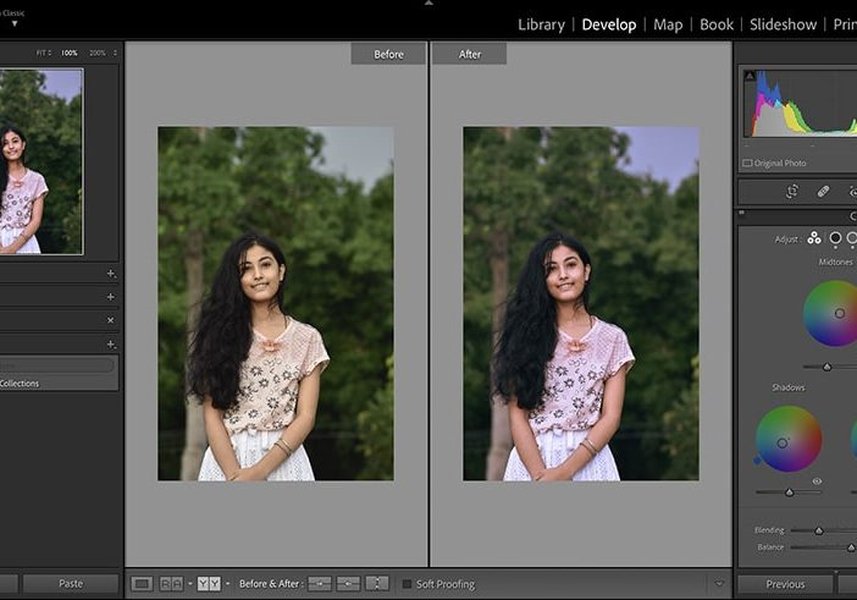
Color grading can dramatically alter the mood and impact of an image, a process significantly streamlined by sample-based correction tools.
The Power of AI in Color Matching
How AI Analyzes and Applies Colors
Artificial Intelligence is at the heart of modern sample-based color correction tools. AI algorithms are trained on vast datasets of images, enabling them to "understand" complex color relationships, lighting conditions, and artistic styles. When you provide a sample image, the AI doesn't just average colors; it analyzes the distribution of hues, saturation, luminance, contrast, and even attempts to infer the overall color harmony and mood.
This analysis is then used to create a transformation map. When applied to your target image, this map intelligently adjusts its colors to mimic the reference, while often preserving naturalism and detail. This can involve global adjustments (affecting the entire image) and sometimes local adjustments (targeting specific areas or color ranges for a more nuanced match).
Common AI Techniques and Methodologies
Several advanced techniques underpin these AI capabilities. Some tools employ methods like Reinhard's color transfer, which normalizes color distributions between images in a perceptually relevant color space. Others might use more sophisticated approaches inspired by Optimal Transport theory, such as Monge-Kantorovich based methods, for more robust and detailed color mapping. Machine learning models, including deep neural networks, are increasingly used to learn intricate style transfers, allowing for highly creative and accurate color grading based on samples from photographs, paintings, or film stills.
Leading Tools for Sample-Based Color Correction
A variety of tools cater to different needs, from quick online adjustments to professional-grade applications. Here’s a look at some of the best options available:
AI-Powered Specialized Tools
These tools are often built from the ground up with AI at their core, focusing specifically on color matching and grading tasks.
Color Match AI (colormatchai.net)
This platform utilizes advanced AI algorithms, including methods like Reinhard and Monge-Kantorovich, for sophisticated color transfer. Users select a source image to adjust and a reference image to match. It's designed for professional color grading across diverse media like photographs, paintings, and video sequences, making it ideal for transforming image aesthetics based on a chosen palette or mood.
Color.io (color.io/ai-color-match)
Color.io is a web-based AI color transfer tool that excels in allowing users to match colors to a reference image and then export the results. A key strength is its ability to generate 3D LUTs (.cube files) and Lightroom profiles (.xmp), which are compatible with industry-standard software such as DaVinci Resolve, Adobe Premiere Pro, Final Cut Pro, and Photoshop. This makes it perfect for creators aiming for consistent color grading across various platforms and projects.
Evoto AI (evoto.ai/features/ai-color-match)
Evoto AI offers an AI-driven color grading feature focused on matching looks and transferring styles from a reference image. Its machine learning algorithms can perform precise local color mapping, which is particularly useful for artistic effects, such as mimicking the color style of a famous painting. You upload a sample image, and the tool analyzes its color palette to apply similar corrections to your target photos. It's recognized for its user-friendliness and powerful results, especially for creative projects.
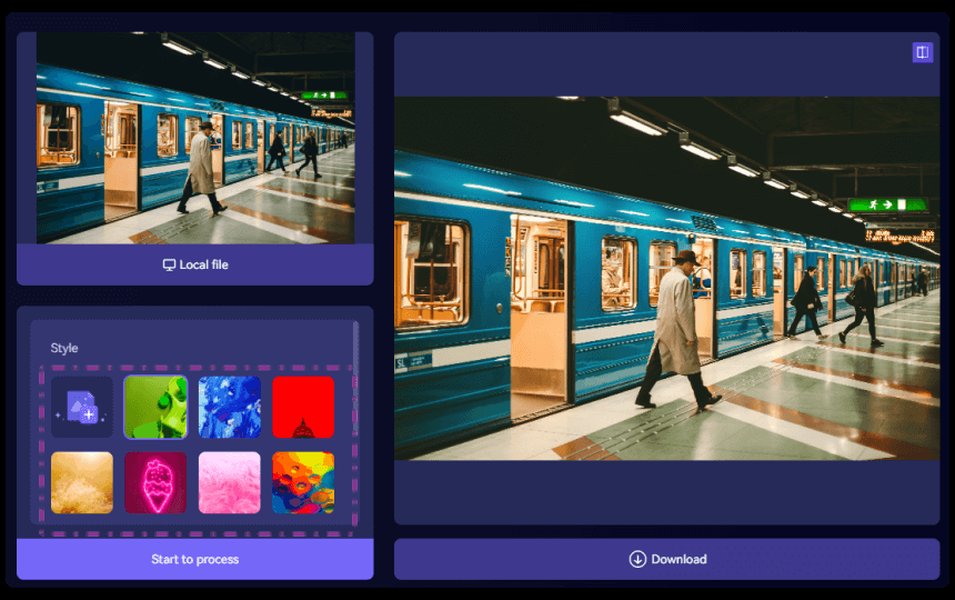
Many online tools offer intuitive interfaces for selecting sample and target images, as illustrated here.
Professional Software & Plugins
These tools are often integrated into larger editing suites or function as powerful additions, catering to professional workflows.
Retouch4me Color Match (Photoshop Plugin)
Highly regarded for its precision, Retouch4me Color Match is a plugin for Adobe Photoshop. It extracts colors from any reference image and applies them to your photos, effectively functioning as an automatic filter or adjustment. It's particularly praised for its ability to handle complex adjustments like matching skin tones or environmental colors without requiring advanced user skills and is useful for batch processing.
Adobe Photoshop (Match Color Feature)
Adobe Photoshop includes a native "Match Color" feature (Image > Adjustments > Match Color). This tool allows you to match the colors of one image (source) to another open image or a saved image (target acting as a reference). While effective, it may require some manual tuning of luminance, color intensity, and fade for optimal results and is generally considered less AI-driven than some newer dedicated tools. It remains a staple for many professionals due to its integration within the Photoshop ecosystem.
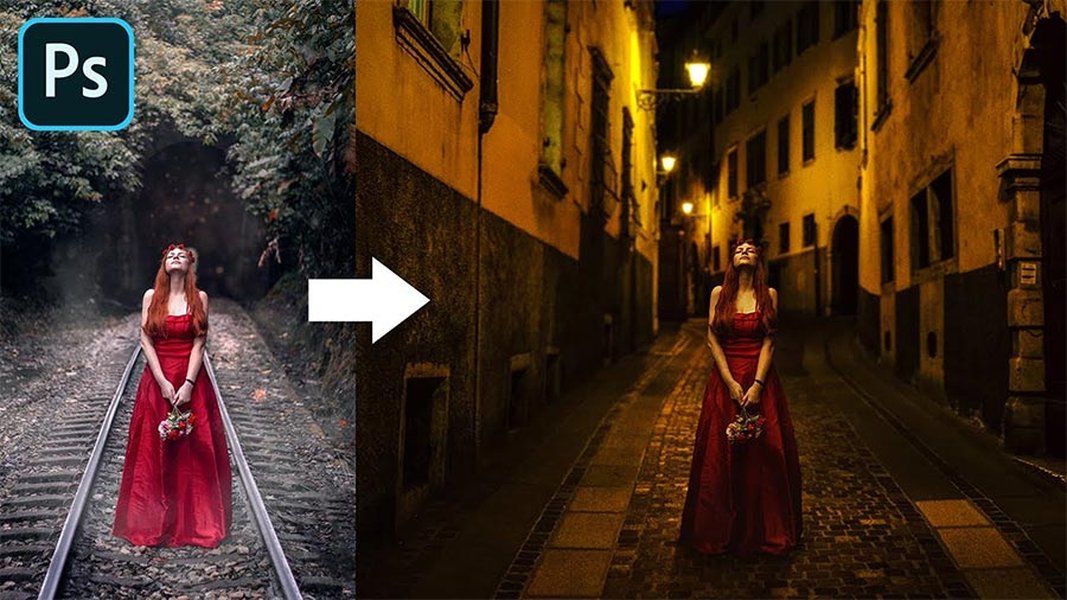
Photoshop's "Match Color" tool provides a robust way to transfer color characteristics between images within a professional workflow.
DaVinci Resolve
Primarily a video editing and color grading powerhouse, DaVinci Resolve (from Blackmagic Design) includes sophisticated auto-color and color matching tools. Users can select a reference shot to guide the color balance and grading of other clips. While its depth is geared towards video, its powerful node-based color grading engine and AI-assisted features can also be applied to image sequences, making it a versatile choice for advanced users.
Accessible Online Editors
For quick adjustments, ease of use, or users without access to professional desktop software, online editors provide excellent alternatives.
Pixlr Color Matcher (pixlr.com/tools/color-matcher/)
Pixlr offers a user-friendly online "Color Matcher" tool. It uses algorithms to analyze colors in a design or photo and automatically find matches based on your uploaded reference image. It can adjust the target photo's colors to align with the sample's vibrancy or hue. Pixlr also provides an "Auto Color" adjustment for general tone and brightness corrections. It's accessible via a web browser and is well-suited for beginners or quick social media edits.
Media.io Auto Color Correct (autocolor.media.io)
This is a straightforward online app that leverages AI for automatic color correction, allowing adjustments based on a sample image (though primarily focused on general auto-correction). It aims to fix issues like color balance, exposure, and contrast in one click by analyzing tones. For sample-based matching, it allows transferring looks. It's free for basic use and efficient for quick fixes, particularly for users needing simple solutions.
Cutout.Pro Photo Color Correction (cutout.pro/photo-color-correction)
Cutout.Pro employs AI to automate color correction, potentially using a reference image to guide the balancing of colors, exposure, and contrast. It's designed for professional automation with one-click fixes, suitable for e-commerce product photography where consistency across variants is crucial, or for matching skin tones in portraits.
Other Notable Mentions
Several other tools incorporate AI for color adjustments, some with sample-based capabilities or strong auto-correction features:
Skylum Luminar
Luminar (now Luminar Neo) is known for its AI-driven enhancements. While its primary mode isn't solely sample-image-based matching like some dedicated tools, its AI can apply adjustments and styles, and users can create presets from images, effectively allowing for a similar workflow of matching a target image's style.
Repairit AI Photo Colorizer
This tool focuses on AI-driven automatic color correction and enhancement, particularly useful for restoring old or faded photos. It can also perform batch processing, and while its main advertised feature is colorization, its AI color correction capabilities can be guided by reference styles.
Visualizing Tool Capabilities: A Comparative Snapshot
To better understand how some of these tools stack up against each other, the following radar chart provides a visual comparison across key attributes. These scores are interpretative, based on the typical strengths highlighted in their descriptions. "AI Power" refers to the sophistication of color analysis and transfer. "Ease of Use" indicates intuitiveness. "Pro Features" covers aspects like LUT export and advanced controls. "Speed & Automation" reflects efficiency. "Versatility" considers the range of image types and scenarios handled well.
Understanding the Color Correction Workflow
The process of automatic color correction using a sample image involves several key stages, from input to output, driven by underlying technologies and aiming for specific benefits. This mindmap illustrates the typical workflow and conceptual components:
with Sample Image"] id1["Core Principle"] id1a["Reference Analysis: Extract color DNA
from sample image"] id1b["Target Application: Transfer aesthetic
characteristics to your image/video"] id2["Why Use This Method?"] id2a["Consistency: Achieve a uniform look
across multiple images or video clips"] id2b["Efficiency: Significantly reduce time
spent on manual color adjustments"] id2c["Creativity: Easily replicate admired
visual styles or create unique moods"] id3["Technological Drivers"] id3a["Artificial Intelligence (AI) &
Machine Learning: For intelligent
color interpretation and transfer"] id3b["Advanced Color Algorithms: For precise
color mapping (e.g., Reinhard,
Monge-Kantorovich methods)"] id4["Generalized Workflow"] id4a["Input Stage: Provide your target image(s)
and a sample/reference image
that has the desired color profile"] id4b["Processing Stage: The tool analyzes the
sample's color palette, tones, and
contrast, then applies these to the target"] id4c["Output Stage: A color-corrected image or video.
Many tools also offer exportable
LUTs or style profiles (e.g., XMP)"] id5["Key Tool Categories"] id5a["Dedicated AI Platforms
(e.g., Color.io, Evoto AI, Color Match AI)"] id5b["Professional Software Plugins
(e.g., Retouch4me for Photoshop)"] id5c["Integrated Features in Editing Suites
(e.g., Adobe Photoshop 'Match Color',
DaVinci Resolve tools)"] id5d["Accessible Online Editors
(e.g., Pixlr, Media.io, Cutout.Pro)"]
Comparative Overview of Key Tools
To further clarify the capabilities of different tools, this table summarizes how various solutions utilize sample images, their key features, and ideal use cases. This provides a quick reference to help you identify which tool might best suit your specific color correction needs.
| Tool | How it Uses Sample Image | Key AI Feature / Method | Output / Integration | Ideal For |
|---|---|---|---|---|
| Color Match AI | Analyzes reference image to transfer its full color palette and grading characteristics using advanced algorithms. | Utilizes methods like Reinhard & Monge-Kantorovich for sophisticated color transfer. | Corrected photos, paintings, video sequences. | Professionals needing high-fidelity color grading and style transfer across different media. |
| Color.io | Matches colors of the target image to the reference image; allows fine-tuning of the match. | AI-driven color transfer with emphasis on gamut mapping and perceptual matching. | Exports as 3D LUTs (.cube) and Lightroom Profiles (.xmp) for DaVinci Resolve, Premiere Pro, Photoshop, etc. | Creators requiring consistent color grading across diverse software and projects; workflow integration. |
| Evoto AI | Upload reference and target images; AI transfers the color grading style, including local color mapping. | Machine learning for precise local color mapping and style transfer, mimicking artistic styles. | Color-graded photos with artistic effects. | Users seeking simple yet powerful color style transfer, creative effects (e.g., matching painting styles). |
| Retouch4me Color Match | Extracts color information from any reference image and applies it as an adjustment layer or filter to the target photo. | AI-powered color extraction and application, specialized for skin tones and environmental colors. | Plugin for Adobe Photoshop; applies corrections directly within the Photoshop workflow. | Professional photo editors, especially for portraiture and ensuring color consistency in a series. |
| Adobe Photoshop (Match Color) | Uses color statistics from a reference layer or image (source) to adjust the target layer. | Proprietary algorithms; allows manual tuning of luminance, color intensity, and fade. | Integrated within Photoshop; adjustments are part of the PSD file. | General photo editing, users familiar with Photoshop's environment seeking integrated solutions. |
| Pixlr Color Matcher | Allows users to upload a sample image whose color style is then applied to the target image, or sample colors manually. | Algorithmic color matching and auto-adjustment features. | Online image editor; results are downloaded as standard image files. | Beginners, quick online edits, social media content creation. |
| DaVinci Resolve | Auto-balance and shot match tools can use a reference clip/still to guide color grading for other clips. | Advanced color science, node-based grading, AI-assisted features like face tracking for localized corrections. | Primarily for video (RAW, LOG footage), but applicable to image sequences. Exportable grades/LUTs. | Video/film professionals, advanced users needing precise control over color grading. |
AI Color Grading in Action: Generating LUTs
Understanding how AI can assist in color grading, particularly in generating Look-Up Tables (LUTs) from reference styles, is crucial. LUTs are a standard way to save and apply color grades across different software and footage. The following video explores how AI is revolutionizing this aspect of color grading, touching upon concepts relevant to using sample images or styles to create consistent looks. It discusses tools like DaVinci Resolve and Premiere Pro, which are often used in conjunction with sample-based workflows.
This video delves into the potential of AI to automatically build LUTs, a process that inherently involves analyzing a desired 'look' (which could come from a sample image or defined style) and translating it into a reusable color transform. This is highly relevant to the theme of using reference imagery for consistent and efficient color correction and grading.
Frequently Asked Questions (FAQ)
Recommended Further Exploration
- How can AI create custom color palettes for design projects?
- What are the best practices for maintaining color consistency in a photo series?
- Can I apply color correction from a video clip to my photos using AI tools?
- Explore advanced color grading techniques beyond automatic correction.
References
 autocolor.media.io
 photo.stackexchange.com
Last updated May 6, 2025