
Streamlining Your Social Media: Master Batching and Engaging Content Creation
Unlock Efficiency and Boost Engagement with Strategic Content Planning and Smart Tools
Key Highlights for Rapid Social Media Content Creation
- Content Batching: Revolutionize your workflow by creating multiple posts in a single dedicated session, saving immense time and ensuring consistent delivery across platforms.
- Idea Generation Powerhouse: Leverage diverse sources from audience insights to AI tools and trend analysis to generate a constant stream of fresh, captivating content ideas.
- Strategic Scheduling: Utilize powerful social media management tools with built-in calendars and bulk scheduling features to automate posting and optimize reach for different dates and platforms.
In today's fast-paced digital landscape, maintaining a vibrant and consistent social media presence is crucial for engagement and growth. However, the demands of daily content creation can quickly lead to burnout and inefficiency. The solution lies in a two-pronged approach: mastering content batching and strategically generating engaging ideas with compelling visuals and captions. This comprehensive guide will walk you through proven methods and tools to create social media posts the fast way, allowing you to batch post for an organized calendar across various dates and platforms, all while minimizing time spent and maximizing impact.
Embracing Content Batching: Your Time-Saving Superpower
What is Content Batching and Why Does It Matter?
Content batching is a productivity technique where you consolidate similar tasks into a single, focused work session. Instead of creating one post at a time daily, you dedicate specific blocks of time to plan, write, design, and schedule multiple posts for a week, a fortnight, or even a month in advance. Think of it as "meal prepping" for your social media. This method significantly reduces context-switching, a major drain on productivity, and allows for a more cohesive and strategic approach to your content.
The benefits of content batching are manifold:
- Time Efficiency: By focusing on one type of task (e.g., writing all captions) for an extended period, you enter a flow state, completing tasks much faster than if you were to jump between writing, designing, and scheduling daily.
- Consistency: Batching ensures a steady flow of content, helping you maintain a consistent posting schedule crucial for audience engagement and algorithm favorability.
- Reduced Stress and Burnout: Eliminate the last-minute scramble to create posts. Having content planned and scheduled in advance frees up mental space and reduces the pressure of daily content demands.
- Improved Content Quality: With more dedicated time, you can focus on crafting higher-quality, more strategic content that aligns with your brand's goals and resonates with your audience.
- Strategic Planning: Batching encourages a more holistic view of your content calendar, allowing you to align posts with promotions, holidays, and other important events.
The Step-by-Step Batching Workflow
Implementing content batching effectively involves a structured process:
1. Define Your Content Pillars
Before you start creating, identify 3-5 main topics or themes (content pillars) that your brand will consistently address. These pillars should reflect your brand's identity and resonate with your target audience. For instance, a fitness brand might have pillars like "workout tips," "healthy recipes," and "mindset motivation." These serve as a guide, preventing you from running out of ideas and ensuring your content stays on brand. Analyzing past post performance can help in identifying what content types resonate most with your audience.
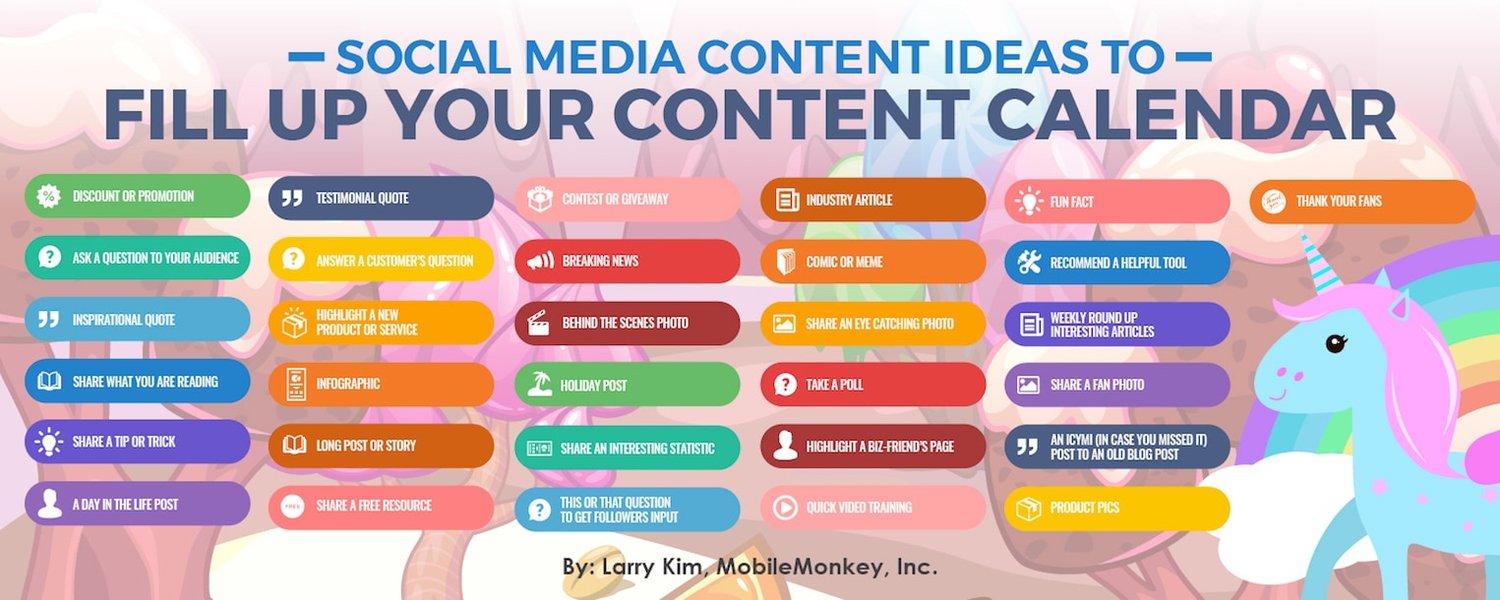
Visualizing your content plan with a social media calendar.
2. Brainstorm and Generate Ideas
Once your pillars are set, dedicate a session to brainstorming content ideas for each. This is where you think broadly about what you want to communicate. Don't censor yourself; simply get all ideas down. Look to various sources for inspiration:
- Audience Insights: What questions do your followers ask? What problems can you solve for them? Use tools like Reddit, Answer The Public, or Quora to see what people are searching for.
- Industry Trends: Stay updated on current events and trends in your niche. Jumping on relevant trends can significantly boost engagement.
- Competitor Analysis: Observe what successful competitors are posting. This isn't about copying, but understanding what resonates in your industry.
- Repurpose Existing Content: Transform blog posts, long-form videos, or webinars into bite-sized social media content. A single blog post can become several Instagram carousels, TikToks, or Twitter threads.
- AI-Powered Generators: Tools like ChatGPT or AI features in design platforms can quickly generate a list of ideas or even draft captions based on your prompts. For example, you can prompt ChatGPT to "Make a list of 30 quotes related to [your industry]."
3. Draft Copy and Captions
In a dedicated writing session, craft all the captions and textual content for your planned posts. Focus solely on writing during this time. Remember to tailor the tone and length of your captions to each specific platform. Consider including calls to action, questions to spark engagement, and relevant hashtags. For Instagram, focus on scroll-stopping visuals and concise, engaging captions. For TikTok, prioritize fast, fun, and authentic video content. Facebook excels at sparking conversations and building communities, so aim for posts that encourage interaction. LinkedIn is ideal for thought leadership and industry news.
4. Design Visuals
Next, create all the necessary visuals (images, graphics, short videos, Reels, Stories) for your posts. Use design tools like Canva, Adobe Express, or Piktochart, many of which offer bulk creation features and templates. Aim for visually appealing content that aligns with your brand's aesthetic. Remember, pictures are worth a thousand words, and short-form videos (under 60 seconds) are highly engaging across platforms like TikTok, Instagram Reels, and YouTube Shorts.
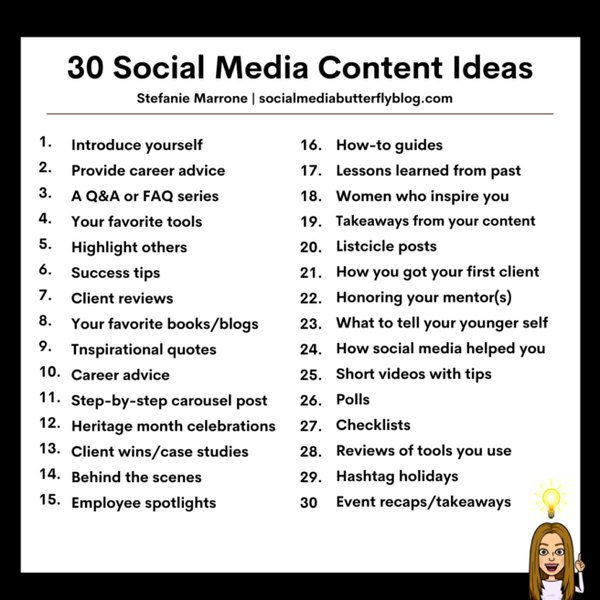
A diverse range of social media content ideas for sustained engagement.
5. Schedule Your Posts
The final step in batching is scheduling. Utilize a social media management tool to schedule your created content across multiple platforms simultaneously. This automates the publishing process, ensuring your posts go live at optimal times for maximum engagement. Most tools offer a visual content calendar where you can drag and drop posts and set specific dates and times. Some even allow for bulk uploads via CSV files.
Content Ideas to Spark Interest and Intrigue
Beyond the Obvious: Engaging Content Categories
To consistently generate interest and intrigue, diversify your content. Here are some categories and specific ideas:
- Behind-the-Scenes (BTS): Show your team in action, the making of a product, or your daily work life. This builds authenticity and connection.
- User-Generated Content (UGC): Encourage followers to share their experiences with your product/service. Re-sharing customer photos, videos, or reviews (with credit) is powerful social proof.
- Interactive Content:
- Polls and Quizzes: Ask questions related to your industry or audience interests.
- Q&A Sessions (Live or Recorded): Directly address common questions or host an "Ask Me Anything."
- "This or That" / "Would You Rather": Simple, engaging choices that encourage quick interaction.
- Educational/Informative:
- How-to Guides/Tutorials: Explain how to use your product or offer valuable tips related to your expertise.
- Infographics: Present complex information in an easy-to-understand visual format.
- Industry News/Trends: Share relevant updates and offer your perspective, establishing thought leadership.
- "Myth vs. Fact": Debunk common misconceptions in your industry.
- Motivational/Inspirational:
- Famous Quotes: Share quotes relevant to your brand or audience, often paired with inspiring visuals.
- Success Stories: Highlight customer achievements or share your brand's journey.
- Promotional (Value-Driven):
- Product/Service Spotlights: Showcase your offerings, focusing on benefits and solutions rather than just features.
- Contests and Giveaways: Boost engagement and follower count, often tied to product launches or milestones.
- Customer Testimonials: Authentic reviews from satisfied customers.
- Personal Stories: Share anecdotes, challenges, or lessons learned. This humanizes your brand and fosters deeper connection.
- "Fill-in-the-Blank" Posts: A simple way to get comments and engagement (e.g., "My favorite thing about [your industry] is _______").
- Curated Content: Share valuable articles or resources from other reputable sources in your industry, showing you're a resource hub.
Crafting Captions for Maximum Impact
A compelling caption transforms an image into a conversation starter. Here's how to create captions that generate interest and intrigue:
- Hook Them Immediately: Start with a question, a bold statement, or a surprising fact to grab attention.
- Tell a Story: Even short captions can tell a mini-story related to the visual or your brand's message.
- Provide Value: Offer a tip, an insight, or a solution to a problem.
- Ask Questions: Encourage comments and interaction. Open-ended questions work best.
- Use Emojis Strategically: Emojis can break up text, add personality, and convey emotion, but don't overdo it.
- Include a Call to Action (CTA): Tell your audience what you want them to do next (e.g., "Link in bio," "Tag a friend," "Visit our website").
- Keep it Concise (but informative): Different platforms have different optimal lengths. Facebook and LinkedIn allow for more text, while Instagram often benefits from shorter, punchier captions with a good hook.
- Utilize Hashtags: Research relevant hashtags to increase discoverability, using a mix of broad and niche tags.
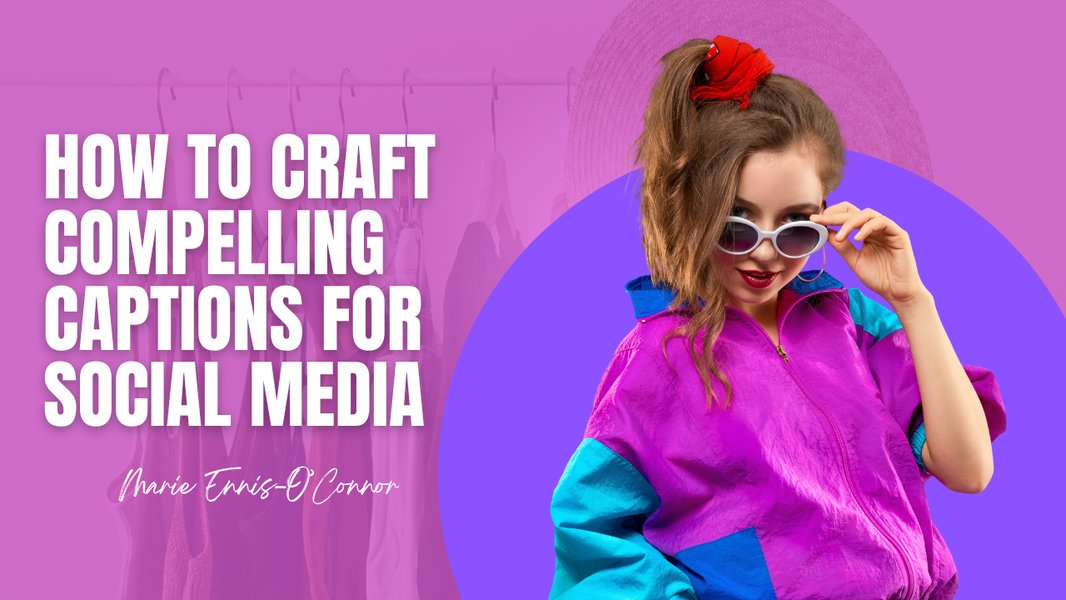
Key elements for crafting compelling social media captions.
Essential Tools for Efficient Social Media Management
Scheduling Tools for Seamless Batch Posting
To effectively implement batch posting for a calendar, social media scheduling tools are indispensable. These platforms allow you to create, organize, and schedule posts across multiple networks from a single dashboard. Many offer features like content calendars, bulk uploading, and analytics.
Comparative Analysis of Social Media Scheduling Tool Features.
Here's a breakdown of popular tools and their key features for efficient social media scheduling:
| Tool Name | Key Features for Batch Posting & Scheduling | Notable Strengths | Considerations |
|---|---|---|---|
| Hootsuite | Content calendar, bulk scheduling (up to 350 posts), AI idea generation (OwlyAI), direct publishing, analytics, team collaboration/approval workflows. | Comprehensive platform for managing multiple social accounts, strong analytics, robust team features. | Can be more expensive for advanced features, UI might feel a bit clunky to some users. |
| Buffer | Simple scheduling, content calendar, landing page feature for Instagram, analytics, team drafting, AI assistant for ideas. | Clean and user-friendly interface, excellent for Instagram, good for small to medium teams. | May lack advanced features of more comprehensive tools, pricing can add up for many users/accounts. |
| SocialPilot | Bulk scheduling (up to 500 posts via CSV/RSS), content calendar, client management, multi-platform support, analytics. | Strong bulk scheduling capabilities, caters well to agencies and brands with high volume needs. | Interface might not be as modern as some competitors. |
| Adobe Express (Content Scheduler) | Visual content planning, drafting, previewing, automatic publishing across multiple channels, drag-and-drop ease. | Seamless integration with Adobe's creative suite, excellent for visual content creators, user-friendly. | More focused on content creation and scheduling, might have fewer advanced analytics or team features compared to dedicated SMM tools. |
| Later | Visual content calendar (grid planner for Instagram), content pillars identification, link in bio tool, analytics. | Very strong for visual platforms like Instagram, user-friendly interface. | Primarily visual-first, might be less robust for text-heavy platforms if that's your main focus. |
| Sprout Social | Advanced scheduling, smart inbox, comprehensive analytics, reporting, team collaboration, social listening. | Enterprise-level features, excellent customer service, robust analytics. | Higher price point, geared towards larger businesses and agencies. |
| Planable | User-friendly content calendar, drag-and-drop scheduling, visual planning, team collaboration with approval flows. | Designed for collaboration and visual content review, great for agencies and teams. | Focus on scheduling and collaboration, might require integration with other tools for deep analytics. |
Beyond these, tools like Sked Social, Sendible, MeetEdgar, and Viraly also offer robust scheduling and management features. Many of these tools offer free plans or trials, allowing you to test them out and find the best fit for your needs.
Enhancing Content Creation with AI and Design Tools
To further minimize time spent on content creation, leverage AI and design tools:
- AI Content Generators: Tools like ChatGPT can assist in brainstorming ideas, writing draft captions, headlines, and even full social media posts based on your prompts. This significantly speeds up the initial writing phase.
- Canva: This intuitive design tool is a favorite for creating visuals. It offers thousands of templates for various social media platforms, making design accessible even for non-designers. Canva's "Bulk Create" feature allows you to upload data (like text from a spreadsheet) and auto-populate multiple designs, perfect for consistent graphics.
- Piktochart: Excellent for creating infographics and other visually engaging data presentations, helping to make educational content more digestible and intriguing.
The combination of content batching, strategic idea generation, and the right scheduling and design tools allows you to create a robust social media calendar filled with engaging posts, all while drastically cutting down on daily effort. This not only saves time but also leads to a more consistent, high-quality, and impactful online presence.
Learn how to bulk create social media posts rapidly with unique images.
This video provides a practical demonstration of how to leverage tools like Canva to bulk create social media posts efficiently, including generating unique images. It directly addresses the user's need to minimize time spent on content creation while still producing visually appealing and intriguing posts. The techniques shown can help streamline the design process and integrate well with a batch posting strategy, making the visual creation aspect much faster and less daunting.
Optimizing for Engagement and Intrigue
Beyond Scheduling: Strategic Content Distribution
While batching and scheduling are about efficiency, maximizing interest and intrigue also depends on understanding your audience and the nuances of each platform. Ensure your content is tailored not just in format but also in messaging for each channel. For instance, a quick, trending sound clip on TikTok might translate to a concise carousel post on Instagram and a thought-provoking question on LinkedIn. Use the analytics provided by your scheduling tools to understand peak engagement times for your specific audience and schedule posts accordingly.
Regularly review your content performance to identify what resonates most. Don't be afraid to experiment with different content types, visual styles, and caption approaches. The goal is to build a community around your brand, not just broadcast messages. Encourage user participation, respond to comments, and foster conversations to keep your audience engaged and coming back for more.
Frequently Asked Questions (FAQ)
What is the ideal frequency for social media posting?
How can I ensure my batch-created content stays relevant with fast-changing trends?
Can I use the same content across all social media platforms?
What are "content pillars" and how do they help in content creation?
Conclusion
Revolutionizing your social media presence from a daily chore to a strategic, time-saving endeavor is entirely achievable through content batching and smart content creation. By dedicating focused sessions to ideation, crafting compelling visuals and captions, and leveraging powerful scheduling tools, you can ensure a consistent, engaging, and intriguing flow of content across all your platforms. This disciplined approach not only minimizes the time spent but also elevates the quality and strategic impact of your social media efforts, ultimately fostering stronger audience connection and driving your brand's growth.
Recommended Further Reading
- Advanced strategies for user-generated content campaigns
- Maximizing reach with social media analytics and reporting
- Ethical considerations for AI in social media content creation
- Developing a long-term social media content strategy
References
Last updated May 21, 2025