
Top Ultra Short Throw Projectors Under $2000 in 2025
Discover the best UST projectors that combine performance, features, and value.
Key Takeaways
- 4K Resolution and HDR Support: For crisp and vibrant visuals, prioritize projectors offering 4K resolution and HDR capabilities.
- Brightness and Color Accuracy: Ensure the projector has sufficient lumens and adheres to color standards like Rec.709 or DCI-P3 for true-to-life colors.
- Smart Features and Connectivity: Built-in smart TV functionalities and seamless connectivity options enhance the overall viewing experience.
Introduction to Ultra Short Throw (UST) Projectors
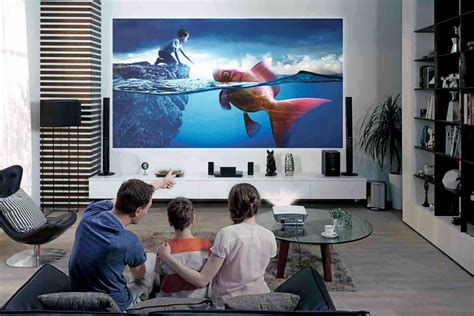
Ultra Short Throw (UST) projectors have revolutionized home entertainment by allowing large screen displays in compact spaces. Unlike traditional projectors that require significant distance from the screen, UST projectors can project sizable images from just inches away. This makes them ideal for small rooms, minimalist setups, and versatile placements in various environments.
Top UST Projectors Under $2000
1. Hisense PL1 Ultra Short Throw Projector
The Hisense PL1 stands out as a top contender in the UST category, offering a blend of high resolution, smart features, and a sleek design.
- Resolution: True 4K UHD with Dolby Vision support ensures sharp and detailed images.
- Brightness: 2200 ANSI lumens provide bright and vibrant visuals, suitable for various lighting conditions.
- Smart Features: Integrated Google TV allows access to popular streaming services like Netflix and YouTube seamlessly.
- Design: Compact and modern, the PL1 fits effortlessly into any home theater setup, especially in confined spaces.
Why It Stands Out: Combining top-tier resolution with smart functionalities, the Hisense PL1 offers exceptional value, making it an excellent choice for enthusiasts seeking quality without breaking the bank.
2. Nexigo Aurora Lite
The Nexigo Aurora Lite is a newer entrant that has quickly gained attention for its impressive specifications and performance.
- Resolution: Native 4K resolution with HDR10 support delivers stunning image quality.
- Light Source: Laser technology ensures longevity with up to 30,000 hours of usage.
- Throw Capability: Ultra-short throw features allow for large screen sizes from minimal distances.
Why It Stands Out: The Aurora Lite's combination of laser durability and high-resolution output makes it a strong competitor in the under-$2000 market.
3. Epson LS300
The Epson LS300 offers a balance between performance and affordability, making it a popular choice among home theater enthusiasts.
- Resolution: While it supports 1080p natively, the 4K enhancement technology provides improved clarity.
- Brightness: 3600 lumens ensure clear images even in well-lit environments.
- Audio: Built-in sound system by Yamaha enhances the immersive experience without the need for external speakers.
Why It Stands Out: The LS300's high brightness and integrated audio make it ideal for users seeking a hassle-free setup with excellent performance.
4. Optoma GT3500HDR
The Optoma GT3500HDR is a budget-friendly option that doesn't compromise on essential features, making it suitable for a variety of users.
- Resolution: 1080p resolution with HDR10 support enhances image depth and color richness.
- Brightness: 4000 lumens provide exceptionally bright and vivid images, suitable for rooms with ambient light.
- 3D Capability: Offers 3D support, adding versatility for different types of content.
Why It Stands Out: Its high brightness and HDR support at a lower price point make the GT3500HDR an excellent choice for budget-conscious consumers seeking quality visuals.
5. ViewSonic PX800HD
The ViewSonic PX800HD is renowned for its brightness and large screen size capabilities, making it a versatile option for various settings.
- Resolution: Full HD 1080p with support for 4K input ensures compatibility with a range of devices.
- Brightness: 4200 lumens deliver clear and bright images, even in environments with significant ambient light.
- Screen Size: Capable of projecting up to 120 inches, ideal for an immersive viewing experience.
Why It Stands Out: Its ability to handle large screen sizes with impressive brightness makes the PX800HD ideal for both small and large rooms.
Comparative Analysis of Top UST Projectors
| Projector Model | Resolution | Brightness (ANSI Lumens) | Key Features | Price |
|---|---|---|---|---|
| Hisense PL1 | 4K UHD | 2200 | Dolby Vision & Atmos, Google TV, Compact Design | ~$2000 |
| Nexigo Aurora Lite | 4K UHD | 2400 | Laser Light Source, HDR10, Ultra-Short Throw | $2000 |
| Epson LS300 | 1080p (4K Enhanced) | 3600 | Built-in Yamaha Sound System, Ultra-Short Throw | $1999 |
| Optoma GT3500HDR | 1080p | 4000 | HDR10, 3D Compatible, Ultra-Short Throw | $1500 |
| ViewSonic PX800HD | 1080p (4K Input) | 4200 | Ultra-Short Throw, Large Screen Size Capability | Under $2000 |
Key Considerations When Choosing a UST Projector
1. Resolution: Balancing Clarity and Performance
Resolution is a critical factor that determines the sharpness and detail of the projected image. In the UST projector market under $2000, you'll typically encounter both 1080p and 4K options.
- 1080p Resolution: Suitable for most viewing scenarios, providing clear and vibrant images for everyday use.
- 4K Resolution: Offers enhanced detail and is ideal for larger screen sizes and immersive home theater experiences. If you're prioritizing cinematic quality, opting for a 4K UST projector is advisable.
2. Brightness Levels: Ensuring Visibility in Various Lighting Conditions
Brightness, measured in ANSI lumens, affects how well the projector performs in different lighting environments.
- Minimum Lumens: For rooms with ambient light, aim for projectors offering at least 2500-3000 lumens to ensure clear and visible images.
- High Lumens: Models like the Optoma GT3500HDR and ViewSonic PX800HD, with brightness levels of 4000 lumens and above, are ideal for well-lit rooms or larger screen sizes.
3. Color Accuracy & HDR: Delivering True-to-Life Visuals
Color accuracy and High Dynamic Range (HDR) support significantly enhance the viewing experience by providing richer colors and better contrast.
- Color Standards: Look for projectors that adhere to Rec.709 or DCI-P3 standards to ensure accurate and vibrant color reproduction.
- HDR Support: Features like HDR10 or Dolby Vision enhance the dynamic range, allowing for deeper blacks and brighter highlights, which is essential for high-quality media content.
4. Audio Quality: Integrated Sound Systems vs. External Solutions
Audio quality plays a vital role in the overall home theater experience.
- Built-in Speakers: Some projectors, like the Epson LS300, come with high-quality built-in sound systems, reducing the need for external speakers.
- External Audio Systems: For audiophiles seeking superior sound, investing in an external audio setup might be preferable, especially if the projector's built-in audio doesn't meet expectations.
5. Smart Features & Connectivity: Enhancing Usability
Smart features streamline the user experience by providing easy access to content and connectivity options.
- Integrated Smart TV: Projectors with built-in systems like Google TV or Android TV offer seamless access to streaming apps, eliminating the need for separate devices.
- Connectivity Options: Ensure the projector supports multiple input sources (HDMI, USB, etc.) and wireless connectivity for versatile device integration.
Installation and Setup Tips
1. Optimal Placement and Mounting
Proper placement is crucial for maximizing the performance of a UST projector.
- Wall Mounting: Many UST projectors are designed to be mounted on a wall near the screen, minimizing space usage and ensuring optimal throw distance.
- Space Considerations: Ensure there's adequate space between the projector and the screen to achieve the desired screen size without distortion.
2. Screen Selection: ALR Screens for Enhanced Image Quality
Choosing the right screen complements the projector's capabilities.
- Ambient Light Rejecting (ALR) Screens: These screens enhance image contrast and reduce the impact of ambient light, making them ideal for brighter rooms.
- Screen Size: Select a screen size that matches the projector's capabilities and the room's dimensions for an immersive experience.
3. Calibration and Settings Adjustment
Tuning the projector settings ensures the best possible image quality.
- Color Calibration: Adjust the color settings to match the screen and environment for accurate color reproduction.
- Brightness and Contrast: Fine-tune these settings to suit the room's lighting conditions and personal preferences.
4. Sound Optimization
Enhancing audio performance can significantly improve the viewing experience.
-
Built-in Audio: If relying on the projector's speakers, consider their placement to avoid audio distortion.
-
External Audio Systems: For superior sound quality, connect the projector to an external soundbar or home theater system.
Recap and Conclusion
Choosing the best Ultra Short Throw projector under $2000 involves balancing resolution, brightness, color accuracy, audio quality, and smart features. The Hisense PL1, Nexigo Aurora Lite, Epson LS300, Optoma GT3500HDR, and ViewSonic PX800HD are all excellent options, each offering unique strengths tailored to different user needs. By considering the key factors outlined above and following optimal setup practices, you can create an immersive and high-quality home theater experience without exceeding your budget.
References
Last updated January 18, 2025