
Unlocking the Power of Linux: Your Ultimate Beginner's Journey
Navigating the Path from Novice to Linux Enthusiast
Key Insights for Your Linux Learning Journey
- Hands-On Practice is Paramount: The most effective way to learn Linux is by actively using it. Install a distribution on a virtual machine, an old computer, or a Raspberry Pi to gain practical experience.
- Master the Command Line: While graphical interfaces exist, proficiency in the Linux command line (Bash) is crucial for deeper control, system administration, and automation.
- Start Simple, Build Gradually: Begin with user-friendly distributions like Ubuntu or Linux Mint, focusing on fundamental concepts like file system navigation, basic commands, and permissions before delving into advanced topics.
Embarking on the journey to learn Linux can seem daunting, but with a structured approach and consistent practice, anyone can master this powerful and versatile operating system. Linux, an open-source marvel that has been around since the 1990s, powers everything from smartphones and embedded devices to vast data centers and supercomputers. Its flexibility, robust nature, and the vibrant global community supporting it make it an invaluable skill for IT professionals, developers, cybersecurity experts, and even casual users seeking more control over their systems.
Why Learn Linux? A Foundation for Technical Prowess
Learning Linux is not just about understanding another operating system; it's about gaining a fundamental skill set that opens doors to numerous career opportunities and empowers you with greater control over your computing environment. Unlike proprietary operating systems like Windows or macOS, Linux offers unparalleled transparency and customizability due to its open-source nature. This means you can delve into its core components, understand how they work, and even contribute to its development.
For IT professionals, a strong grasp of Linux is often a prerequisite. It's the backbone of cloud computing, server infrastructure, and many development environments. Cybersecurity specialists rely on Linux for its security features and the vast array of open-source security tools available. Software developers find Linux an ideal platform for coding, testing, and deploying applications, often leveraging its powerful command-line tools and scripting capabilities.
Understanding the Linux Ecosystem
Before diving into practical steps, it's beneficial to grasp some core concepts of the Linux ecosystem:
- Kernel: The heart of the operating system, managing hardware resources and enabling communication between software and hardware.
- Shell: A command-line interpreter (like Bash) that allows users to interact with the kernel by typing commands. This is where much of the power of Linux lies.
- Distributions (Distros): Different versions of Linux, bundled with various software packages, desktop environments, and configurations. Examples include Ubuntu, Fedora, Linux Mint, Debian, and Arch Linux. Choosing the right distro is an important first step for beginners.
- File System: Linux organizes files in a hierarchical directory structure starting from the root directory (/). Understanding directories like /home, /etc, /var, and /usr is fundamental for navigation and management.
The "Learn by Doing" Philosophy: Your Best Approach
The consensus among experienced Linux users and educators is clear: the best way to learn Linux is by actively using it. Theoretical knowledge is important, but practical application solidifies understanding and builds confidence. Here's a detailed breakdown of how to get started:
Step 1: Setting Up Your Linux Environment
Before you begin, you need a place to practice. There are several risk-free ways to get your feet wet without replacing your current operating system:
Virtual Machine Installation
This is highly recommended for beginners. A virtual machine (VM) allows you to install Linux within your existing Windows or macOS environment without affecting your primary system. Popular virtualization software includes VirtualBox and VMware Workstation Player. This method offers a safe sandbox to experiment and even break things without consequences.
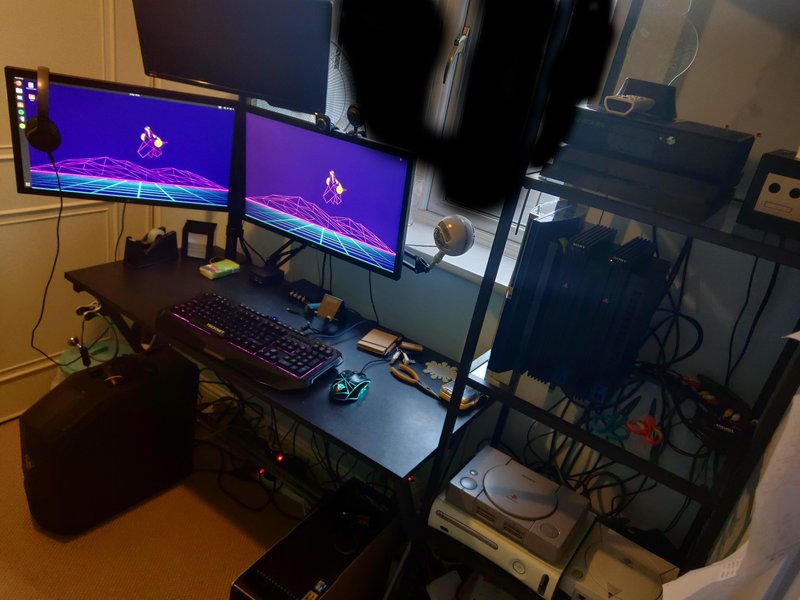
A typical Linux desktop environment, often customized by users.
Dual Booting (Advanced)
If you're comfortable with more commitment, dual-booting allows you to install Linux alongside your current operating system, giving you the option to choose which OS to boot into at startup. This provides native performance but carries a slight risk if not done carefully. It's generally advised for those with some initial Linux exposure.
Live CD/USB
Many Linux distributions offer "Live" versions that can be run directly from a USB drive or DVD without installation. This is an excellent way to test different distros and get a feel for Linux before committing to an installation. However, changes made in a live session are usually not saved.
Raspberry Pi or Old Computer
For a dedicated, low-cost learning environment, a Raspberry Pi or an old, spare computer can be ideal. Installing a Linux version like Raspbian on a Raspberry Pi is a common and affordable entry point for beginners.
Step 2: Choosing Your First Linux Distribution
The choice of distribution is crucial for a smooth learning experience. For beginners, user-friendliness and extensive community support are key. Options like Ubuntu and Linux Mint are widely recommended due to their intuitive graphical interfaces, large user bases, and abundant online resources.
- Ubuntu: One of the most popular and widely used Linux distributions, known for its user-friendly interface and extensive community support.
- Linux Mint: Based on Ubuntu, it offers a more traditional desktop experience often preferred by users transitioning from Windows.
- Fedora: A good choice if you're interested in the Red Hat ecosystem, known for its cutting-edge software.
While many distributions exist, stick to one of these beginner-friendly options to avoid being overwhelmed by choices.
Step 3: Diving into the Command Line (CLI)
This is arguably the most critical part of learning Linux. While graphical interfaces are convenient, the command line interface (CLI), often referred to as the "shell" (Bash being the most common), provides unparalleled control and power. Many Linux servers don't even have a graphical interface, making CLI proficiency essential for system administration and development.
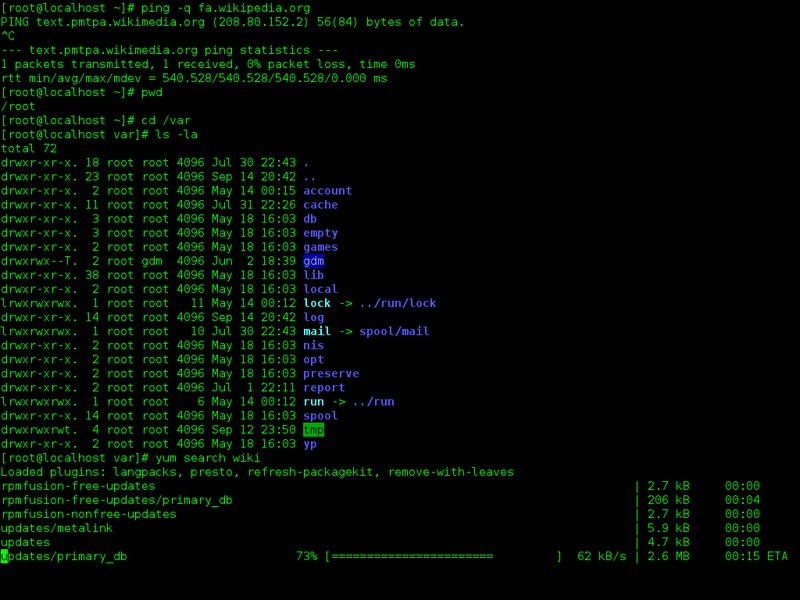
The Linux command line (Bash) is central to interacting with the system.
Essential Command Line Skills to Master:
- Navigation:
pwd: Print working directory (shows your current location).ls: List directory contents.cd: Change directory.mkdir: Create a directory.rmdir: Remove an empty directory.
- File Management:
touch: Create an empty file.cp: Copy files or directories.mv: Move or rename files or directories.rm: Remove files or directories (use with caution!).cat,less,head,tail: View file contents.
- Permissions: Understanding
chmod(change permissions) andchown(change ownership) is fundamental for file security and system administration. - Package Management: Learn how to install, update, and remove software using your distribution's package manager (e.g.,
aptfor Debian/Ubuntu,yum/dnffor Red Hat/Fedora). - Text Editors: Get comfortable with terminal-based text editors like Nano (beginner-friendly) or Vim (more powerful, steeper learning curve).
- Searching and Piping: Utilize tools like
grep(search text),find(search files), and pipes (|) to combine commands for powerful operations. - The
manCommand: Your best friend! Useman [command]to access the manual pages for any command, providing detailed usage instructions and options.
Step 4: Practice and Problem-Solving
Consistent practice is key. Try to perform everyday tasks using the command line instead of the graphical interface. Set small goals for yourself, like automating a repetitive task with a simple shell script. Don't be afraid to make mistakes; that's part of the learning process in your virtual machine.
When you encounter issues, embrace problem-solving. Linux has a massive, active online community. Forums, Stack Overflow, and distribution-specific documentation are invaluable resources. Learning to search effectively for solutions is a skill in itself.
A Roadmap of Linux Learning Areas
To provide a clearer picture of your progression, here's a suggested roadmap of topics to cover as you advance your Linux skills:
| Learning Phase | Key Concepts and Skills | Recommended Distros/Tools |
|---|---|---|
| Phase 1: Fundamentals & Basics |
|
Ubuntu, Linux Mint, VirtualBox |
| Phase 2: Intermediate & Core Concepts |
|
Any major distro, online terminals (e.g., TutorialsPoint's), Linux Journey |
| Phase 3: Advanced & System Administration |
|
CentOS, Debian, Ubuntu Server, Cloud VMs |
This table provides a progressive learning path, allowing you to build foundational knowledge before tackling more complex topics. Remember to consistently apply what you learn through hands-on exercises.
Measuring Your Linux Learning Journey
To give you a self-assessment tool and visualize your progress, consider the following radar chart. This chart represents different facets of Linux proficiency, from basic usage to advanced system administration. As you learn, you can periodically rate yourself on each axis to see your strengths and areas for improvement. This is based on typical progression and commitment, not definitive metrics.
This radar chart illustrates how different skill areas typically develop over time. A score of 10 indicates expert proficiency. As you progress, your chart should expand outwards, particularly in areas like Command Line Mastery and System Administration. Don't worry if some areas lag initially; focus on the fundamentals and then gradually expand your knowledge.
Leveraging Online Resources and Community Support
The beauty of Linux lies in its open-source nature and the supportive community behind it. There's a wealth of free and paid resources available to aid your learning:
Online Tutorials and Courses
Many websites offer structured Linux tutorials tailored for beginners. Websites like GeeksforGeeks, freeCodeCamp, Ubuntu's official tutorials, Linux Journey, and Ryan's Tutorials provide excellent guides, exercises, and even online terminals to practice without installation. Coursera and the Linux Foundation also offer comprehensive courses for a more structured learning path, especially if you're aiming for a career in IT.
Community Forums and Groups
Joining Linux forums on platforms like Reddit (e.g., r/linuxquestions, r/linux) or specific distribution forums (Ubuntu Forums, Linux.org forums) can provide invaluable support. You can ask questions, learn from others' experiences, and even contribute to discussions as you grow in knowledge. Engaging with the community helps reinforce your learning and keeps you updated with the latest trends and best practices.
Recommended Video Resources for Visual Learners
Visual learning can significantly accelerate your understanding, especially when it comes to hands-on command-line operations. Here is a highly relevant YouTube video that offers a comprehensive introduction to Linux for beginners:
This video, titled "Linux For Beginners - Full Course [NEW]", provides a thorough introduction to the Linux operating system, covering essential concepts and commands. It's an excellent starting point for those who prefer a guided video walkthrough to grasp the fundamentals of Linux and begin their journey toward mastering it.
Staying Motivated and Advancing Your Skills
Learning Linux is an ongoing process. To stay motivated and continue improving:
- Set Small, Achievable Goals: Instead of aiming to "master Linux," focus on learning a few new commands each week or automating a specific task.
- Build Projects: Apply your knowledge to small projects. This could be setting up a personal web server, configuring a media center, or writing scripts to manage your files.
- Explore Different Distributions: Once you're comfortable with a beginner-friendly distro, try installing another one (in a VM) to see how they differ and broaden your understanding of the Linux landscape.
- Delve Deeper into Specific Areas: If you're interested in networking, programming, or cybersecurity, focus on Linux tools and concepts relevant to those fields.
- Stay Updated: Follow Linux news, blogs, and tutorials to keep abreast of new features, commands, and best practices.
Frequently Asked Questions (FAQ)
What is Linux used for?
Is Linux hard to learn for beginners?
Do I need to learn coding to use Linux?
What is the difference between Linux and Unix?
Conclusion: Your Linux Adventure Awaits
Learning Linux is an incredibly rewarding endeavor that enhances your technical skills and opens up a world of possibilities in computing. By adopting a "learn by doing" approach, starting with user-friendly distributions in a virtual machine, and dedicating time to mastering the command line, you will steadily build your proficiency. Embrace the vast online resources, engage with the supportive Linux community, and celebrate your progress along the way. Your journey to becoming a confident Linux user, administrator, or developer begins now.
Recommended Further Exploration
- How to install Linux on a virtual machine?
- Essential Linux command line commands for beginners
- Introduction to Bash shell scripting for automation
- Linux distributions comparison for developers and sysadmins
References
Last updated May 21, 2025