
Unlock Stable Hovering: Mastering Altitude Hold in Betaflight
Leverage sensors, modes, and tuning in Betaflight 4.6+ to achieve reliable altitude stabilization for your drone.
Key Insights for Stable Altitude
- Betaflight 4.6+ is Crucial: True Altitude Hold functionality was significantly improved and formalized as a dedicated mode starting with Betaflight version 4.6. Ensure your firmware is updated.
- Sensor Synergy is Key: While the barometer is the primary sensor, reliable Altitude Hold benefits greatly from GPS data, especially when used alongside Position Hold mode. A magnetometer aids overall stability.
- Configuration & Tuning Matter: Proper setup in Betaflight Configurator (enabling sensors, setting modes) and careful PID tuning are essential to minimize drift and oscillations for consistent altitude.
Understanding Altitude Hold in Betaflight
From Acro Focus to Stable Hover
Betaflight firmware is renowned for its performance in FPV drone racing and acrobatic flight. Historically, stabilization features like altitude hold were not its primary focus compared to platforms like DJI, ArduPilot, or iNav. However, starting with version 4.6, Betaflight introduced dedicated Altitude Hold and Position Hold modes, significantly enhancing its capabilities for stable hovering.
When activated, Altitude Hold mode uses sensor data to automatically adjust the drone's throttle, aiming to maintain a consistent altitude relative to its takeoff point or based on sensor readings. This allows the pilot to focus on horizontal movement (roll, pitch, yaw) without constantly managing throttle for height.
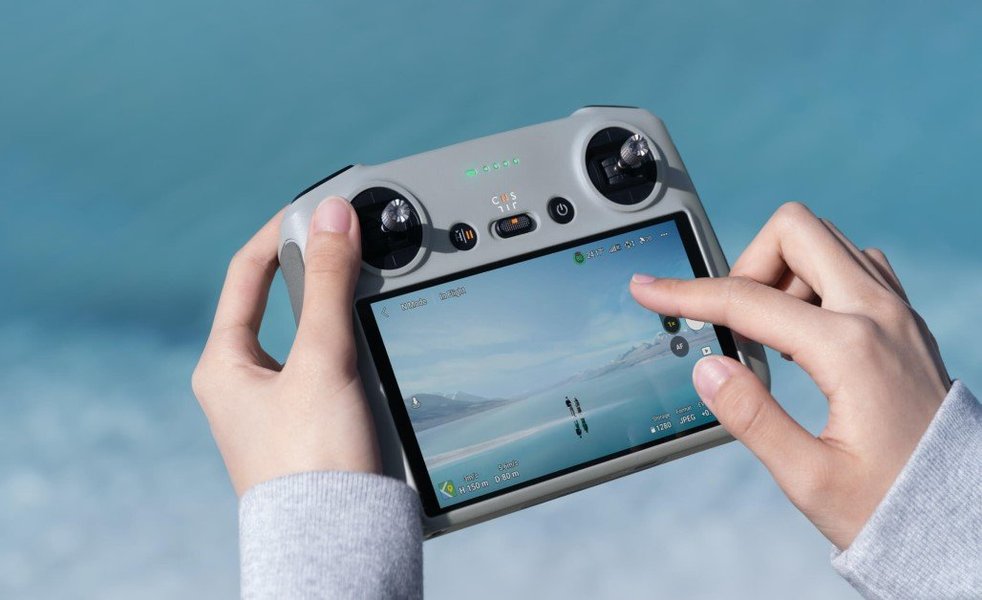
A typical flight controller integrates various sensors crucial for stabilization.
The Sensors Driving Stability
Achieving stable altitude relies on input from various sensors integrated with your flight controller:
Barometric Pressure Sensor (Barometer)
This is the primary sensor for Altitude Hold in Betaflight. It measures atmospheric pressure, which decreases predictably with altitude. By monitoring pressure changes, the flight controller estimates vertical movement and adjusts throttle accordingly. However, barometers can be sensitive to environmental factors:
- Prop Wash: Air turbulence from the propellers can cause inaccurate pressure readings.
- Wind Gusts: Sudden changes in air pressure due to wind can lead to altitude fluctuations.
- Temperature Changes: Temperature affects air density and pressure, potentially causing slow drift.
- Rapid Speed Changes: Airflow over the sensor can change with speed, impacting readings.
- Ground Effect: Performance can be less reliable very close to the ground.
Proper physical protection (like covering with open-cell foam) is vital for reliable barometer performance.
GPS Module
While primarily used for Position Hold (maintaining a specific geographic location), GPS also provides altitude data (usually meters above sea level). In Betaflight 4.6+, GPS is considered essential for effective Altitude Hold, especially when used in conjunction with Position Hold. The GPS altitude data complements the barometer's relative readings, contributing to better long-term stability. A strong satellite lock (typically 10+ satellites) is needed for reliable performance.
Magnetometer (Compass)
A magnetometer measures the Earth's magnetic field to determine heading. While not directly measuring altitude, it's strongly recommended for Position Hold and contributes to overall flight stability, especially in wind, by allowing the drone to maintain its orientation accurately. Better orientation helps the flight controller apply corrections more effectively, indirectly benefiting altitude stability. Ensure it's properly calibrated and free from magnetic interference.
Optional Sensors (Advanced/Situational)
- Rangefinders (Lidar/Sonar): These sensors measure distance directly to the ground using light (Lidar) or sound (Sonar). They offer very accurate altitude data at low altitudes (e.g., below 10-30 meters, depending on the sensor) and are less affected by atmospheric pressure changes. While Betaflight has some support, integrating these often requires more complex setup and might be more common in iNav or ArduPilot for dedicated low-altitude hovering tasks.
- Optical Flow Sensors: These sensors track ground texture movement to determine horizontal drift. They often incorporate a rangefinder for altitude. Like Lidar/Sonar, they excel at low altitudes but have more specialized use cases and integration challenges within Betaflight compared to barometer/GPS.
Step-by-Step Configuration Guide
Follow these steps in the Betaflight Configurator to set up altitude stabilization, assuming you have the necessary hardware and are running Betaflight 4.6 or newer.
Prerequisites: Firmware and Hardware Check
- Update Firmware: Ensure your flight controller is running Betaflight 4.6 or later. Use the Betaflight Configurator to check and flash the correct firmware target for your board.
- Verify Hardware: Confirm your flight controller has an onboard barometer. Check if you have a functioning GPS module connected and, if possible, a magnetometer.
Enabling Sensors in Betaflight Configurator
Enabling the Barometer
- Connect your flight controller to the Configurator.
- Go to the Configuration tab.
- Scroll down to the "Other Features" section.
- Toggle the BAROMETER switch to enable it.
- Click "Save and Reboot".
- After reconnecting, check the sensor icons at the top of the Configurator. The barometer icon should be lit up, indicating it's detected and active.
- Go to the Sensors tab to observe the barometer readings and ensure they are relatively stable.
Configuring GPS
- If using GPS, go to the Ports tab and ensure the correct UART port is configured for GPS (usually at 57600 or 115200 baud, depending on the module).
- Go to the Configuration tab.
- Enable the GPS feature.
- Select the correct protocol (usually UBLOX or NMEA).
- Enable Auto Config and Auto Baud if unsure about specific settings.
- Set the Ground Assistance Type (e.g., Auto-detect).
- Click "Save and Reboot".
- Monitor the GPS icon at the top. It should light up when satellites are acquired. Wait for a stable 3D fix (ideally 10+ satellites) before flying.
Calibrating Sensors
- Accelerometer: Place the drone on a perfectly level surface. Go to the Setup tab and click "Calibrate Accelerometer". Wait for the process to complete. This is crucial for self-leveling flight modes like Angle mode.
- Magnetometer (if used): Go to the Setup tab and click "Calibrate Magnetometer". Follow the on-screen instructions, which typically involve rotating the drone slowly through all axes for 30 seconds. If you experience erratic behavior (like "toilet bowling" in Position Hold), try disabling the magnetometer or ensure it's mounted far from interference sources (power wires, motors).
Setting Up Flight Modes
Assigning Altitude Hold / Position Hold
- Go to the Modes tab.
- Click "Add Range" for the ALTITUDE HOLD mode.
- Assign it to an auxiliary switch (AUX channel) on your transmitter. Select the switch position(s) that will activate the mode.
- If using GPS, it's highly recommended to also set up POSITION HOLD mode, often on the same switch or a subsequent position. Position Hold in Betaflight 4.6+ inherently includes Altitude Hold functionality.
- Ensure you have an ARM switch configured.
- Click "Save".
The Role of Angle Mode
Altitude Hold and Position Hold typically function within Angle Mode (a self-leveling mode). Ensure Angle mode is either active by default when no acro mode is selected, or assign it to a switch if you prefer manual control over flight modes. Stable self-leveling provided by Angle mode is foundational for effective altitude and position stabilization.
Tuning for Optimal Performance
Default settings might provide basic altitude hold, but tuning is often required for smooth and reliable performance.
PID Tuning Essentials
Altitude Hold relies on its own PID controller loop that manages throttle adjustments. While Betaflight 4.6 aims for good defaults, tuning might be necessary based on your drone's weight, power, and components.
Identifying Tuning Needs
- Oscillations/Buzzing: If the drone rapidly adjusts altitude up and down, making a buzzing sound, the P gain for altitude (or related velocity control) might be too high.
- Drifting: If the drone slowly drifts significantly up or down from the target altitude, the I gain might need adjustment, or there could be underlying sensor issues (like barometer drift).
- Sluggish Response: If the drone is slow to correct altitude changes, the P gain might be too low.
Adjustments are typically made via the PID Tuning tab or CLI (Command Line Interface) in Betaflight Configurator. Proceed cautiously with small changes and test thoroughly after each adjustment.
Using Blackbox for Analysis
Betaflight's Blackbox logging feature is invaluable for tuning. Record flight data while testing Altitude Hold, then analyze the logs using the Blackbox Explorer. Look at debug data related to altitude (ALTITUDE_HOLD debug mode), target altitude vs. actual altitude (from barometer/GPS), and PID controller outputs to understand how the system is behaving and make informed tuning decisions.
Physical & Environmental Factors
Protecting the Barometer
As mentioned earlier, the barometer is sensitive. Ensure it's shielded from direct prop wash and sunlight. Placing a small piece of breathable, open-cell foam over the barometer sensor on the flight controller is a common and effective practice. Avoid covering it with conformal coating or anything that completely seals it.
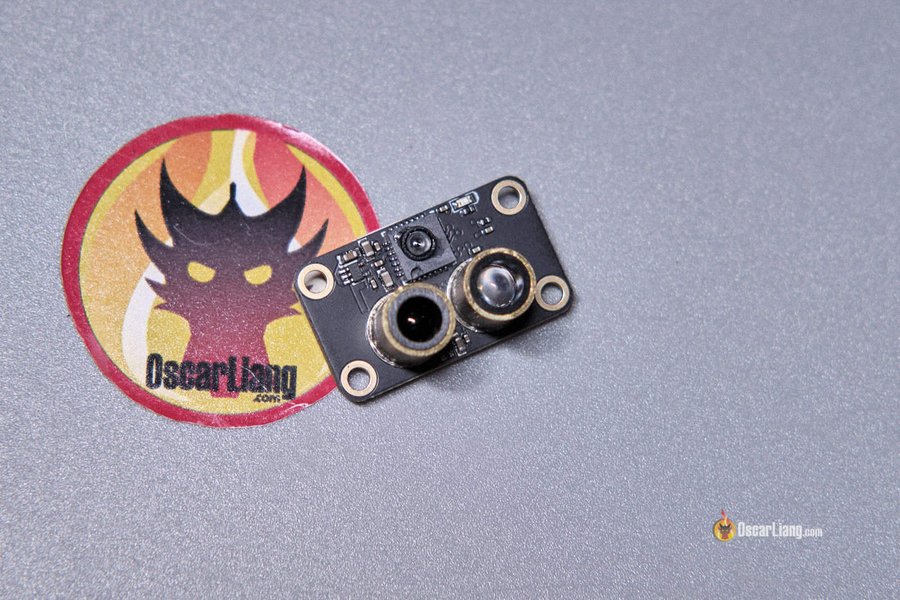
Optional sensors like Optical Flow/Rangefinders can enhance low-altitude hold but require specific setup.
Minimizing Vibrations
Excessive vibrations can interfere with sensor readings, including the accelerometer and barometer. Ensure propellers are balanced, motors are secure, and consider soft-mounting your flight controller if vibrations are problematic.
Environmental Conditions
Altitude Hold performance will naturally degrade in challenging conditions. Gusty wind is particularly difficult for barometer-based systems. Temperature shifts during flight can cause slow altitude drift. Fly in calm conditions when testing and tuning for best results.
Visualizing Stability Factors
The effectiveness of Altitude Hold depends on several interconnected factors. The radar chart below illustrates the relative importance of key elements for achieving stable flight.
This chart highlights that while having the correct firmware (Betaflight 4.6+) is fundamental, factors like sensor quality/protection and proper PID tuning are highly critical for achieving the best possible stability.
Workflow Summary Mindmap
This mindmap provides a visual overview of the process for setting up and optimizing Altitude Hold in Betaflight:
This outlines the logical flow from checking prerequisites to configuring, tuning, and testing your drone for stable altitude performance.
Sensor Roles in Altitude Stabilization
The following table summarizes the key sensors and their roles in achieving stable altitude hold with Betaflight:
| Sensor | Function | Importance for Altitude Hold | Configuration Notes |
|---|---|---|---|
| Barometer | Measures atmospheric pressure to estimate relative altitude changes. | Primary / Essential | Enable in Configurator. Protect from prop wash/light/heat with foam. Sensitive to weather. |
| GPS | Provides absolute altitude (above sea level) and horizontal position. | Essential / Highly Recommended (especially with Position Hold) | Enable in Configurator. Requires clear sky view for good satellite lock (10+ sats recommended). Wait for stable fix before takeoff. |
| Accelerometer | Measures linear acceleration and tilt angles. | Essential (for Angle Mode) | Calibrate on a level surface in Configurator. Crucial for basic self-leveling stability. |
| Magnetometer | Measures magnetic heading (compass direction). | Recommended (especially with Position Hold) | Enable and calibrate in Configurator. Mount away from interference. Improves directional stability, aiding position/altitude control. |
| Rangefinder (Lidar/Sonar) | Measures direct distance to ground. | Optional / Situational | Requires specific hardware and potentially advanced setup. Best for low-altitude precision. |
Understanding the role of each sensor helps in troubleshooting and optimizing your setup for the best possible altitude hold performance.
Visual Guide: Betaflight 4.6 Altitude Hold Preview
For a visual walkthrough and explanation of the Altitude Hold feature introduced in Betaflight 4.6, check out this preview video. It provides context and demonstrates the capabilities and setup considerations involved:
This video offers practical insights into how Altitude Hold works in Betaflight 4.6, complementing the steps outlined above.
Limitations and Expectations
Betaflight vs. Other Firmwares
It's important to set realistic expectations. Betaflight's core design prioritizes low-latency control for racing and freestyle flying. While Betaflight 4.6+ offers significantly improved Altitude and Position Hold, it may not achieve the "rock solid" locked-in stability often seen in consumer drones (like DJI) or platforms specifically designed for autonomous flight and aerial photography (like ArduPilot or iNav). These other systems often utilize more sophisticated sensor fusion algorithms and may rely more heavily on sensors like optical flow and lidar for precise hovering.
Expected Stability Level
With a well-configured setup (Betaflight 4.6+, good sensors, proper tuning, calm conditions), you can typically expect Altitude Hold stability within +/- 0.5 to 1 meter. Performance will vary based on the factors discussed: sensor quality, GPS reception, environmental conditions, and tuning accuracy. It provides a significant aid for stable flight compared to manual throttle control but may still exhibit some drift or minor fluctuations.
Frequently Asked Questions (FAQ)
What sensors are absolutely necessary for Altitude Hold in Betaflight 4.6+?
A Barometer is the fundamental sensor required for any altitude estimation. For effective and reliable Altitude Hold as implemented in Betaflight 4.6+, a GPS module is also considered essential, especially when used with Position Hold mode.
Can I achieve perfect, rock-solid altitude hold like a DJI drone with Betaflight?
Likely not. Betaflight's focus remains on performance flight. While Altitude Hold in 4.6+ is a major improvement, DJI drones and other platforms like ArduPilot/iNav use different algorithms and often more sophisticated sensor suites (including downward-facing sensors) specifically optimized for highly stable hovering. Expect good stabilization (around +/- 0.5-1m accuracy in good conditions) with Betaflight, but perhaps not the same level of "locked-in" feel.
My drone drifts slowly up or down when Altitude Hold is active. What should I check?
Slow drift can be caused by several factors:
- Barometer Drift: Temperature changes or inconsistent airflow over the sensor. Ensure the barometer is properly shielded with foam.
- GPS Altitude Instability: If GPS altitude data is fluctuating, it can affect the hold. Check GPS satellite count and HDOP values.
- PID Tuning: The Integral (I) term for the altitude controller might need adjustment. Use Blackbox logging to investigate.
- Hover Throttle Setting: Ensure the drone's hover throttle point is reasonably well-calibrated.
Does Altitude Hold work without GPS?
Technically, the barometer provides the core altitude data. However, the Altitude Hold feature in Betaflight 4.6, especially when combined with Position Hold, is designed and optimized with GPS integration in mind. While basic altitude stabilization using only the barometer might be possible to some extent (similar to older Betaflight versions or basic modes), reliable and accurate Altitude Hold as intended in v4.6+ generally requires GPS.
How exactly do I protect my barometer sensor?
The best practice is to place a small piece of light, breathable, open-cell foam directly over the tiny barometer sensor chip on your flight controller. This foam helps to dampen rapid air pressure changes from prop wash and wind gusts while still allowing the sensor to measure ambient atmospheric pressure. Avoid dense foam or completely sealing the sensor, as it needs exposure to the surrounding air pressure to function.
Recommended Further Exploration
- Learn advanced PID tuning techniques specifically for Betaflight's altitude controller.
- Explore the differences in stabilization performance between Betaflight and iNav firmware.
- Discover how to use Blackbox logging to effectively troubleshoot altitude stabilization issues.
- Find tips for optimal placement of GPS and magnetometer modules to minimize interference and maximize performance.
References

Last updated April 26, 2025