
Understanding Binary Notation and Conversions
Exploring the fundamentals and practical uses of binary in computers
Key Highlights
- Binary Notation Overview: Grasp the essentials of binary as a base-2 system, where only two digits, 0 and 1, are used.
- Conversion Methods: Learn structured techniques to convert between denary (decimal) and binary, including the division method and summation method.
- Practical Applications: Understand how binary underpins computer data storage, programming, digital electronics, and networking.
Introduction
Binary notation, at first glance, may seem intimidating with its exclusive use of the digits 0 and 1. However, this system forms the backbone of modern digital technology. In this comprehensive guide, we will examine how denary (decimal) numbers are converted to binary and vice versa, as well as explore the wide range of practical applications of binary in computers.
Understanding Binary Notation
Essentials of the Binary System
The binary number system is a base-2 numeral system, which makes it fundamentally different from the familiar base-10 (denary) system. Instead of using ten symbols (0-9) as in denary, binary relies solely on two digits:
- 0: Represents the off state in electronics and digital circuits.
- 1: Represents the on state.
Each position in a binary number corresponds to a power of 2. This positional value system is similar to the denary system where each position represents a power of 10. In binary, however, the rightmost digit represents \(2^0\), the next represents \(2^1\), and so forth.
Why Computers Use Binary
Computers operate using digital circuits that have two distinct states based on voltage levels. These states, commonly referred to as "off" and "on," align perfectly with the binary digits 0 and 1. The simplicity and reliability of this system make binary indispensable in electronic design, data processing, and storage.
Conversion Between Denary and Binary
Converting Denary to Binary
Method 1: Repeated Division by 2
This method involves repeatedly dividing the denary number by 2 and recording the remainders. The steps are as follows:
- Divide the denary number by 2.
- Record the quotient and the remainder.
- Continue dividing the quotient by 2 until the quotient becomes 0.
- The binary number is obtained by reading the recorded remainders in reverse order.
Example: Convert the denary number 13 to binary.
Steps:
- 13 ÷ 2 = 6; remainder = 1
- 6 ÷ 2 = 3; remainder = 0
- 3 ÷ 2 = 1; remainder = 1
- 1 ÷ 2 = 0; remainder = 1
When read in reverse order, the remainders yield 1101—a binary equivalent of 13.
Method 2: Using Powers of 2
In this method, identify the highest power of 2 that does not exceed the denary number. Then, subtract that power’s value from the number and mark a “1” in the corresponding binary position. Continue this process for the next lower powers of 2, placing “0”s in positions where the respective power of 2 does not fit.
Example: Convert 13 to binary by mapping powers of 2:
- The highest power of 2 less than or equal to 13 is \(2^3 = 8\). (13 – 8 = 5) → Place 1 for \(2^3\).
- Next, \(2^2 = 4\) fits into 5. (5 – 4 = 1) → Place 1 for \(2^2\).
- \(2^1 = 2\) does not fit into 1 → Place 0 for \(2^1\).
- \(2^0 = 1\) fits exactly into 1 → Place 1 for \(2^0\).
The binary number from this method is also 1101.
Converting Binary to Denary
Step-by-Step Process: Summation Method
To convert a binary number back into a denary number, multiply each bit by its corresponding power of 2 and sum the results.
- Assign positional values to each digit starting from 0 on the right.
- For each bit, multiply by \(2^{\text{position}}\).
- Add all the products to determine the denary number.
Example: Convert binary 1101 to denary.
Calculation:
\(1 \times 2^3 + 1 \times 2^2 + 0 \times 2^1 + 1 \times 2^0 = 8 + 4 + 0 + 1 = 13\)
Practical Uses of Binary in Computers
Data Representation and Storage
Binary codes are used to represent every type of data in a computer system, whether it’s text, images, videos, or sound. This conversion from various data forms into binary allows for efficient storage and retrieval due to the binary system's straightforward interpretation by digital electronics.
Digital Storage: Hard drives, solid-state drives, and memory devices store data in binary formats. A byte, typically consisting of 8 bits, can represent 256 unique values, serving as the fundamental building block in data storage.
Programming and Machine Code
All programming languages are eventually translated into binary machine code that processors can execute. This makes binary the universal language of computers. High-level programming languages are compiled or interpreted into this low-level machine code. The translation process involves converting human-readable instructions into a form that can be processed rapidly by digital circuits.
Instruction Execution: Processors perform operations using binary instructions. Operations like addition, subtraction, multiplication, and logical functions (such as AND, OR, and NOT) are all executed using binary arithmetic.
Digital Electronics and Circuit Design
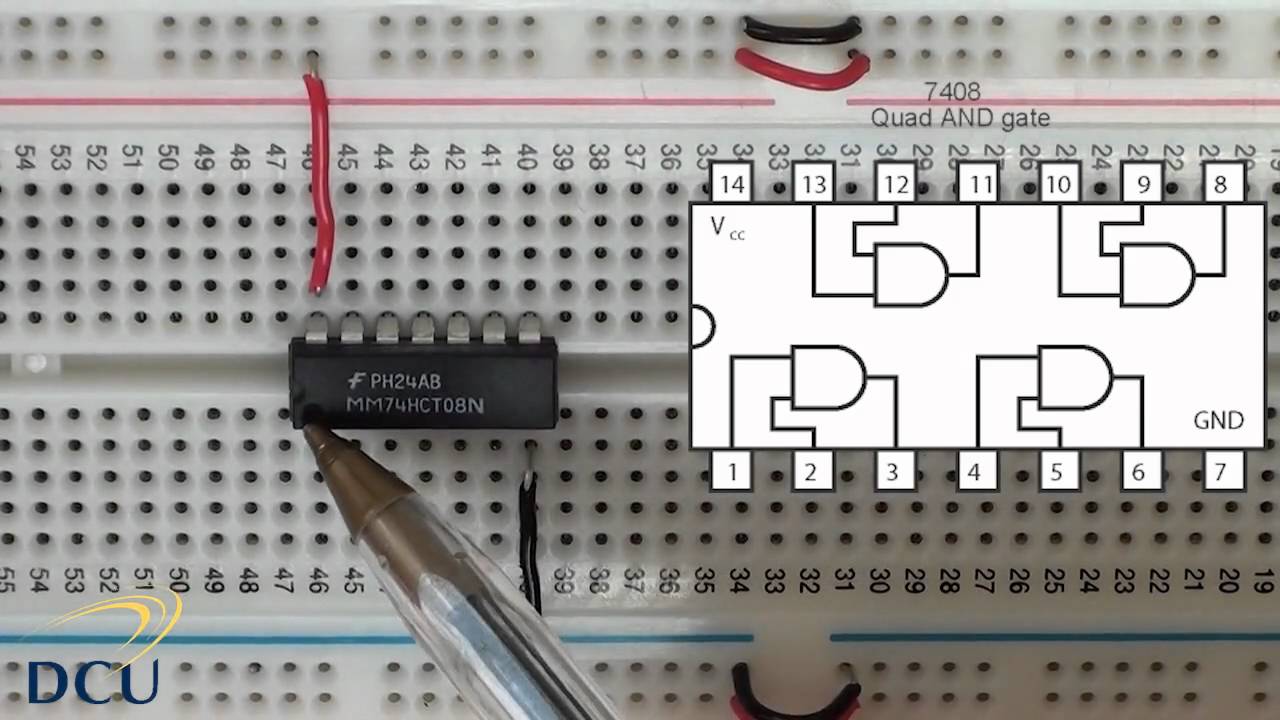
In digital electronics, binary is used to design integrated circuits and logic gates. Each gate performs a simple function, such as switching between two states. When combined in various configurations, these circuits form more complex systems and perform intricate computational tasks.
Logic Gates: The three main logic gates – AND, OR, and NOT – operate using binary signals. These gates are the building blocks of more complex circuitry, facilitating everything from simple calculations to advanced signal processing.
Networking and Data Transmission
Binary numbers are at the heart of all computer networking systems. Data transmitted across networks is encoded in binary form to ensure reliable communication. Error-checking mechanisms like parity bits are used to detect and correct errors in transmitted binary data, ensuring data integrity over long distances.
Communication Protocols: Many protocols use binary encoding to represent addresses, instructions, and error codes, making binary indispensable in maintaining robust and efficient network communications.
Digital Signal Processing and Multimedia
Binary is crucial for converting and processing analog signals into digital formats. Audio, video, and image files are digitized into a series of binary values that can then be manipulated, stored, or transmitted over digital networks. From streaming high-definition video to digital image editing, binary forms the basis of these transformative processes.
Conversion Process and Practical Examples
Comparison Table: Denary vs. Binary Conversion
The table below summarizes the key steps and methodologies involved in converting between denary and binary:
| Conversion Type | Methodology | Example |
|---|---|---|
| Denary to Binary |
|
13 ÷ 2 → 6 r1 |
| Binary to Denary |
|
\(1 \times 2^3 + 1 \times 2^2 + 0 \times 2^1 + 1 \times 2^0 = 13\) |
Practical Hands-on Examples
Worksheet and Assessment Applications
In many academic and professional settings, worksheets and assessments are used to reinforce the understanding of binary notation. These exercises typically include:
- Converting familiar denary numbers (such as 5, 23, 156) to their binary equivalents.
- Decoding provided binary strings back into denary values.
- Applying these concepts in problem-solving scenarios related to digital electronics and data processing.
Mastering these tasks ensures that you can confidently convert any denary number to binary and vice versa, which is critical for computer programming, digital logic design, and network communications.
Further Insights into Binary Applications in Computing
Encoding and Data Compression
Binary encoding is also central to practices like data compression and encryption. For compression, algorithms convert data into binary sequences that can be stored more compactly and transmitted more quickly. Encryption, on the other hand, often relies on binary encoding to scramble data so that only authorized parties can decode and understand it.
Error Checking and Correction
Many systems incorporate error-checking algorithms that rely on binary data. Parity bits, checksums, and cyclic redundancy checks (CRC) are mechanisms that use binary arithmetic to detect errors in data transmission or storage and to correct them, ensuring reliable communication and integrity in digital systems.
Real-world Implementations
Beyond theoretical learning, real-world applications of binary systems include the inner workings of modern microprocessors, GPUs, and communication systems. For instance, every time you save a file on your computer, binary code is at work converting your data into a series of electrical pulses that represent information. Similarly, software programmers often work with binary representations when they optimize algorithms for speed and efficiency.
Integrated Practical Exercises and Tools
Online Converters and Simulators
To further bolster your understanding of binary conversions, there are numerous online tools available:
- Interactive decimal-to-binary converters that allow you to enter a denary number and see its binary equivalent.
- Simulators that let you experiment with binary arithmetic operations, providing a hands-on learning experience.
- Practice worksheets that offer incremental challenges to consolidate your conversion skills.
These tools not only reinforce theoretical knowledge but also highlight the practical aspects of working with binary, from basic calculations to complex programming scenarios.
Future Learning and Applications
Proficiency in converting denary to binary and vice versa is a foundational skill for those interested in computer science, data processing, and digital electronics. As you advance, you may explore how higher-level languages abstract these binary operations for tasks like memory management, cryptographic algorithms, and even artificial intelligence.
Conclusion
In summary, binary notation is an essential concept in computing that underpins data representation, storage, and processing. By mastering the two primary methods for conversion—repeated division and power mapping—you are well-equipped to convert any denary number to binary, and vice versa. Beyond academic exercises, understanding binary is crucial for practical applications in digital electronics, programming, networking, and data communication.
Whether you are working through a worksheet, completing an assessment, or applying these concepts in real-world scenarios, the ability to seamlessly translate between denary and binary is key to understanding and harnessing the power of modern computing systems.
References
- Decimal to Binary Converter - Binary Hex Converters
- Decimal to Binary converter - RapidTables.com
- Converting from Denary to Binary - BBC Bitesize
- Decimal to Binary (Definition, Conversion, Table and Examples) - BYJU'S
- Binary Number System - GeeksforGeeks
Recommended Queries for Deeper Insights
Last updated February 28, 2025