
Unlocking High-Speed Pixel Placement: Building a Custom Client for Starknet's Art Peace
Dive into the Art Peace repository and discover how to engineer a parallel-threaded client for rapid pixel submission on the Starknet canvas.
Highlights
- Modular Architecture: Art Peace is built with distinct components like on-chain contracts (Starknet/Cairo), a Go backend, React frontend, Apibara indexer, and Redis/Postgres databases.
- Interaction Points: A custom client can interact either directly with the Starknet smart contracts for minimal latency or potentially through the backend API, depending on the required logic and access.
- Parallelism Strategy: Achieving high speed involves client-side parallelism – preparing, signing, and submitting multiple transactions concurrently using techniques like async programming, rather than simultaneous blockchain execution.
- Game Constraints: Be mindful of built-in limitations such as smart contract rate limits, cooldown periods per user/wallet, network latency, and transaction fees, which govern the ultimate pixel placement speed.
The `art-peace` project, hosted on GitHub, is a fascinating experiment in collaborative digital art built on the Starknet Layer 2 scaling solution for Ethereum. It allows participants worldwide to place pixels on a vast shared canvas, creating art together over a set period. The goal is to create a dynamic, responsive, and engaging experience where collaboration and competition intertwine. Understanding its architecture is the first step toward building specialized tools, like a high-performance client for placing pixels rapidly.
Visualizing the digital canvas, similar to those used in pixel art software.
A Deep Dive into the Repository Architecture
Understanding the Components of Art Peace
The `art-peace` repository is organized into several distinct components, each playing a crucial role in the overall system. This modular design separates concerns and allows for scalability and maintainability.
Key Directories and Their Roles:
onchain: Contains the Starknet smart contracts written in Cairo. These contracts are the heart of the decentralized logic, handling the core rules for pixel placement, user interactions, potential rewards, and ensuring trustless operations directly on the blockchain.backend: Houses the Go-based backend server. This component manages user requests, potentially queues actions, validates inputs, interacts with the databases (Postgres and Redis), and communicates with the Starknet network to submit transactions or query state. It often uses WebSockets for real-time updates to connected clients.frontend/frontend-next: These directories contain the user interface code, primarily built using React.js (and potentially Next.js for newer versions). This is the standard web application users interact with to view the canvas, select colors, and place pixels.indexer: Utilizes an Apibara indexer. This component monitors the Starknet blockchain for specific events emitted by the `art-peace` smart contracts (e.g., PixelPlaced events). It processes these events and updates the project's databases accordingly, ensuring the off-chain state reflects the on-chain reality.postgres: Contains configurations and potentially schema definitions related to the PostgreSQL database. Postgres is likely used for storing persistent relational data, such as user information, historical analytics, or less frequently accessed game state.redis: Contains configurations related to the Redis in-memory database. Redis is typically used for caching frequently accessed data, like the current state of the canvas (possibly compressed), to enable fast retrieval and display by the frontend and backend.infra: Likely holds infrastructure-as-code definitions (e.g., Terraform, Pulumi) or deployment scripts for setting up the required cloud resources or environments.scripts: Contains various utility scripts for development, testing, deployment, or administrative tasks.tests/integration: Holds integration tests designed to verify that different components of the system work correctly together under various conditions.configs: Stores configuration files for different components, such as database connection details or API keys.- Root Files: Includes essential files like
README.md(project overview, setup instructions),LICENSE,Makefile(build/run shortcuts), anddocker-compose.yml(for containerized deployment).
Visualizing the System Interconnections
The following diagram illustrates how the core components of the Art Peace system likely interact:
This interconnected system ensures that user actions initiated through the frontend are validated by the backend, executed trustlessly via the on-chain contracts, and reflected back efficiently through the indexer and databases for display.
The Pixel Placement Process
Placing a pixel in Art Peace isn't just a simple database update; it's typically a blockchain transaction. Here's the likely flow:
- A user selects a pixel location (x, y) and color via the frontend.
- The frontend sends this request to the backend API.
- The backend validates the request (e.g., checks user authentication, cooldown status).
- The backend (or potentially the frontend directly, with user signing) constructs a transaction targeting the `place_pixel` function (or similar) in the `onchain` smart contract.
- This transaction is signed using the user's Starknet wallet keys.
- The signed transaction is submitted to the Starknet network.
- Starknet sequencers process the transaction. If valid (correct signature, user meets requirements like cooldowns, sufficient gas), the contract state is updated, and an event is emitted.
- The Apibara `indexer` detects the event.
- The `indexer` updates the Redis cache (for immediate frontend refresh) and potentially the Postgres database (for historical record/analytics).
- Clients connected via WebSocket receive the update, reflecting the new pixel on the canvas in near real-time.
Crucially, the smart contracts enforce rules like cooldown periods, limiting how frequently a single user or wallet can place a pixel. This prevents spam and ensures fairer participation.
Building a High-Performance Custom Client
Choosing Your Interaction Strategy
To build a client focused on speed, you have two main options:
- Interact with the Backend API: This might be simpler as the backend handles some complexities (like nonce management, potentially transaction queuing). However, it introduces an extra network hop and potential bottlenecks within the backend itself.
- Interact Directly with the Starknet Contract: This offers the lowest latency by bypassing the backend API. It requires handling Starknet transaction construction, signing, and submission directly within your client. This is generally preferred for maximum performance but requires more complex implementation.
For achieving the "very fast in parallel thread" goal, direct contract interaction is likely the superior path.
Core Strategy: Client-Side Parallelism
True parallel execution on a blockchain like Starknet isn't possible in the traditional sense; transactions are typically ordered and processed sequentially by sequencers. However, you can achieve significant speed improvements through client-side parallelism. This means your custom client uses multiple threads or asynchronous workers to perform the following tasks concurrently:
- Preparing transaction payloads (pixel coordinates, color).
- Fetching the current account nonce (or managing it locally).
- Signing transactions with the user's private key.
- Submitting signed transactions to a Starknet node.
- Monitoring transaction status.
By parallelizing these preparation and submission steps, you can keep the pipeline to the Starknet network as full as possible, submitting transactions much faster than a purely sequential client could, *up to the limits imposed by the network and the contract's rules*.
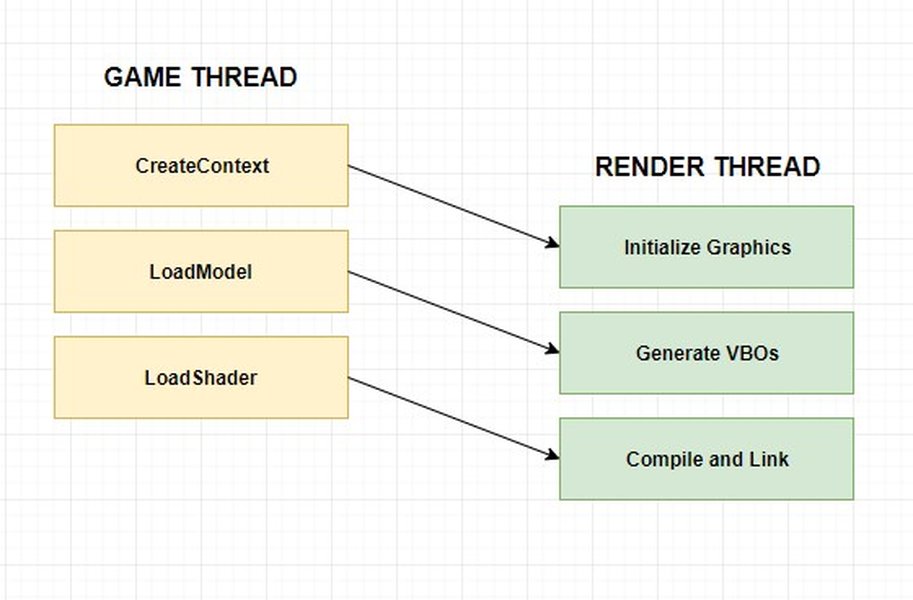
Conceptualizing parallel processing pipelines, applicable to transaction submission.
Technical Implementation Steps
1. Language and SDK Selection
Choose a language with robust support for asynchronous programming or multi-threading and a reliable Starknet SDK:
- Python: Excellent choice due to mature libraries like `starknet.py` and powerful async capabilities (`asyncio`).
- Go: The language of the Art Peace backend, known for efficient concurrency with goroutines. Starknet SDKs exist.
- Rust: Offers high performance and safety, with good Starknet libraries available (`starknet-rs`).
- Node.js (JavaScript/TypeScript): Strong async ecosystem and available Starknet SDKs (`starknet.js`).
Python with `starknet.py` and `asyncio` provides a good balance of developer productivity and performance for this task.
2. Environment Setup
Clone the `art-peace` repository to access contract ABIs and potentially run local components (like Redis) for testing. Install your chosen language, the relevant Starknet SDK, and any other dependencies.
# Example for Python
pip install starknet.py asyncio aiohttp
git clone https://github.com/keep-starknet-strange/art-peace.git
cd art-peace
# Find contract ABI in the 'onchain' directory artifacts
3. Implementing Parallel Workers (Python Example)
The core idea is to use an asynchronous task queue and multiple worker coroutines.
import asyncio
import random
from starknet_py.contract import Contract
from starknet_py.net.account.account import Account
from starknet_py.net.full_node_client import FullNodeClient
from starknet_py.net.models import StarknetChainId
from starknet_py.net.signer.stark_curve_signer import KeyPair

# --- Configuration ---
NODE_URL = "YOUR_STARKNET_NODE_URL" # e.g., from Infura, Alchemy, or Blast API
CONTRACT_ADDRESS_STR = "CONTRACT_HEX_ADDRESS_FROM_ART_PEACE_DEPLOYMENT"
ACCOUNT_ADDRESS_STR = "YOUR_STARKNET_ACCOUNT_HEX_ADDRESS"
PRIVATE_KEY = "YOUR_ACCOUNT_PRIVATE_KEY_HEX"
CHAIN_ID = StarknetChainId.MAINNET # Or SEPOLIA for testing
NUM_WORKERS = 50 # Number of parallel workers

# --- Load Contract ABI ---
# Assuming ABI is loaded into a variable 'contract_abi' (list of dicts)
# Example: import json; with open("path/to/abi.json", "r") as f: contract_abi = json.load(f)
# Ensure you have the correct ABI from the art-peace repo's build artifacts
contract_abi = [] # Replace with actual loaded ABI

# --- Pixel Data Source (Example) ---
# Replace this with your actual logic for generating pixel coordinates/colors
def get_pixel_tasks(count):
    tasks = []
    for _ in range(count):
        x = random.randint(0, 1000) # Example canvas size
        y = random.randint(0, 1000)
        color = random.randint(0, 255) # Example color representation
        tasks.append((x, y, color))
    return tasks

# --- Worker Coroutine ---
async def worker(name: str, queue: asyncio.Queue, account: Account, contract: Contract):
    print(f"[{name}] Worker started")
    while True:
        try:
            x, y, color = await queue.get()
            print(f"[{name}] Processing pixel ({x}, {y}) color {color}")

            # Prepare the contract call
            call = contract.functions["place_pixel"].prepare(x=x, y=y, color=color) # Adjust function name/args if needed

            # Estimate fee (optional but recommended)
            # fee = await account.estimate_fee(call)
            # print(f"[{name}] Estimated fee: {fee.overall_fee}")

            # Invoke the transaction
            resp = await account.execute(calls=call, max_fee=int(1e15)) # Set appropriate max_fee

            print(f"[{name}] Submitted Tx: {hex(resp.transaction_hash)}")

            # Optional: Wait for transaction receipt for confirmation (can slow down throughput)
            # await account.client.wait_for_tx(resp.transaction_hash)
            # print(f"[{name}] Tx Confirmed: {hex(resp.transaction_hash)}")

            queue.task_done()
            # Implement a small delay or check cooldown status before next task if needed
            await asyncio.sleep(0.1) # Small delay to prevent overwhelming node/account

        except asyncio.CancelledError:
            print(f"[{name}] Worker cancelled")
            break
        except Exception as e:
            print(f"[{name}] Error processing task: {e}")
            # Handle specific errors (e.g., cooldown, out of funds) appropriately
            # Potentially put the task back in the queue or discard it
            queue.task_done() # Mark task done even on error to prevent deadlock
            await asyncio.sleep(5) # Longer sleep on error


# --- Main Execution ---
async def main():
    # Initialize Starknet Client and Account
    client = FullNodeClient(node_url=NODE_URL)
    key_pair = KeyPair.from_private_key(key=int(PRIVATE_KEY, 16))
    account = Account(
        client=client,
        address=int(ACCOUNT_ADDRESS_STR, 16),
        key_pair=key_pair,
        chain=CHAIN_ID,
    )
    print(f"Using account: {hex(account.address)}")

    # Get contract instance
    contract = Contract(
        address=int(CONTRACT_ADDRESS_STR, 16),
        abi=contract_abi, # Use the loaded ABI
        provider=account,
    )
    print(f"Interacting with contract: {hex(contract.address)}")

    # Create task queue and workers
    task_queue = asyncio.Queue()
    workers = []
    for i in range(NUM_WORKERS):
        task = asyncio.create_task(worker(f"Worker-{i+1}", task_queue, account, contract))
        workers.append(task)

    # Generate and enqueue tasks
    pixel_tasks = get_pixel_tasks(500) # Generate 500 example pixel tasks
    for task_data in pixel_tasks:
        await task_queue.put(task_data)

    print(f"Enqueued {len(pixel_tasks)} tasks. Waiting for workers to complete...")

    # Wait for all tasks to be processed
    await task_queue.join()
    print("All tasks processed.")

    # Cancel workers
    for task in workers:
        task.cancel()
    await asyncio.gather(*workers, return_exceptions=True)
    print("Workers finished.")

if __name__ == "__main__":
    # --- !!! Load ABI properly before running !!! ---
    if not contract_abi:
       print("ERROR: Contract ABI is not loaded. Please load the ABI from the Art Peace artifacts.")
    else:
       asyncio.run(main())
This Python script sets up an `asyncio` queue and multiple worker coroutines. Each worker pulls pixel data from the queue, prepares a `place_pixel` transaction using `starknet.py`, signs it using the provided account details, and submits it to the Starknet network. Remember to replace placeholder values (Node URL, addresses, keys, ABI) with actual data.
4. Wallet Management & Signing
The client needs secure access to a Starknet private key to sign transactions. Use environment variables or secure secret management solutions; never hardcode private keys directly in the source code.
5. Transaction Submission & Monitoring
Submit transactions asynchronously. You might need error handling for failed transactions (e.g., due to insufficient funds, nonce errors, network congestion) and potentially implement retry logic with exponential backoff.
6. State Management
To avoid placing pixels on already occupied spots (or to implement specific strategies), your client might need near real-time canvas state. You could:
- Connect to the project's Redis instance (if accessible).
- Run your own indexer or listen to WebSocket updates from the main backend.
- Maintain a local cache updated by monitoring transaction receipts (slower).
Optimization Techniques
- Local Nonce Management: Instead of querying the node for the nonce for every transaction, maintain a local nonce counter, incrementing it after each successful submission attempt. Requires careful handling of failed transactions.
- Gas Price Strategy: Monitor network gas prices and adjust the `max_fee` parameter accordingly to balance speed and cost.
- Batching (Multi-Call): If the smart contract supports it (e.g., via a `place_pixels_batch` function), group multiple pixel placements into a single Starknet transaction using multi-call. This significantly reduces overhead but depends entirely on contract capabilities.
- Efficient Calldata: If possible, use compressed or packed data formats for coordinates and colors if the contract is designed to decode them, reducing transaction size and cost.
- Targeted Placement: Use analytics (perhaps from the Postgres DB, if accessible) to identify less contested areas of the canvas for higher placement success rates.
Handling Constraints
- Rate Limits/Cooldowns: Your client *must* respect the cooldown periods enforced by the smart contract. Query the contract for cooldown status or track placement times locally per account. Attempting to bypass this will likely result in reverted transactions.
- Network Latency & Throughput: Starknet (like any blockchain) has inherent latency and limits on transaction throughput. Your client's speed will ultimately be capped by network performance.
- Transaction Costs: Placing pixels costs gas. Ensure your account is sufficiently funded.
- Ethical Considerations: Using a high-speed client might be seen as unfair by other participants. Be mindful of the community and the spirit of the game. Excessive botting could potentially lead to measures being taken against your account by the project organizers.
Evaluating Performance Factors
The effectiveness of a custom parallel client depends on various factors. The radar chart below provides a hypothetical comparison of how different elements might impact overall pixel placement speed and success rate.
This chart highlights that while increasing client-side parallelism is beneficial, factors like contract cooldowns and efficient state synchronization are critical for ensuring those parallel submissions actually succeed and aren't wasted effort or gas.
Comparing Pixel Placement Workflows
The table below contrasts the typical workflow using the standard web frontend versus a potential workflow using a custom parallel client interacting directly with the smart contract.
| Step | Standard Frontend Workflow | Custom Parallel Client Workflow |
|---|---|---|
| 1. Pixel Selection | User clicks on canvas in browser. | Client logic determines target pixel(s) (e.g., from algorithm, file input). |
| 2. Request Initiation | Frontend sends API request to Backend. | Client prepares transaction payload directly. |
| 3. Validation/Prep | Backend validates, checks cooldown, potentially queues. | Client checks local state/cooldown, retrieves nonce. (Parallelizable across multiple pixels) |
| 4. Signing | User prompted to sign transaction via browser wallet extension. | Client signs transaction using loaded private key. (Parallelizable) |
| 5. Submission | Backend (or frontend) submits single transaction to Starknet node. | Client submits multiple signed transactions concurrently to Starknet node via async workers. |
| 6. Confirmation | Frontend updates UI based on WebSocket event pushed by Indexer/Backend. | Client monitors transaction status directly from node or via Indexer feed. |
The key difference lies in steps 3, 4, and 5, where the custom client can perform preparation, signing, and submission concurrently for multiple pixels, drastically increasing the potential submission rate compared to the one-at-a-time flow of the standard UI.
Frequently Asked Questions (FAQ)
What are the main components of the Art Peace repository? +
How does placing a pixel actually work? +
Can a custom client bypass the pixel placement cooldown or rate limits? +
What's the best language/tool for building a fast, parallel client? +
Where do I find the smart contract address and ABI? +
References
- keep-starknet-strange/art-peace - GitHub Repository
- README.md - art-peace - GitHub
- onchain directory - art-peace - GitHub
- backend directory - art-peace - GitHub
- backend package - Go Documentation
- CONTRIBUTING.md - art-peace - GitHub
Recommended
 community.shopify.com
 help.shopify.com
community.shopify.com
community.shopify.com
help.shopify.com
community.shopify.com
community.shopify.com
Last updated April 21, 2025