
Forge Your Fortnite Empire: A Developer's Blueprint to a Full-Stack E-Commerce Platform
Leverage Next.js, MongoDB, Tailwind CSS, Shadcn UI, and Resend to build a feature-rich online store for Fortnite enthusiasts.
Embarking on the journey to create a dedicated e-commerce platform for Fortnite-related products requires a modern, robust technology stack. This guide will walk you through constructing such a web application, integrating Next.js for a versatile React framework, MongoDB for a flexible NoSQL database, Tailwind CSS for rapid UI development, Shadcn UI for accessible components, and Resend for reliable transactional emails. Let's dive into the architecture and step-by-step implementation.
Key Highlights for Your E-Commerce Build
- Streamlined Development Workflow: Utilize Next.js's powerful features like server-side rendering and API routes, combined with Tailwind CSS's utility-first approach and Shadcn UI's pre-designed components, to significantly accelerate your development process and build a visually appealing storefront.
- Scalable & Flexible Backend Infrastructure: Employ MongoDB for its schema-less nature, perfect for evolving product catalogs and user data. Next.js Server Actions or API routes provide a seamless way to manage backend logic, from product inventory to order processing.
- Enhanced Customer Journey: Implement crucial e-commerce functionalities including intuitive product discovery, a dynamic shopping cart, secure payment processing (e.g., via Stripe), and professional, automated order confirmations and updates through Resend, ensuring a smooth and trustworthy user experience.
The Technological Arsenal: Your Stack Explained
Understanding the role of each technology is pivotal for a successful development process. Here's a breakdown of the chosen stack for your Fortnite merchandise store:
| Technology | Role in the Project | Key Benefits |
|---|---|---|
| Next.js | Full-stack React framework | Server-Side Rendering (SSR), Static Site Generation (SSG), API routes, Server Actions, routing, image optimization. |
| MongoDB | NoSQL document database | Flexible schema, scalability, ideal for product catalogs, user profiles, and order data. MongoDB Atlas for cloud hosting. |
| Tailwind CSS | Utility-first CSS framework | Rapid UI development, custom designs without writing custom CSS, responsive design. |
| Shadcn UI | Collection of React components | Accessible, customizable, pre-built UI elements (buttons, cards, forms) that integrate seamlessly with Tailwind CSS. |
| Resend | Email API service | Simple integration for sending transactional emails like order confirmations, shipping notifications, and password resets. |
| Stripe (Recommended) | Payment processing platform | Secure handling of online payments, easy integration with Next.js. |
Phase 1: Project Initialization and Foundation
Setting up your development environment correctly is the first step towards building your application.
Bootstrapping Your Next.js Application
Next.js serves as the backbone of your application, providing both frontend rendering capabilities and backend API functionalities.
Creating the Project
Start by creating a new Next.js project using the command line. It's recommended to use TypeScript for enhanced type safety, especially for larger applications.
npx create-next-app@latest fortnite-store --typescript
cd fortnite-store
When prompted, opt for the App Router, which is the recommended routing paradigm in modern Next.js.
Integrating Tailwind CSS
Tailwind CSS will empower you to style your application rapidly with utility classes.
npm install -D tailwindcss postcss autoprefixer
npx tailwindcss init -p
Next, configure your tailwind.config.js to include paths to all your template files:
// tailwind.config.js
/** @type {import('tailwindcss').Config} */
module.exports = {
  content: [
    './pages/**/*.{js,ts,jsx,tsx,mdx}',
    './components/**/*.{js,ts,jsx,tsx,mdx}',
    './app/**/*.{js,ts,jsx,tsx,mdx}',
  ],
  theme: {
    extend: {
      // You can extend your theme here, e.g., with Fortnite brand colors
      colors: {
        fortnitePurple: '#7B3DD6',
        fortniteBlue: '#00BFFF',
      },
    },
  },
  plugins: [],
};
Finally, add the Tailwind directives to your global CSS file (e.g., app/globals.css):
/* app/globals.css */
@tailwind base;
@tailwind components;
@tailwind utilities;
Incorporating Shadcn UI
Shadcn UI provides a set of beautifully designed and accessible components built on top of Tailwind CSS and Radix UI.
Initialize Shadcn UI in your project:
npx shadcn-ui@latest init
Follow the prompts to configure it for your Next.js (App Router) and TypeScript setup. You can then add components as needed, for example:
npx shadcn-ui@latest add button card input label dialog
Be mindful of Tailwind CSS versions. If you are using Tailwind CSS v4 or newer, ensure Shadcn UI compatibility by checking their official documentation, as you might need specific CLI versions or configuration adjustments.
Phase 2: Database Configuration with MongoDB
Your Fortnite product data, user information, and orders will reside in MongoDB.
Setting Up MongoDB Atlas
MongoDB Atlas offers a fully managed cloud database service. Create a free tier cluster on MongoDB Atlas, set up database user credentials, and whitelist your IP address or allow access from anywhere (0.0.0.0/0 - for development only; be more restrictive for production).
Obtain your MongoDB connection string (URI). Store this URI securely in an environment variable file (.env.local at the root of your project):
# .env.local
MONGODB_URI=your_mongodb_connection_string_here
Connecting to MongoDB in Next.js
You'll need a MongoDB driver (like Mongoose, which is popular for its schema validation and middleware capabilities) to interact with your database.
npm install mongoose
Create a utility file to manage your database connection (e.g., lib/dbConnect.ts):
// lib/dbConnect.ts
import mongoose from 'mongoose';

const MONGODB_URI = process.env.MONGODB_URI;

if (!MONGODB_URI) {
  throw new Error(
    'Please define the MONGODB_URI environment variable inside .env.local'
  );
}

let cached = global.mongoose;

if (!cached) {
  cached = global.mongoose = { conn: null, promise: null };
}

async function dbConnect() {
  if (cached.conn) {
    return cached.conn;
  }

  if (!cached.promise) {
    const opts = {
      bufferCommands: false,
    };

    cached.promise = mongoose.connect(MONGODB_URI!, opts).then((mongoose) => {
      return mongoose;
    });
  }
  cached.conn = await cached.promise;
  return cached.conn;
}

export default dbConnect;
Note: This connection pattern helps manage database connections efficiently in a serverless environment like Vercel.
Defining Data Models (Schemas)
Define Mongoose schemas for your data entities. For a Fortnite store, key models would include Products, Users, and Orders.
Product Schema Example
Create a file like models/Product.ts:
// models/Product.ts
import mongoose, { Schema, Document, models, Model } from 'mongoose';

export interface IProduct extends Document {
  name: string;
  description: string;
  price: number;
  images: string[];
  category: 'skin' | 'emote' | 'pickaxe' | 'glider' | 'vbucks_pack' | 'bundle';
  rarity?: 'common' | 'uncommon' | 'rare' | 'epic' | 'legendary' | 'mythic' | 'exotic';
  stock: number;
  tags?: string[];
  releaseDate?: Date;
}

const ProductSchema: Schema<IProduct> = new Schema({
  name: { type: String, required: true, trim: true },
  description: { type: String, required: true },
  price: { type: Number, required: true },
  images: [{ type: String, required: true }],
  category: {
    type: String,
    required: true,
    enum: ['skin', 'emote', 'pickaxe', 'glider', 'vbucks_pack', 'bundle']
  },
  rarity: {
    type: String,
    enum: ['common', 'uncommon', 'rare', 'epic', 'legendary', 'mythic', 'exotic'],
    default: 'common'
  },
  stock: { type: Number, required: true, min: 0, default: 0 },
  tags: [{ type: String }],
  releaseDate: { type: Date },
}, { timestamps: true });

// Prevent model overwrite in Next.js hot-reloading environments
const Product: Model<IProduct> = models.Product || mongoose.model<IProduct>('Product', ProductSchema);

export default Product;
Similarly, create schemas for User (storing encrypted passwords, roles, order history) and Order (storing items purchased, total amount, shipping details, payment status).
Phase 3: Crafting the Frontend User Experience
With the foundation laid, it's time to build the user-facing parts of your e-commerce store.
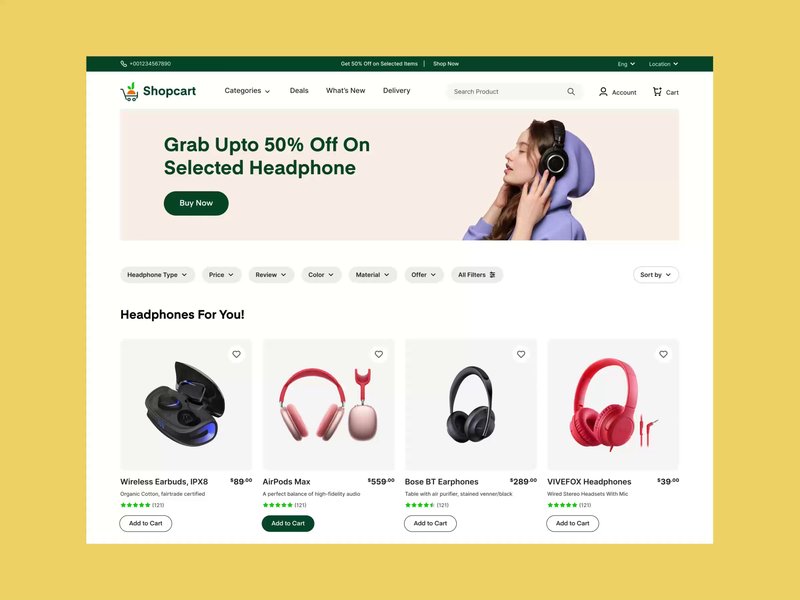
An example of a clean and modern e-commerce product page layout.
Product Display and Navigation
Product Listing Page
Create a page (e.g., app/products/page.tsx) to display all Fortnite items. Fetch product data from your MongoDB database using Next.js Server Components or Route Handlers (if client-side fetching is preferred for dynamic filtering without page reloads).
Use Shadcn UI's Card component to display each product with its image, name, price, and rarity. Implement features like pagination, sorting, and filtering (by category, rarity, price range).
Product Detail Page
Implement dynamic routes (e.g., app/products/[productId]/page.tsx) to show detailed information for a single product. This page should include multiple images, a full description, user reviews (if implemented), and an "Add to Cart" button.
Shopping Cart Functionality
Manage the shopping cart state using React Context API or a state management library like Zustand or Redux Toolkit.
Cart State and Actions
The cart should allow users to:
- Add items to the cart.
- Remove items from the cart.
- Update item quantities.
- View a summary of items and the total price.
Persist the cart state for logged-in users in the database or use local storage for guest users.
Checkout Process
Design a multi-step or single-page checkout process. Collect shipping information, display order summary, and integrate a payment gateway.
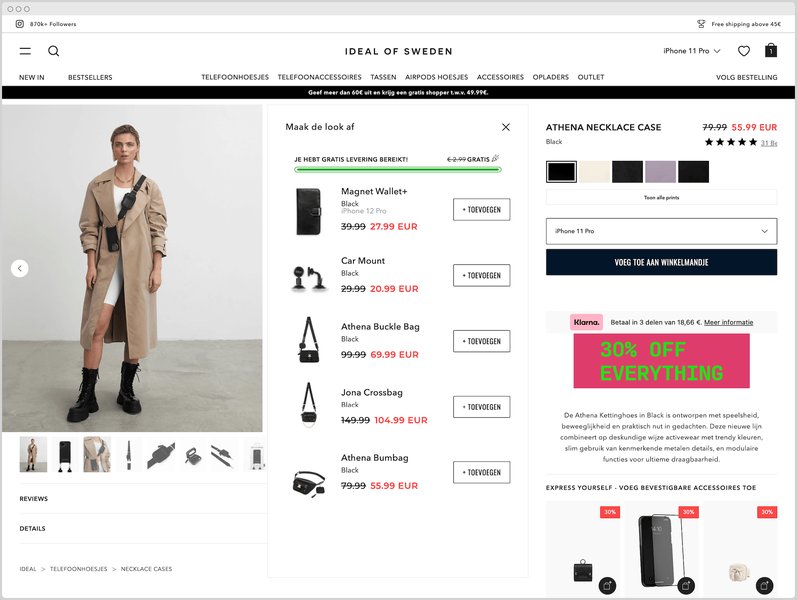
An example of an optimized checkout process for e-commerce.
Phase 4: Backend Logic and API Development
Next.js API Routes or, more preferably with the App Router, Server Actions will handle your backend operations.
Product Management (Admin)
Create secure API endpoints or Server Actions for administrators to perform CRUD (Create, Read, Update, Delete) operations on products. This will involve building an admin dashboard with forms for product entry and tables for product management, using Shadcn UI components.
User Authentication and Management
Implement user registration, login, and session management. NextAuth.js is an excellent library for simplifying authentication in Next.js applications, supporting various providers (credentials, OAuth).
Store user data, including hashed passwords and roles (e.g., 'customer', 'admin'), in your MongoDB `User` collection.
Order Processing
When a user completes a purchase:
- Validate the cart items and stock levels.
- Process the payment through the integrated payment gateway.
- If payment is successful, create an order record in the `Order` collection in MongoDB.
- Decrement product stock levels.
- Send an order confirmation email to the customer (covered in Phase 5).
Visualizing Development Priorities: A Radar Chart Perspective
Building a full-fledged e-commerce platform involves balancing various development aspects. The radar chart below illustrates potential focus areas across different stages of your project. A score of 10 indicates the highest priority or effort, while the axis minimum is set to 3 for clarity (data points will not touch the center).
This chart helps visualize how priorities might shift from establishing core functionality in the MVP, to refining user experience and adding features post-launch, and finally focusing on stability, security, and scalability for long-term operations.
Phase 5: Essential Integrations - Payments and Emails
Payment Gateway Integration (e.g., Stripe)
Secure and reliable payment processing is non-negotiable. Stripe is a widely adopted solution known for its developer-friendly APIs.
Setting Up Stripe
- Create a Stripe account and obtain your API keys (publishable and secret). Store the secret key in
.env.local. - Install the Stripe Node.js library:
npm install stripeand the client-side library:npm install @stripe/stripe-js. - Create a Server Action or API route to create Stripe Checkout Sessions. This route will take cart details and generate a session ID.
- On the frontend, use
@stripe/stripe-jsto redirect users to the Stripe-hosted checkout page using the session ID. - Handle payment success and failure by setting up webhooks from Stripe to an API route in your Next.js app. This webhook will update order status, trigger email notifications, etc.
Transactional Emails with Resend
Resend provides a simple API for sending emails. This is crucial for order confirmations, shipping updates, password resets, etc.
Setting Up Resend
- Sign up for a Resend account and get your API key. Store it in
.env.local(RESEND_API_KEY=your_key). - Install the Resend SDK:
npm install resend. - Create a Server Action or an API route to send emails. For example, after a successful order:
// Example Server Action for sending an email
'use server'; // If using Server Actions

import { Resend } from 'resend';
// import OrderConfirmationEmail from '@/components/emails/OrderConfirmationEmail'; // Example React Email component

const resend = new Resend(process.env.RESEND_API_KEY);

export async function sendOrderConfirmationEmail(toEmail: string, orderDetails: any) {
  try {
    await resend.emails.send({
      from: 'Your Store Name <you@yourdomain.com>', // Verify your domain in Resend
      to: [toEmail],
      subject: `Order Confirmation - #${orderDetails.orderId}`,
      // react: OrderConfirmationEmail({ orderDetails }), // For HTML emails using React Email
      html: `<strong>Thank you for your order, ${orderDetails.customerName}!</strong><p>Order ID: ${orderDetails.orderId}</p>`, // Simple HTML example
    });
    console.log('Order confirmation email sent successfully.');
    return { success: true };
  } catch (error) {
    console.error('Error sending email:', error);
    return { success: false, error: 'Failed to send email' };
  }
}
Consider using React Email to build beautiful, responsive email templates with React components.
Phase 6: Fortnite-Specific Enhancements and Theming
To make your store truly resonate with Fortnite fans, incorporate game-specific elements.
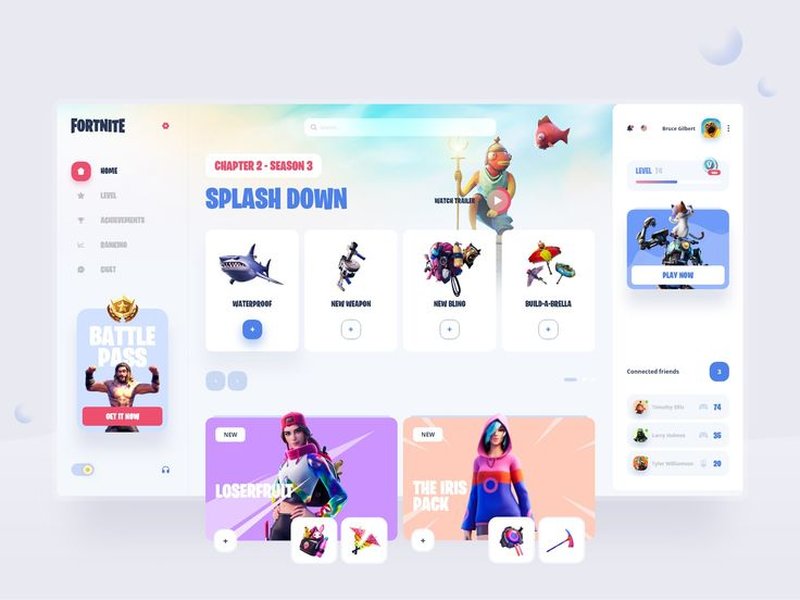
Inspiration for a Fortnite-themed UI, incorporating familiar colors and design motifs.
Thematic Design
Use Tailwind CSS's customization features (tailwind.config.js) to define a color palette, fonts, and spacing that align with Fortnite's visual identity. Consider iconic colors like purples, blues, and vibrant neons. Incorporate imagery and graphical elements reminiscent of the game.
Advanced Filtering and Features
- Rarity Filters: Allow users to filter products by Fortnite's rarity tiers (Common, Uncommon, Rare, Epic, Legendary, Mythic, Exotic).
- Category Navigation: Clearly distinguish between skins, emotes, pickaxes, gliders, V-Bucks packs, and bundles.
- V-Bucks Value Display: For items purchasable with V-Bucks (if you sell codes or in-game currency), you could display their V-Bucks cost or equivalent real-money value.
- Bundle Deals: Offer special bundles of related items, a common practice in Fortnite's own item shop.
Architectural Overview: A Mindmap of Your Fortnite Store
The following mindmap provides a high-level overview of the different components of your Fortnite e-commerce application and how they interconnect. It visualizes the flow from frontend user interactions through backend processing and data storage to external service integrations.
This mindmap illustrates the core modules: the frontend built with Next.js, Tailwind CSS, and Shadcn UI; the backend logic handled by Next.js API Routes or Server Actions; the MongoDB database storing all persistent data; and crucial external services like Resend for emails and a payment processor like Stripe.
Phase 7: Deployment and Beyond
Deploying to Vercel
Vercel, the creators of Next.js, offers seamless deployment for Next.js applications.
- Push your code to a Git repository (GitHub, GitLab, Bitbucket).
- Connect your Git repository to Vercel.
- Configure environment variables (
MONGODB_URI,RESEND_API_KEY, Stripe keys, etc.) in the Vercel project settings. - Vercel will automatically build and deploy your application upon each push to the main branch (or configured branches).
Vercel provides benefits like automatic HTTPS, global CDN, serverless functions, and CI/CD.
Additional Considerations
- SEO (Search Engine Optimization): Leverage Next.js features like server-side rendering and metadata API (
app/layout.tsxor page-specific metadata) to improve your store's visibility on search engines. Use semantic HTML and provide good product descriptions. - Security: Always validate user inputs on the server-side. Protect against common web vulnerabilities (XSS, CSRF). Ensure your API keys and sensitive data are stored securely as environment variables and never exposed on the client-side. Use HTTPS.
- Testing: Implement unit tests for critical components and logic (e.g., using Jest and React Testing Library). Consider integration tests for API endpoints and end-to-end tests for user flows.
- Analytics: Integrate analytics tools (e.g., Google Analytics, Vercel Analytics) to track user behavior, sales performance, and identify areas for improvement.
Learning from the Experts: E-Commerce Development Insights
Watching tutorials can provide valuable insights into building e-commerce applications. The video below demonstrates building a full-stack e-commerce app with Next.js, MongoDB, and Tailwind CSS, which shares many core concepts with the project discussed here.
This tutorial covers building a full-stack e-commerce application using Next.js, MongoDB, and Tailwind CSS, offering practical demonstrations of concepts relevant to your Fortnite store.
This video and similar resources can help you visualize the implementation of features like product displays, cart functionality, and backend API interactions, which are fundamental to any e-commerce platform, including your specialized Fortnite merchandise store.
Frequently Asked Questions (FAQ)
How should I handle different Fortnite item rarities and categories in the database and UI? +
In your MongoDB Product schema, include fields like `category` (e.g., 'skin', 'emote') and `rarity` (e.g., 'legendary', 'epic') as enums. This ensures data consistency. In the UI:
- Display rarity with distinct colors or badges on product cards, similar to how Fortnite presents them in-game.
- Implement filtering options on your product listing page, allowing users to sort or view items by specific categories and rarities.
- Tailwind CSS can be used to conditionally apply styles based on these properties.
What is the best way to manage user accounts and their order history? +
Use a robust authentication solution like NextAuth.js. For user data:
- Store user profiles (name, email, hashed password, shipping addresses) in a `Users` collection in MongoDB.
- When a user places an order, associate that order with their user ID in the `Orders` collection.
- Create a dedicated user dashboard area (e.g., `/account/orders`) where logged-in users can view their past orders, update profile information, and manage saved addresses. Secure these routes to ensure only authenticated users can access their data.
How do I ensure the payment processing is secure? +
Security is paramount for payments. If using a provider like Stripe:
- Never handle or store raw credit card details on your server. Use the payment provider's client-side libraries (e.g., Stripe Elements or Stripe Checkout) which tokenize sensitive information directly with their servers.
- Always perform payment processing logic (like creating payment intents or checkout sessions) on the server-side (Next.js API routes or Server Actions) using your secret API key.
- Use HTTPS (SSL/TLS encryption) for your entire site. Vercel provides this by default.
- Implement webhooks securely to confirm payment statuses from the payment provider, verifying webhook signatures to prevent spoofing.
- Stay PCI DSS compliant by following your payment provider's guidelines.
Can I integrate my store with the official Fortnite API for real-time item shop data? +
While Epic Games does not provide an official public API for real-time item shop data for third-party e-commerce use, there are community-driven, unofficial APIs (like Fortnite-API.com). However, relying on unofficial APIs carries risks:
- Reliability: They can be unstable or shut down without notice.
- Accuracy: Data might not always be up-to-date or accurate.
- Terms of Service: Using them might violate Epic Games' ToS or the API provider's terms.
For selling your own merchandise (physical goods or custom digital items related to Fortnite culture), you will manage your product inventory independently. If you intend to sell in-game items directly, this typically involves reselling codes or gift cards obtained through official channels, not direct API integration for item sales.
Recommended Next Steps & Deeper Dives
To further enhance your knowledge and the capabilities of your Fortnite e-commerce store, consider exploring these related queries:
- How can I implement advanced product search and multi-facet filtering in my Next.js and MongoDB e-commerce application?
- What are the most effective strategies for optimizing the performance and search engine ranking of a Next.js-based e-commerce website?
- What are the key security considerations and steps for building a comprehensive admin panel to manage products, orders, and users in a Next.js application?
- How can I integrate real-time inventory updates and user notifications (e.g., back-in-stock alerts) into my Next.js e-commerce platform?
References
The following resources were consulted and provide valuable information for building e-commerce applications with the specified technologies:
Last updated May 6, 2025