
Unlock the Blueprint: Build a Stunning Medical Store Website with HTML, CSS & Tailwind
Your step-by-step guide to creating a professional, responsive online pharmacy using modern web technologies.
Essential Insights for Your Project
- Leverage Tailwind CSS: Utilize Tailwind's utility-first approach for rapid styling, responsive design, and easy customization directly within your HTML.
- Structure with Semantic HTML: Build a solid foundation using semantic HTML5 tags (like
<nav>,<section>,<footer>) for better accessibility and SEO. - Start with Key Components: Focus on essential sections: navigation, a compelling hero section, clear product displays, contact information, and a footer.
Embarking on Your Medical Store Website Build
Understanding the Core Technologies
Creating a website for a medical store involves combining structure (HTML), presentation (CSS), and efficient styling frameworks (Tailwind CSS). HTML (HyperText Markup Language) provides the basic structure and content. CSS (Cascading Style Sheets) controls the visual appearance. Tailwind CSS is a utility-first CSS framework packed with classes like flex, pt-4, text-center, and rotate-90 that can be composed to build any design, directly in your markup, significantly speeding up the development process.
Planning Your Website's Architecture
Before writing any code, it's crucial to plan the structure and features. A typical medical store website needs:
- Homepage: Welcoming visitors and highlighting key offerings.
- Navigation Bar: Easy access to different sections (Home, Products, About, Contact).
- Hero Section: A prominent area usually featuring a headline, description, and a call-to-action (CTA).
- Product Listings: Displaying medicines, equipment, or supplies, often in a grid format with images, names, descriptions, prices, and "Add to Cart" buttons.
- About Us Page/Section: Building trust by sharing information about the pharmacy.
- Contact Page/Section: Providing ways for customers to get in touch (address, phone, email, contact form).
- Footer: Containing copyright information, quick links, and contact details.
Consider a clean, professional design using colors often associated with healthcare (blues, greens, whites) to build trust. Responsiveness is non-negotiable; your site must adapt seamlessly to desktops, tablets, and smartphones. Tailwind CSS excels at creating responsive layouts.
Setting Up Your Development Environment
Project Folder and Initial File
Start by creating a folder for your project (e.g., medical-store-website). Inside this folder, create an index.html file. This will be your main page.
Integrating Tailwind CSS
You have two primary ways to add Tailwind CSS to your project:
Using the Play CDN (Simple & Quick Start)
For learning or simple projects, you can include Tailwind via a Content Delivery Network (CDN) by adding this script tag inside the <head> of your index.html file. This requires no build step.
<head>
  <meta charset="UTF-8" />
  <meta name="viewport" content="width=device-width, initial-scale=1.0" />
  <title>Your Medical Store</title>
  <script src="https://cdn.tailwindcss.com"></script>
</head>
Installing via npm (Recommended for Production)
For larger projects or when you need customization (like modifying the theme or using plugins), installing Tailwind via Node Package Manager (npm) is recommended. This involves a build process.
- Ensure you have Node.js and npm installed.
- Open your terminal in the project folder and run
npm init -yto create apackage.jsonfile. - Install Tailwind CSS:
npm install -D tailwindcss - Create a Tailwind configuration file:
npx tailwindcss init(This createstailwind.config.js). - Configure your template paths in
tailwind.config.js:module.exports = { content: ["./*.{html,js}"], // Adjust if your files are elsewhere theme: { extend: {}, }, plugins: [], } - Create a CSS input file (e.g.,
input.css) and add the Tailwind directives:@tailwind base; @tailwind components; @tailwind utilities; - Run the build process to generate your output CSS file (e.g.,
output.css):npx tailwindcss -i ./input.css -o ./output.css --watch(The--watchflag automatically rebuilds when you change files). - Link the generated
output.cssfile in your HTML:<link href="./output.css" rel="stylesheet">
Crafting the Website Structure with HTML and Tailwind
Now, let's build the core components using semantic HTML and style them with Tailwind CSS utility classes.
1. Basic HTML Boilerplate
Start with a basic HTML structure in your index.html:
<!DOCTYPE html>
<html lang="en">
<head>
    <meta charset="UTF-8">
    <meta name="viewport" content="width=device-width, initial-scale=1.0">
    <title>MediCare Online Pharmacy</title>
    <script src="https://cdn.tailwindcss.com"></script> <!-- Or link your compiled CSS -->
    <!-- Optional: Add custom styles -->
    <style>
        /* Custom CSS can go here if needed */
    </style>
</head>
<body class="bg-gray-100 font-sans">
    <!-- Website content will go here -->
</body>
</html>
2. Navigation Bar
A clear navigation bar is essential for user experience.
<nav class="bg-white shadow-md p-4 sticky top-0 z-50">
  <div class="container mx-auto flex justify-between items-center">
    <a href="#" class="text-2xl font-bold text-blue-600">MediCare</a>
    <ul class="hidden md:flex space-x-6"> <!-- Hide on small screens, show on medium+ -->
      <li><a href="#home" class="text-gray-700 hover:text-blue-600">Home</a></li>
      <li><a href="#products" class="text-gray-700 hover:text-blue-600">Products</a></li>
      <li><a href="#about" class="text-gray-700 hover:text-blue-600">About Us</a></li>
      <li><a href="#contact" class="text-gray-700 hover:text-blue-600">Contact</a></li>
    </ul>
    <!-- Mobile menu button (requires JS for toggle) -->
    <button class="md:hidden text-gray-700 focus:outline-none">
      <svg class="w-6 h-6" fill="none" stroke="currentColor" viewBox="0 0 24 24" xmlns="http://www.w3.org/2000/svg"><path stroke-linecap="round" stroke-linejoin="round" stroke-width="2" d="M4 6h16M4 12h16m-7 6h7"></path></svg>
    </button>
  </div>
</nav>
Tailwind classes used: bg-white, shadow-md, p-4, sticky, top-0, z-50, container, mx-auto, flex, justify-between, items-center, text-2xl, font-bold, text-blue-600, hidden, md:flex, space-x-6, text-gray-700, hover:text-blue-600.
3. Hero Section
Capture attention immediately with a compelling hero section.

A clean background image sets a professional tone for the hero section.
<section id="home" class="bg-gradient-to-r from-blue-600 to-cyan-500 text-white text-center py-20 px-5">
  <div class="container mx-auto">
    <h1 class="text-4xl md:text-5xl font-extrabold mb-4">Your Trusted Online Pharmacy</h1>
    <p class="text-lg md:text-xl mb-8 max-w-3xl mx-auto">Quality medications and healthcare products delivered safely to your door.</p>
    <a href="#products" class="bg-white text-blue-600 font-bold py-3 px-8 rounded-full shadow-lg hover:bg-gray-100 transition duration-300">Shop Now</a>
  </div>
</section>
Tailwind classes used: bg-gradient-to-r, from-blue-600, to-cyan-500, text-white, text-center, py-20, px-5, container, mx-auto, text-4xl, md:text-5xl, font-extrabold, mb-4, text-lg, md:text-xl, mb-8, max-w-3xl, bg-white, text-blue-600, font-bold, py-3, px-8, rounded-full, shadow-lg, hover:bg-gray-100, transition, duration-300.
4. Products Section
Display your products using a responsive grid layout.
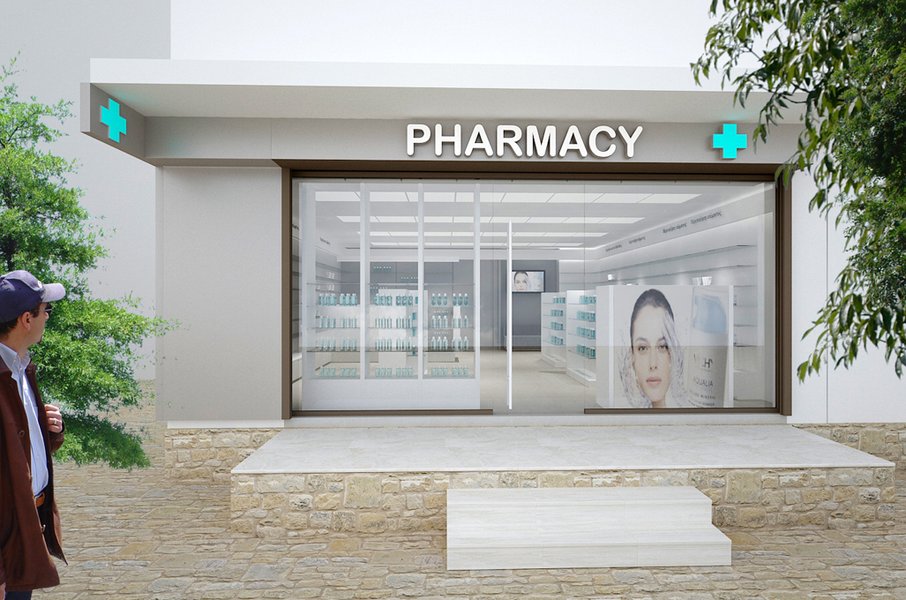
An organized product display is crucial for an online medical store.
<section id="products" class="py-16 px-5">
  <div class="container mx-auto">
    <h2 class="text-3xl font-bold mb-10 text-center text-gray-800">Featured Products</h2>
    <div class="grid grid-cols-1 sm:grid-cols-2 md:grid-cols-3 lg:grid-cols-4 gap-8">
      <!-- Product Card Example 1 -->
      <div class="bg-white rounded-lg shadow-lg overflow-hidden flex flex-col transform hover:scale-105 transition duration-300">
        <img src="https://via.placeholder.com/300x200/E0F2F7/888888?text=Product+Image" alt="Pain Relief Medicine" class="w-full h-48 object-cover">
        <div class="p-6 flex flex-col flex-grow">
          <h3 class="font-semibold text-lg mb-2 text-gray-900">Pain Relief Tablets</h3>
          <p class="text-gray-600 text-sm flex-grow">Fast-acting relief for headaches and muscle pain. 100 tablets.</p>
          <div class="mt-4 flex items-center justify-between">
            <span class="text-blue-600 font-bold text-xl">$9.99</span>
            <button class="bg-blue-600 text-white px-4 py-2 rounded-md hover:bg-blue-700 transition duration-300 text-sm font-medium">Add to Cart</button>
          </div>
        </div>
      </div>
      <!-- Repeat Product Card for other products -->
      <!-- Example 2 -->
      <div class="bg-white rounded-lg shadow-lg overflow-hidden flex flex-col transform hover:scale-105 transition duration-300">
        <img src="https://via.placeholder.com/300x200/E0F2F7/888888?text=Product+Image" alt="Vitamin C" class="w-full h-48 object-cover">
        <div class="p-6 flex flex-col flex-grow">
          <h3 class="font-semibold text-lg mb-2 text-gray-900">Vitamin C Boost</h3>
          <p class="text-gray-600 text-sm flex-grow">Supports immune health. 500mg, 90 capsules.</p>
          <div class="mt-4 flex items-center justify-between">
            <span class="text-blue-600 font-bold text-xl">$12.49</span>
            <button class="bg-blue-600 text-white px-4 py-2 rounded-md hover:bg-blue-700 transition duration-300 text-sm font-medium">Add to Cart</button>
          </div>
        </div>
      </div>
      <!-- Add more cards as needed -->
    </div>
  </div>
</section>
Tailwind classes used: py-16, px-5, container, mx-auto, text-3xl, font-bold, mb-10, text-center, text-gray-800, grid, grid-cols-1, sm:grid-cols-2, md:grid-cols-3, lg:grid-cols-4, gap-8, bg-white, rounded-lg, shadow-lg, overflow-hidden, flex, flex-col, transform, hover:scale-105, transition, duration-300, w-full, h-48, object-cover, p-6, flex-grow, font-semibold, text-lg, mb-2, text-gray-900, text-gray-600, text-sm, mt-4, items-center, justify-between, text-blue-600, font-bold, text-xl, px-4, py-2, rounded-md, hover:bg-blue-700, text-white.
5. About Us Section
Share your store's mission and values.
<section id="about" class="bg-white py-16 px-5">
  <div class="container mx-auto text-center max-w-3xl">
    <h2 class="text-3xl font-bold mb-6 text-gray-800">About MediCare</h2>
    <p class="text-gray-600 leading-relaxed">
      MediCare has been a pillar of community health since 2005. We are dedicated to providing accessible, affordable, and high-quality pharmaceutical care. Our licensed pharmacists are always available to offer expert advice and support for all your healthcare needs. We believe in building lasting relationships based on trust and reliability.
    </p>
  </div>
</section>
6. Contact Section
Include a form for inquiries.
<section id="contact" class="bg-blue-50 py-16 px-5">
  <div class="container mx-auto max-w-xl">
    <h2 class="text-3xl font-bold mb-8 text-center text-blue-700">Get In Touch</h2>
    <form class="bg-white p-8 rounded-lg shadow-md space-y-6">
      <div>
        <label for="name" class="block text-sm font-medium text-gray-700 mb-1">Name</label>
        <input type="text" id="name" name="name" class="w-full px-4 py-2 border border-gray-300 rounded-md focus:outline-none focus:ring-2 focus:ring-blue-500 focus:border-transparent" placeholder="Your Name" required>
      </div>
      <div>
        <label for="email" class="block text-sm font-medium text-gray-700 mb-1">Email</label>
        <input type="email" id="email" name="email" class="w-full px-4 py-2 border border-gray-300 rounded-md focus:outline-none focus:ring-2 focus:ring-blue-500 focus:border-transparent" placeholder="you@example.com" required>
      </div>
      <div>
        <label for="message" class="block text-sm font-medium text-gray-700 mb-1">Message</label>
        <textarea id="message" name="message" rows="4" class="w-full px-4 py-2 border border-gray-300 rounded-md focus:outline-none focus:ring-2 focus:ring-blue-500 focus:border-transparent" placeholder="Your message..." required></textarea>
      </div>
      <button type="submit" class="w-full bg-blue-600 text-white font-bold py-3 px-6 rounded-md hover:bg-blue-700 transition duration-300">Send Message</button>
    </form>
  </div>
</section>
7. Footer
Provide essential links and copyright information.
<footer class="bg-gray-800 text-gray-300 py-8 px-5">
<div class="container mx-auto text-center">
<p>© 2025 MediCare Online Pharmacy. All rights reserved.</p>
<div class="mt-2 space-x-4">
<a href="#" class="hover:text-white">Privacy Policy</a>
<span>|</span>
<a href="#" class="hover:text-white">Terms of Service</a>
</div>
</div>
</footer>Visualizing the Project Structure
Development Workflow Mindmap
This mindmap illustrates the key stages and components involved in creating your medical store website using HTML, CSS, and Tailwind:
(Products, Features, Target Audience)"] id1b["Sketch Layout / Wireframe"] id1c["Choose Color Scheme & Branding"] id2["Setup"] id2a["Create Project Folder"] id2b["Initialize Project (npm init -y)"] id2c["Install Tailwind CSS (npm install)"] id2d["Configure
tailwind.config.js"]
id2e["Setup CSS Input/Output Files"]
id3["Development"]
id3a["HTML Structure (index.html)"]
id3a1["Semantic Tags (header, nav, main, section, footer)"]
id3b["Styling with Tailwind"]
id3b1["Utility Classes (Layout, Spacing, Colors, Typography)"]
id3b2["Responsive Design (sm:, md:, lg:)"]
id3b3["Custom CSS (Optional)"]
id3c["Build Core Components"]
id3c1["Navbar"]
id3c2["Hero Section"]
id3c3["Product Grid / Cards"]
id3c4["About Section"]
id3c5["Contact Form"]
id3c6["Footer"]
id3d["Interactivity (JavaScript - Optional)"]
id3d1["Mobile Menu Toggle"]
id3d2["Form Validation"]
id3d3["Shopping Cart Logic"]
id4["Testing & Refinement"]
id4a["Cross-Browser Testing"]
id4b["Responsive Testing (Devices)"]
id4c["Accessibility Check"]
id4d["Performance Optimization"]
id5["Deployment"]
id5a["Choose Hosting (e.g., Netlify, Vercel, GitHub Pages)"]
id5b["Build Production CSS"]
id5c["Upload Files"]
Evaluating Tailwind CSS for Your Medical Store
Feature Assessment Radar Chart
This radar chart provides a visual assessment of Tailwind CSS across key development aspects relevant to building a medical store website. Scores are subjective, ranging from 1 (Low) to 10 (High), based on general developer experience.
As illustrated, Tailwind CSS generally scores highly in areas like development speed, responsiveness control, and performance (when properly optimized using PurgeCSS during the build process). While the initial learning curve might be slightly steeper than traditional CSS for some, its utility-first nature often leads to faster development and easier maintenance in the long run.
Tailwind CSS vs. Traditional CSS: A Quick Comparison
Choosing the Right Styling Approach
Understanding the trade-offs between Tailwind CSS and traditional CSS (writing custom CSS rules in separate files) can help solidify your choice for this project.
| Feature | Tailwind CSS | Traditional CSS (e.g., BEM, Custom Classes) |
|---|---|---|
| Development Speed | Generally faster once familiar, less context switching. | Can be slower due to writing custom classes and selectors. |
| HTML Clutter | Can lead to many classes in HTML, sometimes perceived as cluttered. | Cleaner HTML, but requires managing separate CSS files. |
| CSS File Size | Potentially large development file, but highly optimized (small) production file using PurgeCSS. | File size grows with the project; potential for unused styles. |
| Learning Curve | Need to learn utility classes. Steeper initial curve for some. | Requires understanding CSS fundamentals, selectors, specificity, and possibly methodologies like BEM. |
| Customization | Highly customizable via tailwind.config.js. Can feel constrained initially without configuration. |
Complete freedom, but requires defining everything from scratch. |
| Consistency | Enforces consistency through predefined design tokens (spacing, colors). | Requires discipline or a strict style guide to maintain consistency. |
| Maintainability | Easier to make localized changes without affecting other components. Refactoring can involve updating many classes. | Global changes can be easier, but CSS specificity and cascade can make maintenance complex. |
For a medical store website where consistency, rapid development, and responsiveness are key, Tailwind CSS offers significant advantages, especially when combined with its optimization features for production.
Bringing It All Together: Example Code Structure
Complete index.html Example
Here is a combined example incorporating the sections discussed above. Remember to replace placeholder images and text with your actual content.
<!DOCTYPE html>
<html lang="en">
<head>
<meta charset="UTF-8">
<meta name="viewport" content="width=device-width, initial-scale=1.0">
<title>MediCare Online Pharmacy - Your Health Partner</title>
<script src="https://cdn.tailwindcss.com"></script> <!-- Use CDN for simplicity -->
</head>
<body class="bg-gray-100 font-sans">
<!-- Navigation Bar -->
<nav class="bg-white shadow-md p-4 sticky top-0 z-50">
<div class="container mx-auto flex justify-between items-center">
<a href="#" class="text-2xl font-bold text-blue-600">MediCare</a>
<ul class="hidden md:flex space-x-6">
<li><a href="#home" class="text-gray-700 hover:text-blue-600">Home</a></li>
<li><a href="#products" class="text-gray-700 hover:text-blue-600">Products</a></li>
<li><a href="#about" class="text-gray-700 hover:text-blue-600">About Us</a></li>
<li><a href="#contact" class="text-gray-700 hover:text-blue-600">Contact</a></li>
</ul>
<button class="md:hidden text-gray-700 focus:outline-none">
<!-- Mobile Menu Icon -->
<svg class="w-6 h-6" fill="none" stroke="currentColor" viewBox="0 0 24 24" xmlns="http://www.w3.org/2000/svg"><path stroke-linecap="round" stroke-linejoin="round" stroke-width="2" d="M4 6h16M4 12h16m-7 6h7"></path></svg>
</button>
</div>
</nav>
<!-- Hero Section -->
<section id="home" class="bg-gradient-to-r from-blue-600 to-cyan-500 text-white text-center py-20 px-5">
<div class="container mx-auto">
<h1 class="text-4xl md:text-5xl font-extrabold mb-4">Your Trusted Online Pharmacy</h1>
<p class="text-lg md:text-xl mb-8 max-w-3xl mx-auto">Quality medications and healthcare products delivered safely to your door.</p>
<a href="#products" class="bg-white text-blue-600 font-bold py-3 px-8 rounded-full shadow-lg hover:bg-gray-100 transition duration-300">Shop Now</a>
</div>
</section>
<!-- Products Section -->
<section id="products" class="py-16 px-5">
<div class="container mx-auto">
<h2 class="text-3xl font-bold mb-10 text-center text-gray-800">Featured Products</h2>
<div class="grid grid-cols-1 sm:grid-cols-2 md:grid-cols-3 lg:grid-cols-4 gap-8">
<!-- Product Card 1 -->
<div class="bg-white rounded-lg shadow-lg overflow-hidden flex flex-col transform hover:scale-105 transition duration-300">
<img src="https://via.placeholder.com/300x200/E0F2F7/888888?text=Pain+Relief" alt="Pain Relief Medicine" class="w-full h-48 object-cover">
<div class="p-6 flex flex-col flex-grow">
<h3 class="font-semibold text-lg mb-2 text-gray-900">Pain Relief Tablets</h3>
<p class="text-gray-600 text-sm flex-grow">Fast-acting relief for headaches and muscle pain. 100 tablets.</p>
<div class="mt-4 flex items-center justify-between">
<span class="text-blue-600 font-bold text-xl">$9.99</span>
<button class="bg-blue-600 text-white px-4 py-2 rounded-md hover:bg-blue-700 transition duration-300 text-sm font-medium">Add to Cart</button>
</div>
</div>
</div>
<!-- Product Card 2 -->
<div class="bg-white rounded-lg shadow-lg overflow-hidden flex flex-col transform hover:scale-105 transition duration-300">
<img src="https://via.placeholder.com/300x200/E0F2F7/888888?text=Vitamin+C" alt="Vitamin C" class="w-full h-48 object-cover">
<div class="p-6 flex flex-col flex-grow">
<h3 class="font-semibold text-lg mb-2 text-gray-900">Vitamin C Boost</h3>
<p class="text-gray-600 text-sm flex-grow">Supports immune health. 500mg, 90 capsules.</p>
<div class="mt-4 flex items-center justify-between">
<span class="text-blue-600 font-bold text-xl">$12.49</span>
<button class="bg-blue-600 text-white px-4 py-2 rounded-md hover:bg-blue-700 transition duration-300 text-sm font-medium">Add to Cart</button>
</div>
</div>
</div>
<!-- Product Card 3 -->
<div class="bg-white rounded-lg shadow-lg overflow-hidden flex flex-col transform hover:scale-105 transition duration-300">
<img src="https://via.placeholder.com/300x200/E0F2F7/888888?text=Sanitizer" alt="Hand Sanitizer" class="w-full h-48 object-cover">
<div class="p-6 flex flex-col flex-grow">
<h3 class="font-semibold text-lg mb-2 text-gray-900">Hand Sanitizer Gel</h3>
<p class="text-gray-600 text-sm flex-grow">Kills 99.9% of germs. 250ml bottle.</p>
<div class="mt-4 flex items-center justify-between">
<span class="text-blue-600 font-bold text-xl">$4.75</span>
<button class="bg-blue-600 text-white px-4 py-2 rounded-md hover:bg-blue-700 transition duration-300 text-sm font-medium">Add to Cart</button>
</div>
</div>
</div>
<!-- Product Card 4 -->
<div class="bg-white rounded-lg shadow-lg overflow-hidden flex flex-col transform hover:scale-105 transition duration-300">
<img src="https://via.placeholder.com/300x200/E0F2F7/888888?text=First+Aid+Kit" alt="First Aid Kit" class="w-full h-48 object-cover">
<div class="p-6 flex flex-col flex-grow">
<h3 class="font-semibold text-lg mb-2 text-gray-900">Compact First Aid Kit</h3>
<p class="text-gray-600 text-sm flex-grow">Essential supplies for home or travel.</p>
<div class="mt-4 flex items-center justify-between">
<span class="text-blue-600 font-bold text-xl">$19.95</span>
<button class="bg-blue-600 text-white px-4 py-2 rounded-md hover:bg-blue-700 transition duration-300 text-sm font-medium">Add to Cart</button>
</div>
</div>
</div>
</div>
</div>
</section>
<!-- About Us Section -->
<section id="about" class="bg-white py-16 px-5">
<div class="container mx-auto text-center max-w-3xl">
<h2 class="text-3xl font-bold mb-6 text-gray-800">About MediCare</h2>
<p class="text-gray-600 leading-relaxed">
MediCare has been a pillar of community health since 2005. We are dedicated to providing accessible, affordable, and high-quality pharmaceutical care. Our licensed pharmacists are always available to offer expert advice and support for all your healthcare needs. We believe in building lasting relationships based on trust and reliability.
</p>
</div>
</section>
<!-- Contact Section -->
<section id="contact" class="bg-blue-50 py-16 px-5">
<div class="container mx-auto max-w-xl">
<h2 class="text-3xl font-bold mb-8 text-center text-blue-700">Get In Touch</h2>
<form class="bg-white p-8 rounded-lg shadow-md space-y-6">
<div>
<label for="name" class="block text-sm font-medium text-gray-700 mb-1">Name</label>
<input type="text" id="name" name="name" class="w-full px-4 py-2 border border-gray-300 rounded-md focus:outline-none focus:ring-2 focus:ring-blue-500 focus:border-transparent" placeholder="Your Name" required>
</div>
<div>
<label for="email" class="block text-sm font-medium text-gray-700 mb-1">Email</label>
<input type="email" id="email" name="email" class="w-full px-4 py-2 border border-gray-300 rounded-md focus:outline-none focus:ring-2 focus:ring-blue-500 focus:border-transparent" placeholder="you@example.com" required>
</div>
<div>
<label for="message" class="block text-sm font-medium text-gray-700 mb-1">Message</label>
<textarea id="message" name="message" rows="4" class="w-full px-4 py-2 border border-gray-300 rounded-md focus:outline-none focus:ring-2 focus:ring-blue-500 focus:border-transparent" placeholder="Your message..." required></textarea>
</div>
<button type="submit" class="w-full bg-blue-600 text-white font-bold py-3 px-6 rounded-md hover:bg-blue-700 transition duration-300">Send Message</button>
</form>
</div>
</section>
<!-- Footer -->
<footer class="bg-gray-800 text-gray-300 py-8 px-5">
<div class="container mx-auto text-center">
<p>© 2025 MediCare Online Pharmacy. All rights reserved.</p>
<div class="mt-2 space-x-4">
<a href="#" class="hover:text-white">Privacy Policy</a>
<span>|</span>
<a href="#" class="hover:text-white">Terms of Service</a>
</div>
</div>
</footer>
</body>
</html>
This code provides a solid starting point. You'll need to replace placeholder content and potentially add JavaScript for interactivity like the mobile menu toggle or form submission handling.
Enhancements and Next Steps
Taking Your Website Further
Once the basic structure is in place, consider these enhancements:
- Product Detail Pages: Create separate pages for each product with more details, larger images, and related items.
- Shopping Cart Functionality: Implement a shopping cart using JavaScript (potentially with libraries/frameworks like React, Vue, or Alpine.js) or integrate with an e-commerce platform/backend.
- User Accounts: Allow users to create accounts to save addresses, view order history, and manage prescriptions (requires backend development and security considerations).
- Search Functionality: Add a search bar to help users find specific products quickly.
- Accessibility (a11y): Ensure your website is accessible to users with disabilities by using semantic HTML, providing alt text for images, ensuring sufficient color contrast, and making interactive elements keyboard-navigable.
- Animations and Transitions: Subtly enhance user experience with smooth transitions and animations (Tailwind provides utilities for this).
- Backend Integration: For managing products, orders, users, and processing payments, you'll need a backend system (e.g., using Node.js, Python/Django, PHP/Laravel) and a database.
- Compliance: If selling prescription medications or handling patient data, ensure compliance with relevant regulations like HIPAA (in the US).
Visual Learning: Building a Healthcare Website
Video Tutorial Insights
Watching tutorials can provide valuable insights into structuring and styling healthcare-related websites. This video demonstrates building a responsive hospital website template using HTML, CSS, and JavaScript, covering concepts applicable to a medical store, such as layout, navigation, and interactive elements.
Tutorial on creating a responsive hospital website using HTML, CSS, and JavaScript.
Frequently Asked Questions (FAQ)
Why choose Tailwind CSS over Bootstrap or plain CSS for a medical store site?
Tailwind CSS offers a utility-first approach, which means you style elements by applying pre-existing, small utility classes directly in your HTML. This often leads to faster development, highly customizable designs without writing custom CSS, and smaller final CSS bundles (due to PurgeCSS removing unused styles). Unlike Bootstrap's component-based approach, Tailwind gives more granular control, making it easier to create unique designs rather than sites that look "Bootstrappy". Compared to plain CSS, it significantly reduces the need to invent class names and manage large CSS files, while enforcing a consistent design system.
Is the provided HTML/Tailwind code sufficient for a fully functional online store?
No, the code provided focuses on the frontend structure and styling (the visual part). A fully functional online store requires backend logic to handle:
- Product inventory management
- User accounts and authentication
- Shopping cart persistence
- Order processing
- Payment gateway integration
- Database management
You would need to integrate this frontend code with a backend system (using technologies like Node.js, Python, PHP, Ruby, etc.) or connect it to an e-commerce platform API (like Shopify, BigCommerce).
How should I handle prescription uploads or sensitive health information?
Handling prescriptions and sensitive health information requires strict adherence to privacy regulations like HIPAA (in the U.S.) or equivalent laws in other regions. This involves:
- Secure data transmission (HTTPS).
- Secure storage with encryption at rest.
- Access controls and audit logs.
- Secure handling of file uploads.
- Compliance with data breach notification rules.
Building such features requires significant security expertise and likely involves using specialized, compliant backend services or platforms. It's often advisable to consult with legal and security experts.
Where can I find pre-built templates for medical stores using Tailwind CSS?
Several resources offer Tailwind CSS templates, some specifically for medical or general e-commerce use cases which can be adapted:
- ThemeWagon: Offers free and premium templates, including some tagged for medical or healthcare. Look for those built with Tailwind.
- Tailwind UI: Official component library (paid) with professionally designed components and templates.
- TailAwesome: Curates free and premium Tailwind templates and components.
- Envato Elements / ThemeForest: Marketplaces with various premium HTML templates, some using Tailwind, potentially including pharmacy or medical themes.
- Creative Tim: Offers UI kits and dashboards built with Tailwind.
- Cruip: Provides landing page templates using Tailwind.
You might adapt a general e-commerce or landing page template to fit the medical store theme using Tailwind's customization capabilities.
Recommended Next Searches
- How can I integrate shopping cart functionality into my Tailwind CSS website using JavaScript?
- What are the best practices for ensuring responsive design in Tailwind CSS specifically for e-commerce product grids?
- What backend options are suitable for managing products and orders for an online medical store website?
- How do I ensure HIPAA compliance when building a healthcare website that collects user data or prescriptions?
References
 squarespace.com
Last updated May 4, 2025