
Unlock Your App's Potential: Seamless AI Integration with an MCP Server in Ruby
Your step-by-step guide to building a Model Context Protocol server and choosing the fastest Ruby gem to get started.
Essential Insights
- What is MCP?: Model Context Protocol (MCP) is an open standard creating a secure, standardized interface for AI models (like LLMs) to interact with external applications, tools, data sources, and prompts.
- Why Build an MCP Server?: It allows you to expose specific capabilities of your existing application (custom tools, relevant context, predefined prompts) to AI models, enabling powerful integrations and workflows.
- Fastest Ruby Gem for Rails: For existing Ruby on Rails applications, the `rails-mcp-server` gem offers the quickest path to implementing a functional MCP server.
Demystifying the Model Context Protocol (MCP)
The Model Context Protocol (MCP) is emerging as a crucial standard in the AI landscape. Think of it as a universal connector – like USB-C, but for AI applications. It establishes a secure and standardized way for AI models, such as Large Language Models (LLMs), to communicate and interact with diverse external resources. These resources can include application APIs, databases, files, specific tools, contextual information, or even predefined conversational prompts.
MCP defines a two-way communication channel, enabling:
- MCP Clients: AI applications or hosts (like Anthropic's Claude Desktop) that need to access external capabilities. They connect to MCP servers.
- MCP Servers: These are the interfaces you build for your application. They expose specific functionalities (defined as "capabilities") according to the MCP standard, allowing controlled access for authorized clients.
- Capabilities: The specific functions exposed by the server, typically categorized as Tools (executable actions), Context (relevant data or metadata), and Prompts (predefined instructions for the AI).
By implementing an MCP server, you essentially open a secure door for AI models to leverage your application's unique features and data, fostering richer and more integrated AI-powered experiences.
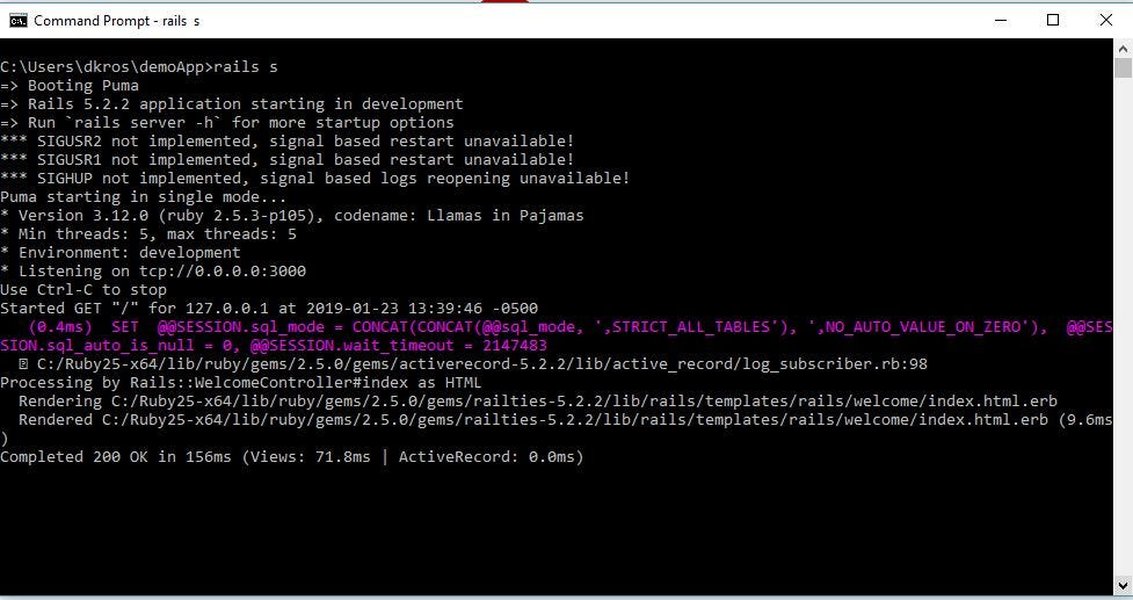
Building on Existing Frameworks like Rails
MCP servers can be integrated into existing application frameworks, like Ruby on Rails, allowing developers to leverage their current codebase and infrastructure.
Why Expose Your Application via an MCP Server?
Integrating an MCP server offers tangible benefits by bridging your application's capabilities with the power of AI models. The core purpose is to expose specific, controlled functionalities:
- Tools: Allow AI models to execute specific actions within your application. This could range from fetching data via an internal API endpoint, updating a record, triggering a workflow, or interacting with a specialized function you've built.
- Context: Provide AI models with relevant, real-time information from your application. This might include user data (with appropriate permissions), application state, metadata about specific resources, or domain-specific knowledge stored within your system. Providing context helps the AI generate more accurate and relevant responses or actions.
- Prompts: Expose predefined, version-controlled prompts that guide AI interactions. This ensures consistency, leverages expert prompt engineering, and allows AI models to perform specific tasks according to your application's requirements. Securely managing and exposing these prompts via MCP prevents potential misuse or injection attacks.
By exposing these capabilities, you enable seamless workflows where AI can intelligently interact with your application, automate tasks, provide informed assistance, and enhance user experiences without requiring manual intervention or complex, custom integrations for each AI model.
Choosing Your Ruby Toolkit: MCP Gems
When building an MCP server within a Ruby environment, several gems (Ruby packages) can significantly accelerate development. These tools provide frameworks and abstractions to handle the underlying protocol details, letting you focus on defining your application's capabilities.
Key Ruby Gems for MCP Development
Based on current information (as of April 14, 2025), the primary gems to consider are:
mcp-rb: A lightweight, foundational Ruby framework for implementing MCP servers. It offers a simple, Sinatra-like Domain Specific Language (DSL) for defining resources and their actions. It's a good choice for basic Ruby applications or as a building block for more complex integrations.rails-mcp-server: Specifically designed for Ruby on Rails applications, this gem builds upon `mcp-rb`. It seamlessly integrates with Rails, allowing you to tag existing routes with MCP metadata to expose them as capabilities. It simplifies configuration and server generation within a Rails context. Version 1.0.0 was noted as available around March 20, 2025.mcp-ruby: This gem focuses on enabling secure connections for both MCP server and client architectures, facilitating communication between data sources and AI tools.
Recommendation: The Fastest Gem for Rails Applications
For developers working with an existing Ruby on Rails application, the most efficient gem to get started quickly is overwhelmingly rails-mcp-server. Here's why:
- Rails Integration: It's purpose-built for Rails, simplifying the process of exposing existing routes and application logic as MCP capabilities.
- Speed of Setup: Its design streamlines configuration and server generation within a familiar Rails environment.
- Feature Set: It leverages the core functionality of `mcp-rb` while adding Rails-specific enhancements for defining tools, context, and prompts.
- Up-to-Date: Being a relatively recent and actively developed gem (as of early 2025), it incorporates current MCP practices.
- Documentation: Resources are available on platforms like GitHub and MCP.so, guiding developers through installation and usage.
If your application is not built on Rails, or if you require a more minimalist setup, mcp-rb provides a solid, lightweight foundation.
Comparing MCP Ruby Gems
Choosing the right gem depends on your project's context, particularly whether you're using Ruby on Rails. This chart compares `rails-mcp-server` and the foundational `mcp-rb` gem across key aspects relevant for rapid development.
As illustrated, `rails-mcp-server` excels in ease of setup and integration specifically within a Rails environment, making it the prime choice for developers looking to quickly enable MCP capabilities in their existing Rails applications. `mcp-rb` offers greater flexibility and minimalism, suitable for non-Rails Ruby projects or more customized server implementations.
Step-by-Step: Building with `rails-mcp-server`
Here’s a practical guide to integrating an MCP server into your existing Rails application using the recommended `rails-mcp-server` gem:
1. Installation
Add the gem to your application's Gemfile:
# Gemfile
gem 'rails-mcp-server'
Then, run the bundle command in your terminal to install the gem and its dependencies:
bundle install2. Configuration & Defining Resources
The core idea is to map your application's capabilities (tools, context, prompts) to MCP resources. `rails-mcp-server` facilitates this by allowing you to enhance your existing Rails routes:
- Tag Routes: Identify the Rails routes (controller actions) that correspond to the tools or context you want to expose. You'll need to associate MCP-specific metadata with these routes, indicating they are MCP resources. Consult the gem's documentation for the exact syntax, but it typically involves adding tags or configuration details.
- Define Capabilities:
- Tools: Map routes that perform actions (e.g., `POST /api/widgets`) to MCP tools. The MCP server will invoke these routes when requested by an AI client.
- Context: Map routes that return data (e.g., `GET /api/users/:id/profile`) to MCP context resources.
- Prompts: You can define prompts either directly in the configuration or potentially have routes that return specific, dynamically generated prompts based on application state. Ensure prompts are handled securely.
- Configuration File (Optional): Some setups might involve a configuration file (e.g., `projects.yml` mentioned in one source) to define project settings or explicitly list exposed resources, though route tagging is a common approach.
Here's a conceptual example using the underlying `mcp-rb` DSL (which `rails-mcp-server` builds upon) to illustrate resource definition:
# Example using mcp-rb DSL syntax (conceptual)
require 'mcp'

# Define server metadata
name "my-rails-app-mcp-server"
version "1.0.0"

# Define a 'tool' resource (could map to a Rails action)
resource "tool://create_widget" do
  name "Create Widget Tool"
  description "Creates a new widget in the application"
  # The 'call' block would contain logic to interact with your Rails app,
  # potentially calling a service object or controller method.
  # Input parameters would be defined here as well.
  call { |params| MyApp::WidgetService.create(params) }
end

# Define a 'context' resource (could map to a Rails action)
resource "context://get_user_profile" do
  name "Get User Profile Context"
  description "Retrieves user profile information"
  # The 'call' block fetches data from your Rails models.
  call { |params| User.find(params[:user_id]).profile_data }
end
Remember to adapt this based on the specific mechanisms provided by `rails-mcp-server` for Rails route integration.
3. Generating the Server Executable
The `rails-mcp-server` gem typically includes a command or Rake task to generate the actual MCP server executable file. This file wraps your configured resources into a runnable server.
# Example command (check gem documentation for exact command)
rails generate mcp_server
This often creates a file like `tmp/mcp/server.rb` which contains the executable server code based on your configuration.
4. Running the Server
You can run the generated server in different modes depending on how AI clients will connect:
- STDIO Mode (Standard Input/Output): This is often the default. The server communicates directly over standard input and output streams. It's suitable for direct integration with desktop clients like Claude Desktop.
# Run the generated server file (adjust path if needed) ./tmp/mcp/server.rb # Or potentially using a command provided by the gem rails-mcp-server - HTTP Mode: Runs the server as a standard HTTP server, typically using JSON-RPC and Server-Sent Events (SSE) for communication. This is more flexible for web-based clients or networked environments.
# Run in HTTP mode on default port (e.g., 6029)
rails-mcp-server --mode http

# Run in HTTP mode on a specific port (e.g., 8080)
rails-mcp-server --mode http -p 8080
Ensure the server process has access to your Rails application's environment (e.g., database connections, models) to function correctly. The executable usually attempts to find the nearest Gemfile and run within that context.
5. Security Considerations
- Authentication/Authorization: Implement robust checks to ensure only authorized AI clients can access your MCP server and its capabilities. The MCP standard may include mechanisms for this, or you might need to layer your own security.
- CSRF Protection: Standard Rails applications use Cross-Site Request Forgery (CSRF) protection. MCP interactions might bypass or require specific handling for this. `rails-mcp-server` reportedly generates a unique key to help bypass CSRF for its requests, but this was noted as rudimentary and potentially not production-ready. Carefully evaluate how MCP requests interact with your Rails security mechanisms.
- Input Validation: Sanitize and validate any input received from AI clients before using it within your application logic to prevent injection attacks or unexpected behavior.
- Least Privilege: Only expose the specific tools, context, and prompts necessary for the intended AI integration. Avoid exposing overly broad or sensitive capabilities.
Visualizing the MCP Ecosystem
This mindmap illustrates the core components and relationships within the Model Context Protocol ecosystem, including the role of Ruby gems in server implementation.
(e.g., AI Model, Claude Desktop)"] id1a["Connects to Server"] id1b["Requests Capabilities"] id2["MCP Server
(Your Application Interface)"] id2a["Exposes Capabilities"] id2a1["Tools (Actions)"] id2a2["Context (Data)"] id2a3["Prompts (Instructions)"] id2b["Handles Communication"] id2b1["STDIO Transport"] id2b2["HTTP Transport (JSON-RPC, SSE)"] id2c["Implemented With"] id2c1["Ruby Gems"] id2c1a["rails-mcp-server
(Recommended for Rails)"] id2c1b["mcp-rb
(Lightweight Base)"] id2c1c["mcp-ruby
(Security Focus)"] id2c2["Other SDKs
(Python, TypeScript)"] id3["Capabilities"] id3a["Tools"] id3b["Context"] id3c["Prompts"] id4["Underlying Application
(Your Existing App)"] id4a["APIs"] id4b["Databases"] id4c["Business Logic"]
Understanding these components helps in designing and implementing an effective MCP server that securely bridges your application with AI capabilities.
Summary of Key Ruby MCP Gems
This table provides a quick reference for the main Ruby gems discussed for building MCP servers:
| Gem Name | Description | Primary Use Case | Key Features | GitHub/Source Link |
|---|---|---|---|---|
rails-mcp-server |
Integrates MCP server functionality directly into Ruby on Rails applications. Builds upon `mcp-rb`. | Quickly exposing Rails application capabilities (routes, actions) as MCP resources (tools, context, prompts). | Rails route tagging/enhancement, STDIO/HTTP modes, server generation command, CSRF handling consideration. | GitHub, MCP.so |
mcp-rb |
A lightweight, foundational Ruby framework for building MCP servers. | General purpose MCP server implementation in Ruby; base for `rails-mcp-server`; suitable for non-Rails projects or custom setups. | Simple Sinatra-like DSL for defining resources and actions. | GitHub |
mcp-ruby |
Facilitates secure connections for both MCP server and client architectures. | Establishing secure communication channels between data sources and AI tools using MCP. | Supports both server and client roles, focuses on secure connection aspects. | MCP.so |
Understanding MCP Fundamentals
For a broader overview of Model Context Protocol and the concepts behind building servers, this video provides a helpful introduction:
This video discusses the significance of MCP as a standard for AI interaction and covers the general principles involved in creating your own MCP servers, complementing the specific Ruby gem details discussed above.
Frequently Asked Questions (FAQ)
What if my existing application is not built with Ruby on Rails?
How secure is exposing application capabilities via MCP?
Can you give concrete examples of Tools, Context, and Prompts?
How does the server know how to call my application's code?
References
- maquina-app/rails-mcp-server - GitHub
- MCP Server: rails-mcp-server - MCP.so
- mcp-rails - The Ruby Toolbox
- funwarioisii/mcp-rb - GitHub
- rails-mcp-server (1.0.0) - RubyGems.org
- MCP Server: mcp-ruby - MCP.so
- How to Build and Host Your Own MCP Servers in Easy Steps - Collabnix
Recommended Reading
Last updated April 14, 2025