
Comprehensive Guide to Building a Calculator App
From Concept to Deployment: Your Ultimate Step-by-Step Tutorial
Key Takeaways
- Platform Selection: Choose the right platform (web, mobile, or desktop) based on your target audience and technical expertise.
- UI/UX Design: A user-friendly interface is crucial for the effectiveness and usability of your calculator app.
- Implementation and Testing: Robust logic implementation and thorough testing ensure reliability and functionality.
Introduction
Building a calculator app is a classic project that offers a comprehensive introduction to software development. Whether you're a beginner looking to sharpen your programming skills or an experienced developer aiming to create a functional utility, this guide will walk you through every step of the process. We'll explore various platforms and technologies, design principles, implementation strategies, testing methodologies, and deployment options to help you create a calculator app tailored to your needs.
1. Choosing the Right Platform and Technology
The first critical decision in developing a calculator app is selecting the platform and technology stack. Your choice will depend on factors such as your target audience, desired features, and your proficiency with specific programming languages or frameworks.
1.1. Web-Based Calculator
Web-based calculators are accessible through any modern web browser, making them highly versatile and easy to deploy. They are ideal for users who prefer not to install additional software on their devices.
Technologies Used: HTML, CSS, JavaScript
1.2. Mobile Calculator
Mobile calculators can be developed for specific operating systems like Android and iOS or using cross-platform frameworks to reach a broader audience.
Technologies Used:
- Android: Java, Kotlin
- iOS: Swift, Objective-C
- Cross-Platform: React Native, Flutter
1.3. Desktop Calculator
Desktop applications offer deeper integration with the operating system, providing enhanced performance and capabilities.
Technologies Used: Python, C#, Java
2. Designing the User Interface (UI)
A well-designed user interface is essential for the usability and aesthetics of your calculator app. The UI should be intuitive, responsive, and aligned with the platform's design guidelines.
2.1. Layout Planning
Sketching the layout helps in visualizing the placement of buttons, display screens, and other UI elements. Tools like Adobe XD, Sketch, or even pencil and paper can be used for this purpose.
2.2. Responsive Design
Ensure that your calculator app adapts seamlessly to various screen sizes and orientations, especially for web and mobile platforms.
2.3. Styling and Theming
Use CSS for web apps or platform-specific styling tools for mobile and desktop apps to create a visually appealing interface. Consistent color schemes, typography, and button styles contribute to a cohesive user experience.
3. Implementing the Calculator Logic
The core functionality of the calculator app lies in its ability to perform arithmetic operations accurately and efficiently. Implementing the logic requires careful handling of user inputs, operations, and error scenarios.
3.1. Capturing User Inputs
Depending on the platform, capturing inputs involves handling button clicks, touch events, or keyboard inputs. Ensure that inputs are registered correctly and update the display in real-time.
3.2. Performing Calculations
Implement functions that handle basic arithmetic operations (addition, subtraction, multiplication, division) and ensure that the calculations are precise. For more advanced features, consider implementing memory functions or scientific operations.
3.3. Error Handling
Incorporate error handling mechanisms to manage scenarios like division by zero, invalid inputs, or overflow errors. Providing meaningful error messages enhances user trust and experience.
3.4. Example Implementations
Below are example code snippets showcasing how to implement calculator logic in different programming languages:
3.4.1. JavaScript (Web)
// Function to handle button clicks
function handleButtonClick(value) {
    if (value === '=') {
        try {
            display.value = eval(display.value);
        } catch {
            display.value = 'Error';
        }
    } else if (value === 'C') {
        display.value = '';
    } else {
        display.value += value;
    }
}
3.4.2. Python (Desktop with Tkinter)
import tkinter as tk

def press(num):
    expression.set(expression.get() + str(num))

def equalpress():
    try:
        result = str(eval(expression.get()))
        expression.set(result)
    except:
        expression.set("Error")

def clear():
    expression.set("")

root = tk.Tk()
root.title("Calculator")

expression = tk.StringVar()
entry = tk.Entry(root, textvariable=expression, justify='right')
entry.grid(row=0, column=0, columnspan=4)

buttons = [
    '7', '8', '9', '/',
    '4', '5', '6', '*',
    '1', '2', '3', '-',
    '0', '.', '=', '+'
]

for i, btn in enumerate(buttons):
    action = equalpress if btn == '=' else (clear if btn == 'C' else lambda x=btn: press(x))
    tk.Button(root, text=btn, command=action).grid(row=(i//4)+1, column=i%4)

tk.Button(root, text='C', command=clear).grid(row=5, column=0, columnspan=4)

root.mainloop()
4. Testing and Debugging
Thorough testing ensures that your calculator app functions as intended across different scenarios and platforms. Implement both manual and automated testing strategies to identify and fix issues.
4.1. Functional Testing
Verify that all calculator functionalities (addition, subtraction, multiplication, division) work correctly. Test edge cases like large numbers, decimal operations, and division by zero.
4.2. User Interface Testing
Ensure that the UI elements respond appropriately to user interactions. Test button responsiveness, display accuracy, and layout consistency across different devices and screen sizes.
4.3. Performance Testing
Assess the app's performance to ensure quick response times and smooth operation, especially on mobile devices with limited resources.
4.4. Automated Testing
Implement automated tests using frameworks like Jest for JavaScript or PyTest for Python to streamline the testing process and ensure consistent quality.
5. Deployment Strategies
Once your calculator app is fully developed and tested, the next step is to deploy it for users to access. Deployment strategies vary based on the chosen platform.
5.1. Web-Based Deployment
For web calculators, hosting your app on a web server or using platforms like GitHub Pages, Netlify, or Vercel can make it accessible globally.
Steps:
- Choose a hosting service.
- Upload your HTML, CSS, and JavaScript files.
- Configure domain settings if necessary.
- Ensure HTTPS is enabled for security.
5.2. Mobile App Deployment
Deploying mobile apps involves submitting them to app stores.
Steps:
- Android: Use the Google Play Console to submit your app.
- iOS: Use App Store Connect for submission.
- Ensure compliance with each platform's guidelines.
- Provide necessary assets like app icons and screenshots.
5.3. Desktop App Deployment
Desktop applications can be distributed through various methods, including direct downloads or app marketplaces.
Steps:
- Create executable files for different operating systems.
- Choose distribution platforms like Microsoft Store, Mac App Store, or your own website.
- Implement installation processes and update mechanisms.
6. Enhancing Your Calculator App
To make your calculator app stand out, consider adding advanced features and improving its overall functionality and aesthetics.
6.1. Advanced Mathematical Functions
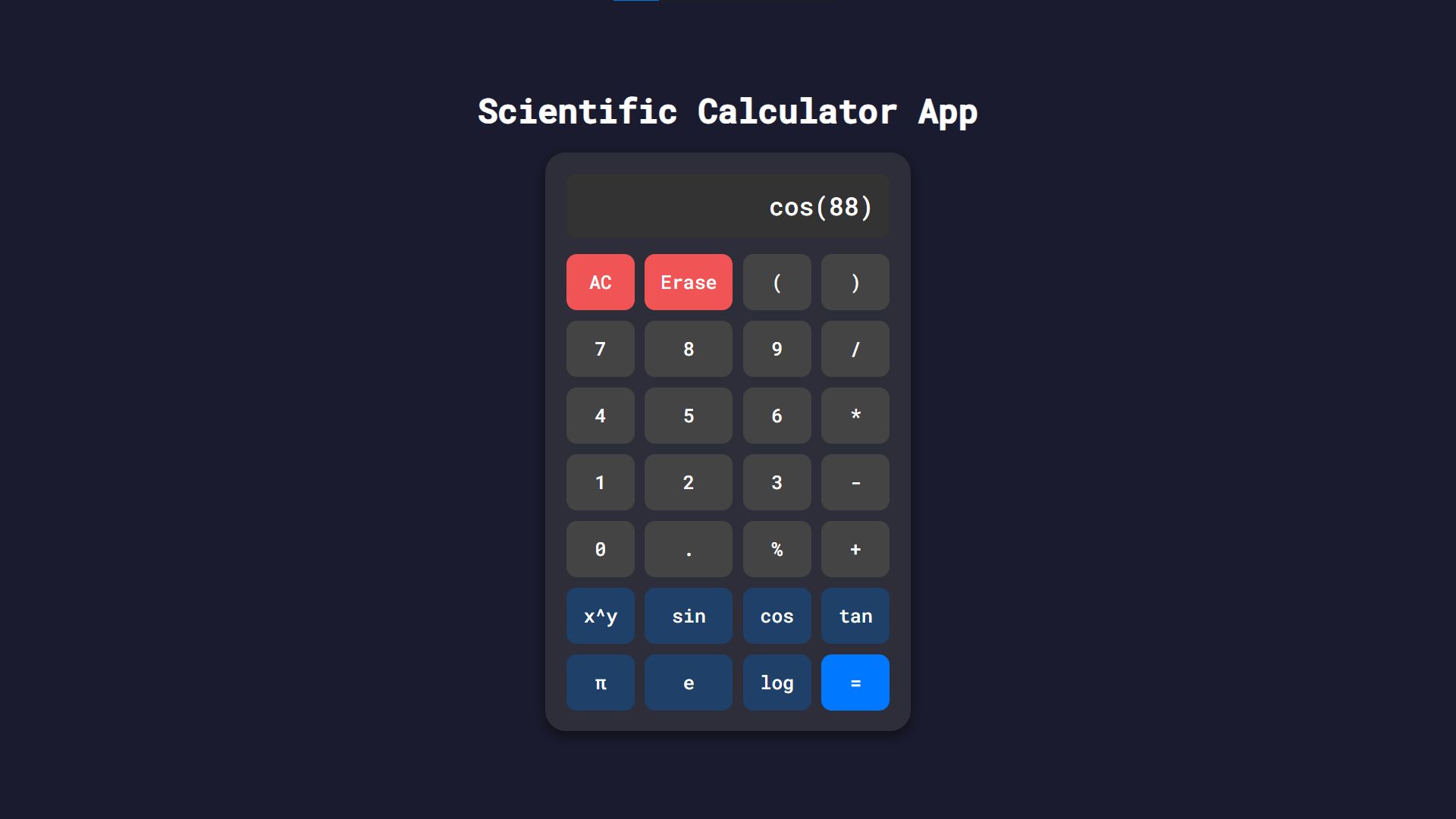
Incorporate scientific functions like trigonometric operations, logarithms, exponentials, and memory storage to appeal to a broader user base.
6.2. Theming and Customization
Allow users to customize the app's appearance with different themes, color schemes, and layouts to enhance user engagement and satisfaction.
6.3. Accessibility Features
Ensure your calculator app is accessible to all users by supporting screen readers, high-contrast modes, and keyboard navigation.
6.4. Cross-Platform Compatibility
Using cross-platform frameworks like React Native or Flutter can help you maintain consistency across different devices and operating systems.
7. Case Study: Comparing Platforms
Understanding the strengths and limitations of different platforms can guide you in making informed decisions during the development process.
| Platform | Technologies | Pros | Cons |
|---|---|---|---|
| Web | HTML, CSS, JavaScript |
|
|
| Android | Java, Kotlin |
|
|
| iOS | Swift, Objective-C |
|
|
| Desktop | Python, C#, Java |
|
|
8. Best Practices for Calculator App Development
Adhering to best practices ensures that your calculator app is reliable, maintainable, and user-friendly.
8.1. Code Organization and Documentation
Maintain a clean and organized codebase with proper documentation. Use meaningful variable names, comment on complex logic, and structure your code into reusable components or modules.
8.2. Version Control
Use version control systems like Git to track changes, collaborate with others, and manage code revisions effectively.
8.3. Security Considerations
Ensure that your app handles inputs securely to prevent vulnerabilities like code injection, especially if you're evaluating expressions using functions like eval(). Implement input validation and sanitation measures.
8.4. Performance Optimization
Optimize your app for speed and efficiency. Minimize load times, reduce resource consumption, and ensure smooth interactions to enhance user experience.
8.5. User Feedback and Iteration
Incorporate user feedback to identify areas for improvement. Continuously iterate on your app to add new features, fix bugs, and enhance overall performance.
Conclusion
Developing a calculator app is an excellent way to apply and expand your programming skills. By carefully selecting the appropriate platform and technologies, designing an intuitive user interface, implementing robust logic, and adhering to best practices, you can create a functional and versatile calculator app. Whether you aim to build a simple web-based calculator or a feature-rich mobile application, the steps outlined in this guide provide a comprehensive roadmap to success. Embrace the development process, experiment with advanced features, and continuously refine your app to meet user needs and expectations.
References
Last updated February 12, 2025