
Creating Detailed and Animated Images Using Claude
Guidance on crafting high-quality animated visuals through precise text prompts
Key Takeaways
- Integration Strategy: Use Claude in tandem with image generation tools like DALL-E, Midjourney, or Stable Diffusion.
- Prompt Engineering: Detailed, specific prompts are essential for achieving photorealistic or stylistically distinct visuals.
- Animation Style Selection: Choose animation styles (2D vector, 3D computer animation, or motion graphics) that best suit your vision for crisp and concise imagery.
Understanding Claude’s Capabilities and Limitations
Claude is a powerful, text-based AI assistant that excels at processing and analyzing detailed prompts. However, it does not generate images or animations directly. Instead, it serves as a meticulous prompt engineer that can help you architect detailed descriptions to be used with specialized image generation tools such as DALL-E, Midjourney, or Stable Diffusion. Through its integration with other platforms or systems like ChatLabs, you can bridge the gap between text and visual content creation.
The core idea behind using Claude is not to have it produce images directly but to leverage its proficiency in natural language and detailed instructions. This allows for precise articulation of artistic vision, which is then interpreted by image generation tools to produce high-quality and visually engaging outputs.
Constructing Effective Prompts for High-Quality Image Generation
The Art of Prompt Engineering
Crafting a robust prompt is the foundation of your image creation journey. The more detailed and specific your prompt, the closer the resulting image or animation will align with your intended vision. Here are some foundational guidelines to consider:
1. Specificity and Detail
When formulating your prompt, include explicit details about every aspect of the image:
- Subject Matter: Clearly define the main focus of your image. For example, “a futuristic cityscape” or “a serene forest scene.”
- Artistic Style: Specify whether you are aiming for a photorealistic, impressionistic, or even an anime look. Terms like “high-definition,” “cinematic,” or “vector art” help pinpoint the style.
- Medium: Decide if you want it to resemble a digital painting, pencil sketch, or another medium.
- Color Palette: Include details of the desired color scheme – warm hues, neon lights, or cool blues and greens.
- Lighting and Mood: Mention specific lighting conditions such as “golden hour,” “neon glow,” or “dynamic motion blur” to shape the visual narrative.
- Composition and Perspective: Direct how the subject should be framed, e.g., “from a bird’s-eye view” or “a close-up portrait.”
- Additional Elements: Include any object interactions, background settings, or emotional tones to enhance storytelling.
2. Iterative Refinement
Creating the perfect prompt is an iterative process. Start by drafting a clear, descriptive prompt and evaluate the resulting images after processing them through an image generator. Look for aspects that may need adjustment such as:
- The clarity of the subject definition.
- How well lighting or reflective elements are depicted.
- The visual balance between foreground elements and the background.
Based on the output, refine your prompt by enhancing or rewording specific details. This strategy of trial and error allows you to progressively fine-tune your prompt until the generated image meets your vision.
3. Consistent Use of Art Terminology
Utilizing art terminology in your prompt can significantly influence the aesthetics of the final output. Terms such as “photorealistic,” “cinematic,” “high-definition,” or “motion blur” serve as powerful descriptors that help guide the image generation tool's algorithms. By consistently using such technical details, you can reliably achieve outputs that are visually crisp, clear, and aligned with the intended style.
Choosing the Best Animation Style for Crisp and Clear Images
Animation Styles and Their Visual Impact
When creating animated visuals, the style of animation is critical in defining the look and feel of the final product. Here are some animation styles you might consider:
2D Vector Animation
2D vector animations are ideal for achieving crisp, clean lines and vibrant colors. This style works well for projects that require a high degree of clarity and succinct visual storytelling. Here are some key features:
- Crisp Lines: Clean, well-defined outlines that keep the visuals sharp.
- Minimalistic yet Expressive: The simplicity in design emphasizes key elements without overcomplicating the scene.
- Scalability: Vector images retain quality regardless of scaling, ensuring frames always appear polished.
3D Computer Animation
If you are aiming for a more immersive experience that captures depth and realistic textures, 3D computer animation is the way to go. This animation style is particularly effective for:
- Realism: Detailed environments, lifelike shadows, and nuanced textures add dramatic effect.
- Dynamic Motion: Fluid and natural movement, enhancing the overall realism and engagement.
- Layered Complexity: Ability to incorporate multiple layers that create a rich visual narrative.
Motion Graphics
Motion graphics blend graphic design with animation, ideal for presentations, explainer videos, or visually striking digital art. Characteristics include:
- Seamless Integration: Combines text, symbols, and graphic elements effectively.
- Dynamic Visual Flow: Transitions and effects that maintain viewer interest.
- Clarity in Communication: Designed to convey information quickly and concisely.
You can select any of these styles based on your overall creative objective. For scenarios demanding clean, concise images with a focus on crisp edges and vibrant colors, 2D vector animation tends to be most effective. For achieving depth and realism, however, 3D computer animation offers superior results.
A Structured Approach to Prompting for Detailed and Animated Images
Step-by-Step Guide
To generate images that are both highly detailed and capable of supporting animation, follow this structured guide when drafting your prompt:
Step 1: Define the Core Vision
Start by articulating the central concept of your image. Determine the subject, setting, and purpose. For example, if creating an animated scene, define whether it’s a dynamic cityscape or a tranquil natural landscape.
Step 2: Specify Artistic Elements
Clearly express your desired artistic style and mood by incorporating the following elements:
- Artistic Style: Specify terms such as “high-definition 2D vector” or “cinematic 3D computer animation.”
- Medium & Technique: Denote whether you wish the output to mimic digital painting, pencil sketches, or another artistic medium.
- Color Palette: Provide details on the colors to be used, e.g., “vibrant neon colors for a futuristic look.”
- Lighting and Mood: Mention specific lighting conditions like “golden hour light,” “neon glow,” or “ambient shadows” to emphasize clarity and dramatic effect.
Step 3: Introduce Animation Specifications
Define the desired animation behavior explicitly. This might include:
- Type of Animation: State whether it should be a smooth 2D vector animation, fluid 3D animation, or engaging motion graphics.
- Motion Details: Describe details such as “dynamic motion blur,” “gradual transitions,” or “smooth frame-to-frame changes.”
- Temporal Flow: If your visual story includes a narrative, outline the sequence of actions or transitions clearly.
Step 4: Incorporate Extra Details for Consistency
To ensure that every aspect of your creative vision is captured, consider the following additional details:
- Narrative Elements: If your animation is story-driven, include a concise storyline with character actions or environmental changes.
- Perspective Clarity: Define the camera angle (e.g., “bird’s-eye view” or “close-up detail”) to guide composition aesthetics.
- Supplementary Aesthetics: Add descriptors such as “sharp contrasts,” “detailed textures,” or “vivid highlights” to enhance the crispness of the final image.
Example of a High-Quality Prompt
Combining all these elements, a sample prompt for a futuristic animated cityscape might be:
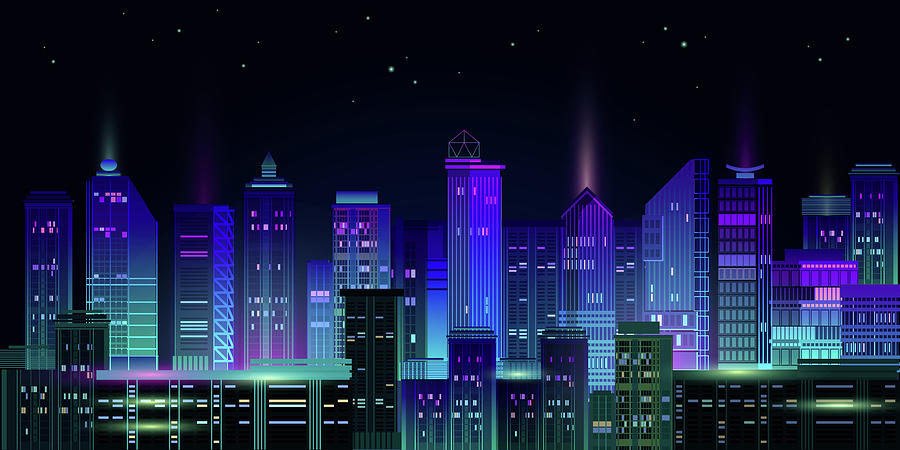
“Create a high-definition, 2D vector animation of a futuristic cityscape at sunset. The scene features a dynamic blend of neon lights and ambient shadows, with a composition that captures sharp outlines and vibrant, contrasting colors. Emphasize smooth transitions with dynamic motion blur, especially on flying cars and holographic advertisements. The perspective is from a slightly elevated view that captures both the bustling street level and the illuminated skyline. The overall mood is cinematic with a clear, crisp aesthetic.”
Optimizing Your Workflow with Claude and Image Generation Tools
Leveraging Integration Tools
While Claude does not directly generate images, it can be a crucial part of an effective workflow when used with integrated tools and platforms that support image creation. Here’s how to optimize such a workflow:
1. Utilize Integration Platforms
Leverage platforms or integrations (such as ChatLabs) that combine Claude’s detailed prompt generation capabilities with image creation tools like DALL-E, Midjourney, or Stable Diffusion. This allows you to:
- Generate highly detailed text prompts using Claude.
- Direct these prompts to dedicated visual generation tools that process the descriptions into images or animations.
- Iterate between refining your prompt and reviewing generated outputs to achieve the desired results.
2. Cross-Reference Prompts with Visual Examples
It is beneficial to compare your generated outputs against existing images or animations. Use these references to:
- Refine the descriptive elements in your prompt.
- Adjust details like lighting, color balance, and motion flow for clarity and impact.
- Ensure that the final visuals maintain consistency with your artistic and thematic expectations.
3. Document and Adjust
Keep a record of prompts and the corresponding outputs. This documentation helps in understanding what works best in your workflow and provides a reference for tackling future projects:
| Prompt Element | Description/Example |
|---|---|
| Subject Matter | Futuristic cityscape, serene forest, dynamic ocean scene |
| Artistic Style | High-definition 2D vector, cinematic 3D computer animation |
| Medium | Digital painting or pencil sketch effects |
| Lighting & Mood | Golden hour light, neon glow, ambient shadows |
| Animation Details | Smooth transitions, dynamic motion blur, gradual frame changes |
Ensuring Visual Clarity and Conciseness in Animated Outputs
Achieving the Best Results
To generate animated visuals that are visually crisp and concise, consider the following best practices:
- Focus on Specificity: Vague prompts often result in ambiguous outputs. Instead, be highly detailed in describing every visual aspect.
- Balance Complexity and Clarity: While details matter, ensure that your prompt avoids clutter that may confuse the generator. Prioritize elements that are key to your vision.
- Test and Refine: Use an iterative process—adjust your prompt, test the result, and refine accordingly. This gradual adjustment ensures that your outputs consistently move closer to your envisioned aesthetic.
- Utilize Feedback Loops: Consider using comparative reviews of generated images to highlight areas that might benefit from further clarification, such as enhancing reflective details or adjusting color saturation.
By closely following these guidelines, you can work towards generating animated images that not only meet but exceed the expectations for detail, clarity, and visual impact.
Further Recommendations and Exploration
While this guide gives you a comprehensive framework for using Claude’s prompt engineering capabilities to generate detailed animated images, continued exploration and creativity are key. Experimenting further with different art styles, animation techniques, and descriptive language will allow you to develop a nuanced approach tailored to your unique projects.
Remember that the collaboration between Claude’s text-based precision and external image creation tools is a dynamic process. As the technology evolves, so will the capabilities and methods of translation from text to dynamic visual art. Embrace an experimental mindset, always be willing to iterate on your prompts, and keep a keen eye on evolving techniques within the digital art community.
References
- How to Use Claude AI to Create AI Images in 2025 - ExpertBeacon
-
How to Use Claude AI to Create AI Images? - Claude AI
- Claude 3.5 Sonnet: Generating Diagrams and Animations - Claude3.pro
- How to write AI image prompts - From basic to pro [2024] - Let's Enhance
- Top 25 AI Art Prompt Ideas to Spark Your Creativity - ClickUp
- Claude AI Vision & Image - Complete Guide - Claude AI Hub
- How to Do Image Chat With Claude 3 AI - Begins With AI
- Using Claude AI to Craft Imagery for Storytelling - Medium
- Vision - Anthropic API - Anthropic
- AI Image Prompts Guide - InVideo
Recommended Related Queries
Last updated March 2, 2025