
Understanding Composite Pictures
Exploring the art and process of creating composite images
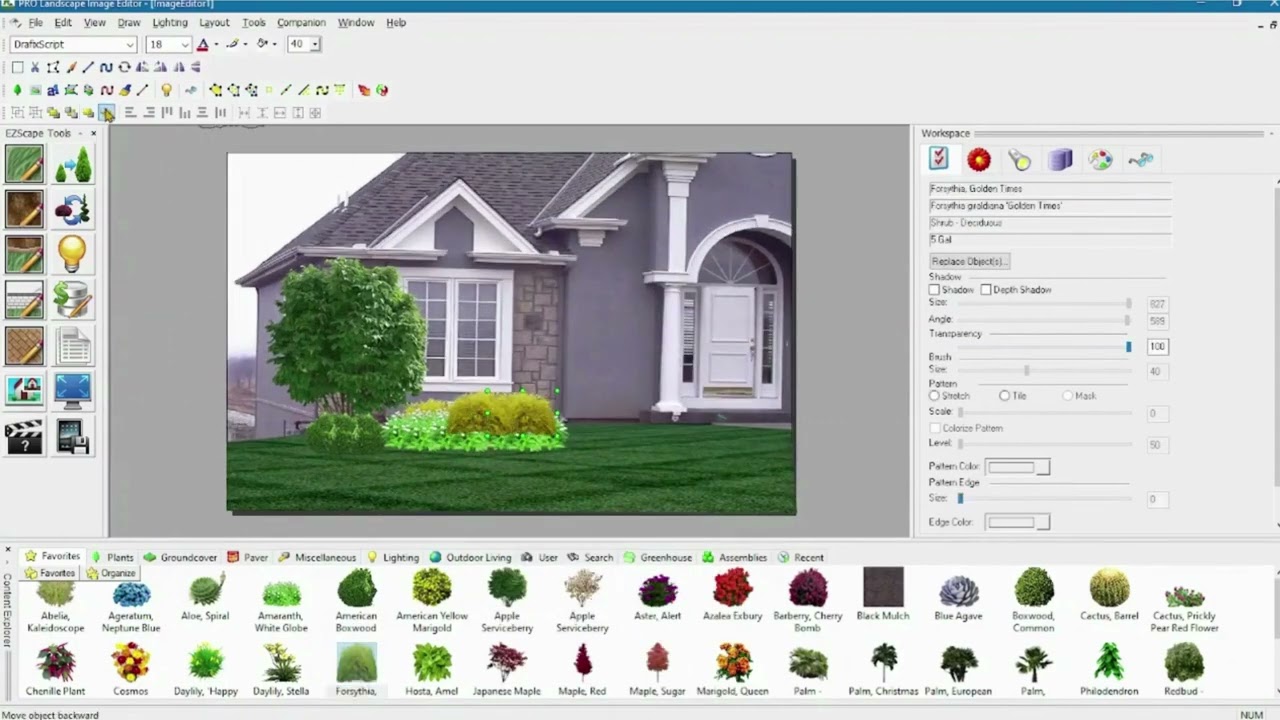
Key Highlights
- Definition and Purpose: Composite images blend multiple photos to create unique, creative visuals.
- Workflow Process: Involves careful image selection, layering, masking, and adjustments for a seamless merge.
- Creative and Technical Aspects: Uses modern photo editing software and techniques to enhance storytelling and visual impact.
What Are Composite Pictures?
Composite pictures are images created by combining elements from two or more photographs into a unified image. This technique enables photographers, digital artists, and graphic designers to create visuals that may be impossible to capture in a single shot. Composite images can range from surreal landscapes and fantastical scenarios to realistic portrayals that subtly enhance a scene.
The Purpose Behind Composite Images
The primary purpose of composite art is to overcome the constraints of traditional photography. Whether to create dramatic visual narratives, enhance storytelling, or correct imperfections in a single image, composite pictures allow tremendous flexibility and creativity:
- To bring together elements that share a common theme or atmospheric consistency.
- To construct scenes that evoke emotions or tell compelling stories.
- To merge different perspectives and moments in time into one cohesive visual narrative.
How Are Composite Pictures Made?
Step-by-Step Workflow
Creating composite images relies on several critical steps, each crucial for achieving a seamless integration of different photographic elements. Here is an overview of the process:
1. Image Selection
The process starts by selecting multiple images that will be combined. It is important to choose photographs with similar lighting, resolution, and color profiles to ensure a natural integration. When images share these characteristics, the final composite appears more cohesive.
2. Layering in Editing Software
Once the images are selected, they are imported into photo editing software such as Adobe Photoshop or GIMP. Each image is placed on a separate layer in a single document. This layered approach allows you to manipulate the individual elements of each image independently.
3. Masking and Blending
Creating smooth transitions between different layers is essential. By using layer masks, you can hide or reveal portions of each image without permanently erasing any part of the original. This technique helps to blend edges and ensures that the transition from one image to another is smooth. Additionally, employing blending modes and opacity adjustments further harmonizes the overall appearance.
4. Color Correction and Adjustments
Different images might have varying brightness, contrast, and color balances. In order to achieve a coherent look, adjustments are made using tools for color correction and tonal balance. This may include modifying hues, saturation, exposure, and contrast. The goal is to create a visual consistency across all composite elements.
5. Final Touches
The last stage involves reviewing the composite image as a whole and making any necessary refinements. This could involve additional masking, sharpening, or adding effects like shadows and filters to enhance the sense of depth and realism. Once satisfied with the composite image, it can be saved in the desired format.
Tools and Techniques for Creating Composite Images
Software Options
There are multiple software options available that provide a robust set of tools to assist in creating composite pictures:
- Adobe Photoshop: Widely used for its comprehensive editing features, including layers, masks, and advanced color correction tools.
- GIMP: A free, open-source alternative that offers similar functionalities for photo manipulation and compositing.
- Canva and Fotor: These online tools provide user-friendly interfaces for basic composite creation and layering features.
- AI-Powered Options: Recently, several AI-driven tools have emerged that can automate parts of the composite process, making it easier for artists to blend images seamlessly.
Techniques for Seamless Integration
Although the composite creation process is inherently creative, there are several techniques that consistently yield high-quality results:
- Using high-resolution images for all elements ensures that the final composite looks sharp and detailed.
- Employing standardized lighting and ensuring consistency in shadow direction helps bridge the gap between different elements.
- Implementing advanced masking techniques allows for precision editing, particularly when working with complex edges or intricate details.
- Leveraging blending modes (such as multiply, overlay, or soft light) can enhance the fusion of layers and create a unified tone.
Visual Guidance and Comparative Analysis
Visual aids can be highly effective when explaining the composite creation process. Below is a table summarizing the key steps and related tools:
| Step | Description | Tools/Techniques |
|---|---|---|
| Image Selection | Choosing images with consistent lighting and color profiles. | High-resolution images |
| Layering | Placing each image on separate layers for independent editing. | Adobe Photoshop, GIMP |
| Masking & Blending | Using layer masks and blending modes to merge images seamlessly. | Masking tools, blending modes |
| Color Correction | Adjusting brightness, contrast, and color balance for uniformity. | Color correction tools, filters |
| Final Touches | Reviewing and refining the composite image for improved aesthetics. | Sharpening, additional adjustments |
Comparison with Traditional Photography
Unlike traditional photography, where a single shot falls within the constraints of the capture moment, composite images empower the creator to combine various elements from different times and perspectives. This opens a realm of artistic expression that goes beyond mere documentation, allowing for the creation of scenes that are entirely imaginary or have enhanced narrative depth. Additionally, composite techniques are often used in fields such as advertising to create visually striking images that capture the viewer's attention.
Can Ithy Make Composite Pictures?
Ithy, as an AI assistant, does not directly create or generate composite pictures in the manner that image editing software does. Instead, Ithy's role is to provide insightful guidance, resources, and detailed explanations about the process and techniques required to create composite images. If you are interested in making composite pictures, Ithy can certainly help by explaining the process, offering pointers on tools and techniques, and linking you to further resources.
How Ithy Can Assist You in Your Creative Journey
While Ithy might not be able to generate composite images on its own, here’s how it can support your creative ambitions:
- Step-by-Step Tutorials: Ithy can guide you through detailed tutorials outlining each stage of creating a composite picture.
- Software Recommendations: Depending on your expertise and needs, Ithy can suggest the best tools and software options available.
- Tips and Tricks: From advanced masking techniques to achieving consistent color correction, Ithy is here to help you refine your craft.
- Resource Links: Access to detailed guides and articles that further explain the nuances of composite photography.
Additional Tips for Aspiring Composite Artists
Practice and Experimentation
Creating composite images is as much an art as it is a technical skill. The more you practice and experiment with different techniques, the more you will develop an eye for detail and a unique artistic style. Do not be afraid to try new compositions or blend seemingly unrelated elements – sometimes the most striking images come from bold experimentation.
Learning Resources and Communities
Immersing yourself in communities of other composite artists—whether through online forums, workshops, or social media groups—can provide valuable feedback and inspiration. Many experienced artists share their techniques and offer insights that can help you overcome common challenges in the composite creation process.
| Resource Type | Description |
|---|---|
| Online Tutorials | Step-by-step guides to mastering composite image creation. |
| Forums & Social Media Groups | Community feedback, tips, and discussions on best practices. |
| Video Guides | Visual demonstrations of techniques and workflow. |
| Workshops | Interactive sessions with professional digital artists. |
References
- Composite Image Techniques - Image Tools
- Understanding Composite Images - Wyzant
- Step-by-Step Guide to Composite Photography - Dropicts
- Tips for Composite Photography - Shutterstock
- Creative Composite Photography - PageCloud
- What Is Image Compositing? - FlatWorld Solutions
- Advanced Composite Photography Techniques - Image Acquire
- Crafting the Perfect Composite Image - Soft Hand Tech
- Composite Images: How to Craft Your Own - PageCloud
- DIY Composite Photography Tips - Dropicts
Recommended Related Queries
 image-acquire.com
Last updated March 4, 2025