
Composite Picture Creation
Discover how to blend images into cohesive and creative artworks
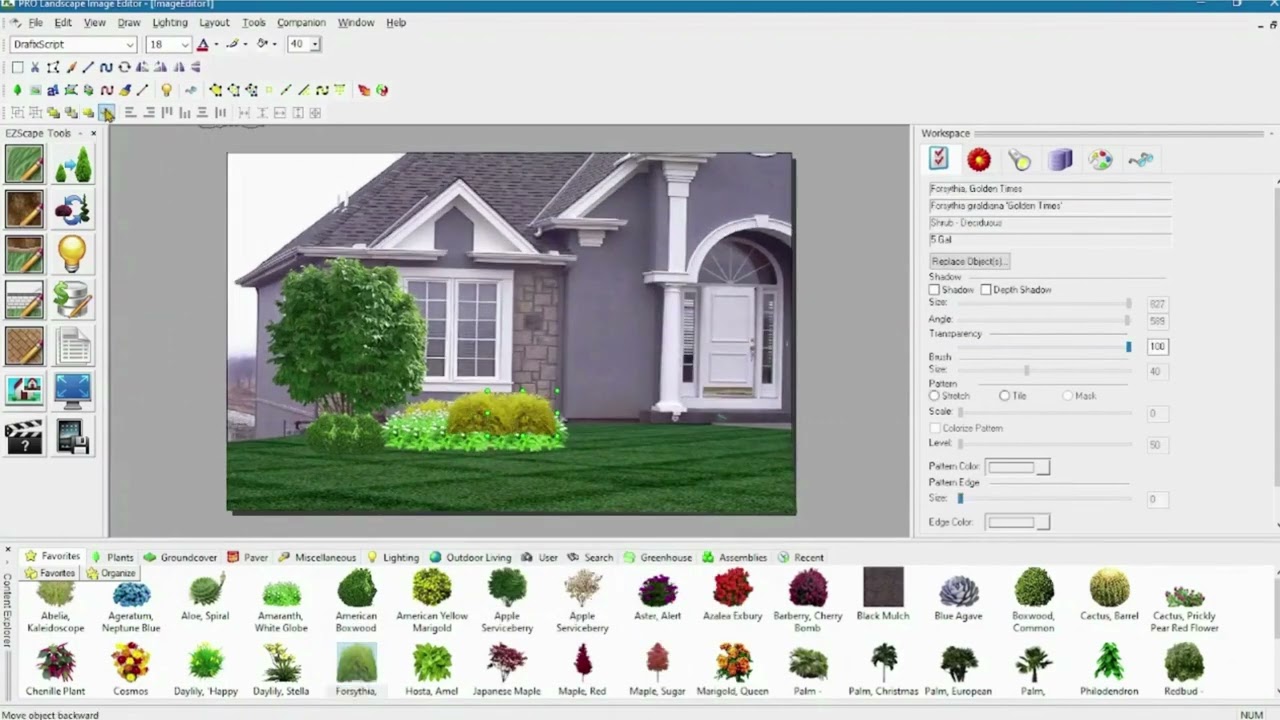
Key Highlights
- Techniques and Software: Explore various software options and detailed techniques from layering to masking.
- Practical Steps: Learn step-by-step processes including selection, adjustment, and final touches for realism.
- Artistic & Practical Applications: Understand how composite images can tell stories, create surreal scenes, and blend reality with fantasy.
Understanding Composite Pictures
Composite photography, often simply referred to as composite imaging, is a dynamic art form where several images are combined into a single artwork. This process allows artists and photographers to create scenes that might be otherwise impossible to capture in one shot. The process can involve merging realistic scenes with fantastical elements or combining multiple moments from different photographs into one cohesive narrative.
The idea behind composite images is not only to enhance aesthetic appeal but also to transcend the limitations of standard photography. By integrating diverse visuals, composite images enable the creation of work that transcends traditional boundaries. For instance, one might remove distractions from a holiday photo, merge elements to create a surreal dreamscape, or even tell a story where multiple actions are depicted in one frame.
Steps and Techniques for Creating Composite Images
1. Image Element Selection
The foundation of a composite image is selecting the right image elements to combine. Consider the following factors:
a. Similar Lighting and Perspective
To ensure all elements blend seamlessly, choose images that share similar lighting, angle, and resolution. Discrepancies in these factors can lead to a jarring composite that lacks coherence.
b. Subject Importance
Decide which elements will play the central role and which will serve as background or supporting details. Organizing the content with a clear subject focus helps in planning the composite.
2. Software and Tools for Composite Creation
A variety of software solutions are available for creating composite images. While high-end tools such as Adobe Photoshop provide extensive capabilities, there are numerous free or inexpensive alternatives available:
- Adobe Photoshop – Industry standard with powerful masking and advanced adjustment layers.
- GIMP – A free alternative that provides many capabilities for layering and editing.
- Affinity Photo – A professional-grade tool with robust features for image blending.
- Mobile Apps – Options like Adobe Photoshop Mix or Pixelmator that provide on-the-go editing capabilities.
These programs allow for manipulations such as layering, masking, and color adjustments to ensure that each element of your composite integrates smoothly.
3. Layering and Masking: Building the Foundation
Layering is a core part of composite photography. By importing your images as layers, you can work on each component separately while maintaining the overall structure.
Masking is frequently employed to hide or reveal specific parts of an image. Instead of permanently erasing parts of an image, you use layer masks that provide flexibility. With a mask, you can gradually blend the edges of one image into another, ensuring a smooth transition between different elements.
4. Adjusting Colors and Lighting
After you have the layers in place, it is crucial to harmonize the images. Adjustments to brightness, contrast, saturation, and color temperature are instrumental for creating realism.
Using adjustment layers in your software, you can apply changes non-destructively. This ensures that all images have a consistent look and feel, even if they were originally shot under different conditions.
5. Adding Final Touches and Enhancements
The final step is about fine-tuning your image to achieve a polished finish. This comprises:
- Shadow and Highlight adjustments to enhance depth.
- Blur or sharpen effects to draw focused attention on certain elements.
- Texture overlays or filters to provide an artistic feel.
- Detail enhancements by cleaning up edges and ensuring no artifacts remain.
These enhancements help to solidify the composite as a coherent, visually appealing image.
Practical Workflow for Composite Image Creation
A systematic approach can greatly streamline your workflow. Below is a table summarizing the key steps and techniques:
| Step | Description | Tools/Techniques |
|---|---|---|
| Selection | Choose images with similar lighting, perspective, and resolution. | Photography best practices, image libraries |
| Layering | Import images as layers in editing software. | Adobe Photoshop, GIMP, Affinity Photo |
| Masking | Use layer masks to blend edges and create smooth transitions. | Layer masks, pen tool |
| Color and Lighting | Adjust brightness, contrast, and color temperature for harmony. | Adjustment layers, color correction tools |
| Enhancements | Add shadows, textures, and final effects to polish the image. | Blur and sharpen tools, filters |
| Export | Finalize the image and save it in the desired format. | File export options in high quality |
Artistic and Practical Applications of Composite Images
Composite images hold a significant place in both artistic and commercial fields. Beyond purely aesthetic improvements, these images are used to solve practical problems:
Storytelling and Visual Narratives
One of the more creative applications of composite photography is visual storytelling. By carefully selecting and combining different images, artists can create narratives that capture complex emotions or events within a single frame. For instance, combining photos of urban landscapes with elements of nature can symbolize the relationship between humanity and the environment.
Commercial and Advertising Use
In advertising and commercial photography, composite images allow marketers and designers to create visuals that may not be possible with a single shot. Whether it’s assembling an ideal product image or generating interesting backdrops for promotional material, the ability to combine elements ensures that the final product always looks polished and engaging.
Enhancing Standard Photographs
Photographers often use composite techniques to enhance their standard images. Removing unwanted background distractions or adding elements that boost the subject's appeal is a common practice. For example, a vacation photo may be edited to remove large crowds or objects that spoil a perfect landscape.
Creating Fantasy and Surreal Art
Beyond realism, composite images open the door to surreal and fantastical creations. Artists can merge realities and create dream-like scenes that defy the normal laws of physics. This genre of art is particularly popular in digital painting and modern photo montages where the goal is to push the boundaries of conventional imagery.
Considerations for Achieving a Believable Composite
To ensure that a composite image appears believable, attention to detail is crucial. Here are several considerations to keep in mind:
Lighting Consistency
The lighting in each component image must be consistent. This involves matching the direction and intensity of light so that shadows and highlights appear natural across the entire composite.
Perspective Matching
Aligning the perspective is essential, especially when the composite image merges scenes from different environments or time periods. Tools such as the transform function in editing software help in conforming perspectives effectively.
Color Grading
A unified color scheme helps bind all elements together seamlessly. This includes using color grading techniques to adjust hues and levels uniformly. A consistent color palette further enhances the composite’s believability.
Detail and Finishing Touches
Even with technical accuracy, the overall impression of the composite rests on the details. Overlooked elements such as jagged edges, mismatched textures, or abrupt transitions can undermine the effort. A careful refinement of every layer is necessary to achieve a professional finish.
Advanced Techniques and Creative Exploration
Once you become comfortable with the basics, there are advanced techniques that can refine your composite creations even further:
Use of Special Blend Modes
Special blend modes in image editing software allow you to merge layers in innovative ways. Experimenting with these modes can produce dramatic effects, where textures and colors merge into unexpected yet harmonious interfaces.
Creative Masking Techniques
Beyond simple masks, you can create complex selections using the pen tool or custom brushes. These refined masking techniques allow for intricate detailing that enhances the realism or fantastical quality of your composite.
Integrating 3D Elements
For those looking to push the boundaries even further, incorporating 3D elements into composite images is a burgeoning area. By integrating 3D models or textures, you can create visuals that have depth and a heightened sense of realism.
Digital Painting and Retouching
Some artists combine composite photography with digital illustration or painting. This hybrid approach allows for an even broader range of creative expression, blending realistic images with hand-drawn elements.
Exporting and Sharing Your Composite Creations
Once your composite image meets your creative and technical expectations, exporting it correctly is crucial. Always ensure that the resolution and file format suit your intended use, whether it is for web sharing or high-quality prints.
For online sharing, JPEG and PNG formats are widely used, with JPEG being suitable for photographs and PNG for images requiring transparency. For printing, consider exporting as TIFF or PSD formats if future editing is anticipated.
Troubleshooting Common Issues in Composite Picture Creation
Creating composite pictures involves some challenges. Here are some common issues and tips for troubleshooting them:
Misaligned Elements
If elements seem off regarding alignment, use software guides and grid overlays to adjust the elements carefully. Tools like the transform and perspective corrections are invaluable for this purpose.
Clashing Colors
Sometimes, despite efforts, colors may still clash. Revisit your adjustments and employ color correction techniques such as hue/saturation modifications and selective color adjustments. Often, a slight tweak can bring together elements in a natural harmony.
Unnatural Edges
Jagged or rough edges in masks can break the illusion of your composition. To remedy this, spend time refining the edges using soft brushes and feathering options available in many editing tools.
Practical Examples and Use Cases
Composite photography is used in various creative and commercial scenarios to overcome constraints of single-shot limitations:
Travel and Landscape Enhancement
In travel photography, composite techniques help in editing out unwanted distractions like crowds or modern intrusions in ancient ruins. Photographers can assemble multiple shots to deliver a pristine and uninterrupted scene.
Event Photography
For event photography, especially in scenarios where it’s challenging to capture all desired moments simultaneously, composites can combine the best moments from different shots to create a visually engaging narrative.
Conceptual and Fine Art Photography
Artists in the field of conceptual photography often rely on composites to express abstract ideas. By blending different images, they create metaphorical representations that engage viewers in deeper narratives or emotional responses.
Advertising and Product Photography
In advertising, composites allow for an idealized representation of products. Combining high-resolution images and detailed backgrounds creates visually arresting images that both highlight the product and enhance its appeal.
Final Thoughts on the Composite Image Process
The process of creating composite pictures exemplifies the blend of artistic creativity and meticulous technical skill. By carefully choosing image elements, employing effective software, and applying a wide range of techniques from masking to color correction, photographers and designers can elevate a simple collection of images into a stunning, narrative-driven artwork.
Whether you are a professional looking to expand your portfolio or someone who enjoys creative experimentation, composite photography provides a versatile medium to push the boundaries of standard imagery. With practice, attention to detail, and a willingness to experiment, you can create images that are not only beautiful but also tell compelling stories.
References
- Composite Image Guide: How to Create Composite Images - MasterClass
-
Composite Photography Techniques - Adobe
- Composite Photography in Photoshop - Expert Photography
- Composite Images: What They Are and How to Create Them - PageCloud
- Composite Photography Ideas and Tutorials - ShotKit
- 12 Tips For Outstanding Composite Imagery - Affinity Spotlight
-
Making a Composite Photo with Photoshop - Adobe
- Step-by-Step Composite Image Creation - MasterClass
- Composite Photography: Best Practices - ShotKit
- Creating Seamless Composite Images - PageCloud
Recommended Queries for Deeper Insights
Last updated March 4, 2025