
Unveiling the Digital Canvas: A Deep Dive into the World of Computer Graphics
Exploring the history, core principles, and groundbreaking applications that shape our visual experiences.
Key Insights into Computer Graphics
- From Pixels to Photorealism: Computer graphics encompass a vast array of techniques, from simple 2D vector drawings to complex 3D animations and hyper-realistic renderings, fundamentally changing how we create and interact with visual information.
- A Rich History of Innovation: Spanning over seven decades, the evolution of computer graphics has been marked by pivotal inventions like the Sketchpad, particle systems, and the ongoing development of powerful GPUs, driven by pioneers in both academia and industry.
- Transformative Impact Across Industries: Beyond entertainment like video games and movies, computer graphics are indispensable in scientific visualization, medical imaging, engineering design (CAD), virtual and augmented reality, and many other specialized fields.
Introduction: Defining the Visual Frontier
Computer graphics is a dynamic and expansive sub-field of computer science that involves the creation, manipulation, storage, and display of images, scenes, and animations using digital computers. It serves as the foundational technology that bridges the gap between computational data and human visual perception, enabling us to visualize complex information, create breathtaking digital art, design intricate products, and immerse ourselves in virtual worlds. Whether it's the vibrant interface on your smartphone, the stunning special effects in a blockbuster film, the detailed models in a video game, or the life-saving visualizations in medical diagnostics, computer graphics are an integral part of modern life. This field blends art and science, requiring expertise in mathematics, physics, programming, and design to bring digital creations to life.
A Journey Through Time: The Evolution of Computer Graphics
The history of computer graphics is a fascinating narrative of technological breakthroughs and creative ingenuity, transforming rudimentary displays into the rich visual experiences we enjoy today.
The Dawn of Digital Imagery (1950s - Early 1960s)
The earliest explorations into computer-generated visuals began in the early 1950s, primarily driven by research and military applications. Projects like MIT's Whirlwind I and the SAGE (Semi-Automatic Ground Environment) system were among the first to utilize Cathode Ray Tube (CRT) displays for outputting graphical information. These early systems also saw the introduction of interactive input devices, such as the light pen, allowing users to "draw" directly onto the screen. A notable early example of interactive graphics was the game "Tennis for Two," created by physicist William Higinbotham in 1958 on an oscilloscope screen, often considered one of the first video games.
In 1960, William Fetter, a graphic designer for Boeing, coined the term "computer graphics" to describe his work on ergonomically designed cockpit models. His "First Man" wireframe human figure was a pioneering effort in 3D modeling.

Geometric primitives form the basis of 3D computer graphics.
Pioneering Breakthroughs (Mid-1960s - 1970s)
The 1960s witnessed foundational advancements that shaped the future of the field. A landmark achievement was Ivan Sutherland's SKETCHPAD system, developed in 1963 as part of his PhD thesis at MIT. SKETCHPAD was revolutionary, introducing concepts like an interactive graphical user interface, object-oriented programming, constraint-based drawing, and hierarchical modeling. It allowed users to draw and manipulate geometric figures directly on a CRT display using a light pen, laying the groundwork for modern Computer-Aided Design (CAD) systems. Sutherland's work demonstrated the potential of computers as powerful tools for visual creation and design.
Around the same time, in 1964, Charles Csuri at Ohio State University began creating computer art, further exploring the aesthetic potential of this new technology. In 1959, General Motors and IBM had already initiated the development of DAC-1 (Design Augmented by Computers), one of the earliest industrial CAD systems, showcasing the practical applications of graphics in engineering.
The University of Utah became a major hub for computer graphics research in the late 1960s and 1970s, nurturing many future leaders in the field, including Edwin Catmull (co-founder of Pixar), Jim Clark (founder of Silicon Graphics, Inc.), and John Warnock (co-founder of Adobe Systems).
The Rise of 3D and Special Effects (1980s)
The 1980s marked a period of rapid acceleration in computer graphics, particularly in 3D rendering and animation, fueled by advancements in hardware and algorithms. Industrial Light & Magic (ILM), Lucasfilm's visual effects division, made significant strides. In 1982, their computer graphics division (which would later become Pixar) created the "Genesis Effect" sequence for the film Star Trek II: The Wrath of Khan, one of the first fully CGI movie sequences. This demonstrated the potential of computer graphics to create stunning, otherworldly visuals for cinema.
In 1983, William T. Reeves, also at Lucasfilm, developed particle systems, a technique for modeling "fuzzy" objects like fire, smoke, explosions, and grass. This was a major step towards creating more realistic and dynamic natural phenomena. The same year, Silicon Graphics, Inc. (SGI) introduced the IRIS 1000 graphics workstation, providing dedicated hardware that significantly boosted the performance and accessibility of computer graphics capabilities for professionals.
Core Concepts and Fundamental Techniques
Computer graphics relies on a rich set of concepts and techniques to transform data into compelling visual representations. These range from the basic building blocks of images to complex algorithms for simulating light and motion.
2D vs. 3D Graphics
2D Computer Graphics deal with the generation and manipulation of digital images primarily in a two-dimensional plane, like an electronic canvas. This includes drawings, digital paintings, and user interface elements. 3D Computer Graphics, on the other hand, involve creating representations of three-dimensional objects and scenes. This requires defining geometry, surface properties, lighting, and camera perspectives to produce an illusion of depth and solidity on a 2D screen.
Raster vs. Vector Graphics
These are two fundamental ways to represent 2D images:
- Raster Graphics (Bitmap Graphics): Images are represented as a grid of individual picture elements called pixels. Each pixel has a specific color value. Raster graphics are resolution-dependent, meaning they can lose quality (become pixelated) when scaled up. Photographs and detailed digital paintings are typically raster images. Common formats include JPEG, PNG, and GIF.
- Vector Graphics: Images are defined by mathematical equations that describe geometric primitives like points, lines, curves, and polygons. Because they are based on mathematical paths rather than fixed pixels, vector graphics are resolution-independent and can be scaled to any size without loss of quality. They are ideal for logos, illustrations, and technical drawings. Common formats include SVG, AI, and EPS.
The following table provides a detailed comparison between raster and vector graphics:
| Feature | Raster Graphics | Vector Graphics |
|---|---|---|
| Representation | Grid of pixels | Mathematical paths and geometric shapes |
| Scalability | Resolution-dependent; loses quality when scaled up | Resolution-independent; retains quality at any size |
| File Size | Can be large, especially for high-resolution images with many colors | Generally smaller, as they store mathematical formulas rather than pixel data |
| Editing | Pixel-level editing; good for photo manipulation | Object-level editing; easy to modify shapes, lines, and colors |
| Realism | Excellent for photorealistic images and complex color gradients | Can appear more 'flat' or stylized, though complex effects are possible |
| Common Uses | Digital photography, web graphics, digital painting | Logos, icons, illustrations, typography, technical drawings, CAD |
| Typical Software | Adobe Photoshop, GIMP, Procreate | Adobe Illustrator, Inkscape, CorelDRAW |
Rendering: Bringing Scenes to Life
Rendering is the process of generating a 2D image from a 2D or 3D model by means of computer programs. It involves calculating how light interacts with objects in a scene, considering their material properties, textures, and the position of virtual cameras and light sources. Key rendering techniques include:
- Rasterization: A fast method predominantly used in real-time graphics (like video games). It converts vector information describing 3D objects into a raster image (pixels) by projecting the objects onto the screen and determining the color of each pixel covered.
- Ray Tracing: A more computationally intensive technique that simulates the physical behavior of light. It traces paths of light rays from the camera through each pixel on the screen and into the scene, calculating reflections, refractions, shadows, and other optical effects to produce highly realistic images. Advances in GPU technology are making real-time ray tracing increasingly feasible.
Modeling, Animation, Shading, and More
3D Modeling
This is the process of developing a mathematical, wireframe representation of any three-dimensional object (either inanimate or living) via specialized software. The model can be displayed as a two-dimensional image through rendering or used in a computer simulation of physical phenomena.
Animation
Computer animation involves creating the illusion of movement by displaying a sequence of images, or frames. Techniques range from keyframe animation, where an artist defines critical poses and the computer interpolates the in-between frames, to physics-based simulations that govern the motion of objects according to physical laws.
Shading and Texturing
Shading determines how the color and brightness of a surface vary with lighting. Texturing applies detailed surface patterns or images (textures) to 3D models to enhance their realism, simulating materials like wood, metal, or fabric.
Output Primitives and Viewing
Output primitives are the basic geometric structures used to compose more complex images, such as points, lines, polygons, and curves. 2D and 3D viewing techniques involve mathematical transformations (like translation, rotation, scaling) to position and orient objects within a scene and project them onto the viewing plane. This includes concepts like clipping (removing parts of an image outside a specified region) and windowing.
Visible Surface Detection (Hidden Surface Removal)
In 3D graphics, this is the process of determining which surfaces or parts of surfaces are visible from a particular viewpoint, as objects can obscure one another. Algorithms like Z-buffering are commonly used for this purpose.
Mathematical Foundations
A strong understanding of mathematics is crucial in computer graphics. Linear algebra (vectors, matrices, transformations), trigonometry, calculus, and geometry are fundamental for tasks like object manipulation, camera projection, lighting calculations, and curve/surface representation.
Key Technologies: Hardware and Software Powering Visuals
The incredible advancements in computer graphics are heavily reliant on specialized hardware and sophisticated software. Graphics Processing Units (GPUs) are at the heart of modern graphics capabilities.

Modern GPUs, like those from NVIDIA, enable complex real-time rendering and AI-enhanced graphics.
Graphics Processing Units (GPUs)
Originally designed to accelerate the rendering of 3D graphics for video games, GPUs have evolved into powerful parallel processors capable of handling a wide range of computationally intensive tasks. Their architecture, featuring thousands of smaller cores, is ideal for the types of calculations common in graphics, such as transforming vertices, texturing polygons, and shading pixels. Companies like NVIDIA and AMD are leading innovators in GPU technology, continually pushing the boundaries of real-time rendering and enabling technologies like ray tracing and AI-driven graphics enhancements.
Graphics Workstations and APIs
Specialized graphics workstations, like the early SGI IRIS systems, provide high-performance computing environments tailored for demanding graphics tasks. Today, powerful desktop PCs and workstations equipped with high-end GPUs serve this role. Software developers interact with graphics hardware through Application Programming Interfaces (APIs) like OpenGL, DirectX, Vulkan, and Metal. These APIs provide a standardized way to access GPU functionalities for rendering 2D and 3D graphics.
The following chart provides a comparative look at several key computer graphics techniques based on selected attributes. The scores are on a scale of 1 to 10, where a higher score generally indicates 'more' of that attribute (e.g., higher realism potential, higher computational cost). For 'Steepness of Learning Curve,' a higher score means it's more difficult to learn.
This chart illustrates how different facets of computer graphics balance attributes like ease of learning against computational demands and potential for realism. For example, while offline ray tracing offers supreme realism, it comes at a high computational cost and learning curve, with lower direct interactivity compared to real-time rasterization.
A Universe of Applications: Where Computer Graphics Shine
Computer graphics technology has permeated nearly every aspect of modern life, revolutionizing industries and creating entirely new forms of expression and interaction.
- Entertainment (Film, TV, Video Games): Perhaps the most visible application, computer-generated imagery (CGI) is essential for special effects in movies and television shows. The video game industry relies entirely on real-time computer graphics to create interactive worlds and characters.
- Digital Art and Design: Artists and designers use graphics software to create illustrations, paintings, graphic designs, and product prototypes.
- Computer-Aided Design (CAD) and Computer-Aided Manufacturing (CAM): Engineers, architects, and designers use CAD software to create precise 2D and 3D models of buildings, mechanical parts, and other products. CAM systems then use these models to guide manufacturing processes.
- Scientific and Medical Visualization: Scientists and medical professionals use computer graphics to visualize complex data sets, such as molecular structures, weather patterns, geological formations, or medical scans (MRI, CT), aiding in research, diagnosis, and education.
- Simulations and Training: Flight simulators, driving simulators, and surgical simulators use realistic computer graphics to provide safe and effective training environments.
- User Interfaces (UI): Modern operating systems, websites, and applications use graphical user interfaces (GUIs) to provide intuitive ways for users to interact with technology.
- Virtual Reality (VR) and Augmented Reality (AR): These immersive technologies depend heavily on sophisticated real-time 3D graphics to create believable virtual environments or overlay digital information onto the real world.
- Advertising and Marketing: Eye-catching visuals, product renderings, and animated commercials are all created using computer graphics.
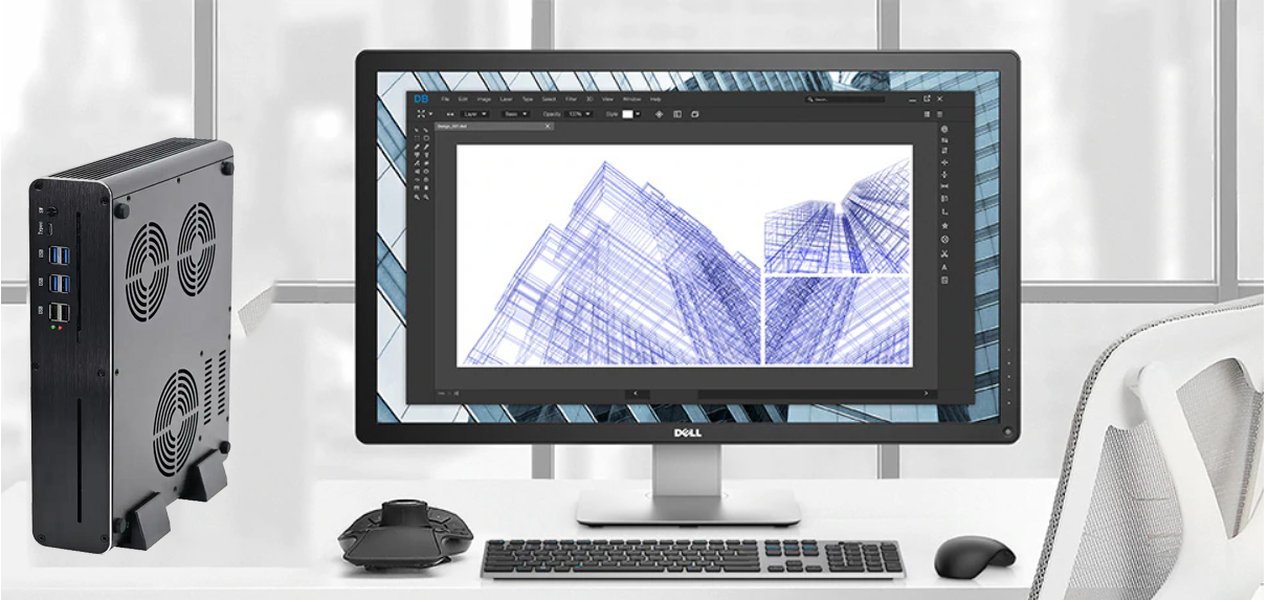
Powerful workstations are crucial for professionals working with demanding computer graphics applications.
Mapping the Landscape of Computer Graphics
The field of computer graphics is vast and interconnected. The mindmap below outlines its main branches, from its historical roots to its diverse applications and exciting future directions. It highlights key areas such as core concepts (like 2D/3D distinctions, rendering, and animation), the industries it impacts, and the emerging technologies shaping its evolution.
The Cutting Edge: Current Trends and Emerging Technologies
As of early 2025, the field of computer graphics is experiencing rapid evolution, driven by breakthroughs in hardware, software algorithms, and the integration of artificial intelligence.
- Real-Time Ray Tracing: Once confined to offline rendering for films due to its computational intensity, ray tracing is now becoming a standard feature in high-end video games and interactive applications, thanks to powerful GPUs. This allows for incredibly realistic lighting, reflections, and shadows in real-time.
- Machine Learning and AI Integration: AI is revolutionizing graphics in numerous ways. Deep learning techniques are used for image upscaling (e.g., NVIDIA's DLSS), texture synthesis, character animation, denoising rendered images, and even generating entire scenes or artistic styles.
- Growth of Immersive Technologies (VR/AR/MR): Virtual, Augmented, and Mixed Reality applications are expanding beyond gaming into areas like training, education, remote collaboration, and healthcare, all demanding increasingly sophisticated and performant real-time graphics.
- Procedural Content Generation (PCG): Algorithms are increasingly used to create vast and complex game worlds, textures, and models, reducing the manual labor required and enabling more dynamic and varied digital environments.
- Cloud-Based Rendering and Graphics Streaming: Leveraging powerful remote servers for rendering complex scenes allows high-fidelity graphics to be streamed to less powerful devices, making advanced visual experiences more accessible.
- WebGPU and Advanced Web Graphics: WebGPU is an emerging API designed to provide modern, low-level access to GPU capabilities from web browsers, enabling more powerful and efficient graphics and compute applications directly on the web.
- Volumetric Displays and Next-Gen Displays: Research continues into true 3D displays that can project volumetric images, offering new ways to experience digital content beyond flat screens.
Events like SIGGRAPH continue to be at the forefront, showcasing the latest research and innovations, from dynamic facial projection mapping to new immersive interaction techniques, highlighting the vibrant and ever-evolving nature of computer graphics.
Visualizing the Fundamentals: An Introduction to Computer Graphics
To grasp the foundational concepts and diverse applications of computer graphics, a structured introduction can be incredibly helpful. The video below offers a comprehensive overview, touching upon essential terms, definitions, and the broad scope of this fascinating field. It serves as an excellent starting point for anyone curious about how digital visuals are created and manipulated.
This video provides a foundational introduction to the world of computer graphics, covering key terms and concepts.
The video explains how computer graphics has evolved from simple line drawings to the complex, photorealistic imagery seen today. It covers the distinction between raster and vector graphics, the basics of 2D and 3D coordinate systems, transformations (scaling, rotation, translation), and the rendering pipeline—the sequence of steps a computer takes to convert a 3D scene description into a 2D image. Understanding these building blocks is essential for anyone looking to delve deeper into specific areas like game development, animation, or scientific visualization. It also touches upon the hardware, particularly the GPU, that makes modern, high-performance graphics possible.
Embarking on Your Graphics Journey: How to Learn
Learning computer graphics can be a rewarding endeavor, opening doors to creative and technical careers. Here’s a roadmap for getting started:
Start with Core Concepts
Focus on understanding the fundamental principles. Many experts recommend beginning with either ray tracing or rasterization. Implementing a simple ray tracer or rasterizer from scratch can provide invaluable insights into how images are formed and rendered. This hands-on approach helps solidify theoretical knowledge.
Master the Necessary Mathematics
A solid grasp of mathematics is indispensable. Key areas include:
- Linear Algebra: Vectors, matrices, dot products, cross products, and transformations are used extensively for manipulating objects and cameras in 2D and 3D space.
- Trigonometry: Essential for rotations, angles, and understanding periodic functions used in animation and wave simulations.
- Geometry: Understanding shapes, curves, and surfaces is fundamental to modeling.
- Calculus: Useful for more advanced topics like physics-based simulation, shaders, and optimization.
Explore Hands-On Tutorials and Resources
Numerous online resources offer excellent learning materials:
- Scratchapixel: Provides in-depth, free tutorials on computer graphics programming from the ground up, covering topics like rendering 3D scenes, ray tracing, and the mathematics involved.
- LearnOpenGL.com: A popular website for learning modern OpenGL, a widely used graphics API.
- Lode's Computer Graphics Tutorials: Covers a range of topics from 2D drawing and fractals to 3D raycasting.
- University Course Materials: Many universities make their computer graphics course notes and assignments available online (e.g., Stanford's CS248).
Engage with Communities
Online forums like Reddit's r/GraphicsProgramming or communities like Polycount offer platforms to ask questions, share work, and learn from experienced graphics programmers and artists.
Formal Education
For a more structured path, consider pursuing a degree in Computer Science with a specialization in graphics, or a dedicated Computer Graphics Technology program. These programs often offer comprehensive curricula covering theory, practical application, and industry-standard tools.
Frequently Asked Questions (FAQ)
What is the primary difference between computer graphics and computer vision?
While both fields deal with images, they have opposite goals. Computer graphics focuses on synthesizing images from models or descriptions (creating visuals). For example, generating a 3D animated character or rendering a realistic scene for a game.
Computer vision, on the other hand, focuses on analyzing and understanding images to extract information from them (interpreting visuals). Examples include object recognition in a photograph, facial recognition, or enabling self-driving cars to perceive their environment.
What programming languages are commonly used in computer graphics?
Several programming languages are prevalent in computer graphics, depending on the application:
- C++: Widely used for performance-critical applications like game engines (e.g., Unreal Engine, Unity's core), high-performance rendering systems, and graphics libraries due to its speed and low-level memory control.
- Python: Popular for scripting in 3D modeling software (e.g., Blender, Maya), tool development, and research due to its ease of use and extensive libraries.
- HLSL (High-Level Shading Language): Used for writing shaders in Microsoft's DirectX environment (common in Windows game development).
- GLSL (OpenGL Shading Language): Used for writing shaders with OpenGL and Vulkan APIs, which are cross-platform.
- JavaScript (with WebGL/WebGPU): Used for creating 2D and 3D graphics in web browsers.
How has Artificial Intelligence (AI) impacted computer graphics?
AI, particularly machine learning and deep learning, has had a profound impact on computer graphics in recent years:
- Enhanced Realism: AI techniques like Generative Adversarial Networks (GANs) can generate realistic textures, faces, and even entire scenes. AI-powered denoising significantly improves the quality of ray-traced images faster.
- Performance Improvement: Techniques like NVIDIA's DLSS (Deep Learning Super Sampling) use AI to upscale lower-resolution images to higher resolutions in real-time, improving game performance while maintaining visual quality.
- Content Creation: AI can assist in character animation (e.g., generating natural movements), procedural content generation, and style transfer (applying the artistic style of one image to another).
- Intelligent Tools: AI is being integrated into content creation software to provide smarter tools, such as intelligent selection, automated rigging, or suggesting design improvements.
- Simulation: AI can learn complex physical behaviors to create more realistic and efficient simulations for fluids, cloth, and other dynamic phenomena.
What are shaders and why are they important in computer graphics?
Shaders are small programs that run on the Graphics Processing Unit (GPU) and are responsible for determining the appearance of pixels, vertices, or other graphics primitives. They are a fundamental part of the modern graphics pipeline, allowing for a high degree of control and customization over how objects are rendered.
Key types of shaders include:
- Vertex Shaders: Process individual vertices, transforming their positions from model space to screen space. They can also be used for effects like deforming meshes or procedural animation.
- Fragment (or Pixel) Shaders: Calculate the color of individual pixels (fragments). This is where lighting calculations, texturing, and various visual effects are typically implemented.
- Geometry Shaders: Can create new graphics primitives (points, lines, triangles) from existing ones, or modify them.
- Compute Shaders: Allow the GPU to be used for general-purpose parallel computation, not strictly limited to graphics rendering, such as physics simulations or image processing.
Shaders are crucial because they enable developers and artists to create a vast range of visual styles and effects, from photorealistic rendering to highly stylized looks, and to optimize rendering performance by offloading complex calculations to the GPU.
Recommended Further Exploration
To delve deeper into specific aspects of computer graphics, consider exploring these related queries:
- How does real-time ray tracing work in modern video games?
- What are the mathematical principles behind 3D modeling software?
- Explore the impact of AI on character animation and visual effects in film.
- What are the key differences between graphics APIs like OpenGL, DirectX, and Vulkan?
References
Last updated May 6, 2025