
Unlock the Secrets to Designing an Unbeatable Notification System: A Blueprint for Engagement and Reliability
Discover the essential components, advanced enhancements, and strategic design choices for a notification system that users will appreciate.
Key Highlights: Building a Future-Proof Notification System
- User Empowerment: Centralize user preferences, offering granular control over notification types, channels, frequency, and quiet hours to foster trust and reduce churn.
- Intelligent Delivery: Implement robust, scalable architecture with message queues, personalized content, contextual triggers, and fallback mechanisms for timely and relevant communication.
- Actionable Insights & Engagement: Integrate comprehensive analytics to track performance, enable A/B testing, and support actionable notifications that enhance user productivity and experience.
The Indispensable Role of Modern Notification Systems
In today's digital landscape, a well-architected notification system is not just a feature but a cornerstone of user engagement and operational efficiency. It serves as the primary communication bridge between an application and its users, delivering timely and relevant information. The goal is to inform, alert, and engage users without overwhelming them, transforming potential annoyances into valuable interactions. A modern system must be scalable to handle potentially millions of daily notifications, reliable in its delivery, and highly customizable to individual user preferences and needs.
Core Architecture: The Pillars of a Robust Notification System
A comprehensive notification system is built upon several interconnected components, each playing a vital role in the journey of a notification from its trigger to the user's screen. This modular design ensures scalability, maintainability, and flexibility.
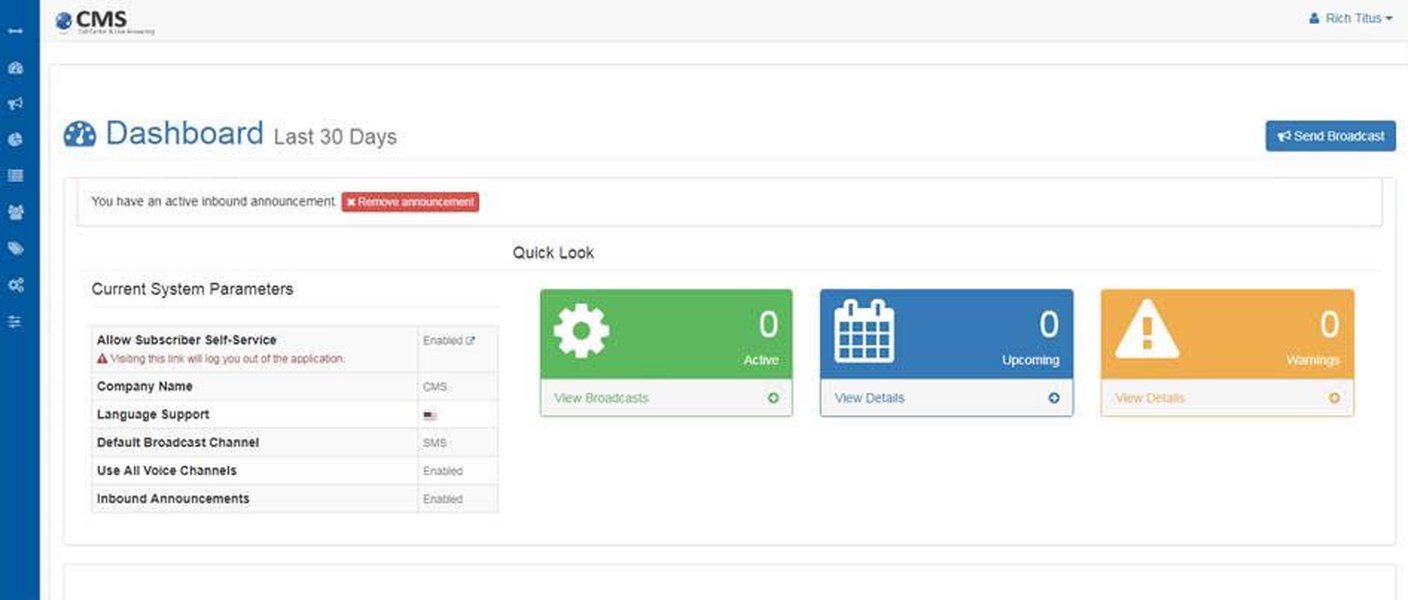
Conceptual dashboard illustrating the management interface of a mass notification system.
Key Architectural Components
-
Event Producers & API Gateway
Event producers are the various parts of your application or external services that generate events requiring notifications (e.g., a new order, a system update, a user message). An API Gateway serves as the single entry point for these notification requests, handling authentication, validation, and routing to the Notification Service.
-
Notification Service (The Core Engine)
This is the central brain of the system. It processes incoming notification requests, determines the target users, fetches user preferences, applies business logic (like batching or throttling), and formats messages using templates before dispatching them to the appropriate delivery channels.
-
User Service & Preference Management
This component manages all user-related data, including contact information (email, phone number, device tokens) and, crucially, their notification preferences. Users should be able to specify which types of notifications they want to receive, through which channels (email, SMS, push), and how often.
-
Message Queues (e.g., Kafka, RabbitMQ, AWS SQS)
Message queues act as a buffer between the Notification Service and the Delivery Services. They decouple these components, improve fault tolerance, and ensure that high volumes of notifications can be processed efficiently without overwhelming downstream systems. Separate queues might be used for different channels or priority levels.
-
Template Engine
A template engine allows for dynamic generation of notification content. It supports personalization by inserting user-specific data into predefined message structures and can format messages appropriately for different delivery channels (e.g., HTML for email, plain text for SMS, rich content for push notifications).
-
Delivery Services/Channels
These are specialized modules responsible for sending notifications through specific channels like email (via SMTP or services like SendGrid), SMS (via gateways like Twilio), push notifications (via APNS for iOS, FCM for Android, Web Push), and in-app messages.
-
Notification Database & Persistence
This database stores all relevant information, including notification definitions, user subscriptions and preferences, templates, delivery logs (status, attempts, timestamps), and read receipts. This data is essential for auditing, analytics, and ensuring idempotency.
-
Analytics & Logging Service
This component collects data on notification delivery, open rates, click-through rates, and user interactions. These analytics provide insights into notification effectiveness and help in optimizing strategies.
Data Model: Structuring Notification Information
A well-defined data model is crucial for organizing the information within the notification system. Key entities typically include:
- NotificationType: Defines categories of notifications (e.g., `order_confirmation`, `new_message`, `system_update`, `weekly_digest`). Includes ID, name, description.
- Notification: Represents an instance of a notification to be sent or already sent. Includes ID, `notification_type_id`, `user_id` (recipient), `source_id` (e.g., order ID), content, creation timestamp, `read_at` timestamp.
- User: Stores user identifiers and basic profile information relevant for notifications.
- NotificationPreference: Links users to notification types and channels, storing their specific settings (e.g., `user_id`, `notification_type_id`, `channel_id`, `is_enabled`, frequency settings).
- NotificationChannel: Defines available delivery channels (e.g., `email`, `sms`, `push_ios`, `push_android`, `in_app`).
- NotificationLog: Records the status of each delivery attempt for a notification. Includes `notification_id`, `channel_id`, status (sent, failed, delivered, opened, clicked), timestamp, error messages if any.
- NotificationTemplate: Stores message templates for different notification types and channels, allowing for variables and localization.
Orchestrating Communication: The Notification System Mindmap
The following mindmap visualizes the interconnected components and key considerations in designing a comprehensive notification system. It illustrates how different elements like core architecture, notification types, and essential enhancements work together to create an effective communication platform.
This mindmap provides a high-level overview, emphasizing the relationships between foundational elements and advanced features necessary for a robust system.
Categorizing Notifications: Types and Their Purpose
Notifications can be broadly categorized based on their intent and trigger. Understanding these types helps in designing appropriate delivery strategies and user experiences.
Example of a mobile alert notification on a smartphone screen.
Transactional Notifications
Triggered by specific user actions or system events directly related to a user's activity. Examples: order confirmations, password resets, shipping updates. These are generally expected and essential.
Promotional/Marketing Notifications
Aimed at driving engagement, sales, or awareness of new features/products. Examples: special offers, new product announcements, event invitations. These require careful handling, clear opt-in mechanisms, and respect for user preferences to avoid being perceived as spam.
System Alerts/Operational Notifications
Inform users about system status, critical updates, or issues. Examples: planned maintenance, service disruptions, security alerts, payment failures. Timeliness and clarity are paramount.
User-Generated/Social Notifications
Triggered by interactions from other users within a platform. Examples: new messages, friend requests, comments on a post, mentions. These are often real-time and drive social engagement.
Contextual/Personalized Notifications
Tailored to individual user behavior, preferences, location, or specific contexts. Examples: abandoned cart reminders, personalized recommendations, location-based alerts, activity summaries.
Emergency Notifications
High-priority alerts for urgent situations that require immediate attention. Examples: public safety warnings, critical system failures affecting all users. These often bypass standard user preferences due to their critical nature.
Mapping Notification Types to Delivery Channels
The choice of delivery channel significantly impacts notification effectiveness. The table below summarizes common notification types and suitable primary channels, along with their key characteristics.
| Notification Type | Primary Channels Recommended | Key Characteristics |
|---|---|---|
| Transactional | Email, SMS, Push | Essential, time-sensitive, expected by the user, often requires a record. |
| Promotional | Email, In-App (with opt-in), Push (used judiciously with clear opt-in) | Marketing-focused, requires explicit user consent, can often be batched, benefits from rich content. |
| System Alerts | Push, SMS, In-App, Email (for less urgent or detailed follow-ups) | Important system status information, may require immediate user awareness or action. |
| User-Generated/Social | In-App, Push | Real-time or near real-time, directly driven by user interactions within the platform, highly engaging. |
| Contextual/Personalized | In-App, Push, Email (for summaries or less time-sensitive info) | Highly relevant based on individual user behavior, location, or specific context; timeliness is key. |
| Emergency | SMS, Push, Platform-wide banners, potentially specialized channels (e.g., loudspeakers) | Critical, requires immediate attention, highest priority, often overrides standard preferences. |
Visualizing Notification Channel Effectiveness
Different notification channels excel in different areas. The radar chart below compares common channels—Email, SMS, Push Notifications, and In-App Messages—across several key dimensions of effectiveness. These dimensions include Urgency Handling (how well it conveys immediate needs), Information Richness (capacity for detailed content), User Engagement (potential to drive interaction), Cost-Effectiveness (relative expense), and Implementation Complexity (ease of setup and maintenance). The scores are on a scale of 1 to 10, where a higher score indicates better performance or desirability for that dimension. Note that these are generalized assessments and actual effectiveness can vary based on specific use cases and audiences.
This chart helps visualize the trade-offs involved in selecting the most appropriate channel for a given notification scenario, balancing urgency, content needs, engagement goals, budget, and technical feasibility.
Elevating Your System: Crucial Enhancements
Beyond the core functionality, several enhancements can significantly improve the effectiveness, user experience, and maintainability of a notification system.
User Control and Customization
- Granular Preferences: Allow users to opt-in/out of specific notification types for each channel.
- Frequency Capping & Quiet Hours: Let users define how often they want to receive certain notifications and set "do not disturb" periods.
- Digest Options: Offer daily or weekly summaries for less urgent information instead of individual alerts.
Personalization and Contextualization
- Dynamic Content: Use templates and user data to tailor message content.
- Behavioral Triggers: Send notifications based on user actions (or inactions, like abandoned carts) or significant lifecycle events.
- Location-Awareness: Deliver relevant information based on a user's geographical location (with consent).
- Optimal Timing: Utilize machine learning to send notifications when users are most likely to engage.
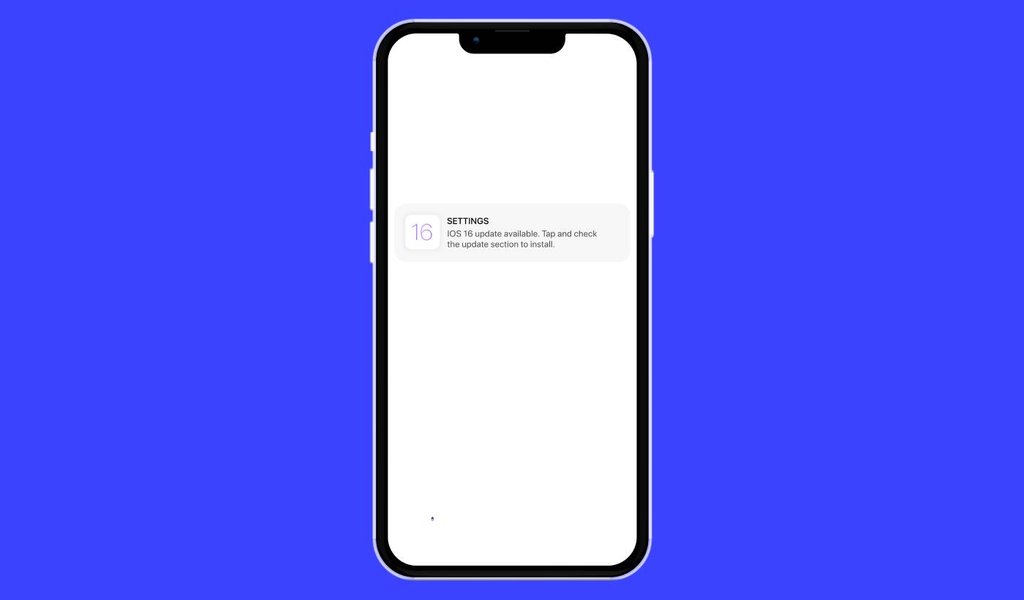
Illustration of a push notification as it appears on an iOS device.
Scalability and Performance
- Event-Driven Architecture: Design the system to react to events asynchronously.
- Horizontal Scaling: Ensure components can be scaled out to handle increasing loads.
- Caching: Cache frequently accessed data like user preferences and templates to reduce database load.
Reliability and Fallback Mechanisms
- Retry Logic: Implement exponential backoff for transient delivery failures.
- Dead-Letter Queues (DLQs): Isolate notifications that consistently fail delivery for investigation.
- Channel Fallback: If a primary channel fails (e.g., push notification to an offline device), attempt delivery via a secondary channel (e.g., email or SMS for critical alerts).
Actionable Notifications
- Inline Actions: Allow users to perform quick tasks directly from the notification (e.g., "Reply," "Archive," "Approve") without opening the app.
- Deep Linking: Ensure notifications take users directly to the relevant content or screen within the app.
Advanced Templating and Formatting
- Multi-Channel Formatting: Adapt content for the specific constraints and capabilities of each channel (e.g., rich HTML for email, character limits for SMS, interactive elements for push).
- A/B Testing: Support testing different versions of notification content, timing, or calls to action to optimize engagement.
Batching and Throttling
- Batching: Group multiple non-urgent notifications into a single delivery to avoid overwhelming users.
- Rate Limiting/Throttling: Prevent sending too many notifications to a single user or from a single source within a short period.
Real-time Updates and Read Receipts
- Status Synchronization: If a user reads or interacts with an item (e.g., a message) that triggered a notification, update or dismiss the corresponding notification across their devices.
- Read/Delivery Receipts: Track when notifications are delivered and seen by the user for better analytics and system behavior.
Comprehensive Analytics and Monitoring
- Key Metrics: Track delivery rates, failure rates, open rates, click-through rates, conversion rates, and unsubscription rates per notification type and channel.
- Dashboards: Provide real-time dashboards for monitoring system health and notification performance.
Security and Compliance
- Data Protection: Ensure sensitive user data is handled securely, in compliance with regulations like GDPR, CCPA.
- Secure Transmission: Use encryption for data in transit and at rest.
- Audit Trails: Maintain logs of notification creation, consent changes, and delivery attempts.
Localization and Accessibility
- Multi-Language Support: Deliver notifications in the user's preferred language.
- Accessibility (A11y): Design notifications to be perceivable and operable by users with disabilities (e.g., screen reader compatibility, sufficient color contrast).
UI/UX Design Principles
- Clarity and Conciseness: Messages should be easy to understand at a glance.
- Relevance: Ensure notifications provide value to the user.
- Non-Intrusiveness: Minimize disruption; use appropriate attention levels (e.g., subtle badges vs. modal alerts).
- Consistent Design: Maintain a consistent look and feel for notifications.
Workflow Automation and Scheduling
- Scheduled Delivery: Allow notifications to be scheduled for future delivery.
- Conditional Workflows: Implement logic for multi-step notification sequences (e.g., reminder series for abandoned carts).
Multi-tenancy Support
- For SaaS applications, ensure data isolation and customizable notification templates/branding per tenant.
Design Patterns
- Observer Pattern: Useful for decoupling event publishers from subscribers (notification recipients).
- Strategy Pattern: Can be used to dynamically select notification delivery strategies or formatting based on context.
- Publish/Subscribe (Pub/Sub): A foundational pattern for message-driven architectures, enabling scalable broadcasting of notifications.
Understanding Scalable System Design: A Video Deep Dive
For those interested in the architectural challenges and solutions for building notification systems that can handle massive scale, the following video provides a valuable overview. It discusses core concepts relevant to designing systems capable of processing a high volume of notifications efficiently and reliably, touching upon aspects like message queues, database considerations, and fault tolerance—all crucial for a robust notification infrastructure.
This video explores system design principles that are broadly applicable, offering insights into how to approach the construction of large-scale services, including notification systems.
Frequently Asked Questions (FAQ)
Why are user preferences so critical in a notification system? ▼
User preferences are critical because they empower users to control the notifications they receive, reducing "notification fatigue" and annoyance. When users can tailor notifications to their needs (type, channel, frequency), they are more likely to find them valuable, leading to higher engagement, increased trust, and lower churn rates. Ignoring preferences can lead to users disabling all notifications or even uninstalling the application.
What is the role of message queues (e.g., Kafka, RabbitMQ) in a notification system? ▼
Message queues act as asynchronous buffers that decouple the notification generation process from the delivery process. Their roles include:
- Scalability: They can absorb large bursts of notification requests, preventing system overloads.
- Reliability: If a delivery service fails, messages remain in the queue to be processed later, ensuring no notifications are lost.
- Resilience: They improve fault tolerance by allowing components to operate independently.
- Load Balancing: Distribute tasks among multiple worker instances for efficient processing.
How can I make notifications less annoying and more valuable to users? ▼
To make notifications less annoying and more valuable:
- Prioritize Relevance: Send notifications that are timely, contextual, and personalized to the user's interests and behavior.
- Grant Control: Implement comprehensive user preference settings (types, channels, frequency, quiet hours).
- Be Concise and Clear: Messages should be easy to understand and actionable.
- Use Appropriate Channels: Match the notification type and urgency to the most suitable channel.
- Avoid Over-Notifying: Implement batching for less urgent items and throttle frequent notifications.
- Provide Value: Ensure each notification offers a clear benefit or important information to the user.
- Enable Easy Dismissal: Users should be able to easily dismiss or manage notifications.
What are fallback mechanisms, and why are they important in notification delivery? ▼
Fallback mechanisms are strategies to ensure a notification is delivered even if the primary delivery channel fails. For example, if a push notification cannot be delivered (e.g., the device is offline or push permissions are revoked), the system might "fall back" to sending an SMS or email for critical alerts. They are important because:
- Improve Reliability: Increase the likelihood of successful delivery, especially for important information.
- Enhance User Experience: Ensure users receive critical alerts even if their preferred channel is temporarily unavailable.
- Maintain Business Continuity: Crucial for transactional or operational notifications where non-delivery can have negative consequences.
Recommended Next Steps for Deeper Insights
- How can A/B testing be effectively implemented to optimize notification content and timing?
- What are the best practices for designing user interfaces for notifications across mobile and web platforms?
- What are effective strategies for managing notification preferences and branding in a multi-tenant SaaS application?
- What are the key differences and considerations when choosing between Kafka and RabbitMQ for message queuing in a high-volume notification system?
References
Last updated May 8, 2025