
Comprehensive Guide to React Router
Master Client-Side Routing in React Applications
Key Takeaways
- Seamless Navigation: React Router enables dynamic, client-side routing for smooth transitions without full page reloads.
- Core Components: Essential components include
BrowserRouter,Routes,Route, andLinkfor effective routing management. - Advanced Features: Supports nested routes, programmatic navigation, route parameters, and lazy loading to enhance application performance and user experience.
Introduction to React Router
React Router is the standard routing library for React applications, facilitating the creation of single-page applications (SPAs) with multiple views and dynamic navigation without reloading the entire page. It allows developers to map URLs to specific components, ensuring that users can navigate seamlessly through different parts of the application.
Key Features of React Router
Dynamic Routing
Dynamic routing enables React Router to render components based on the current URL. This means that as users navigate through the app, only specific components update, providing a fluid and responsive user experience without full page reloads.
Nested Routes
Nesting routes allows developers to create complex UI structures by nesting child routes within parent routes. This feature is particularly useful for applications with hierarchical views, such as dashboards with multiple sections.
Route Parameters
Route parameters allow parts of the URL to be treated as variables. For instance, in a route like /users/:userId, :userId can capture dynamic values, enabling components to fetch and display data based on these parameters.
Programmatic Navigation
React Router provides hooks like useNavigate that allow developers to navigate between routes programmatically. This is useful for redirecting users after certain actions, such as form submissions or authentication processes.
Lazy Loading
Lazy loading enhances application performance by loading components only when they are needed. By integrating React's lazy and Suspense, developers can split code and reduce the initial load time of the application.
Installation and Setup
Installing React Router
React Router is not included with React by default and must be installed separately. Depending on the package manager you are using, you can install it via npm or yarn:
npm install react-router-dom
# or
yarn add react-router-dom
Setting Up the Router
After installation, wrap your root application component with the component. This sets up the routing context for the entire application.
import React from "react";
import ReactDOM from "react-dom";
import { BrowserRouter } from "react-router-dom";
import App from "./App";

ReactDOM.render(
  <BrowserRouter>
    <App />
  </BrowserRouter>,
  document.getElementById("root")
);
Core Components of React Router
BrowserRouter
BrowserRouter is the primary component that enables routing in React applications. It uses the HTML5 history API to keep the UI in sync with the browser's URL.
Routes and Route
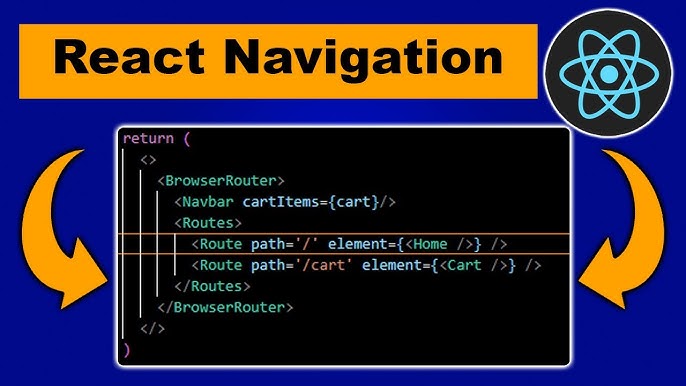
The Routes component is a container for all Route definitions. Each Route specifies a path and the component that should render when the URL matches that path.
import { Routes, Route } from "react-router-dom";
import Home from "./Home";
import About from "./About";
import UserProfile from "./UserProfile";
import NotFound from "./NotFound";

function App() {
  return (
    <Routes>
      <Route path="/" element={<Home />} />
      <Route path="/about" element={<About />} />
      <Route path="/users/:id" element={<UserProfile />} />
      <Route path="*" element={<NotFound />} /> {/* Catch-all 404 route */}
    </Routes>
  );
}
Link and NavLink
The Link and NavLink components are used to create navigation links within the application. Unlike traditional <a> tags, these components prevent full page reloads by handling navigation client-side.
import { Link, NavLink } from "react-router-dom";

function Navbar() {
  return (
    <nav>
      <Link to="/">Home</Link>
      <NavLink to="/about" activeClassName="active">About</NavLink>
      <NavLink to="/users/123" activeClassName="active">Profile</NavLink>
    </nav>
  );
}
Outlet
Outlet is used in parent route components to render their child routes. This is essential for nested routing scenarios.
import { Outlet } from "react-router-dom";

function Dashboard() {
  return (
    <div>
      <h1>Dashboard</h1>
      <Outlet /> {/* Renders child routes like Settings, Stats */}
    </div>
  );
}
Basic Usage of React Router
Defining Routes
Routes are defined within the Routes component using individual Route elements. Each Route specifies a path and the element to render.
import { BrowserRouter, Routes, Route } from 'react-router-dom';
import Home from './Home';
import About from './About';
import Contact from './Contact';

function App() {
  return (
    <BrowserRouter>
      <Navbar />
      <Routes>
        <Route path="/" element={<Home />} />
        <Route path="/about" element={<About />} />
        <Route path="/contact" element={<Contact />} />
      </Routes>
    </BrowserRouter>
  );
}
Navigating Between Routes
Use the Link or NavLink components to navigate between different routes without causing a full page reload.
import { Link } from 'react-router-dom';

function Navbar() {
  return (
    <nav>
      <Link to="/">Home</Link>
      <Link to="/about">About</Link>
      <Link to="/contact">Contact</Link>
    </nav>
  );
}
Advanced Concepts
Programmatic Navigation with useNavigate
The useNavigate hook allows components to navigate programmatically based on user actions or other events.
import { useNavigate } from "react-router-dom";

function Login() {
  const navigate = useNavigate();

  const handleLogin = () => {
    // Perform authentication logic
    // On success, navigate to dashboard
    navigate("/dashboard");
  };

  return <button onClick={handleLogin}>Login</button>;
}
Handling Route Parameters with useParams
The useParams hook retrieves dynamic parameters from the URL, enabling components to access and use these values.
import { useParams } from "react-router-dom";

function UserProfile() {
  const { id } = useParams();

  return <div>User ID: {id}</div>;
}
Nested Routing with Outlet
Nested routing allows child routes to be rendered within parent components. The Outlet component serves as a placeholder for child routes.
import { BrowserRouter, Routes, Route, Outlet, Link } from 'react-router-dom';

function Dashboard() {
  return (
    <div>
      <h1>Dashboard</h1>
      <nav>
        <Link to="settings">Settings</Link>
        <Link to="stats">Stats</Link>
      </nav>
      <Outlet /> {/* Renders Settings or Stats */}
    </div>
  );
}

function Settings() {
  return <h2>Settings Page</h2>;
}

function Stats() {
  return <h2>Stats Page</h2>;
}

function App() {
  return (
    <BrowserRouter>
      <Routes>
        <Route path="/dashboard" element={<Dashboard />}>
          <Route path="settings" element={<Settings />} />
          <Route path="stats" element={<Stats />} />
        </Route>
      </Routes>
    </BrowserRouter>
  );
}
Lazy Loading Routes
Lazy loading defers the loading of components until they are needed, improving the application's performance.
import React, { lazy, Suspense } from "react";
import { BrowserRouter, Routes, Route } from "react-router-dom";

const About = lazy(() => import("./About"));
const Contact = lazy(() => import("./Contact"));

function App() {
  return (
    <BrowserRouter>
      <Suspense fallback={<div>Loading...</div>}>
        <Routes>
          <Route path="/about" element={<About />} />
          <Route path="/contact" element={<Contact />} />
        </Routes>
      </Suspense>
    </BrowserRouter>
  );
}
Best Practices
Organize Routes Modularly
Keep your route definitions organized by separating them into different modules or files. This enhances maintainability, especially in large applications.
Leverage React Hooks
Utilize hooks like useParams, useNavigate, and useLocation to manage route-related logic efficiently within your components.
Implement Protected Routes
Ensure that certain routes are accessible only to authenticated users by implementing protected routes. This enhances the security of your application.
Optimize with Lazy Loading
Use lazy loading to split your code and load components only when required. This reduces the initial load time and improves the application's performance.
Common Challenges and Solutions
Default Component Always Renders
If the root route always renders due to overlapping paths, ensure that you are using the latest version of React Router (v6+) and that your Route paths are correctly specified without ambiguity.
Incorrect Route Parameters
Verify that dynamic route parameters (e.g., /user/:id) correctly match the URL structure and that you are accessing them appropriately within your components using useParams.
Handling 404 Pages
Always define a fallback route using path="*" to catch undefined routes and render a "404 Page Not Found" component, enhancing user experience.
Managing Nested Routes
Ensure that parent components include the Outlet component to render child routes. This prevents nested routes from not rendering as expected.
Latest Features in React Router v6.4
-
Data Fetching APIs: Streamline routing by integrating data loading directly with route definitions, simplifying the data management process.
-
Loader and Action Functions: Enable data fetching and form submissions within routes, enhancing the declarative nature of the router.
-
Deferred Loading: Improve user experience by rendering partial UI while prioritizing data loading, reducing load times and enhancing responsiveness.
Advanced Examples
Protected Routes Implementation
Protect certain routes by checking authentication status before rendering the component. If the user is not authenticated, redirect them to the login page.
import { Navigate } from "react-router-dom";

function ProtectedRoute({ isAuthenticated, children }) {
  if (!isAuthenticated) {
    return <Navigate to="/login" replace />;
  }
  return children;
}

function App() {
  const isAuthenticated = // your authentication logic

  return (
    <BrowserRouter>
      <Routes>
        <Route path="/dashboard" element={
          <ProtectedRoute isAuthenticated={isAuthenticated}>
            <Dashboard />
          </ProtectedRoute>
        } />
        <Route path="/login" element={<Login />} />
      </Routes>
    </BrowserRouter>
  );
}
Using Custom Hooks for Routing
Create custom hooks to encapsulate routing logic, making your components cleaner and more reusable.
import { useNavigate } from "react-router-dom";

function useAuthNavigation() {
  const navigate = useNavigate();

  const login = () => {
    // Perform login logic
    navigate("/dashboard");
  };

  const logout = () => {
    // Perform logout logic
    navigate("/login");
  };

  return { login, logout };
}

function AuthButtons() {
  const { login, logout } = useAuthNavigation();

  return (
    <div>
      <button onClick={login}>Login</button>
      <button onClick={logout}>Logout</button>
    </div>
  );
}
Conclusion
React Router is an indispensable tool for managing navigation and routing in React applications. Its comprehensive set of features, including dynamic routing, nested routes, route parameters, and programmatic navigation, empowers developers to build robust and user-friendly single-page applications. By adhering to best practices and leveraging advanced features like lazy loading and protected routes, React Router enhances both the performance and security of web applications. Staying updated with the latest releases, such as React Router v6.4, ensures that developers can take advantage of new capabilities and improvements, maintaining an optimal development workflow.
References
Last updated January 22, 2025