
Unlocking Peak Performance: What's the Magic Number for CPU & Disk Use Before an Upgrade?
Discover the optimal utilization levels that signal it's time to enhance your system, ensuring stability and future-proofing.
When considering a system upgrade, understanding the current load on your Central Processing Unit (CPU) and disk storage is paramount. Operating these components within recommended utilization levels not only ensures smooth day-to-day performance but also provides critical headroom for the upgrade process itself and for future demands. Exceeding certain thresholds can lead to bottlenecks, instability, and a frustrating user experience, making an upgrade more of a necessity than a proactive improvement.
Key Highlights: Upgrade Planning Thresholds
Essential Insights for CPU and Disk Utilization
- Optimal Planning Threshold: The most consistently recommended value for both CPU and disk usage when planning an upgrade is less than 50%. This conservative figure ensures ample capacity for resource-intensive upgrade tasks and future growth.
- Headroom is Crucial: Maintaining utilization below 50% provides necessary headroom to accommodate unexpected processing spikes and the demands of the upgrade process (e.g., data migration, software installation) without system degradation.
- Identifying Existing Bottlenecks: Sustained usage significantly above 50% often indicates that the component is already a bottleneck. In such cases, an upgrade is less about proactive planning and more about addressing current performance issues.
CPU Utilization: The Brain's Workload
Why Lower CPU Usage is Better for Upgrade Planning
The CPU is the primary component responsible for executing instructions from software. High CPU utilization means it's working hard, and consistently high levels can lead to system slowdowns, unresponsiveness, and even crashes. For upgrade planning, a lower CPU usage baseline is desirable.
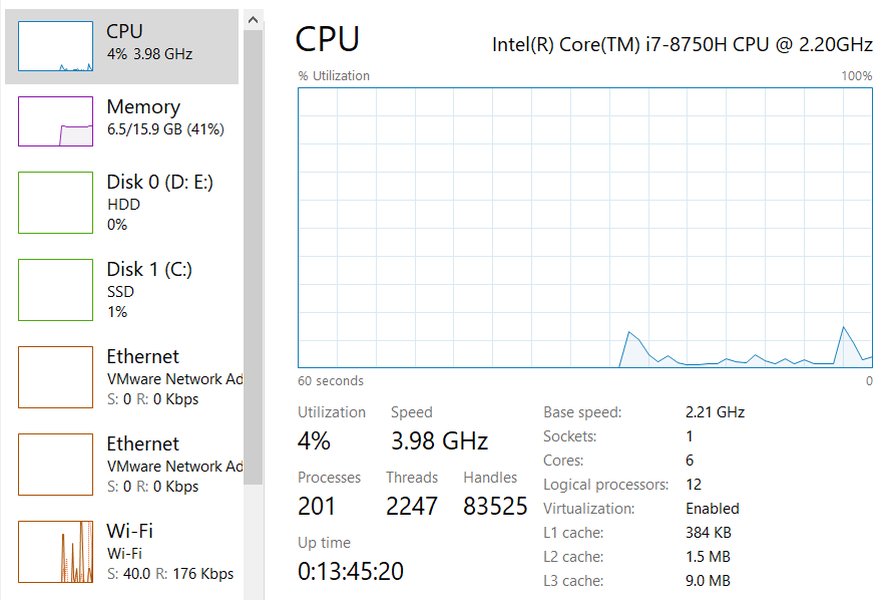
Visual representation of CPU usage monitoring, crucial for assessing system health.
The <50% Guideline
Several expert sources and enterprise best practices, including guidelines for server environments, suggest that CPU utilization should ideally remain below 50% during normal operations if an upgrade is being planned. This threshold is not arbitrary; it ensures that:
- Sufficient Resources for Upgrade Tasks: The upgrade process itself, whether installing new hardware drivers, migrating operating systems, or configuring new software, can be CPU-intensive. Starting with low utilization prevents the upgrade from overwhelming the system.
- Stability: A CPU that isn't already strained is less likely to encounter issues or cause instability during the sensitive period of an upgrade.
- Post-Upgrade Performance: If the upgrade is for general enhancement rather than fixing an overloaded CPU, having headroom ensures the newly configured system can handle future demands and software.
What if CPU Usage is Higher?
If CPU usage consistently hovers above 70-80%, it's a strong indicator that the CPU is a performance bottleneck. While this situation clearly signals the *need* for an upgrade, planning the upgrade process itself requires more caution. In such scenarios, the upgrade is more about remediation. For proactive planning and ensuring a smooth upgrade experience, aiming for sustained usage below 50% is the preferred approach.
Disk Utilization: Managing Your Data Flow
The Importance of Disk Space and Activity Levels
Disk utilization refers to how much of your storage capacity is being used and how busy your disk is with read/write operations. High disk usage, especially 100% disk activity, can cripple system performance, leading to extremely slow application loading times and overall unresponsiveness. Similar to CPU usage, a lower disk utilization baseline is beneficial when planning upgrades.
The <50% Guideline for Disks
For disk usage, the recommendation to stay below 50% utilization also holds, particularly for systems undergoing upgrades. This applies to both storage capacity (having more than 50% free space) and disk activity (average I/O operations not maxing out the disk's capability).
- Space for Temporary Files and Operations: Upgrades often require temporary storage space for installation files, backups, and system restore points. Insufficient free space can halt an upgrade.
- Smooth Data Migration: If the upgrade involves a new storage drive, having low activity on the source drive can make data migration faster and less prone to errors.
- Preventing I/O Bottlenecks: A disk that is constantly busy (high active time) will slow down any additional tasks, including those related to the upgrade. Keeping disk activity below 50% ensures adequate I/O bandwidth.
Persistent 100% disk usage is a critical issue often indicating a failing hard drive, insufficient RAM (leading to excessive paging), or the need for an upgrade to a faster Solid State Drive (SSD). Addressing this should be a priority before or as part of the upgrade.
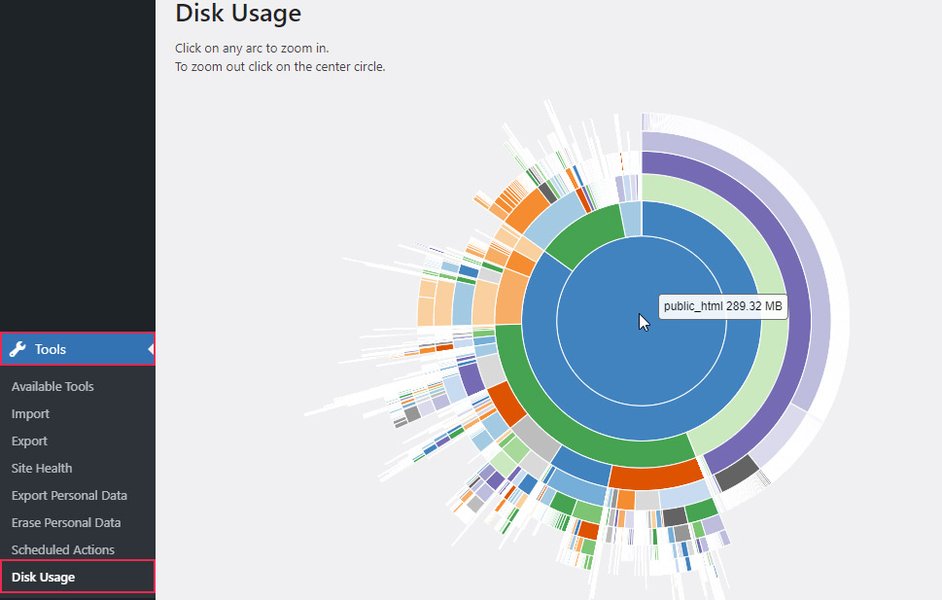
An example of a disk usage monitoring tool, highlighting the importance of tracking storage health.
Visualizing Upgrade Readiness: Resource Utilization Factors
Comparative Analysis of Different Utilization Levels
To better understand how different resource utilization levels impact upgrade planning, the radar chart below assesses key factors such as System Stability, Performance Headroom, Upgrade Process Smoothness, Risk Mitigation, and Future Scalability. It compares three scenarios: utilization below 50%, between 50-70%, and above 70%. As shown, maintaining utilization below 50% consistently scores highest across all critical factors for a successful and low-risk upgrade strategy.
This chart illustrates that lower utilization levels significantly enhance the prospects for a smooth and effective upgrade, providing better stability, more headroom for operations, and reduced risks.
Mapping Out Upgrade Considerations
Key Factors in CPU and Disk Usage for System Enhancements
The decision to upgrade involves evaluating several interconnected factors related to CPU and disk performance. The mindmap below outlines these critical considerations, emphasizing the recommended thresholds and the implications of varying utilization levels. It serves as a visual guide to navigate the complexities of upgrade planning by highlighting how CPU and disk usage influences stability, performance, and the overall success of the upgrade.
This mindmap provides a structured overview of how CPU and disk utilization figures into the broader strategy of planning and executing a system upgrade effectively.
Implications of Different Utilization Levels for Upgrade Planning
A Comparative Table
To further clarify, the table below summarizes the implications of various CPU and disk utilization levels when you are in the process of planning an upgrade. It outlines the risk level and typical system state associated with each utilization bracket, reinforcing why a target of "less than 50%" is the most prudent for proactive upgrade planning.
| Utilization Level | CPU Impact for Upgrade Planning | Disk Impact for Upgrade Planning | Overall Upgrade Readiness & Risk |
|---|---|---|---|
| < 50% | Ideal: Ample processing headroom for upgrade tasks. Low risk of CPU-related slowdowns or instability during the upgrade. | Ideal: Sufficient I/O capacity and free space for data operations, temporary files, and backups. Low risk of disk-related issues. | High Readiness / Low Risk: System is well-prepared for a smooth upgrade process. |
| 50% - 70% | Caution: CPU is moderately busy. Monitor closely. Upgrade processes might add noticeable stress. Potential for slight slowdowns. | Caution: Disk may experience I/O bottlenecks during intensive data transfers or if free space is borderline. Monitor activity and space. | Moderate Readiness / Medium Risk: Proceed with caution. Ensure backups are thorough. May need to optimize system before upgrade. |
| 70% - 90% | High Risk: CPU is likely an existing bottleneck. Upgrade itself is needed to alleviate this. Significant risk of slowdowns or instability during the upgrade if not managed. | High Risk: Disk performance is likely impacting system. Significant slowdowns expected during data-heavy upgrade tasks. Risk of I/O errors if disk is overworked. Upgrade to faster storage may be part of the plan. | Low Readiness / High Risk: The upgrade is more reactive. Careful planning needed to mitigate risks. Consider addressing current bottlenecks first or as a priority of the upgrade. |
| > 90% | Very High Risk: CPU is critically overloaded. System may be unstable or unresponsive. Addressing CPU bottleneck is urgent before other upgrades can be safely performed. | Very High Risk: Disk is likely causing severe performance issues or is near full capacity. System may be unresponsive. Urgent action (cleanup, drive replacement) needed. | Very Low Readiness / Very High Risk: System is in a critical state. Focus on stabilizing and resolving existing issues before proceeding with broader upgrades. |
This video discusses important considerations before deciding to upgrade your PC components, aligning with the theme of careful planning based on current system performance.
The video offers valuable insights into evaluating whether an upgrade is truly necessary and what factors to consider, including current component performance. While it doesn't specify exact utilization percentages for upgrades, it reinforces the principle of understanding your system's limits and needs before investing in new hardware. This complements the discussion on CPU and disk usage by encouraging a holistic view of your system's health and upgrade requirements.
Frequently Asked Questions (FAQ)
What is the recommended CPU and disk usage when planning an upgrade?
The generally recommended value for both CPU and disk usage when planning an upgrade is less than 50%. This provides sufficient headroom for the upgrade process and future demands.
What if my CPU or disk usage is already consistently above 50%?
If your usage is consistently above 50%, it suggests your system may already be experiencing bottlenecks. The upgrade becomes more about addressing these current performance issues. While you can still upgrade, be aware that the system has less tolerance for the additional load of the upgrade process itself. The focus might shift to upgrading the bottlenecked component (e.g., a slow CPU or HDD) as a priority.
Does the "less than 50%" rule apply to all types of systems (e.g., personal PCs vs. enterprise servers)?
Yes, it's a good general guideline for most systems, including personal PCs and enterprise servers, especially when proactive planning for stability and future capacity is a goal. Enterprise environments often have stricter monitoring and lower thresholds to ensure high availability and performance. For personal PCs, while you might tolerate higher bursts, planning an upgrade with less than 50% usage still minimizes risks and ensures a smoother process.
How can I monitor my CPU and disk usage?
Most operating systems have built-in tools:
- Windows: Task Manager (Ctrl+Shift+Esc) under the "Performance" tab.
- macOS: Activity Monitor (found in Applications > Utilities).
- Linux: System Monitor (GUI tool, varies by distribution) or command-line tools like
top,htop,iostat, anddf.
What are the risks of upgrading with high resource utilization?
Upgrading a system that is already running with high CPU or disk usage (e.g., >70%) increases several risks:
- System Instability: The additional load from upgrade processes can push an already strained system over the edge, leading to crashes or freezes.
- Upgrade Failures: Resource exhaustion can cause upgrade scripts or installations to fail.
- Data Corruption: In rare cases, instability during disk-intensive operations could lead to data corruption.
- Slow Process: The upgrade itself may take significantly longer.
Recommended Further Exploration
Delve Deeper into System Optimization and Upgrade Strategies
- How to effectively monitor CPU and disk usage for strategic upgrade planning?
- What are the key indicators that my computer hardware requires an upgrade?
- Best practices for upgrading computer components while minimizing potential risks?
- How does system RAM usage influence decisions related to hardware upgrade planning?
References
Sources and Further Reading
 aws.amazon.com
Last updated May 12, 2025