
Unlock Your Inbox: Can an AI Agent Be Built to Send Your Emails?
Explore how you can automate email tasks using existing AI tools and platforms, even without building an agent from scratch yourself.
Highlights
- Direct Creation vs. Configuration: While I, as an AI assistant, cannot personally build a custom agent for you, you can configure existing AI-powered tools and platforms to automate email sending based on your specific needs.
- Diverse Tooling Exists: A range of solutions is available, from AI-enhanced email marketing platforms and dedicated AI agent tools to flexible workflow automation software and developer frameworks for custom builds.
- Functionality Varies: These AI agents can perform tasks like drafting personalized emails, optimizing send times, automating follow-ups, managing contact lists, and ensuring compliance, depending on the chosen tool and configuration.
Understanding AI Email Agents
What Exactly Is an AI Agent for Sending Emails?
An AI email agent is essentially an automated system designed to handle various email-related tasks using artificial intelligence. Instead of manually writing and sending every message, these agents can operate autonomously or semi-autonomously based on predefined rules, triggers, or even natural language instructions. They leverage AI models, like large language models (LLMs), to understand context, generate human-like text, personalize messages, and interact with email services (like Gmail, Outlook, or via SMTP) to send emails on your behalf.
Think of it as a smart assistant dedicated to your email workflow, capable of:
- Drafting emails from simple prompts or templates.
- Personalizing content using recipient data.
- Scheduling emails for optimal delivery times.
- Sending emails automatically based on triggers (e.g., a new subscriber, an abandoned cart, a specific date).
- Managing follow-up sequences.
- Analyzing email performance.
- Sorting and categorizing incoming mail (in some advanced agents).

AI agents can act as digital assistants for email tasks.
Pathways to Your AI Email Agent
How Can You Implement AI for Sending Emails?
You have several options to achieve the functionality of an AI email-sending agent, ranging from using readily available software to building more customized solutions.
1. Leveraging AI-Enhanced Email Marketing & CRM Platforms
Many popular email marketing and Customer Relationship Management (CRM) platforms have integrated AI features into their automation workflows. These platforms are often user-friendly and designed for marketing campaigns, lead nurturing, and customer communication.
- Functionality: They allow you to set up automated email sequences triggered by user actions (e.g., website visits, purchases, sign-ups), segment audiences, and often include AI assistance for writing subject lines or email copy.
- Examples: Platforms like Brevo, Mailchimp, HubSpot Marketing Hub, Omnisend, MailerLite, Constant Contact, and Drip offer varying degrees of AI-powered automation.
- Best For: Businesses and individuals looking for robust marketing automation features with integrated AI enhancements without needing deep technical knowledge.
2. Utilizing Dedicated AI Email Agent Tools
A newer category of tools focuses specifically on AI agents for email tasks, often integrating directly with your inbox (like Gmail or Outlook).
- Functionality: These agents can perform more dynamic tasks like drafting personalized replies based on email content, managing inbox organization, automating follow-ups based on complex logic, and ensuring security compliance. Some platforms, like Microsoft's, are developing autonomous agents capable of managing records and taking actions across applications.
- Examples: Microsoft AI Agents (including capabilities within Copilot Studio), 6sense AI Email Agents, MailMaestro, Jotform AI Agent, Focusworks AI Agent, Intercom Fin AI Agent (for customer service over email), and MailAgent.ai.
- Best For: Users needing more intelligent, context-aware automation directly within their email workflow or specific tasks like AI-powered sales outreach or customer support.
3. Workflow Automation Platforms (Low-Code/No-Code)
Platforms like n8n or Zapier act as connectors, allowing you to link different applications and services, including AI models and email providers, to create custom automations with minimal coding.
- Functionality: You can visually build workflows where a trigger (e.g., a new entry in a database) prompts an AI model (like OpenAI's GPT) to generate an email, which is then sent via Gmail, Outlook, or an SMTP service.
- Examples: n8n (offers more flexibility and self-hosting options), Zapier (known for its vast number of integrations).
- Best For: Users who want more customization than standard email platforms offer but prefer a visual, low-code approach instead of traditional programming.
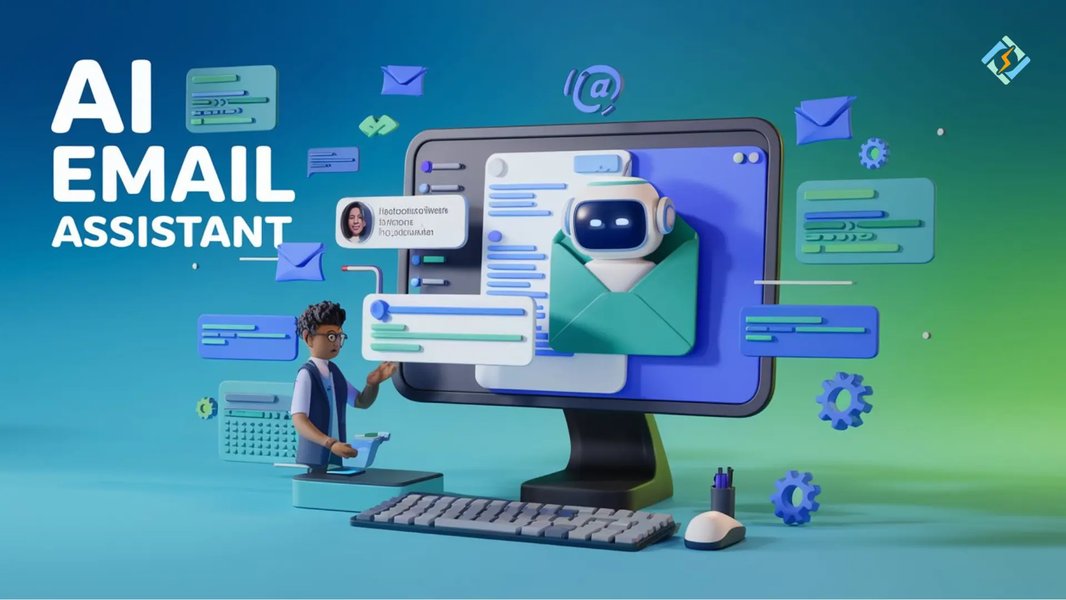
Visual representation of AI enhancing email productivity.
4. Building a Custom Agent (Requires Technical Skills)
For highly specific needs or maximum control, you can build a custom AI email agent using programming languages and frameworks.
- Functionality: This approach offers complete control over the agent's logic, data sources, and integrations. You can use libraries to interact with LLMs and email APIs directly.
- Tools/Frameworks: Python is commonly used, often with libraries like LangChain or LangGraph (for building complex agentic workflows), OpenAI's API (or other LLM providers), and email libraries/APIs (like smtplib in Python, SendGrid API, Mailgun API, Resend API, Gmail API).
- Best For: Developers or organizations with technical resources who require bespoke functionality not available in off-the-shelf tools.
Visualizing the Landscape: AI Email Agent Approaches
Understanding Your Options at a Glance
The best approach depends on your technical comfort, budget, and specific requirements. This mindmap illustrates the core concepts and pathways involved in setting up an AI agent for sending emails.
(e.g., Mailchimp, Brevo, HubSpot)"] id2a1["Focus: Marketing & CRM"] id2a2["Ease of Use: High"] id2b["Dedicated AI Agent Tools
(e.g., Microsoft Agents, 6sense, MailMaestro)"] id2b1["Focus: Specific Email Tasks"] id2b2["Ease of Use: Medium to High"] id2c["Workflow Automation
(e.g., n8n, Zapier)"] id2c1["Focus: Integration & Custom Flows"] id2c2["Ease of Use: Medium (Low-Code)"] id2d["Custom Development
(e.g., Python, LangChain, APIs)"] id2d1["Focus: Bespoke Solutions"] id2d2["Ease of Use: Low (Requires Coding)"] id3["Key Components"] id3a["AI Model (LLM)
(e.g., GPT, Claude)"] id3b["Email Service/API
(e.g., Gmail, Outlook, SendGrid)"] id3c["Automation Logic/Workflow Engine"] id3d["Data Source (Optional)
(e.g., CRM, Database)"] id4["Important Considerations"] id4a["Security & Privacy"] id4b["Email Deliverability
(SPF, DKIM, DMARC)"] id4c["Compliance (GDPR, CAN-SPAM)"] id4d["Cost"] id4e["Human Oversight"]
Comparing Implementation Methods
Choosing the Right Path for Your Needs
Different methods for implementing an AI email agent offer trade-offs between ease of use, customization potential, cost, and the technical skill required. The radar chart below provides a comparative overview based on these factors. Higher scores indicate better performance in that category (e.g., a higher score for 'Ease of Use' means it's easier to implement).
Note: This chart represents a generalized comparison. Actual values may vary based on the specific tool within each category and the complexity of the project. 'Cost-Effectiveness' considers initial setup and potential subscription fees; long-term costs may differ. 'Technical Skill Required' is inverted for plotting; a higher score means less skill is needed.
Exploring Available Tools & Platforms
A Selection of Solutions for AI Email Automation
Numerous tools can help you set up AI-driven email sending. The table below compares some frequently mentioned options across different categories, highlighting key aspects relevant to creating an email-sending agent.
| Tool/Platform | Category | Primary Use Case | AI Features | Ease of Use | Customization | Integration |
|---|---|---|---|---|---|---|
| Brevo | Email Marketing Platform | Marketing automation, CRM | AI assistant for copy, automation workflows, send time optimization | High | Medium | Websites, CRM, E-commerce |
| Mailchimp | Email Marketing Platform | Marketing campaigns, CRM | AI content generation, predictive segmentation, send time optimization | High | Medium | E-commerce, Analytics, Social |
| Microsoft Copilot Studio / AI Agents | Dedicated AI Agent Tool | Business process automation within M365 | Autonomous task execution (incl. email), workflow building, data integration | Medium-High (within M365) | High (within ecosystem) | Microsoft 365, Dynamics 365, custom APIs |
| 6sense AI Email Agents | Dedicated AI Agent Tool | Sales outreach, B2B prospecting | AI-crafted sequences, personalization, automated follow-ups, inbox warming | Medium-High | Medium | CRM, Sales tools |
| n8n | Workflow Automation (Low-Code) | Connecting APIs, building custom workflows | Integrates with any AI API (OpenAI, etc.), flexible logic building | Medium | Very High | Hundreds of apps, APIs, Databases |
| Zapier | Workflow Automation (No-Code) | Connecting web apps | Integrates with AI tools, simple trigger-action workflows | Very High | Medium | Thousands of apps |
| LangChain / LangGraph (with Python) | Development Framework | Building custom AI applications | Full control over AI models, agent logic, complex chains | Low (Requires Coding) | Maximum | Any API, Database, Service |
| MailAgent.ai | Dedicated AI Agent Tool | AI-powered email automation | AI email generation, campaign management | Medium-High | Medium | Email providers |
This table provides a snapshot; features and pricing are subject to change. Always check the provider's website for the most current information.
See It in Action: Building an Email Agent
Tutorial Example Using n8n
Visualizing the process can be helpful. This video demonstrates how to build an AI agent to automate emails using n8n, a popular low-code workflow automation tool. It showcases connecting AI models with email services like Gmail to handle tasks such as sending, retrieving, and even replying to emails based on natural language prompts or defined triggers. This provides a practical look at how you can create sophisticated email automations without extensive programming knowledge.
Video Credit: Liam Ottley via YouTube. Demonstrates building an AI email agent in n8n.
Important Considerations
Factors to Keep in Mind
When setting up an AI agent to send emails, several critical factors need attention:
- Security and Privacy: Ensure the tools and workflows you use handle data securely, especially personal information. If connecting to your inbox, use secure authentication methods (like OAuth). Some AI agents offer features like email encryption.
- Compliance: Adhere to regulations like GDPR (General Data Protection Regulation) and CAN-SPAM Act. This includes obtaining consent, providing clear unsubscribe options, and identifying messages appropriately.
- Email Deliverability: To avoid landing in spam folders, ensure proper email authentication (SPF, DKIM, DMARC records) is set up for your sending domain. Some tools offer features like inbox warming or domain rotation to build and maintain sender reputation.
- Accuracy and Oversight: While AI can draft compelling emails, it might occasionally misinterpret prompts or context. Implement checks or approval steps, especially for sensitive communications. Human oversight remains valuable.
- Cost: Solutions range from free tiers or open-source options (like n8n self-hosted) to significant subscription fees for advanced platforms or high-volume sending and AI API usage. Factor in all potential costs.
While speed is a benefit, ensuring deliverability and compliance is key.
Frequently Asked Questions (FAQ)
Common Questions About AI Email Sending Agents
Do I need coding skills to create an AI email agent?
Not necessarily. While building a fully custom agent from scratch requires programming knowledge (e.g., Python), many options exist for non-coders. Email marketing platforms with AI features, dedicated AI agent tools, and low-code/no-code platforms like n8n or Zapier allow you to set up sophisticated email automation using visual interfaces and pre-built integrations.
What are the typical costs involved?
Costs vary widely. Some platforms (like Brevo, Omnisend, Mailchimp) offer free tiers with limitations. Workflow automation tools like n8n can be self-hosted for free (paying only for server costs) or have paid cloud plans. Dedicated AI tools and advanced platforms often have subscription fees based on usage, features, or contact list size. Additionally, using AI models via API (like OpenAI's) incurs costs based on the amount of text processed.
Can these agents send personalized emails in bulk?
Yes, many AI email tools are specifically designed for sending personalized emails at scale. They can use data from your contact list or CRM (like names, company info, past interactions) to tailor messages automatically. Tools focused on sales outreach (e.g., 6sense, Mails.ai) excel at this, leveraging AI to craft unique-feeling emails for large lists.
How secure is it to give an AI agent access to my email?
Security depends on the platform and how you grant access. Reputable tools use secure methods like OAuth 2.0 for connecting to services like Gmail or Outlook, which is generally safer than sharing your password. Always review the permissions requested by the tool. Look for platforms that prioritize security features like encryption and compliance certifications. Consider the sensitivity of the information in your emails when deciding which tool to use and what level of access to grant.
Recommended Next Steps
- Compare AI email automation platforms suitable for small business needs.
- Learn how to specifically set up n8n to generate and send emails using an AI model like OpenAI.
- Explore best practices to ensure your automated emails reach the inbox and avoid spam filters.
- Understand the potential security risks associated with using AI tools that access your email account.
References
Last updated May 5, 2025