
Want to Create a Heartfelt "She Loves You" Video? Discover How!
Unlock the secrets to crafting a memorable video message from your girlfriend, filled with love and personal touches.
Creating a video where your girlfriend expresses her love for you can be an incredibly romantic and cherished gift. While I can't directly create this video for you, I can guide you through various methods and tools available as of May 16, 2025, to help you produce a beautiful and personal message.
Key Insights: Crafting Your Romantic Video
- Authenticity is Key: The most heartfelt videos often use real footage or photos of your girlfriend. Consider asking her to record a message or compile your shared memories.
- Powerful Editing Tools: Numerous user-friendly online video editors (like FlexClip, VEED.io, and Canva) can help you add music, text, and special effects, even if you're a beginner.
- AI-Powered Creativity: For a more novel approach, AI video generators can create animated or virtual representations delivering your message, offering a unique, quick alternative.
Choosing Your Path: Real Media vs. AI Generation
There are two primary approaches to creating a video of your girlfriend saying "I love you." Each offers distinct advantages depending on your resources and desired outcome.
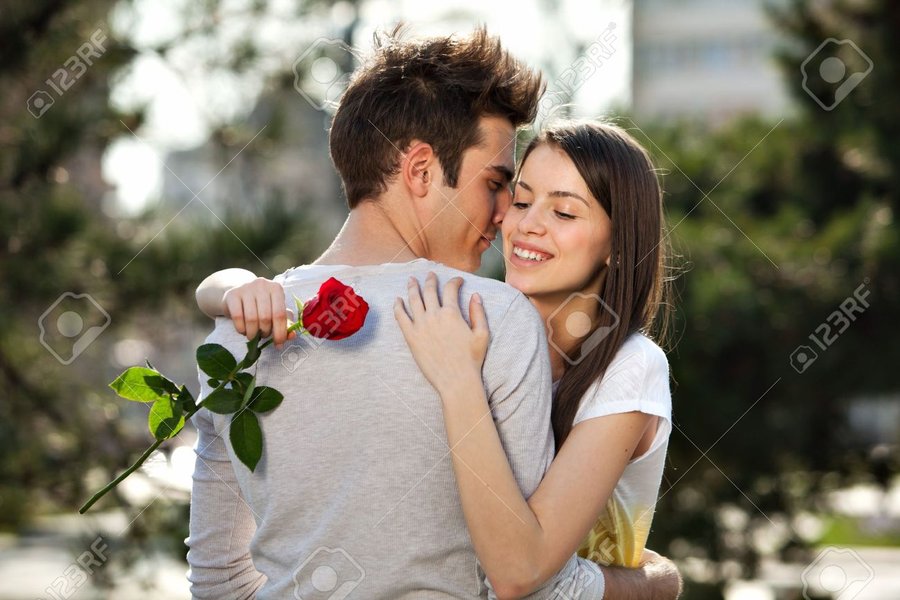
A romantic gesture can be beautifully captured in a personalized video.
1. Leveraging Real Footage and Photos
This method focuses on using genuine moments and expressions, leading to a highly personal and emotionally resonant video.
Recording a Direct Message
The most straightforward way is to gently ask your girlfriend to record a short video message for you on her smartphone or camera. She can express her feelings in her own words, making it uniquely hers. Guide her through it if she's camera-shy, ensuring she feels comfortable.
Compiling Existing Memories
Gather your favorite photos and video clips of you and your girlfriend. These could be from special occasions, trips, or everyday moments that highlight your relationship. You can then weave these into a narrative that culminates in an "I love you" message, perhaps through text overlays or a voiceover.
Video Editing Software
Once you have your raw material (either a direct recording or a collection of media), video editing tools come into play. Platforms like:
- FlexClip: Known for its romantic video templates and ease of merging photos/videos with music and text.
- VEED.io: Offers a simple, fast online editor with options for text, music, stickers, and voiceovers.
- Canva: A versatile design tool that includes a user-friendly video editor with many templates and customization options.
- Typito: Provides romantic video templates and straightforward editing features.
- Fastreel by Movavi: An easy-to-use editor for creating love-themed videos from photos and clips.
These tools allow you to add romantic background music, text animations (like "I love you" appearing on screen), transitions between clips, and other effects to enhance the video's emotional impact.
2. Exploring AI-Generated Videos
If obtaining real footage is challenging, or if you're looking for a more creative or futuristic approach, AI video generation offers an alternative. These tools create a video of a virtual character or animation delivering your specified message.
How AI Video Generators Work
AI tools like PopAi, APOB AI, or those found on platforms like yce.perfectcorp.com and Creatify.ai can generate videos based on text prompts. You would typically:
- Input the message you want conveyed (e.g., "I love you").
- Describe the desired appearance of the virtual character (some tools allow customization to vaguely resemble someone, but ethical use is paramount).
- Choose a voice style, emotional tone, and sometimes background elements.
- The AI then generates a video with a lifelike character speaking the message, often with synchronized lip movements.
This creates a unique, digital representation. While it's not your actual girlfriend, it can be a fun and innovative way to receive a loving message, especially if used playfully or as a surprise element.
Considerations for AI Videos
It's important to remember that this creates a simulation. The result can be impressive, but it won't carry the same personal history and authenticity as a video featuring your actual girlfriend. Always use such tools responsibly.
Visualizing Your Options: Approach Comparison
To help you decide which path is best for you, the radar chart below compares the "Real Media" and "AI-Generated" approaches across several key factors. A higher score indicates a stronger performance in that category. Both methods have their unique strengths.
This chart illustrates that real media excels in authenticity and emotional impact, while AI generation offers novelty and faster initial setup if you don't have readily available footage.
Step-by-Step Guide to Creating Your Video
Regardless of the approach you choose, here’s a general process to follow:
- Decide on the Type of Video: Will it be based on real footage, AI-generated, or a mix?
- Gather Your Materials:
- For real media: Collect photos, video clips, or the recording from your girlfriend.
- For AI: Prepare the text prompt and any descriptive details for the AI.
- Choose Your Tool: Select a video editor (e.g., FlexClip, VEED.io) or an AI video generator (e.g., PopAi) based on your needs and comfort level. Many offer free trials or basic versions.
- Create and Customize:
- Upload your media or input your prompts.
- Arrange clips, add text overlays (like "I love you," names, dates, or sweet messages).
- Incorporate romantic background music. Many tools have libraries of royalty-free music.
- Apply filters, transitions, stickers (hearts, sparkles), or animations to enhance the visual appeal.
- If using a voiceover, record it or use text-to-speech features if available.
- Preview and Refine: Watch your draft video to see if it flows well and conveys the intended emotion. Make any necessary adjustments.
- Export Your Video: Once satisfied, export the video in a suitable format (MP4 is common) and resolution (e.g., 1080p for good quality).
- Share Your Creation: Surprise your girlfriend with the video! You can send it privately, share it on a special occasion, or even play it as part of a romantic date.
Capture the essence of your love story through a personalized video.
Mapping Your Video Creation Journey
The mindmap below provides a visual overview of the different paths and key steps involved in creating a video message of your girlfriend expressing her love.
(e.g., FlexClip, VEED.io, Canva)"] id1c1["Add Romantic Music"] id1c2["Add Text Overlays
('I love you', personal notes)"] id1c3["Apply Effects & Transitions"] id2["AI-Generated Video"] id2a["AI Video Generator Platforms
(e.g., PopAi, APOB AI)"] id2b["Input Text Prompt
(e.g., 'I love you')"] id2c["Customize Virtual Avatar
(Appearance, Voice)"] id2d["Ethical Considerations &
Managing Expectations"] id3["General Production Steps"] id3a["1. Decide Video Type & Approach"] id3b["2. Gather Materials or Define Prompts"] id3c["3. Select Appropriate Tool/Software"] id3d["4. Customize (Edit, Add Elements)"] id3e["5. Preview & Refine"] id3f["6. Export Final Video"] id3g["7. Share with Love!"]
This map helps to visualize the decision points and creative elements you can incorporate into your project.
Popular Video Editing Tools: A Quick Comparison
Here's a table summarizing some popular online video editing tools that are well-suited for creating romantic videos. Most offer free plans with optional upgrades for more features.
| Tool | Key Features for Romantic Videos | Ease of Use | Typical Pricing Model |
|---|---|---|---|
| FlexClip | Romantic templates, photo/video merge, music library, text animations, slideshow maker. | User-friendly, drag-and-drop. | Free plan with limitations; Paid plans for more features & HD exports. |
| VEED.io | Online editor, add text, music, voiceover, stickers, transitions, screen recorder. | Very easy, browser-based. | Free plan with watermark; Paid plans for watermark removal & advanced features. |
| Canva | Vast template library (including video), stock media, text effects, animation tools, collaborative features. | Intuitive, suitable for beginners. | Generous free plan; Pro plan for premium assets & features. |
| Typito | Text overlays, brand kit, motion graphics, music library, easy captioning. | Simple interface, good for text-heavy videos. | Free plan with limitations; Paid plans for more uploads & features. |
| Fastreel by Movavi | Online video templates (including love themes), basic editing tools, music. | Straightforward, quick edits. | Free with watermark; Paid option for watermark-free videos. |
Choosing the right tool often comes down to personal preference and the specific features you need. Many offer free trials, so you can experiment before committing.
Inspirational Guide: Making a Video for Your Loved One
Sometimes, a little guidance on the creative process can spark great ideas. The video below offers tips on how to make a video for someone special, which can be adapted for your specific "she loves me" theme.
This video, "HOW TO MAKE A VIDEO FOR YOUR GIRLFRIEND...", provides general inspiration on creating personalized video messages. While it may not cover AI tools specifically, the principles of heartfelt content creation are universal. Consider how you can apply these ideas to your own project, focusing on what makes your relationship unique.
Important Considerations for Your Project
Consent and Authenticity
If you're using real photos or videos of your girlfriend, especially a direct recording of her, ensure you have her comfort and consent, particularly if you plan to share it beyond just the two of you. The most meaningful videos come from a place of mutual understanding and joy.
Free vs. Paid Tool Features
Many video editing tools offer free versions. These are great for trying out the platform but may come with limitations like watermarks on the final video, restricted access to premium templates or features, or lower export quality. Paid plans usually unlock these and offer more storage or higher resolution outputs.
Time and Effort
While some simple videos can be made in minutes, especially with AI tools, a more personalized video with custom edits, music selection, and multiple clips will take more time and effort. Plan accordingly to create something you're both proud of.
Frequently Asked Questions (FAQ)
Can AI create a realistic video of *my specific* girlfriend saying "I love you"?
Current AI video generators primarily create videos of virtual or animated characters. While you can customize their appearance and voice to some extent based on your descriptions, they cannot perfectly replicate your specific girlfriend unless you are using advanced deepfake technology (which has significant ethical and legal implications and is not recommended or supported by standard tools). The AI tools discussed here are more about creating a *representation* that delivers a message, or using existing footage you provide if the tool is an editor.
What is the easiest type of tool for a beginner to use?
For beginners, online video editors with drag-and-drop interfaces and pre-made templates are usually the easiest. Tools like Canva, FlexClip, and VEED.io are designed to be user-friendly. They often have tutorials and simple layouts, allowing you to quickly upload media, add text, and choose music without needing prior video editing experience.
How long will it take to create such a video?
The time can vary greatly. A simple AI-generated video might take only a few minutes once you've chosen a tool and written your prompt. A video compiled from photos and short clips with basic text and music using an online editor could take anywhere from 30 minutes to a few hours, depending on your familiarity with the tool and the complexity of your edits. More elaborate projects with many clips, custom animations, and precise timing will naturally take longer.
Are these video creation tools free to use?
Most of the mentioned online video editors (FlexClip, VEED.io, Canva, Typito, Fastreel) and some AI video generators offer free plans. These free versions are a good way to start but often come with limitations, such as watermarks on the output video, restricted access to certain features or templates, lower video quality, or limits on video length or file storage. To remove these limitations and access full capabilities, you typically need to subscribe to a paid plan.
Recommended Next Steps & Further Exploration
To delve deeper into creating the perfect romantic video, consider exploring these related queries:
- What are the best royalty-free music sources for romantic videos?
- How to write a heartfelt script for a love message video?
- Tips for making a surprise anniversary video for my partner?
- Ethical considerations when using AI to generate videos of people?
References
The information and tools mentioned are based on resources available up to May 16, 2025. For more details, you can visit the respective websites:
Last updated May 16, 2025