
Unlock the Secrets to Crafting a Memorable Logo From Idea to Icon
Your comprehensive guide to navigating the logo design journey, from initial concept to final masterpiece, even if you're starting with a blank slate.
While I, Ithy, as an AI assistant, cannot directly "draw" or visually render a logo for you in the way a human designer uses graphic software, I can intelligently guide you through the entire process of creating a logo from scratch. Think of me as your knowledgeable partner in this creative endeavor, providing the steps, insights, and tool recommendations you need to bring your brand's visual identity to life.
Key Insights for Your Logo Creation Journey
- Understand Your Brand First: A successful logo is built on a deep understanding of your brand's mission, values, target audience, and unique selling propositions. This foundational step is non-negotiable.
- The Power of Iteration: Logo design is rarely a linear process. Expect to sketch, digitize, refine, and seek feedback multiple times. Each iteration brings you closer to the perfect design.
- Choose the Right Tools for Your Skill Level: Whether you're a seasoned designer or a complete novice, there's a design tool out there for you. From professional-grade software to intuitive online logo makers, selecting the appropriate tool is key.
The Blueprint: A Step-by-Step Guide to Creating Your Logo
Creating a logo from scratch is a structured yet creative process that transforms an idea into a visual symbol representing your brand. It involves several distinct stages, from understanding your brand's essence to finalizing a design that resonates with your audience and works across various platforms.
Phase 1: Laying the Groundwork – Brand Discovery and Research
1. Define Your Brand Identity
Before you even think about shapes or colors, you must deeply understand what your logo needs to communicate. Ask yourself:
- What is the mission and vision of my brand/business?
- Who is my target audience (demographics, psychographics)?
- What are my core brand values and personality (e.g., modern, classic, playful, sophisticated, trustworthy)?
- What message or feeling do I want the logo to evoke?
- What makes my brand unique compared to competitors?
Creating a design brief that documents these aspects can be incredibly helpful as a roadmap for your design process.
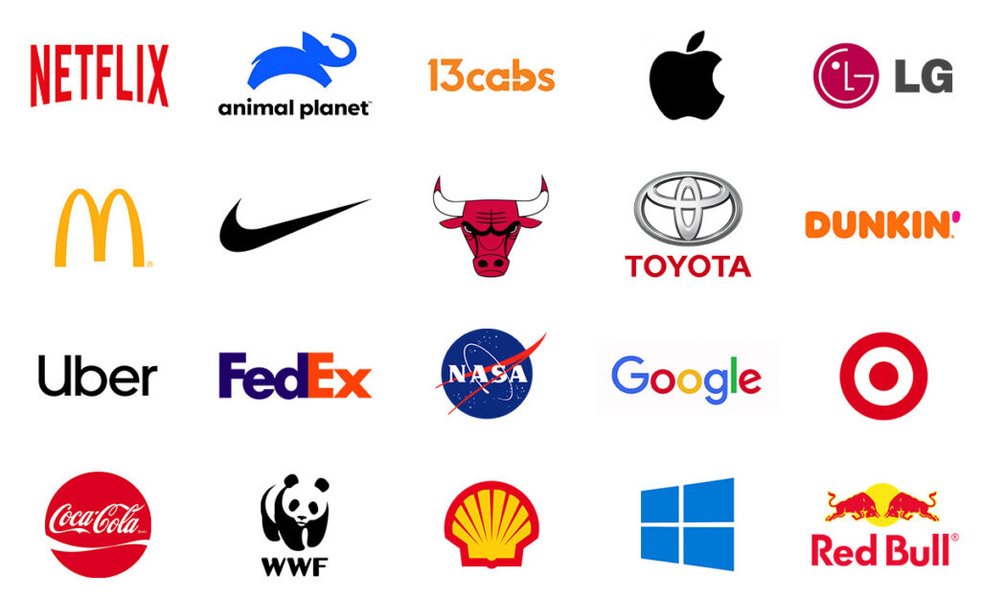
A collection of modern logos demonstrating simplicity and impact, often a goal in brand identity.
2. Research and Inspiration Gathering
With a clear understanding of your brand, it's time to look for inspiration. Explore:
- Competitor Logos: Analyze what logos in your industry look like. Identify common trends, but more importantly, find ways to differentiate your brand.
- Design Trends: Look at current logo design trends, but be cautious. Trends fade, and a good logo should be timeless.
- Mood Boards: Collect images, color palettes, type styles, and other visual elements that resonate with your brand's desired look and feel. Websites like Pinterest can be excellent for this.
3. Choose Your Logo Style
Logos generally fall into several categories. Understanding these can help you decide on a direction:
- Wordmarks (or Logotypes): Font-based logos that focus on the business name itself (e.g., Google, Coca-Cola).
- Lettermarks (or Monogram Logos): Typographic logos consisting of initials (e.g., IBM, HBO).
- Pictorial Marks (or Logo Symbols): Icon-based or graphic-based designs (e.g., Apple's apple, Twitter's bird).
- Abstract Marks: A specific type of pictorial logo that uses an abstract geometric form rather than a recognizable image (e.g., Pepsi, Nike).
- Mascots: Logos that involve an illustrated character (e.g., KFC's Colonel Sanders).
- Combination Marks: Comprised of a combined wordmark or lettermark and a pictorial mark, abstract mark, or mascot (e.g., Burger King, Lacoste).
- Emblems: Feature the font inside a symbol or icon; think badges, seals, and crests (e.g., Starbucks, Harley-Davidson).
Phase 2: Conceptualization and Design – Bringing Ideas to Visual Form
4. Sketch Your Ideas
This is a crucial brainstorming step. Don't aim for perfection; the goal is to generate a wide range of concepts quickly. Grab a pen and paper (or a digital sketching tool) and start drawing. Try to create at least 10-20 different rough sketches. Experiment with different combinations of symbols, text, and layouts based on your chosen style(s).
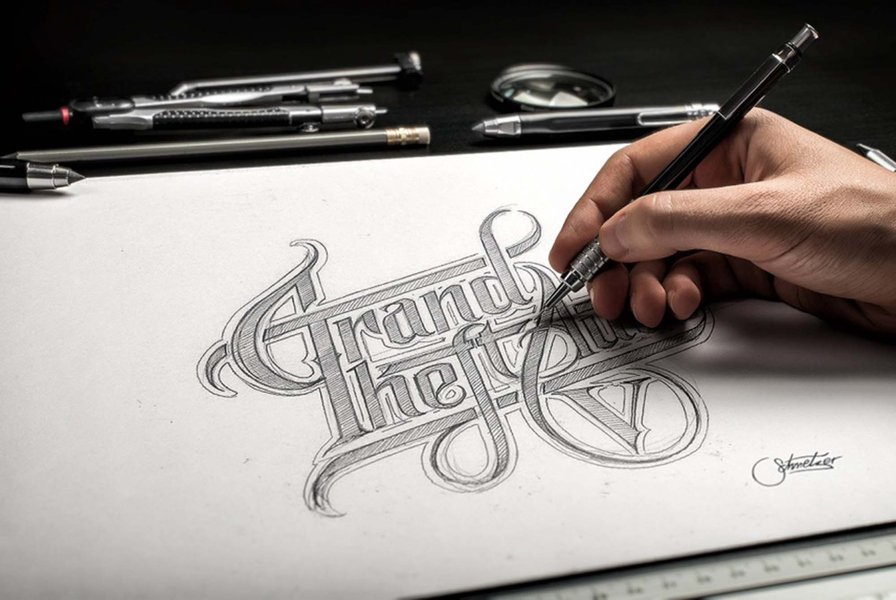
Initial logo concepts often begin as hand-drawn sketches, allowing for rapid ideation.
5. Select Your Design Tools
Once you have some promising sketches, it's time to digitize them. The tool you choose will depend on your budget, design skills, and desired level of control:
- Professional Vector Graphics Software:
- Adobe Illustrator: The industry standard for logo design. It offers unparalleled precision and flexibility for creating scalable vector graphics. It has a steeper learning curve and is subscription-based.
- Affinity Designer: A powerful, one-time purchase alternative to Illustrator, popular among professionals.
- Inkscape: A free, open-source vector graphics editor that is quite capable, though perhaps less polished than paid alternatives.
- Online Logo Makers & Design Platforms:
- Adobe Express: Offers a user-friendly logo maker with AI assistance, templates, and design assets. Good for beginners and quick designs.
- Canva: Known for its intuitive drag-and-drop interface and vast library of templates, fonts, and elements. Offers a free tier that is very functional for logo creation.
- Looka Logo Maker: Uses AI to generate logo options based on your industry and style preferences, then provides customization tools.
- Designhill Logo Maker: Another AI-powered tool that generates logos and allows for customization.
- Shopify Logo Maker (Hatchful): A simple, free tool geared towards entrepreneurs needing a quick logo.
6. Digitize and Develop Your Chosen Concepts
Translate your strongest sketches into digital format using your chosen software. This is where you start refining shapes, lines, and proportions. If you're using vector software, ensure all elements are vector-based so the logo can be scaled to any size without losing quality. This is critical for versatility across different applications (e.g., business cards, websites, billboards).
Phase 3: Refinement and Finalization – Polishing Your Design
7. Choose Colors and Typography Deliberately
Colors: Colors evoke emotions and carry cultural significance. Research color psychology and choose a palette (typically 1-3 colors) that aligns with your brand's personality and message. Ensure your logo also works well in black and white.
Typography: The font(s) you select are just as important as your imagery. Choose typefaces that are legible, reflect your brand's tone (e.g., serif for traditional, sans-serif for modern), and complement any graphical elements. Avoid using too many different fonts.
8. Refine, Iterate, and Simplify
This stage involves meticulous tweaking. Pay attention to:
- Balance and Proportion: Ensure all elements are harmoniously arranged.
- Scalability: Test how your logo looks at very small and very large sizes.
- Versatility: Check how it appears on different backgrounds (light and dark).
- Simplicity: Often, the most iconic logos are simple and easily recognizable. Remove any unnecessary elements.
9. Get Feedback
Once you have a few strong digital versions, share them with trusted colleagues, potential customers, or peers. Fresh eyes can offer valuable perspectives and help you identify potential issues or areas for improvement that you might have overlooked. Be open to constructive criticism.
10. Finalize and Export Your Logo
After incorporating feedback and making final adjustments, prepare your logo files. A complete logo package should include:
- Vector formats: SVG (for web), AI, EPS, PDF (for print and scalability).
- Raster formats: PNG (with a transparent background for web), JPG (for general use).
- Different color versions: Full color, black and white (monochrome), and potentially an inverted version for dark backgrounds.
- A simple brand style guide: Documenting your logo's colors (CMYK, RGB, Hex codes) and fonts can be very helpful for maintaining brand consistency.
Visualizing the Logo Design Workflow
The journey of creating a logo involves several interconnected stages, from initial ideation to the final polished design. This mindmap provides a visual overview of the typical logo design process, highlighting the key phases and considerations involved in crafting a successful brand identity.
(Mission, Values, Audience)"] id1_2["Market Research
(Competitors, Trends)"] id1_3["Choose Logo Style
(Wordmark, Symbol, etc.)"] id2["Phase 2: Creation"] id2_1["Brainstorm & Sketch Ideas
(Quantity over Quality initially)"] id2_2["Select Design Tools
(Software, Online Makers)"] id2_3["Digitize Concepts
(Vectorize for Scalability)"] id3["Phase 3: Refinement"] id3_1["Color & Typography Selection
(Psychology & Legibility)"] id3_2["Iterate & Simplify Design
(Balance, Proportions)"] id3_3["Gather Feedback
(Objective Input)"] id4["Phase 4: Finalization"] id4_1["Prepare Final Files
(Vector, Raster Formats)"] id4_2["Develop Basic Style Guide
(Color Codes, Fonts)"]
This structured approach ensures that all critical aspects of logo design are addressed, leading to a final product that is both aesthetically pleasing and strategically effective.
Comparing Logo Design Tool Capabilities
Choosing the right software or platform is pivotal in the logo design process. The following radar chart offers a comparative overview of popular logo design tools based on key attributes relevant to users with varying needs and expertise. This can help you decide which tool might be the best fit for your project, considering factors like ease of use for beginners, the depth of professional features for intricate designs, affordability, the ability to produce scalable vector outputs, and the availability of pre-designed templates to kickstart your creativity.
As illustrated, tools like Adobe Illustrator excel in professional features and scalability, making them ideal for designers seeking granular control. Conversely, platforms like Canva and Adobe Express prioritize ease of use and template availability, catering well to beginners or those needing rapid design solutions. Inkscape stands out as a cost-effective, open-source option offering robust vector capabilities. Your choice should align with your specific project requirements, skill level, and budget.
Understanding Different Logo Types
Choosing the right type of logo is a critical early decision in the design process. Each type has its strengths and is suited to different kinds of brands and messages. The table below summarizes common logo types, their characteristics, and well-known examples to help you identify which might best represent your brand.
| Logo Type | Description | Common Use Cases | Example(s) |
|---|---|---|---|
| Wordmark (Logotype) | Focuses on the brand name, using unique typography. | Brands with distinct, memorable names; new businesses wanting to build name recognition. | Google, Visa, Coca-Cola |
| Lettermark (Monogram) | Uses the brand's initials or a single letter. Effective for long or hard-to-pronounce names. | Companies with long names; brands seeking a minimalist or sophisticated feel. | IBM, NASA, HBO |
| Pictorial Mark (Symbol) | An icon or graphic-based symbol that represents the brand. Can be literal or abstract. | Well-established brands where the symbol is highly recognizable; global brands overcoming language barriers. | Apple (apple), Twitter (bird), Target (bullseye) |
| Abstract Mark | A non-representational, conceptual symbol that evokes brand attributes. | Tech companies, large corporations wanting a unique and versatile mark. | Nike (swoosh), Pepsi (circle), Chase (octagon) |
| Mascot Logo | Features an illustrated character that represents the brand. | Brands targeting families or wanting a friendly, approachable image. | KFC (Colonel Sanders), Michelin (Michelin Man) |
| Combination Mark | Integrates text (wordmark or lettermark) with a symbol (pictorial, abstract, or mascot). | Highly versatile; good for new brands building recognition for both name and symbol. | Burger King, Adidas, Lacoste |
| Emblem Logo | Text is incorporated within a shape or symbol, creating a badge-like design. | Organizations, schools, government agencies; brands wanting a traditional or classic feel. | Starbucks, Harley-Davidson, Harvard University |
Consider your brand name, industry, target audience, and desired brand personality when deciding on the most suitable logo type. Sometimes, exploring a few different types during the sketching phase can help clarify the best direction.
Visual Walkthrough: The Logo Design Process in Action
Understanding the theoretical steps is one thing, but seeing the logo design process unfold can provide invaluable insights. The video below offers a comprehensive look at how designers approach logo creation, from initial brief and idea generation through sketching, concept development, and digital illustration. It showcases practical techniques and considerations that can help you navigate your own logo design project more effectively.
This particular video, "How to Design a Logo - From Start to Finish," is helpful because it demystifies the professional workflow. It emphasizes the importance of the early stages like research and sketching, which are crucial for developing strong concepts before moving to digital tools. Observing this process can inspire your own creative approach and help you anticipate the various stages of development and refinement.
Frequently Asked Questions (FAQ)
What are the hallmarks of an effective logo? +
An effective logo is typically:
- Simple: Easily recognizable and memorable.
- Memorable: Makes a lasting impression.
- Timeless: Avoids overly trendy elements that might quickly become dated.
- Versatile: Works well across various media and applications (web, print, small, large).
- Appropriate: Resonates with the target audience and reflects the brand's industry and personality.
- Unique: Stands out from competitors and is ownable.
What are typical costs associated with logo design? +
Logo design costs can vary dramatically, from free (using DIY online tools) to tens of thousands of dollars (or more) for work by top agencies. Factors influencing cost include:
- Designer's Experience: Freelancers, small studios, and large agencies have different rates.
- Scope of Work: The number of concepts, revisions, and deliverables (e.g., full brand identity vs. just a logo).
- Research and Strategy: More in-depth strategic work commands higher fees.
- Usage Rights: The extent to which you can use the logo.
For small businesses, using online logo makers or hiring entry-level to mid-level freelancers can range from $0 to a few hundred dollars, while more established designers or studios might charge from several hundred to several thousand dollars.
Why are vector file formats crucial for logos? +
Vector files (like .SVG, .AI, .EPS) are essential for logos because they are made up of mathematical paths instead of pixels. This means:
- Scalability: They can be scaled to any size—from a tiny favicon to a massive billboard—without losing quality or becoming pixelated.
- Editability: Colors, shapes, and other elements can be easily modified without degrading the image.
- Smaller File Sizes (often): For simple graphics, vector files can be smaller than their raster counterparts.
- Print Quality: They produce crisp, clean lines for high-quality printing.
Raster files (like .JPG, .PNG) are pixel-based and will lose quality if scaled up significantly.
Can AI truly design a unique logo for my brand? +
AI logo makers can generate a wide variety of logo options quickly based on your input (industry, style preferences, colors). They are excellent for brainstorming, providing initial concepts, or creating simple logos on a budget.
However, "uniqueness" can be a concern. AI tools often pull from existing design elements and templates. While they can produce visually appealing results, they may lack the deep conceptual thinking, strategic brand alignment, and nuanced creativity that a human designer brings. For a truly unique and strategically sound logo that captures the essence of your brand, human design expertise is often invaluable. AI tools are best used as a starting point or for simpler needs, often followed by human refinement.
Recommended Next Steps
To deepen your understanding and explore related topics, consider these queries:
- What is the psychology of color in branding and logo design?
- How do I choose the right typography for my logo and brand identity?
- What are the legal considerations for trademarking a logo?
- Compare the best free online logo makers for small businesses.
References
This information was synthesized from various expert sources in logo design and branding. For further reading, you may find these resources helpful:

Last updated May 15, 2025