
Mastering the Art of Strong Passwords in the Digital Age
Your Comprehensive Guide to Creating and Managing Secure Online Credentials
Key Insights for Robust Password Security
- Length is paramount: Aim for passwords of at least 12-16 characters, as longer passwords significantly increase the time and resources required for attackers to crack them.
- Embrace complexity and randomness: Combine uppercase and lowercase letters, numbers, and special characters. Avoid predictable patterns, personal information, or dictionary words.
- Harness the power of password managers: For the ultimate in security and convenience, utilize a password manager to generate, store, and autofill unique and complex passwords for all your online accounts.
In today's interconnected world, the importance of strong passwords cannot be overstated. They serve as the primary defense line against unauthorized access to your sensitive personal and financial information. Cyber threats are constantly evolving, making it crucial to adopt robust password practices to safeguard your digital life. This guide will walk you through the essential principles of creating and managing strong passwords, offering practical tips and insights to enhance your online security.
Deconstructing the Anatomy of a Strong Password
Understanding what constitutes a strong password is the first step towards building a formidable defense against cyber adversaries. Weak passwords are like open invitations to hackers, leaving your accounts vulnerable to compromise. A strong password is one that is difficult for humans and automated programs to guess or crack.
Length: The Foundation of Strength
One of the most critical factors determining password strength is its length. The longer a password, the more combinations an attacker would need to try in a brute-force attack. While recommendations vary slightly, most security experts agree that a strong password should be at least 12 characters long, with 16 or more being even better.
Think of it this way: a shorter password, even with a mix of characters, can be cracked relatively quickly by modern computers. Adding more characters exponentially increases the time required, making your account a less appealing target for attackers.
Complexity: A Mix of Characters
Beyond length, a strong password incorporates a diverse set of characters. This includes:
- Uppercase letters (A, B, C, etc.)
- Lowercase letters (a, b, c, etc.)
- Numbers (0, 1, 2, etc.)
- Symbols (!, @, #, $, %, etc.)
Using a combination of these character types makes it significantly harder for attackers to guess your password through dictionary attacks or other common cracking methods.
Randomness: Avoiding Predictable Patterns
Perhaps the most challenging aspect for many users is creating a password that is truly random and not easily guessable. Avoid using:
- Personal information (names, birthdays, addresses, pet names)
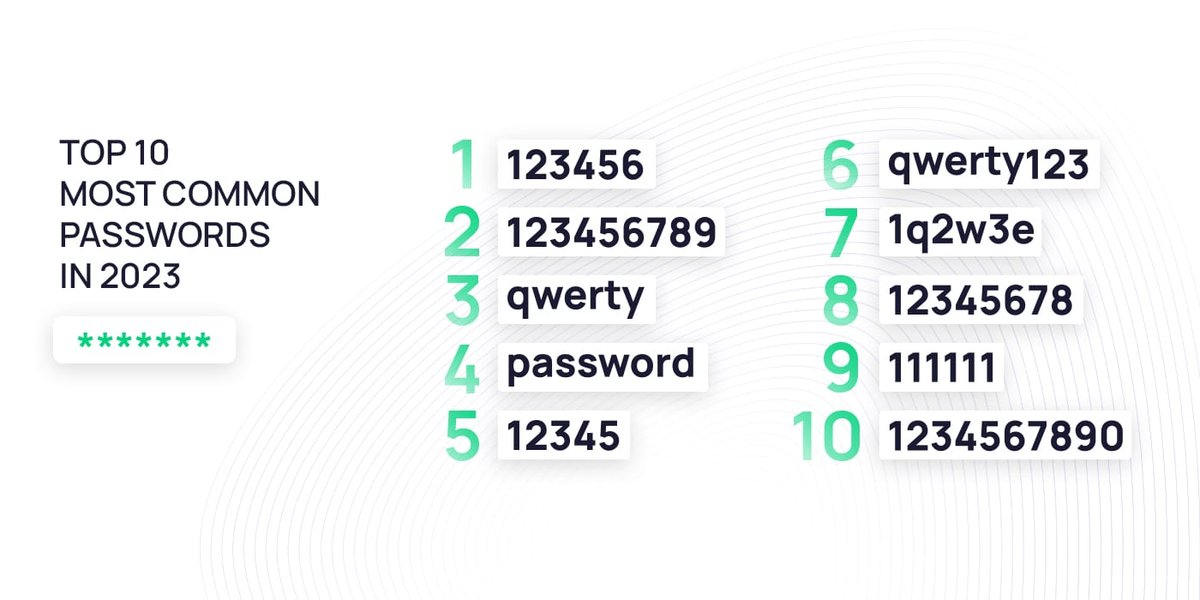
- Sequential numbers or letters (12345, abcde, qwerty)
- Common words or phrases found in dictionaries
- Repetitive patterns (aaaaaa, 112233)
Hackers often use algorithms and databases of common passwords and personal information to attempt to gain access to accounts. By creating random passwords, you significantly reduce the likelihood of your password being compromised through these methods.
Effective Strategies for Crafting Strong Passwords
Creating strong passwords that are both secure and memorable can seem like a daunting task. However, there are several effective strategies you can employ.
The Passphrase Method
Instead of thinking of a single "password," consider creating a "passphrase" – a string of several unrelated words. The randomness of the word choice, combined with the length of the phrase, makes it strong yet potentially easier to remember than a random string of characters.
For example, instead of "password123", a passphrase like "PurpleElephantDancingOnJupiter" is significantly more secure. You can further enhance the strength by adding numbers and symbols, such as "Purple.Elephant.Dancing.On.Jupiter1!".
This method is based on the idea that a longer sequence of random words is much harder to guess than a complex but short password.
Using a Password Generator
For the highest level of randomness and complexity, a password generator is an invaluable tool. These tools can create long, unique, and complex passwords that are nearly impossible for humans to guess or for computers to crack through brute-force methods.
Many password managers and online security websites offer free password generators. Simply specify the desired length and character types, and the generator will produce a strong, random password for you.
While these passwords are highly secure, they are typically difficult to remember, which brings us to the next crucial strategy.
Leveraging Password Managers
Managing multiple strong, unique passwords for all your online accounts can be overwhelming. This is where password managers become essential. A password manager is a secure application that stores all your passwords in an encrypted vault, accessible only with a single, strong master password.
Password managers can:
-
Generate strong, unique passwords for each of your accounts.
-
Securely store all your passwords in one place.
-
Automatically fill in login credentials on websites and applications.
-
Sync your passwords across multiple devices.
-
Alert you to weak or compromised passwords.
Using a password manager allows you to have a unique and complex password for every online service without the burden of remembering them all. You only need to remember one strong master password to access your password vault.
A password manager can securely store and manage your unique passwords.
Avoiding Common Password Pitfalls
Even with the best intentions, users often fall into common traps when creating passwords. Being aware of these pitfalls can help you avoid them and strengthen your online security.
Reusing Passwords
One of the most dangerous practices is reusing the same password across multiple accounts. If one of your accounts is compromised, attackers can use those credentials to gain access to all other accounts where you've used the same password. This is why having unique passwords for each service, especially for critical accounts like email and banking, is paramount.
Using Personal Information
As mentioned earlier, avoid using any information that can be easily found or guessed by someone who knows you or by looking at your social media profiles. This includes names, birthdays, anniversaries, pet names, and addresses.
Sequential or Easily Identifiable Patterns
Passwords like "123456", "qwerty", or "password" are incredibly weak and can be cracked instantly by automated tools. Avoid any obvious sequences or common words.
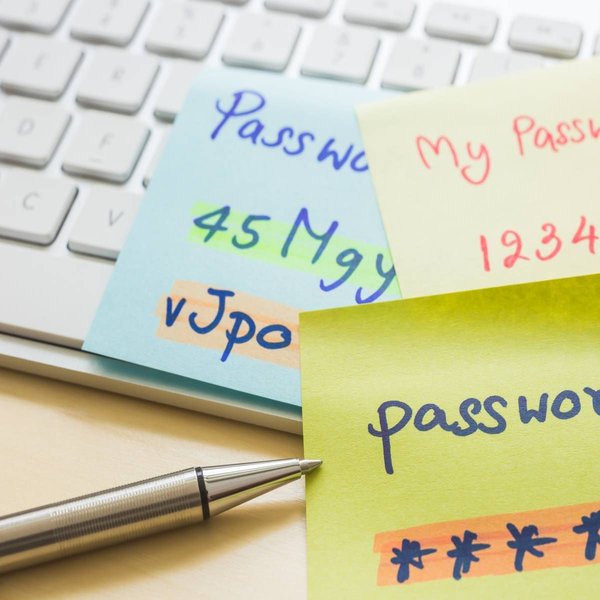
Avoid writing down passwords on physical notes, which can be easily lost or stolen.
Writing Down Passwords
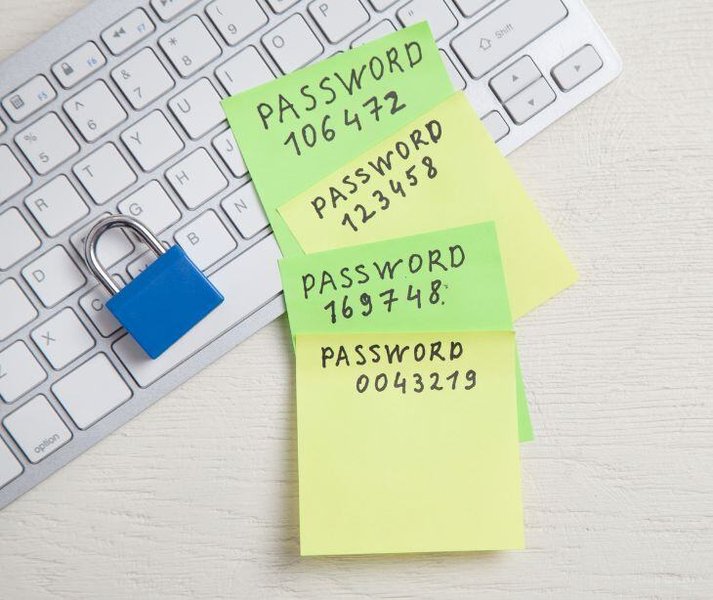
While it might seem convenient, writing down your passwords on sticky notes, in notebooks, or on your computer can expose them to theft or unauthorized access. If you struggle to remember passwords, a password manager is a much safer alternative.
Enhancing Password Security Further
Creating a strong password is a vital step, but there are additional measures you can take to enhance your overall online security.
Enable Two-Factor Authentication (2FA)
Whenever possible, enable two-factor authentication (also known as multi-factor authentication or 2FA/MFA) on your online accounts. 2FA adds an extra layer of security by requiring a second form of verification in addition to your password. This could be a code sent to your phone, a biometric scan, or a physical security key. Even if an attacker manages to obtain your password, they would still need this second factor to access your account.
Regularly Update Software and Applications
Keep your operating system, web browsers, and all applications updated. Software updates often include security patches that fix vulnerabilities that attackers could exploit to gain access to your system and potentially your stored passwords.
Be Wary of Phishing Attempts
Phishing is a common tactic used by cybercriminals to trick you into revealing your passwords or other sensitive information. Be cautious of suspicious emails, links, or websites that ask for your login credentials. Always verify the legitimacy of a website before entering your password.
Understanding Password Cracking Methods
To appreciate the importance of strong passwords, it's helpful to understand some of the common methods attackers use to crack them.
Brute-Force Attacks
In a brute-force attack, an attacker uses automated software to systematically try every possible combination of characters until they find the correct password. The longer and more complex your password, the exponentially longer this process takes, making the attack impractical.
Dictionary Attacks
Dictionary attacks involve using lists of common words, phrases, and previously breached passwords to try and guess your password. Avoiding common words and using random combinations significantly mitigates the risk of this type of attack.
Credential Stuffing
Credential stuffing occurs when attackers use lists of username and password combinations leaked from one data breach to attempt to log in to other websites. This is why using unique passwords for each account is crucial.
Phishing and Social Engineering
As mentioned earlier, attackers may try to trick you into revealing your password through deceptive emails, fake websites, or other social engineering tactics.
Brute-force attacks involve trying numerous password combinations until the correct one is found.
Password Strength in Summary
Here's a quick overview of the key characteristics of strong versus weak passwords:
| Characteristic | Strong Password | Weak Password |
|---|---|---|
| Length | 12+ characters (ideally 16+) | Short (less than 8-10 characters) |
| Character Mix | Uppercase, lowercase, numbers, symbols | Single character type or limited mix |
| Randomness | Random combination, no personal info or dictionary words | Personal information, dictionary words, predictable patterns |
| Uniqueness | Unique for each account | Reused across multiple accounts |
| Memorability Strategy | Passphrases, password manager | Based on easily remembered personal info or patterns |
Frequently Asked Questions About Strong Passwords
How often should I change my password?
The current recommendation from many security experts is to focus on creating long, strong, and unique passwords and only change them if you suspect an account has been compromised or if there has been a data breach affecting a service you use. Frequent, forced password changes can sometimes lead users to choose weaker, more easily remembered passwords or use simple variations.
Is a longer password always stronger than a more complex one?
Length is generally considered the most important factor for password strength. A very long password with only lowercase letters can still be stronger than a very short password with a mix of characters. However, the ideal strong password combines both length and complexity (a mix of character types).
Can I use a memorable sentence as a password?
Yes, using a memorable sentence or a passphrase can be a good strategy, as long as the sentence is not easily guessable and you potentially add numbers and symbols to it. The randomness and length of the phrase contribute to its strength.
What is the safest way to store my passwords?
The safest and most recommended method for storing passwords is by using a reputable password manager. Password managers encrypt your passwords and require a strong master password to access them, providing a secure and convenient solution for managing multiple strong credentials.
Are password generators truly random?
Reputable password generators use algorithms designed to produce highly random sequences of characters, making the generated passwords very difficult to predict or guess.
This video highlights the risks associated with weak passwords and the importance of creating strong ones.
References
Last updated May 6, 2025