
Unlock Professional Credibility: Your Guide to a Business Email ID
Establish your brand identity and streamline communication with a professional work email address tailored to your business needs.
Key Insights into Professional Email Setup
- Custom Domain is Paramount: A professional work email always utilizes a custom domain (e.g., yourname@yourcompany.com) to build trust and promote your brand, distinguishing it from generic personal email accounts.
- Strategic Email Host Selection: Choosing a reputable email hosting provider like Google Workspace or Microsoft 365 is crucial for robust security, advanced features, and scalability, offering benefits far beyond free alternatives.
- Structured Naming Conventions: Consistency in email address formats (e.g., firstname.lastname@company.com) across your organization enhances professionalism and simplifies management as your team grows.
Creating a professional email ID for work is a fundamental step in establishing your business's credibility and fostering effective communication. Unlike personal email addresses, a business email typically incorporates your company's domain name, such as name@companyname.com. This not only builds trust with clients and partners but also reinforces your brand identity in every interaction. The process involves selecting a suitable email host, registering a unique domain name, choosing a consistent email format, and configuring your account with essential security features.
The Foundational Pillars of a Work Email ID
A professional email address is more than just a contact point; it's a statement of your business's legitimacy and commitment to professionalism. It signals to recipients that your communication is serious and from a verifiable source, reducing concerns about phishing and cybercrime often associated with generic free email services.
Choosing and Registering Your Domain Name
The domain name is the cornerstone of your professional email identity. It's the unique identifier that comes after the "@" symbol in your email address. If your company already has a website, you should use its existing domain. If not, registering a new domain is the first critical step.
Selecting a Relevant Domain
Your domain name should clearly reflect your business or profession. For instance, if you're an accountant, a domain like @accountantpro.com could be suitable. It's often recommended to choose a domain name that matches your company name or brand for maximum recognition and consistency.
Where to Register Your Domain
Domain registrars such as GoDaddy, Namecheap, Google Domains, or even your chosen email service provider offer domain registration services. Domain names typically cost between $10 and $20 annually, though some email hosts may bundle them for free with certain plans.
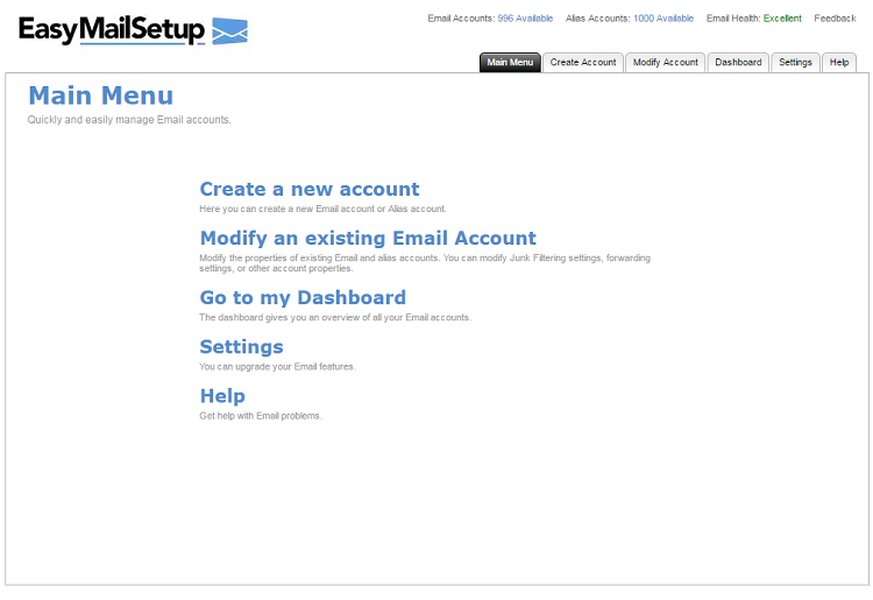
An example interface for domain and email setup, highlighting the initial steps.
Selecting a Robust Email Hosting Provider
Once you have a domain, the next crucial step is choosing an email hosting service. These providers offer the infrastructure and tools necessary to manage your business emails securely and efficiently. Opting for a dedicated business email host is paramount, as free personal email services lack the advanced features, security, and scalability required for professional use.
Leading Email Hosting Options
- Google Workspace (Gmail for businesses): This popular choice allows you to set up emails with your custom domain (e.g.,
@yourbusiness.com) and integrates seamlessly with a comprehensive suite of productivity tools like Google Drive, Calendar, and Meet. Google's servers boast high uptime, robust security, and advanced spam protection. - Microsoft 365 for Business: Similar to Google Workspace, Microsoft 365 requires your own domain name and offers deep integration with Outlook and the full suite of Microsoft Office applications (Word, Excel, PowerPoint). It provides strong security features and keeps your devices synced across various mail applications.
- Zoho Mail: A cost-effective alternative that provides solid business email features, often appealing to smaller businesses or startups looking for a balance between functionality and price.
- Web Hosting Providers: Many web hosts, such as GoDaddy or Bluehost, offer bundled domain registration and email hosting services, which can simplify the setup process if you're also building a website.
While some services offer basic free business email accounts (e.g., Mail.com with professional domains like @accountant.com), paid plans generally provide superior features, enhanced security, and better scalability. Entry-level paid plans typically cost under $10 per user per month.
Crafting Your Professional Email Identity
With your domain registered and email host selected, you'll proceed to set up your individual and departmental email accounts. Consistency in naming conventions is key to maintaining a professional image and simplifying administrative tasks.
Deciding on Your Email Address Format
The format of your email address should be professional, clear, and easy to remember. Avoid casual nicknames or excessive numbers unless absolutely necessary for distinction in very large organizations.
Common Professional Formats
firstname.lastname@yourcompany.com(e.g.,john.smith@example.com)firstname@yourcompany.com(e.g.,jane@example.com)firstinitial.lastname@yourcompany.com(e.g.,j.smith@example.com)
For larger organizations or specific functions, you can also create generic or role-based email addresses:
info@yourcompany.comsupport@yourcompany.comsales@yourcompany.com
These aliases can route to a primary inbox, making your business appear more established and helping filter incoming messages efficiently.
Setting Up and Configuring Your Accounts
The exact setup process varies by provider, but it generally involves verifying domain ownership (often by adding TXT or MX records to your DNS settings), creating user accounts, and setting up passwords. Most services offer intuitive setup wizards to guide you through these steps.
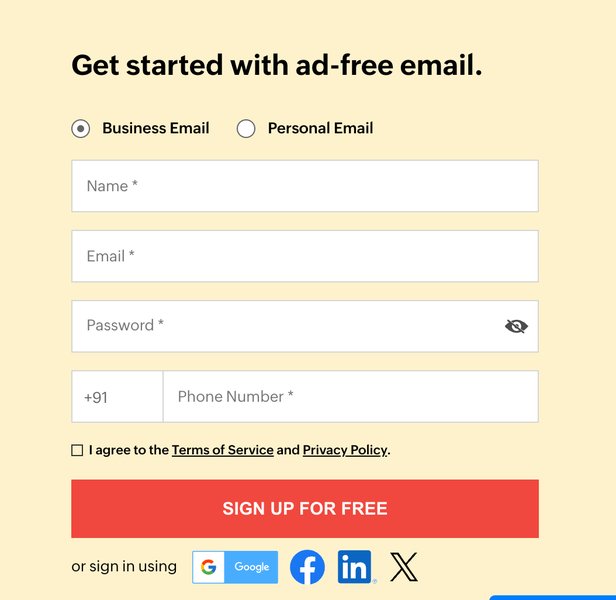
A visual representation of an email setup screen, demonstrating the various configuration options available.
This radar chart visually compares the various attributes of a professional business email versus using a free personal email for business purposes. As you can see, professional business email excels significantly in areas like Credibility, Security, Scalability, and Branding, which are crucial for any serious business operation. While free personal emails might offer high ease of use due to familiarity, they fall short in critical aspects that impact a business's long-term growth and trustworthiness.
The Indispensable Benefits of a Professional Email ID
Beyond the technical setup, understanding the profound advantages of a professional email ID underscores its importance for any business, regardless of size.
Enhanced Credibility and Trust
A business email address signals professionalism and legitimacy. When clients or partners see an email from yourname@yourcompany.com, they immediately recognize it as a formal communication from a reputable entity. This builds trust and reduces the likelihood of your emails being flagged as spam or seen as less credible.
Robust Brand Promotion
Every email sent from your professional address serves as a miniature advertisement for your brand. Your company's domain name in the email address reinforces your brand messaging and keeps your name consistently in front of potential and current customers, fostering brand recall and recognition.
Superior Security Measures
Professional email services offer advanced security features, including two-factor authentication (2FA), robust spam filters, and phishing protection. These measures are critical for safeguarding sensitive business data and communications from cyber threats, which free email services often lack.
Scalability and Integrated Tools
Business email providers are designed to grow with your company. They offer easy management of multiple user accounts, allowing you to add or remove employees as needed. Furthermore, these services often come bundled with essential productivity and collaboration tools like online storage, shared calendars, video conferencing, and integrated office applications, streamlining your workflow and enhancing team efficiency.
This video provides a quick guide on how to create a business email in minutes using Google Workspace. It's particularly relevant for new businesses looking for a fast and integrated solution for their professional communication needs.
Key Considerations and Best Practices
To maximize the benefits of your professional email ID, keep the following considerations and best practices in mind:
This mindmap provides a structured overview of the entire process of creating a professional email ID for work, from the fundamental reasons why it's important to the detailed steps involved and crucial best practices. It visually connects the key concepts, making it easier to understand the interconnectedness of domain registration, host selection, and account configuration.
Comparison of Key Email Hosting Features
To help you make an informed decision, here's a table summarizing the general features and costs associated with popular business email hosting providers:
| Feature | Google Workspace | Microsoft 365 Business | Zoho Mail (Business) |
|---|---|---|---|
| Custom Domain Email | Yes | Yes | Yes |
| Cloud Storage (GB/user) | Starts at 30 GB | Starts at 1 TB | Starts at 5 GB |
| Integrated Apps | Drive, Docs, Meet, Calendar | Word, Excel, Teams, Outlook | Docs, Sheet, Connect, Meeting |
| Security Features | 2FA, Spam/Phishing Protection | 2FA, Advanced Threat Protection | 2FA, Anti-spam, S/MIME |
| Typical Monthly Cost (per user) | ~$6 - $18 | ~$6 - $22 | ~$1 - $4 |
| Scalability | High | High | Moderate to High |
| Admin Controls | Comprehensive | Comprehensive | Good |
This table highlights the core offerings and differences, helping you choose a provider that best aligns with your business's specific needs and budget.
Frequently Asked Questions
What is a custom domain email?
yourname@yourcompany.com, instead of a generic domain like @gmail.com or @outlook.com. It enhances professionalism and branding.Can I create a professional email ID for free?
@accountant.com), these generally lack the full customization, advanced features, and robust security of paid services that use your unique company domain. Free trials of paid services are also available.Do I need a website to get a business email address?
How long does it take to set up a professional email?
What is the best email format for a professional email ID?
firstname.lastname@company.com, firstname@company.com, or firstinitial.lastname@company.com. Consistency across all employees is recommended for a unified professional image.Conclusion
Establishing a professional work email ID is an indispensable investment for any business aiming to cultivate credibility, promote its brand, and ensure secure, efficient communication. By diligently choosing a custom domain, selecting a reputable email hosting provider, and adhering to professional naming conventions, you can create an email presence that not only serves your immediate communication needs but also supports your long-term business growth and reputation. The benefits, spanning from enhanced trust and brand recognition to robust security and scalability, far outweigh the minimal investment required.
Recommended Further Exploration
- Explore the best email hosting providers tailored for small businesses.
- Learn strategies for choosing the most effective domain name for your business email.
- Discover advanced security features to protect your business email from cyber threats.
- Understand how to integrate your professional email with other essential productivity tools.