
Navigating the Dark Web: Essential Security Measures
A comprehensive guide to staying safe while exploring the hidden corners of the internet.
Key Highlights for Dark Web Safety
- Use Tor with a VPN: Combine Tor Browser with a reliable VPN to encrypt your connection and hide your IP address, adding an extra layer of anonymity.
- Keep Software Updated: Regularly update your Tor Browser and other security software to benefit from the latest security patches and protect against vulnerabilities.
- Exercise Caution: Avoid clicking on suspicious links, downloading unverified files, or sharing personal information to minimize the risk of encountering malware or scams.
Understanding the Dark Web
The dark web is a hidden part of the internet that is not indexed by standard search engines like Google, Bing, or DuckDuckGo. It requires specific software, such as the Tor (The Onion Router) browser, to access. Unlike the surface web, which is easily accessible and contains indexed content, the dark web is intentionally hidden to provide users with anonymity and privacy. The dark web is a subset of the deep web, which includes any site or resource that doesn’t appear in search engine results, such as government services, healthcare portals, and members-only areas.
Why Do People Use the Dark Web?
People use the dark web for various reasons, both legitimate and illicit. Some common uses include:
-
Anonymity and Privacy: The dark web provides a high level of anonymity, making it attractive to individuals who need to protect their identities, such as journalists, whistleblowers, and activists.
-
Access to Restricted Information: Users can bypass censorship and access information that may be restricted in their countries.
-
Secure Communication: The dark web allows for secure communication, which is crucial for dissidents and individuals living under oppressive regimes.
-
Illegal Activities: Unfortunately, the dark web is also used for illegal activities, such as the sale of drugs, firearms, and stolen data.
Essential Security Measures for Dark Web Navigation
Accessing the dark web can be risky, but by taking the necessary precautions, you can minimize the dangers and protect your privacy and security. Here are some essential security measures to follow:
1. Use a Virtual Private Network (VPN)
A VPN encrypts your internet connection and hides your IP address, providing an extra layer of security. Using a VPN in conjunction with Tor prevents your Internet Service Provider (ISP) from knowing that you are accessing the dark web and makes it more difficult for anyone to trace your online activities back to you. Ensure your VPN is reliable and trustworthy.
2. Install and Configure Tor Browser
Tor Browser is specifically designed to access the dark web. It anonymizes web traffic by routing your data through multiple encrypted server nodes, providing secure access to .onion websites. Keep your Tor Browser up to date to benefit from the latest security patches and enhancements.
3. Update Your Operating System and Software
Ensure that your operating system and all software are up to date. Software updates often include security patches that protect against known vulnerabilities. Regularly scan your computer for malware using a reputable antivirus program.
4. Disable JavaScript
JavaScript can be a security risk because it can be used to track your online activities. Disabling JavaScript in Tor Browser can add an additional layer of safety. You can adjust the security settings in Tor Browser to disable JavaScript or use the NoScript add-on.
5. Exercise Caution with Links and Downloads
Be extremely cautious when clicking on links or downloading files from the dark web. Many sites on the dark web contain malware or other malicious content. Only visit websites that you trust and avoid downloading files from unknown sources. Never click on random links from strangers.
6. Avoid Sharing Personal Information
Never share personal information, such as your name, address, phone number, or email address, on the dark web. Creating a fake identity is crucial if you plan to make purchases on darknet marketplaces. Use encrypted email with a new email address, encrypt messages with PGP, use a pseudonym, and set up an anonymous Bitcoin wallet.
7. Use Strong, Unique Passwords
Use strong, unique passwords for all your accounts. A password manager can help you generate and store strong passwords securely. Avoid reusing passwords across multiple sites.
8. Enable Two-Factor Authentication (2FA)
Enable two-factor authentication (2FA) whenever possible. 2FA adds an extra layer of security by requiring a second form of authentication, such as a code sent to your phone, in addition to your password.
9. Use a Dedicated Device
Consider using a dedicated device that is not connected to your home network to access the dark web. This can help protect your other devices from malware infections or privacy intrusions.
10. Be Aware of Scams
The dark web is rife with scams. Be wary of offers that seem too good to be true. Research vendors before making any purchases, and only use digital currencies like Bitcoin for transactions.
11. Monitor Your Financial Accounts
Keep a close eye on your financial accounts for any signs of fraud or unauthorized activity. Consider using a dark web monitoring service to scan the dark web for your personal information.
12. Understand the Risks
Be aware of the potential legal consequences of accessing certain types of content on the dark web. Some activities, such as purchasing illegal goods or accessing child pornography, are illegal and can result in severe penalties.
Comparing Security Measures: VPN vs. Tor
Both VPNs and Tor provide encryption, but they are not the same thing. Here's a comparison:
| Feature | VPN | Tor |
|---|---|---|
| Encryption | Encrypts your internet connection and hides your IP address. | Anonymizes web traffic by routing your data through multiple encrypted server nodes. |
| Anonymity | Hides your IP address from the websites you visit. | Hides your IP address and encrypts your traffic, making it difficult to trace your online activities. |
| Speed | Generally faster than Tor. | Slower due to multiple layers of encryption. |
| Use | Protects your privacy and security while browsing the internet. | Provides secure access to the dark web. |
| Best For | Everyday internet use. | Accessing the dark web. |
Using both a VPN and Tor provides the most comprehensive protection.
Visualizing Dark Web Security
These images highlight key aspects of staying safe on the dark web, including the use of VPNs, Tor Browser, and general cybersecurity awareness.
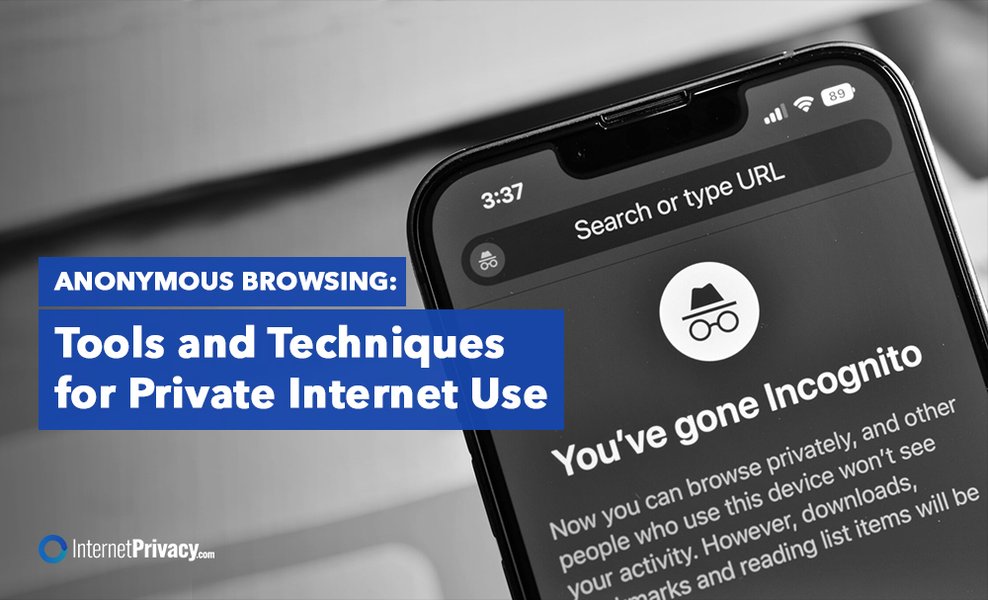
Anonymous browsing tools and techniques for private internet use.
Checking the dark web to help the Department of Education.
Understanding the Darknet and Its Impact on Cybersecurity.
What is Deep and Dark Web? How to Access it Safely.
Video Guide: Staying Safe on the Dark Web
This video provides a detailed walkthrough on how to access and remain hidden on the dark web, covering essential security tips and tools.
Video: How to Access and Remain Hidden on the Dark Web
The video "How to ACCESS and remain HIDDEN on the DARK WEB! (4 ..." is relevant because it provides a comprehensive guide on accessing the dark web while emphasizing safety and security measures. It covers essential tips and tutorials to help users navigate the dark web without compromising their personal information or devices. The video is particularly useful for those who are curious about the dark web but are concerned about the associated risks.
Frequently Asked Questions
The deep web includes any part of the internet that isn't indexed by search engines, such as password-protected sites, online banking portals, and email accounts. The dark web is a subset of the deep web that requires specific software like Tor to access and is often used for anonymous and private communication, though it can also host illegal activities.
Browsing the dark web itself is not illegal. However, engaging in illegal activities on the dark web, such as purchasing drugs, firearms, or accessing illicit content, is illegal and can result in severe penalties. It's important to be aware of the laws in your jurisdiction.
Yes, you can access the dark web on your mobile device using dedicated dark web browser apps like Tor Browser for Android or Onion Browser for iPhone. It's crucial to take the same security measures as you would on a PC, such as using a VPN and keeping your software updated.
The dark web poses several risks, including exposure to malware, scams, and illegal content. There's also a risk of encountering disturbing or gruesome material. Additionally, your anonymity may not be guaranteed, and you could be tracked by law enforcement or malicious actors. It's crucial to take precautions and exercise caution when browsing the dark web.
To protect your personal information on the dark web, never share any personal details, such as your name, address, or phone number. Use a fake identity, including a new encrypted email address and a pseudonym. Enable two-factor authentication whenever possible, and use strong, unique passwords for all your accounts. Monitor your financial accounts for any signs of fraud.
References
Last updated April 10, 2025