
Deserializing PyTorch Models: A Comprehensive Guide
Efficiently Load and Utilize Pre-trained Neural Networks for Inference
Key Takeaways
- Structured Approach: Understand the separation of model architecture, weights, and hyperparameters.
- Implementation Steps: Follow a step-by-step Python process to deserialize and utilize the model.
- Best Practices: Ensure security and compatibility when loading model files.
Introduction
In the realm of machine learning, particularly with PyTorch, managing and deploying pre-trained models is a common task. Deserializing models involves loading saved files containing the model's architecture, weights and biases, and hyperparameters to apply the model to new data without the need for retraining. This guide provides an in-depth walkthrough to achieve this effectively.
Understanding the Components
Model Architecture
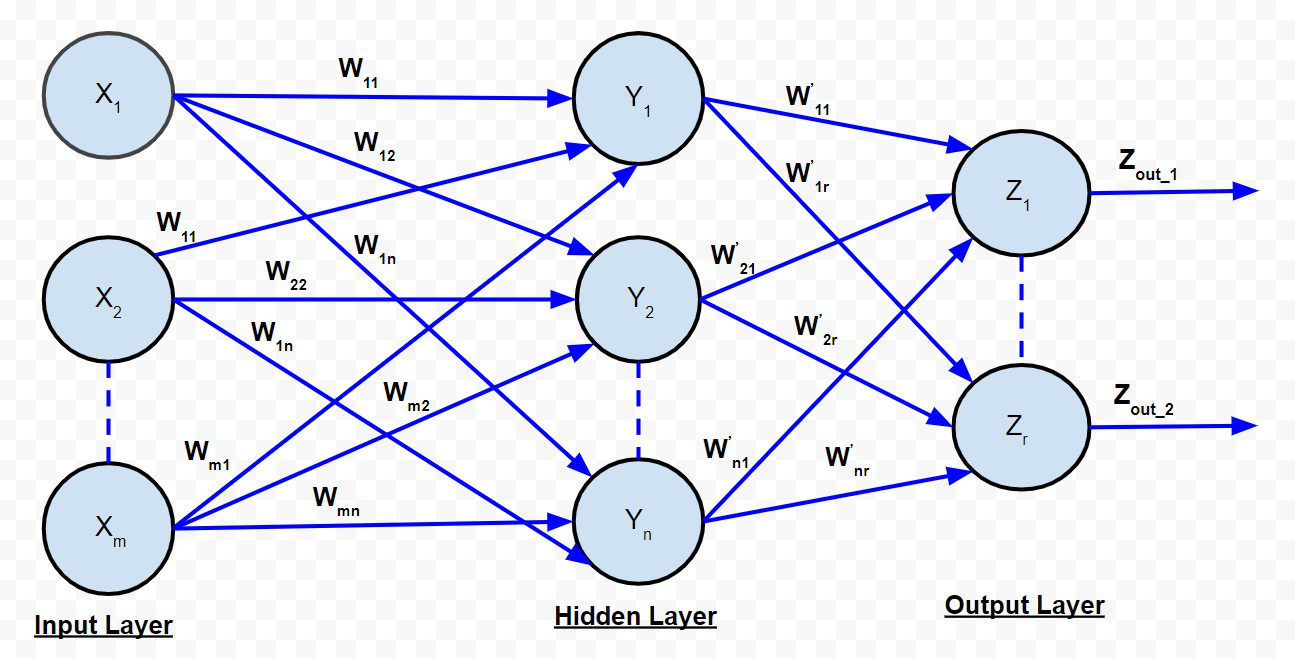
The model architecture defines the structure of the neural network, including the number of layers, types of layers (e.g., convolutional, linear), activation functions, and other structural parameters. This is typically saved separately to allow flexibility in loading different architectures.
Weights and Biases
Weights and biases are the parameters learned during the training process. They determine how the input data is transformed as it passes through the network. Saving these parameters allows the model to retain its learned behavior without needing to retrain.
Hyperparameters
Hyperparameters are configuration settings used to structure the model and influence the training process, such as learning rate, batch size, number of epochs, and optimization algorithms. While not directly involved in the model's predictions, they are crucial for understanding the training dynamics.
Step-by-Step Guide to Deserialization
Prerequisites
Before proceeding, ensure you have the following:
- Three separate `.pt` files:
-
Model Structure (`model_structure.pt`)
-
Weights and Biases (`model_weights.pt`)
-
Hyperparameters (`model_hyperparameters.pt`)
-
- PyTorch installed in your Python environment.
- Basic understanding of neural network architectures.
Loading the Model Architecture
The first step involves loading the model's structure. This includes defining a class that matches the saved architecture.
Defining the Custom Neural Network Class
Assuming the architecture details are stored in a dictionary, you can create a dynamic class to accommodate varying architectures.
import torch
import torch.nn as nn
import torch.nn.functional as F

class CustomNN(nn.Module):
    def __init__(self, input_size, hidden_layers, output_size, activation='relu'):
        super(CustomNN, self).__init__()
        self.layers = nn.ModuleList()
        prev_size = input_size
        for h in hidden_layers:
            self.layers.append(nn.Linear(prev_size, h))
            prev_size = h
        self.output_layer = nn.Linear(prev_size, output_size)
        self.activation = activation.lower()

    def forward(self, x):
        for layer in self.layers:
            x = layer(x)
            if self.activation == 'relu':
                x = F.relu(x)
            elif self.activation == 'tanh':
                x = torch.tanh(x)
            else:
                x = F.relu(x)
        x = self.output_layer(x)
        return x
Loading Weights and Biases
Once the architecture is defined, load the saved weights and biases into the model's state dictionary.
def load_weights(model, weights_path):
    state_dict = torch.load(weights_path, map_location=torch.device('cpu'))
    model.load_state_dict(state_dict)
    return model
Loading Hyperparameters
Hyperparameters guide how you interact with the model. While they aren’t directly used in inference, they can provide context or be used to configure aspects like input data processing.
def load_hyperparameters(hyperparams_path):
    hyperparams = torch.load(hyperparams_path, map_location=torch.device('cpu'))
    return hyperparams
Assembling the Model
Combine the loaded architecture, weights, and hyperparameters to prepare the model for inference.
def assemble_model(structure_path, weights_path, hyperparams_path):
    # Load model structure
    structure = torch.load(structure_path, map_location=torch.device('cpu'))
    input_size = structure.get("input_size", 784)
    hidden_layers = structure.get("hidden_layers", [128, 64])
    output_size = structure.get("output_size", 10)
    activation = structure.get("activation", "relu")

    # Initialize the model
    model = CustomNN(input_size, hidden_layers, output_size, activation)

    # Load weights
    model = load_weights(model, weights_path)

    # Load hyperparameters (if needed)
    hyperparams = load_hyperparameters(hyperparams_path)

    return model, hyperparams
Performing Inference
With the model assembled, you can now apply it to new data.
def make_predictions(model, new_data):
    model.eval()
    with torch.no_grad():
        output = model(new_data)
    return output
Complete Python Script
Integrating the above components results in a comprehensive script that loads and applies the model to new data.
import torch
import torch.nn as nn
import torch.nn.functional as F
import numpy as np

class CustomNN(nn.Module):
    def __init__(self, input_size, hidden_layers, output_size, activation='relu'):
        super(CustomNN, self).__init__()
        self.layers = nn.ModuleList()
        prev_size = input_size
        for h in hidden_layers:
            self.layers.append(nn.Linear(prev_size, h))
            prev_size = h
        self.output_layer = nn.Linear(prev_size, output_size)
        self.activation = activation.lower()

    def forward(self, x):
        for layer in self.layers:
            x = layer(x)
            if self.activation == 'relu':
                x = F.relu(x)
            elif self.activation == 'tanh':
                x = torch.tanh(x)
            else:
                x = F.relu(x)
        x = self.output_layer(x)
        return x

def load_weights(model, weights_path):
    state_dict = torch.load(weights_path, map_location=torch.device('cpu'))
    model.load_state_dict(state_dict)
    return model

def load_hyperparameters(hyperparams_path):
    hyperparams = torch.load(hyperparams_path, map_location=torch.device('cpu'))
    return hyperparams

def assemble_model(structure_path, weights_path, hyperparams_path):
    # Load model structure
    structure = torch.load(structure_path, map_location=torch.device('cpu'))
    input_size = structure.get("input_size", 784)
    hidden_layers = structure.get("hidden_layers", [128, 64])
    output_size = structure.get("output_size", 10)
    activation = structure.get("activation", "relu")

    # Initialize the model
    model = CustomNN(input_size, hidden_layers, output_size, activation)

    # Load weights
    model = load_weights(model, weights_path)

    # Load hyperparameters (if needed)
    hyperparams = load_hyperparameters(hyperparams_path)

    return model, hyperparams

def make_predictions(model, new_data):
    model.eval()
    with torch.no_grad():
        output = model(new_data)
    return output

def main():
    # File paths
    structure_path = 'model_structure.pt'
    weights_path = 'model_weights.pt'
    hyperparams_path = 'model_hyperparameters.pt'

    # Assemble the model
    model, hyperparams = assemble_model(structure_path, weights_path, hyperparams_path)

    # Prepare new data
    # Example: Generate random data; replace with actual data as needed
    input_size = hyperparams.get("input_size", 784)
    new_data = np.random.rand(1, input_size).astype('float32')
    new_data_tensor = torch.from_numpy(new_data)

    # Make predictions
    predictions = make_predictions(model, new_data_tensor)
    print("Model Output:", predictions)

if __name__ == "__main__":
    main()
Detailed Explanation
1. Defining the Neural Network Class
The `CustomNN` class inherits from `nn.Module` and is designed to dynamically construct the network based on the loaded architecture. It initializes layers as specified and defines the forward pass with conditional activation functions.
2. Loading Weights and Biases
The `load_weights` function loads the model's state dictionary from the provided path and updates the model's parameters accordingly. The `map_location` parameter ensures compatibility with the device being used (e.g., CPU).
3. Loading Hyperparameters
While hyperparameters may not directly affect inference, they can provide valuable context for data preprocessing or other configurations. The `load_hyperparameters` function retrieves these settings from the saved file.
4. Assembling the Model
The `assemble_model` function orchestrates the loading process by first retrieving the model structure, initializing the model, loading the weights, and finally loading hyperparameters. This ensures the model is fully prepared for inference.
5. Making Predictions
The `make_predictions` function sets the model to evaluation mode and disables gradient calculations to optimize performance during inference. It then processes the new data and returns the model's output.
6. Executing the Script
The `main` function ties all components together. It specifies the paths to the `.pt` files, assembles the model, prepares the new data, and invokes the prediction function. The example uses randomly generated data; replace this with your actual input data as needed.
Best Practices and Considerations
Security Considerations
Deserializing `.pt` files from untrusted sources poses significant security risks, including the execution of arbitrary code. Always ensure that the model files are from trusted and verified sources before loading them.
Device Compatibility
When loading models, ensure that the device (CPU or GPU) used for deserialization matches the intended deployment environment. Mismatched devices can lead to performance issues or errors. Utilize the `map_location` parameter in `torch.load` to handle device mapping effectively.
Model Compatibility
Ensure that the model architecture defined in your script matches the architecture used when saving the model. Inconsistencies can lead to errors during the state dictionary loading process.
Data Preprocessing
Consistency in data preprocessing between training and inference phases is crucial. Ensure that the new data fed into the model during inference undergoes the same preprocessing steps as the training data to maintain prediction accuracy.
Troubleshooting Common Issues
Mismatch in Architecture
If you encounter errors related to missing keys or unexpected keys in the state dictionary, verify that the model architecture defined in your script aligns perfectly with the one used during training.
Incorrect Input Dimensions
Ensure that the input data's dimensions match the `input_size` expected by the model. Mismatched dimensions will result in runtime errors during the forward pass.
Missing Hyperparameters
If certain hyperparameters are missing or cause errors, check the saved hyperparameters file to ensure all necessary settings are included and correctly referenced in your script.
Extending the Solution
Batch Processing
For efficiency, especially with large datasets, consider modifying the `make_predictions` function to handle batches of data rather than single instances. This can significantly reduce inference time.
Integration with Web Services
The deserialization process can be integrated into web services or APIs to provide real-time predictions. Frameworks like Flask or FastAPI can facilitate this integration.
Model Optimization
Utilizing tools like TorchScript or ONNX can optimize the model for production environments, enhancing performance and compatibility across different platforms.
Comprehensive Example
The following table summarizes the key components and their roles in the deserialization process:
| Component | Purpose | File Type |
|---|---|---|
| Model Architecture | Defines the network structure and layers | .pt |
| Weights and Biases | Contains trained parameters | .pt |
| Hyperparameters | Stores training configurations | .pt |
Conclusion
Deserializing PyTorch models involves a meticulous process of loading the architecture, weights, and hyperparameters to enable seamless inference on new data. By adhering to best practices and ensuring compatibility across components, you can efficiently deploy pre-trained models in various applications. This guide serves as a foundational resource to streamline the deserialization process, empowering you to leverage machine learning models effectively without the overhead of retraining.
References
Last updated February 6, 2025