
Unlocking Clarity: Masterful Descreening of Scanned Halftones
Transforming dot patterns into smooth, continuous-tone images with precision techniques.

- 1.Key Insights into Halftone Descreening
- 2.Understanding the Challenge: Halftones and Moiré
- 3.Optimizing Your Scan for Superior Descreening
- 4.Software-Based Descreening Techniques: Post-Processing Power
- 5.A Practical Workflow for Descreening
- 6.Comparative Analysis of Descreening Methods
- 7.Choosing the Right Tool for the Job
- 8.The Power of AI in Descreening
- 9.Visualizing Halftone Removal in Action
- 10.Frequently Asked Questions About Descreening
- 11.Conclusion: Achieving Clarity in Scanned Prints
- 12.Recommended Further Exploration
- 13.Referenced Search Results
Key Insights into Halftone Descreening
- Descreening is crucial for quality: The process, also known as "detoning," removes the distracting halftone dot patterns and moiré from scanned printed materials, revealing the original continuous-tone image.
- Scanning practices impact results: Achieving optimal descreening begins with scanning at high resolutions (300-800 DPI) and, where possible, utilizing your scanner's built-in descreening features or adjusting the scanning angle.
- Diverse software tools are available: A range of software-based techniques, from basic blurring and sharpening to advanced frequency separation and AI-powered solutions, can effectively remove halftone patterns from images you can't rescan.
When you scan printed materials, such as from magazines, books, or newspapers, you often encounter an undesirable grid-like pattern known as a halftone dot pattern or moiré. This occurs because commercial printing uses small dots of varying sizes to simulate continuous tones. "Detoning" or "descreening" is the essential process of removing these artifacts, allowing you to reconstruct a smoother, clearer, and more aesthetically pleasing continuous-tone image from your scanned original.
The success of descreening depends on a combination of careful scanning practices and intelligent post-processing techniques. Whether you have the opportunity to rescan your image or are working with an existing scan, various methods are available to achieve a high-quality, descreened result.
Understanding the Challenge: Halftones and Moiré
Why Scanned Prints Look "Dotty" and How to Fix It
The fundamental issue arises from the difference between how images are printed and how they are displayed digitally. Printing presses use halftones—small dots of ink—to create the illusion of shades and colors. When a digital scanner captures this physical pattern, it can create an interference pattern called moiré, which manifests as visible wavy lines or grids on the scanned image.
The goal of descreening is to reverse this process, effectively "undoing" the halftone pattern to reveal the underlying image data as if it were a continuous photograph. This is critical for archiving, digital restoration, and any application where visual fidelity is paramount.
An example illustrating the visual characteristics of a halftone pattern, showing how dots create shades.
Optimizing Your Scan for Superior Descreening
The Foundation of a Clean Image Starts at the Scanner
The quality of your initial scan significantly influences how effective any descreening technique will be. By following a few best practices during the scanning process, you can dramatically reduce the challenge of removing halftone patterns in post-processing.
High-Resolution Capture: The More Data, the Better
Scanning at a higher resolution is arguably the most critical step. A general recommendation is to scan between 300 and 600 Dots Per Inch (DPI). This captures more data points for each halftone dot, allowing software to better differentiate between the actual image content and the artifact. Scanning below 200 DPI can "bake" the moiré pattern directly into the pixels, making it extremely difficult to remove later without significant detail loss. Some professionals even suggest scanning at 800 DPI for archival work, providing an even richer dataset for descreening algorithms.
Strategic Scanning Angle: Minimizing Moiré Interference
A lesser-known but effective technique involves scanning the printed material at a slight angle—for instance, 30 degrees—relative to the scanner bed. This can disrupt the alignment between the halftone grid and the scanner's sensor array, thereby reducing the formation of moiré patterns. After scanning, the image can then be rotated back to its original orientation in image editing software.
Leveraging Scanner Software Features: The Built-in Advantage
Many modern scanners include built-in "descreen" or "moire reduction" options within their software. Activating this feature during the scan can provide a preliminary level of halftone removal, often optimizing the scan directly for cleaner results. While not always perfect, it's an excellent first line of defense against unwanted patterns.
Software-Based Descreening Techniques: Post-Processing Power
Strategies for Cleaning Scans You Can't Rescan
When rescanning isn't an option, or when you need more refined control, various software-based techniques come into play. These methods aim to intelligently blur or otherwise process the halftone dots while preserving the underlying image detail.
Blurring and Sharpening: A Classic Approach
This is one of the most common and accessible methods. It involves a two-step process:
- Gaussian Blur: Apply a subtle Gaussian Blur filter to the image. The goal is to spread the ink of the halftone dots just enough for them to blend into a continuous tone without making the entire image overtly soft. A radius between 0.5 and 2 pixels is often a good starting point, but careful adjustment is key.
- Unsharp Mask or Smart Sharpen: After blurring, details often appear softer. To counteract this, apply an Unsharp Mask or Smart Sharpen filter. This restores edge sharpness and clarity, but it must be done judiciously to avoid reintroducing artifacts or over-sharpening.

An example of a descreened image, showing the removal of halftone patterns for a smoother appearance.
Noise Reduction Filters: Targeting Dot Irregularities
Filters designed for noise reduction can also be effective. Tools like "Reduce Noise" in Photoshop or similar features in other image editors can be used to smooth out the speckled appearance of halftone dots. Increasing the "Strength" setting helps, and some filters offer options to preserve details or manage color noise, which are beneficial for maintaining image integrity.
Frequency Separation: The Advanced Detail Protector
Frequency separation is a more advanced technique that allows for meticulous control. It works by separating the image into two layers:
- Low-Frequency Layer: Contains the smooth tones and colors. This is where the halftone pattern resides.
- High-Frequency Layer: Contains fine details and textures.
By applying a blur to only the low-frequency layer, you can effectively smear the halftone dots without affecting the sharpness of details in the high-frequency layer. The layers are then recombined to produce a descreened image with preserved edges and textures. This method requires more technical skill but yields excellent results.
Dedicated Plugins and AI-Powered Solutions: Specialized Tools
For those seeking more automated or specialized solutions, several options exist:
- Descreen Plugins: Software like Photoshop offers dedicated descreening plugins (e.g., from descreen.net) that are engineered to intelligently identify and remove halftone patterns, often with two-stage descreening workflows for optimal results.
- AI-Powered Tools: The landscape of image editing is rapidly evolving with Artificial Intelligence. Many online and offline tools now leverage AI to detect and remove halftone dots and moiré patterns. These tools often boast the ability to preserve text and fine details more effectively than traditional filter-based methods, making them ideal for archival scanning or digitizing documents. An example is moireremoval.com, which offers a free online AI-powered descreening tool.
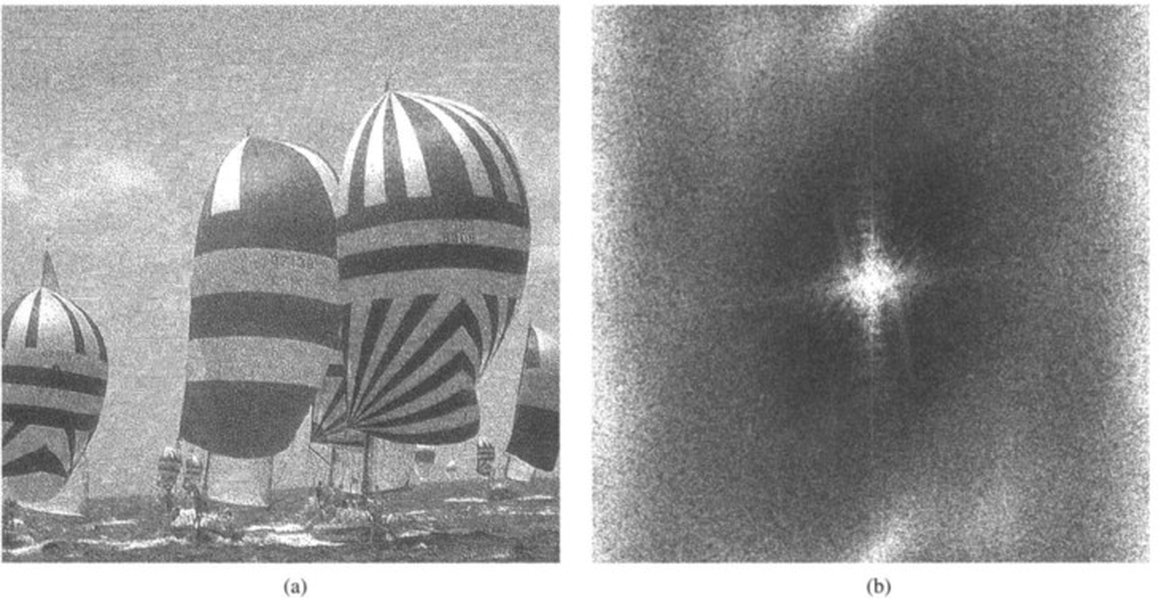
- Fourier Transforms: For highly technical users, Fourier transforms can be employed to analyze the periodic nature of halftone patterns in the frequency domain, isolate them, and remove them with precision, significantly enhancing image clarity.
A Practical Workflow for Descreening
Combining Techniques for Optimal Results
A comprehensive approach often combines scanning best practices with post-processing. Here's a mindmap outlining a typical workflow:
This mindmap visually represents the various stages and techniques involved in effectively descreening a scanned halftone image, from initial scanning considerations to advanced post-processing and final refinement.
Comparative Analysis of Descreening Methods
Evaluating Effectiveness Across Different Scenarios
To help you choose the best approach, let's compare the effectiveness of various descreening methods based on common criteria. This radar chart provides an opinionated analysis of their strengths.
This radar chart illustrates the strengths and weaknesses of different descreening methods across various criteria. For instance, AI-powered online tools often excel in ease of use and speed, while frequency separation offers superior detail preservation for those with more technical skills.
Choosing the Right Tool for the Job
A Summary of Methods and Their Best Applications
The selection of a descreening method often comes down to the resources available, the desired quality, and the user's technical proficiency. The following table provides a quick guide to help you decide.
| Method | Description | Pros | Cons | Best For |
|---|---|---|---|---|
| High-Resolution Scan | Scanning at 300-800 DPI with optional angle adjustment. | Foundation for best results, easier post-processing. | Requires rescanning, higher file sizes. | New scans, archival work. |
| Scanner's Built-in Descreen | Using scanner software's descreen option during scanning. | Automated, quick, no extra software needed. | Varying effectiveness, limited control. | Quick scans, basic quality needs. |
| Blur & Sharpen (e.g., Photoshop) | Applying Gaussian blur followed by unsharp mask/smart sharpen. | Widely accessible, good balance of effort vs. results. | Can soften details if overdone, requires manual adjustment. | Existing scans, moderate quality needs. |
| Noise Reduction Filters | Using software filters designed to reduce image noise. | Can target dot irregularities, relatively easy to apply. | May struggle with complex patterns, can degrade fine details. | Minor halftone patterns, supplementary to other methods. |
| Frequency Separation | Separating image into low and high-frequency layers for independent processing. | Excellent detail preservation, precise control over blurring. | Technically complex, time-consuming. | Professional restoration, images with critical fine details. |
| Dedicated Plugins | Specialized software plugins for descreening. | Automated, often very effective, specific algorithms. | Can be costly, specific to certain software. | Frequent users, professional workflows. |
| AI-Powered Online Tools | Web-based tools leveraging AI for halftone removal. | Very easy to use, often free, preserves text/details well. | Requires internet, may have file size/resolution limits. | Quick descreening, non-technical users, general purpose. |
The Power of AI in Descreening
A Look at How Artificial Intelligence is Revolutionizing Image Cleanup
Artificial Intelligence (AI) has emerged as a particularly powerful solution for descreening, offering advantages over traditional methods. AI algorithms can be trained on vast datasets of both halftone and continuous-tone images, enabling them to recognize halftone patterns and intelligently reconstruct the original image content. This often results in superior detail preservation, especially for text and fine lines, which traditional blurring methods can easily degrade.
One of the most appealing aspects of AI-powered descreening is its ease of use. Many tools, particularly online platforms, offer a simple upload-and-download interface, making professional-quality descreening accessible to users without extensive image editing experience. The speed and efficiency of these tools can significantly reduce the time spent on post-processing, making them ideal for digitizing large archives or personal collections.
Performance Metrics for Descreening Solutions
To further understand the relative performance, consider the following bar chart which provides an opinionated rating (out of 10) for different descreening methods in terms of key performance indicators beyond basic effectiveness.
This bar chart complements the radar chart by offering a direct comparison of specific performance aspects for each descreening method, such as ease of implementation, quality of output, and time efficiency.
Visualizing Halftone Removal in Action
A YouTube Tutorial for Photoshop Users
For those who prefer a visual guide, the following YouTube video provides a practical demonstration of removing halftone patterns using Adobe Photoshop. It walks through common techniques, illustrating the steps involved in transforming a dot-patterned scan into a cleaner image.
This video, titled "Removing Half Tone Pattern with Photoshop," offers a step-by-step tutorial on using Photoshop filters to eliminate halftone patterns from scanned images. It's highly relevant for users looking to apply software-based techniques described above, providing practical insights into filter adjustments and workflow.
Frequently Asked Questions About Descreening
What exactly is "detoning" or "descreening"?
Why do scanned images have these dot patterns?
Is it better to rescan an image or use post-processing techniques?
Can AI tools really descreen images better than manual methods?
What is the biggest trade-off when descreening an image?
Conclusion: Achieving Clarity in Scanned Prints
Descreening a scanned halftone image is a critical step for anyone digitizing printed materials. By understanding the root cause of halftone patterns and employing a combination of smart scanning practices and effective software techniques, you can transform a pixelated, dotty image into a clean, smooth, and visually appealing continuous-tone graphic. Whether you opt for simple blur-and-sharpen methods, advanced frequency separation, or leverage the power of AI, the ultimate goal is to achieve an image that accurately reflects its original, non-printed form, preserving details and enhancing overall clarity for a wide range of applications from archival to artistic.
Recommended Further Exploration
- Advanced frequency separation techniques for image restoration
- Best practices for archival scanning of printed documents
- Comparison of AI-powered image enhancement tools
- Understanding moiré patterns in digital photography