
Charting Success: A Business Plan for Niche Digital Printing
Specializing in One-Color Commercial Prints and Advanced Variable Data Invoices with QR Codes
Developing a focused business plan for a digital printing service requires a clear understanding of the target market, the specific services offered, and the operational model. This plan outlines the strategic approach for a digital printing business specializing in two key areas: one-color commercial printing utilizing two reliable machines and advanced variable data printing (VDP) for invoices, incorporating unique serial numbers and scannable QR codes. This niche focus leverages the strengths of digital technology for efficiency, personalization, and added value.
Key Insights into This Digital Printing Model
- Dual Specialization: The business focuses on two distinct yet complementary services – efficient high-volume one-color commercial printing and complex, high-value variable data invoice printing with integrated QR codes and serial numbers.
- Operational Backbone: Leveraging two digital printing machines provides capacity, redundancy, and potentially the ability to handle different job types or volumes simultaneously, ensuring reliability and efficiency.
- Enhanced Invoice Functionality: Implementing Variable Data Printing for invoices, including unique serial numbers and QR codes, adds significant value by enabling streamlined payments, enhanced tracking, and improved data verification for clients.
Company Description and Vision
The proposed digital printing business aims to be a trusted provider of essential commercial print materials and specialized invoice solutions. By focusing on specific niches within the broader digital printing market, the company can optimize its equipment utilization, streamline workflows, and develop expertise that differentiates it from general print shops. The vision is to become the go-to source for businesses requiring reliable one-color digital prints and those needing sophisticated, data-driven invoice printing services. The use of two digital presses is central to the operational strategy, providing flexibility and ensuring business continuity.
Mission Statement
To provide high-quality, efficient one-color digital printing services and advanced variable data invoice solutions, empowering businesses with reliable communication materials and streamlined billing processes through technology and expertise.
Business Structure
The business can be structured in various legal forms, such as a Limited Liability Company (LLC) or Corporation, depending on ownership structure and liability considerations. The chosen structure will impact registration requirements, taxation, and management.
Products and Services Detailed
The core offering revolves around two primary service categories, each leveraging the capabilities of digital printing technology and the investment in two machines.
One-Color Commercial Digital Printing
This service focuses on producing high-volume, single-color printed materials efficiently and cost-effectively using digital presses. One-color printing is crucial for many standard business documents where full color is unnecessary or cost-prohibitive.
Applications for one-color digital printing are widespread across various industries. These include:
- Business Stationery: Letterheads, envelopes, and notepads with company logos and contact information.
- Business Forms: Invoices (for non-VDP clients), order forms, contracts, receipts, and other internal or external documentation.
- Marketing Materials: Simple flyers, basic brochures, postcards, and direct mail pieces where a single color is part of the brand identity or campaign design.
- Manuals and Booklets: Interior pages of training manuals, reports, and simple booklets.
- Newsletters and Bulletins: Cost-effective production of regular communications.
The benefits of using digital printing for these one-color jobs include faster turnaround times compared to traditional offset printing, the ability to handle shorter print runs economically, and minimal setup costs. The quality achieved with modern digital presses is more than sufficient for the crisp text and simple graphics typically used in one-color commercial prints.
Operational Efficiency with Two Machines
Having two digital printing machines dedicated to this task enhances operational efficiency. This setup allows for:
- Increased throughput and capacity, enabling the business to handle larger volumes or multiple jobs concurrently.
- Redundancy, ensuring that production can continue even if one machine requires maintenance or encounters an issue, minimizing downtime and ensuring reliability for clients.
- Potential for specialization, where one machine might be optimized for certain paper stocks or job types, while the other handles different requirements.
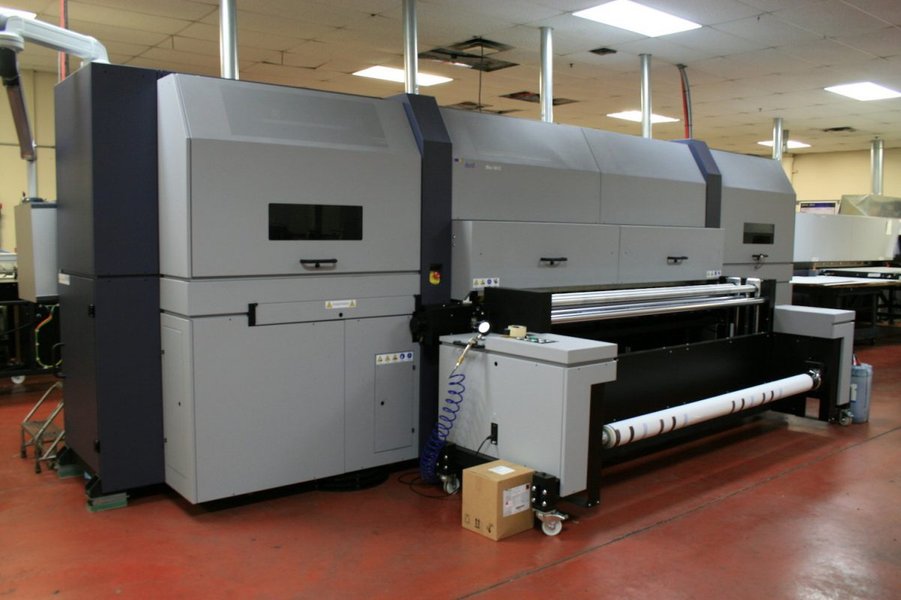
A digital printing press, similar to those that would be used for commercial printing.
Variable Data Printing (VDP) for Invoices
Variable Data Printing is a sophisticated form of digital printing that allows for the customization of each individual piece within a print run based on information from a database or spreadsheet. This capability transforms generic documents into personalized communications. For invoices, VDP is particularly powerful.
Unlike standard invoices, VDP invoices can include unique elements for every recipient, such as:
- Recipient's Name and Address: Personalized addressing for mailed invoices.
- Account-Specific Details: Unique account numbers, service dates, specific itemized lists tailored to the customer's usage or purchase history.
- Balance Due and Payment Information: Exact amounts and specific instructions for payment.
- Personalized Messages: Custom notes or offers based on customer segments.
- Unique Serial Numbers: Essential for tracking, security, and maintaining a verifiable audit trail for each invoice.
- QR Codes for Payment and Verification: A critical feature enhancing convenience and security.
The process typically involves creating a static template design for the invoice layout. Specific fields within this template are designated as variable. Data from a customer database is then merged with this template using specialized VDP software, generating a unique file for each invoice.
VDP requires robust data management capabilities to ensure accuracy and proper mapping of data fields to the template. The digital presses are essential for executing the print run, producing each unique invoice sequentially.
Integrating QR Codes on Invoices
The inclusion of QR codes on printed invoices is a significant value-add, driven by the capabilities of VDP and the needs of modern commerce and regulatory environments. A QR code is a two-dimensional barcode that can store various types of information and be scanned quickly using a smartphone or scanner.
For invoices, QR codes can serve multiple purposes:
- Payment Facilitation: Many QR codes on invoices are designed to link directly to online payment portals or pre-populate payment details within banking apps (like EPC QR codes), making it faster and easier for customers to pay. This reduces friction in the payment process.
- Invoice Verification: QR codes can embed secure information about the invoice, allowing recipients or third parties (like auditors or tax authorities) to scan and verify the authenticity and details of the invoice through a dedicated app or website. This is a legal requirement in some jurisdictions (e.g., Saudi Arabia, India's e-invoicing system).
- Access to Digital Copies: A QR code can link to a digital version of the invoice hosted online, providing customers with easy access to their records.
- Embedded Invoice Data: The code can directly encode key invoice details (invoice number, amount, vendor information) in a structured format, useful for automated processing.
Generating unique QR codes for each invoice requires VDP software that can dynamically create these codes based on the variable data specific to that invoice (e.g., the unique serial number, payment amount, or a link to a unique payment URL). Printing these codes accurately is critical, as blurred or poorly printed codes can be unscannable. Digital printing is well-suited for this, offering high resolution and precise droplet placement.
Serial Numbers for Tracking and Authenticity
Adding unique serial numbers to each VDP invoice provides a critical layer of control and traceability. Serial numbers enable:
- Efficient Internal Tracking: Linking the physical printed invoice to digital records and customer accounts.
- Inventory and Audit Control: Managing the sequence and issuance of invoices for financial and regulatory compliance.
- Fraud Prevention: Making it harder to counterfeit or alter invoices, as each has a unique, trackable identifier.
Serial numbers are a classic example of variable data and are straightforward to implement within a VDP workflow, typically generated sequentially or pulled from the customer data file alongside other variable information.
Market Analysis and Strategy
Understanding the market is crucial for positioning this specialized printing business.
Industry Overview
The printing industry is diverse, with segments ranging from large-scale offset printing to specialized digital services. Digital printing has grown significantly due to its flexibility for short runs, speed, and variable data capabilities. The market for commercial printing, including forms and stationery, remains relevant, while the need for efficient, secure, and easy-to-process invoices is constant for businesses of all sizes. Regulatory trends in some regions are also driving the adoption of features like QR codes on invoices.
Target Market
The target market comprises businesses requiring printed materials. For the one-color commercial printing service, this includes:
- Small to Medium-Sized Businesses (SMBs) needing standard stationery, forms, and basic marketing materials.
- Corporations requiring large volumes of internal forms or external documents in a single brand color.
- Organizations (non-profits, government entities) needing cost-effective print communications.
For the VDP invoice service with QR codes and serial numbers, the target market is more specific:
- Businesses with a significant volume of customer invoices (utilities, service providers, e-commerce businesses).
- Companies operating in regions where QR codes on invoices are legally mandated or becoming standard practice.
- Businesses looking to improve their accounts receivable process by making payments easier for customers.
- Organizations requiring robust tracking and security for their billing documents.
Competition
Competition comes from several sources:
- General Digital Print Shops: Offer a wide range of digital printing services but may not specialize or have optimized workflows for high-volume one-color or complex VDP invoices.
- Offset Printers: Competitive for very large volumes of static one-color prints, but less flexible for short runs and cannot handle VDP.
- In-House Printing: Some businesses print invoices internally, but may lack the equipment or expertise for high-quality VDP, QR codes, and high volumes.
- Online Print Services: Offer convenience but may lack the personalized service and support needed for complex VDP jobs.
Marketing and Sales Strategy
Marketing should highlight the specific value propositions of each service:
- For one-color printing: Emphasize speed, cost-effectiveness for typical business needs, and reliability provided by the two-machine setup.
- For VDP invoices: Focus on the benefits of personalization, streamlined payments via QR codes, enhanced tracking with serial numbers, and compliance with potential regulations. Position this as a solution to improve efficiency and customer experience.
Marketing channels could include:
- Online presence: Website detailing services, capabilities, and portfolio. SEO targeting niche keywords (e.g., "variable data invoice printing," "QR code invoices," "one-color business stationery").
- Direct Outreach: Targeting businesses in relevant sectors (e.g., utilities, real estate, healthcare for invoices; all businesses for stationery).
- Content Marketing: Blog posts or guides explaining the benefits of VDP, QR codes, and efficient one-color printing.
- Networking: Participating in local business associations and industry events.
- Partnerships: Collaborating with accounting software providers or business consultants who serve the target market.
Operational Plan
The operational plan details how the business will run day-to-day, focusing on the workflow, equipment, and quality control.
Facility and Equipment
A suitable workspace is needed to house the two digital presses, finishing equipment (cutters, folders, binders), paper stock, and a small office area for design, data processing, and administration. The size depends on projected volume but should accommodate the equipment comfortably and allow for efficient workflow and storage.
The core equipment investment is the two digital printing machines. The specific models will depend on budget, required print quality, speed, paper handling capabilities (including weight and size), and duty cycle. Investing in reliable, commercial-grade machines is crucial given the focus on production.
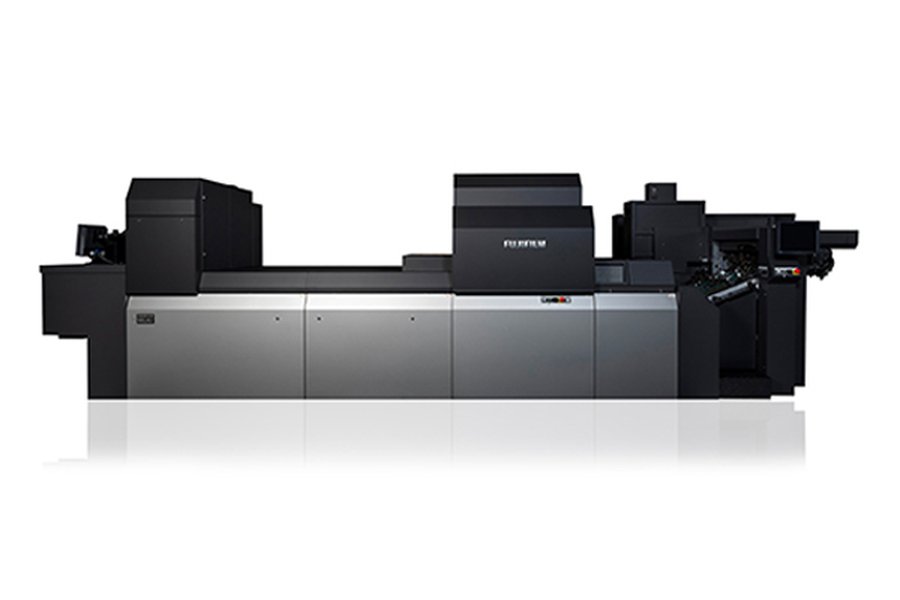
Commercial digital printing equipment designed for production environments.
Workflow
Distinct workflows will be established for the two service types:
- One-Color Workflow: Receive print-ready files or design requests. Prepare files for digital output (RIP - Raster Image Processor). Load paper. Print the required quantity on one or both machines. Perform finishing (cutting, collating). Package and deliver.
- VDP Invoice Workflow: Receive template file and customer database. Use VDP software to merge data with the template, generating unique print files (often PDF/VT or similar). Ensure correct generation of serial numbers and QR codes based on data rules. Prepare files for digital output. Load appropriate paper stock. Print the variable data run on one or both machines. Perform necessary finishing (folding, inserting if applicable). Verify output accuracy, especially for variable elements like serial numbers and QR codes. Package and deliver or prepare for mailing.
Having two machines allows for optimizing workflow. One machine might run a long VDP invoice job while the other handles smaller, urgent one-color stationery orders. Or, for very high-volume jobs, both machines could be used.
Software and Technology
Key software includes:
- Graphic Design Software: For creating and preparing static templates.
- Variable Data Printing Software: Essential for merging databases with templates, generating variable elements like text, images, serial numbers, and QR codes. Many digital press manufacturers or third parties offer sophisticated VDP solutions (e.g., solutions mentioned in sources often integrate with VDP processes).
- RIP Software: Manages color, layout, and output settings for the digital presses.
- Database Software: For managing client data securely.
- Accounting/Invoicing Software: For managing the business's own finances and invoicing clients.
Technology for generating QR codes for invoices is often integrated into VDP software or can be handled via APIs connecting to QR code generation services, ensuring each code is unique and contains the correct, variable data.
Quality Control
Implementing strict quality control measures is vital.
- For one-color prints: Checking for print density consistency, registration, absence of streaks or spots, and accurate cutting/finishing.
- For VDP invoices: This is more complex. Verification is needed for:
- Accuracy of variable data: Ensure correct names, addresses, amounts, etc., are printed on the correct invoice.
- Correct serial number sequencing and uniqueness.
- Scanability and correctness of QR codes: Test a sample of printed QR codes to ensure they scan easily and link to/contain the intended variable information (e.g., the correct payment link or data for that specific invoice).
- Overall print quality: Crispness of text and lines, proper paper handling.
Using automated verification tools within VDP software and manual checks on printed samples are both important.
Management Team and Personnel
Initially, the management team might be small, potentially including the owner(s) responsible for business strategy, sales, and potentially some production oversight. As the business grows, hiring skilled digital press operators with VDP experience, graphic designers, and administrative staff will be necessary. Expertise in data management and integrity is particularly important for the VDP service.
Financial Plan Summary
The financial plan will outline startup costs, revenue projections, pricing strategy, and funding requirements. Key components include:
- Startup Costs: Significant investment in the two digital printing machines, finishing equipment, software licenses (VDP software can be a substantial cost), facility setup, initial paper stock, and marketing.
- Revenue Streams: Primarily generated from the two core services. Pricing for one-color jobs will likely be based on volume and paper type. Pricing for VDP invoices will be more complex, potentially a base price per piece plus a variable data processing fee, reflecting the added value and complexity of data handling, serial numbering, and QR code generation.
- Cost of Goods Sold: Primarily paper, ink/toner, and potentially maintenance costs for the machines.
- Operating Expenses: Rent, utilities, salaries, marketing costs, software subscriptions, and ongoing maintenance contracts for the presses.
A detailed financial model should project profitability based on anticipated sales volumes for each service, considering factors like print speeds, paper costs, and labor. The efficiency gained from using two machines and specializing in these niches should positively impact profitability.
Potential Benefits and Challenges
Every business model has its advantages and hurdles.
Benefits of This Model
- Niche Focus: Specializing allows the business to become experts in specific areas, potentially commanding higher prices for VDP services.
- Efficiency: Digital printing is efficient for short to medium runs, fitting well with typical business needs for stationery and forms.
- Value-Added Service (VDP): VDP invoices with QR codes and serial numbers are a high-value service that addresses specific business needs for personalization, efficiency, and compliance.
- Reliability (Two Machines): Reduced risk of complete production stoppage due to equipment failure.
- Market Demand: Ongoing need for commercial prints and increasing adoption of digital payment methods and verification tools linked to invoices.
Challenges
-
Equipment Investment: Digital presses are a significant upfront cost.
-
Technical Expertise: Requires skilled operators and potentially IT support for data management and VDP software.
-
Data Security and Privacy: Handling client databases for VDP necessitates robust data security measures.
-
Maintaining Scanability: Ensuring consistent, high-quality QR code printing is crucial for usability.
-
Competition: Although specialized, competition exists from other digital printers and alternative solutions (e.g., electronic invoicing).
-
Market Education: Potential clients may need education on the benefits of VDP and QR codes on invoices.
Frequently Asked Questions
What is Variable Data Printing (VDP)?
Variable Data Printing is a digital printing method that allows elements such as text, graphics, and images to be changed from one printed piece to the next, without stopping or slowing down the press. This is achieved by pulling information from a database and merging it with a static design template, making each item in the print run potentially unique.
Why put QR codes on invoices?
QR codes on invoices enhance convenience and efficiency for customers, often allowing them to simply scan the code to initiate or complete a payment via a mobile device. They can also be used for verifying the authenticity of the invoice or accessing a digital copy online, and in some regions, they are a regulatory requirement for businesses.
What kind of digital printing machines are needed for this business?
Commercial-grade digital presses capable of handling the required paper types and volumes for both one-color and VDP jobs are necessary. Key considerations include print resolution (for crisp text and scannable QR codes), speed, paper handling flexibility, and the ability to integrate with VDP software. Having two machines offers operational advantages like increased capacity and redundancy.
How does this business handle data for VDP invoices?
Handling sensitive client data for VDP invoices requires secure data management practices. This typically involves receiving data in a structured format (like a spreadsheet or database file), using specialized VDP software to process and merge the data with the invoice template, and maintaining strict protocols for data privacy and security throughout the workflow.
References
Last updated April 18, 2025