
Understanding Drift in DJI Neo Manual Mode
Exploring the causes and solutions for drift issues in DJI Neo's manual flight mode.
Key Takeaways About DJI Neo Drift in Manual Mode
- Lack of Active Stabilization: In manual mode, the DJI Neo drone does not have active stabilization, which means it won't automatically hover or correct for external forces like wind.
- ATTI Mode Engagement: Drifting can occur in ATTI mode, which the drone may enter if there's poor GPS reception or the VPS (Vision Positioning System) isn't functioning correctly.
- External Factors: Environmental conditions, such as wind, and internal factors, such as uncalibrated sensors or stick drift on the controller, can contribute to drifting.
Why Does the DJI Neo Drift in Manual Mode?
Drifting in manual mode on the DJI Neo, or any drone for that matter, is a common issue that arises due to a combination of factors related to the drone's operational mode and environmental conditions. When a DJI Neo is set to manual mode, several of its automated stabilization features are disabled. Unlike automated modes where the drone actively maintains its position and attitude, manual mode relies entirely on the pilot's input to control the drone's movements. This lack of active stabilization is the primary reason why drifting occurs.
Here's a detailed look at the key factors contributing to this phenomenon:
Absence of Active Stabilization
In manual mode, the flight controller does not automatically correct the drone's attitude. In automated flight modes, the drone uses a combination of GPS, accelerometers, and other sensors to maintain a stable hover or follow a set flight path. When these systems are turned off, the drone no longer compensates for external forces such as wind or internal imbalances.
Without these corrections, any slight imbalance or external force can cause the drone to drift. This is why pilots need to constantly adjust the controls to keep the drone in the desired position or trajectory. The experience can be quite different from flying in GPS-assisted modes, where the drone will hold its position with minimal input.
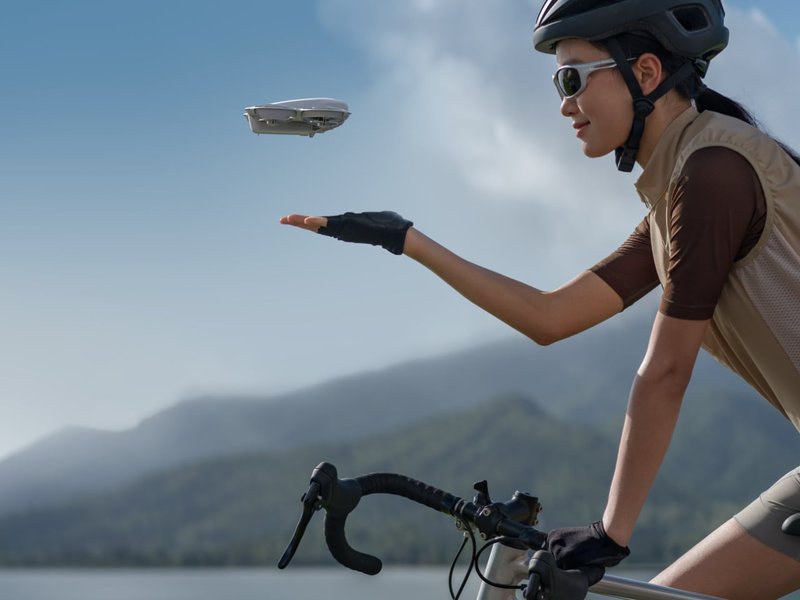
DJI Neo shown taking off.
Entering ATTI Mode
ATTI (Attitude) mode is a flight mode that DJI drones enter when GPS signal is weak or unavailable. In ATTI mode, the drone uses its barometer and inertial measurement unit (IMU) to maintain altitude and attitude, but it does not actively hold its horizontal position. As a result, the drone is susceptible to drifting with the wind. If the Vision Positioning System (VPS) is also not functioning, the drone will drift even more noticeably.
The DJI Air 2S manual indicates that the drone switches to ATTI mode in certain scenarios where GPS reception is poor. Therefore, if you notice your drone drifting on its own, it likely means you have poor GPS reception and the VPS is not working.
External Environmental Factors
Wind is a significant factor that can cause a drone to drift in manual mode. Even a slight breeze can exert enough force on the drone's body to push it off course. Since manual mode lacks automatic wind resistance, the pilot must constantly correct for the wind's effects.
Additionally, other environmental factors such as temperature and air density can affect the drone's performance. Changes in these conditions can alter the efficiency of the motors and propellers, leading to imbalances that contribute to drifting.
Internal Mechanical and Sensor-Related Factors
Several internal factors can also cause a drone to drift. These include:
- Uncalibrated Sensors: If the drone's sensors (IMU, accelerometers, etc.) are not properly calibrated, they may provide incorrect data to the flight controller. This can result in the drone making incorrect adjustments, leading to drift.
- Motor Imbalance: If one or more of the drone's motors is not performing optimally, it can create an imbalance in thrust. This imbalance can cause the drone to drift in the direction of the weaker motor.
- Propeller Issues: Damaged or improperly installed propellers can also cause imbalances. Even small defects in a propeller can affect its aerodynamic properties, leading to uneven thrust.
- Stick Drift: Sometimes, the controller sticks themselves may have slight imperfections or wear, causing them to not perfectly return to the center position. This is known as "stick drift" and can result in unintended inputs to the drone, leading to drift.
Troubleshooting and Solutions for Drift
Addressing drift in manual mode involves a combination of pre-flight checks, in-flight adjustments, and regular maintenance. Here are some steps you can take to minimize drifting:
Pre-Flight Preparations
- Calibrate Sensors: Regularly calibrate the drone's IMU and compass. This ensures that the sensors are providing accurate data to the flight controller.
- Check Propellers: Inspect the propellers for any signs of damage (cracks, chips, etc.). Ensure that they are properly installed and tightened.
- Motor Inspection: Listen to the motors to check for unusual noises or vibrations. If you notice any issues, inspect the motors for damage or debris.
- Controller Calibration: Calibrate the controller sticks to ensure they are properly centered. This can usually be done through the DJI Fly app.
YouTube video thumbnail on how to fix drone drift.
In-Flight Adjustments
- Constant Correction: Be prepared to make constant adjustments to the controls to counteract drift. This is especially important in windy conditions.
- Gentle Inputs: Use smooth, gentle inputs on the controller to avoid overcorrecting. Abrupt movements can make the drift worse.
- Awareness of Wind: Pay attention to the wind direction and strength. Fly upwind to maintain your position, and be prepared for gusts.
Regular Maintenance
-
Firmware Updates: Keep the drone's firmware up to date. DJI regularly releases updates that can improve flight performance and stability.
-
Professional Servicing: If you suspect a mechanical issue with the motors or other components, take the drone to a qualified technician for servicing.
Understanding Flight Modes and Their Impact on Drone Behavior
Different flight modes dictate how much assistance the drone provides to the pilot. The following table summarizes common flight modes and their impact on drone behavior:
| Flight Mode | GPS Dependence | VPS Dependence | Assistance Level | Drift Tendency | Description |
|---|---|---|---|---|---|
| GPS Mode (P-Mode, N-Mode, S-Mode) | High | Medium | High (Positioning, Hovering, Obstacle Avoidance) | Low | Relies on GPS for stable hovering and position hold. Offers the most assistance to the pilot. |
| ATTI Mode | None | Low | Low (Altitude and Attitude only) | High | Operates without GPS, maintaining altitude using a barometer. Highly susceptible to drift. |
| Manual Mode (M-Mode) | None | None | None | Very High | Completely manual control with no assistance. Requires skilled piloting to maintain stability. |
Additional Considerations for DJI Neo
DJI Neo's Manual Mode Specifics
The DJI Neo, while marketed as an entry-level FPV drone, has some nuances in its manual mode. Some users have reported that the Neo's manual mode might not be fully "manual" in the sense that it still retains some level of assistance. This can be a pro or con depending on the pilot's experience level.
Controller and App Usage
The DJI Neo can be controlled via a smartphone app or a dedicated controller. For more precise control, especially in manual mode, using a dedicated controller is highly recommended. The DJI FPV Remote Controller 2 is often suggested for a better manual flying experience.
Flying with a phone app might be less convenient and offer a shorter range. Additionally, some users have experienced connection issues with the app in areas without cell coverage.
Visual Aid: Understanding Drone Drift
This video explains why drones drift and how to fix it. It is relevant because it directly addresses the issue of drone drift and offers practical solutions that can be applied to the DJI Neo.
FAQ: Addressing Common Questions About DJI Neo Drift
Why does my DJI Neo drift even when I'm not touching the controls?
This is likely due to being in ATTI mode or manual mode, where the drone doesn't actively stabilize its position. External factors like wind or internal factors like uncalibrated sensors can also contribute.
How do I prevent my DJI Neo from drifting in manual mode?
Calibrate the drone's sensors regularly, check propellers and motors for damage, and be prepared to make constant corrections while flying. Also, ensure you are not flying in areas with strong winds.
Is it normal for the DJI Neo to drift more indoors?
Yes, especially if you don't have a strong GPS signal indoors. The drone may switch to ATTI mode, which relies on the barometer and IMU, making it more susceptible to drift.
What is ATTI mode, and how does it affect drifting?
ATTI mode is a flight mode that the drone enters when GPS signal is weak. In this mode, the drone maintains altitude and attitude but doesn't actively hold its horizontal position, leading to drifting.
Can stick drift on the controller cause the DJI Neo to drift?
Yes, if the controller sticks are not properly calibrated or have wear, they may not return to the exact center position, causing unintended inputs to the drone and leading to drift.
References
Last updated April 14, 2025