
Combating DocuSign Phishing: Detection and Prevention Strategies
Understanding and Defending Against Malicious DocuSign Impersonations
DocuSign, a widely used platform for electronic signatures, has become a frequent target for phishing attacks. Cybercriminals exploit the trust associated with the brand to trick users into revealing sensitive information or installing malware. These attacks can be highly sophisticated, often mimicking legitimate DocuSign communications to appear authentic. Recognizing the signs of a phishing attempt and implementing robust detection and prevention strategies are crucial for safeguarding your data and systems.
Key Highlights in Combating DocuSign Phishing
- Verify Sender and Email Details: Always scrutinize the sender's email address, ensuring it originates from a legitimate DocuSign domain like docusign.net. Look for discrepancies, misspellings, or unusual characters in the email address.
- Avoid Clicking Suspicious Links or Attachments: Never open unexpected attachments or click on links in emails claiming to be from DocuSign, especially if they ask you to download documents or provide login credentials. Legitimate DocuSign emails provide a security code to access documents directly on their website.
- Report Suspicious Emails: Forward any suspected phishing emails impersonating DocuSign to spam@docusign.com. This helps DocuSign track and combat these fraudulent activities.
Understanding DocuSign Phishing Tactics
DocuSign phishing attacks employ various social engineering techniques to deceive recipients. Attackers often create a sense of urgency or importance, claiming the recipient needs to sign a critical document, review an invoice, or address an issue with their account. These emails are crafted to look convincing, often incorporating DocuSign branding and logos. However, subtle inconsistencies or requests for unusual actions can reveal their malicious nature.
Common Characteristics of Phishing Emails
Phishing emails impersonating DocuSign often share common traits that can help in their identification:
- Suspicious Sender Addresses: The "From" address may be a look-alike domain or contain misspellings of "docusign.com." While genuine DocuSign emails can come from various sources, examining the full email header can reveal the true origin.
- Generic Greetings: Instead of using your name, the email might start with a generic greeting like "Dear Customer."
- Urgent or Threatening Language: The email may use alarming language to pressure you into immediate action, such as claiming your account will be suspended or you will miss an important deadline.
- Requests for Personal Information: Legitimate DocuSign emails will not ask for your password, social security number, or credit card details via email.
- Suspicious Links: Hovering over links in the email may reveal a URL that does not point to a genuine docusign.com or docusign.net domain. Be wary of shortened URLs or links to unfamiliar websites.
- Unexpected Attachments: DocuSign typically does not send documents as direct attachments, especially not in formats like .doc, .docx, or .zip files. Accessing documents is usually done through a secure link to the DocuSign website.
Examples of Phishing Campaign Themes
Recent phishing campaigns impersonating DocuSign have been observed using various themes to lure victims:
- Fake invoices (often impersonating companies like Norton or PayPal)
- Requests to sign confidentiality agreements
- Notifications about new documents requiring signature
- Alerts regarding HR or payroll documents
Strategies for Identifying and Preventing DocuSign Phishing
Being vigilant and employing multiple layers of defense are key to protecting yourself and your organization from DocuSign phishing attacks. Here are some recommended strategies:
Manual Inspection and Verification
Before interacting with a DocuSign-themed email, take a moment to carefully examine its authenticity:
Check the Sender's Email Address
Verify that the email originates from a legitimate DocuSign domain. Pay close attention to the domain name for any subtle alterations.
Look for the Unique Security Code
Legitimate DocuSign notification emails typically include a unique security code at the bottom. You can use this code to access your documents directly by going to the official DocuSign website (www.docusign.com) and entering the code, rather than clicking on any links in the email.
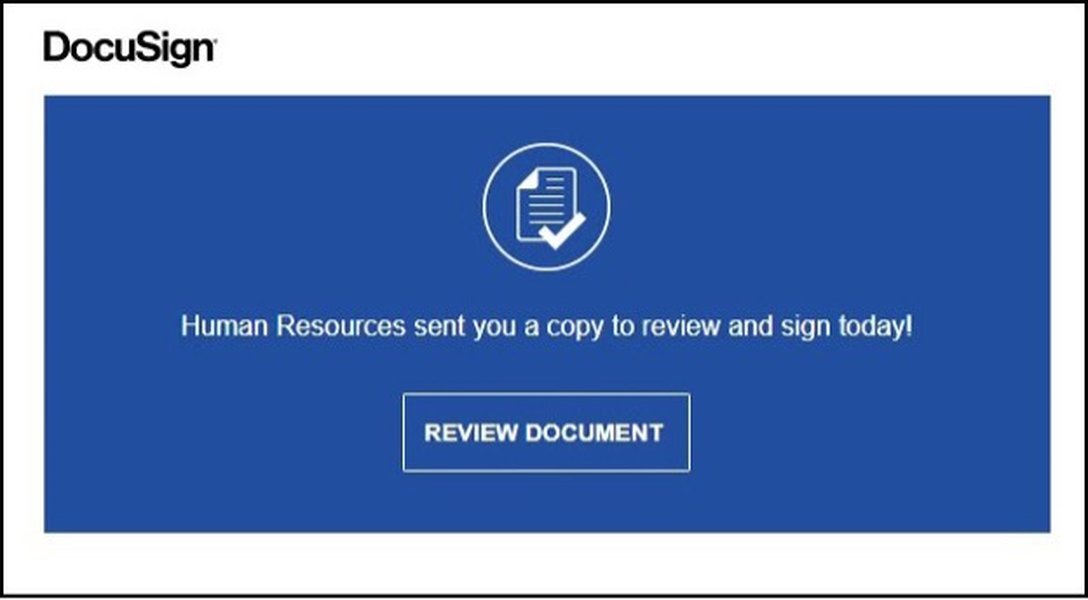
Hover Over Links (Without Clicking)
Before clicking on any link, hover your mouse cursor over it to see the actual URL it directs to. Ensure the URL points to a legitimate DocuSign domain.
Analyze the Email Content
Look for poor grammar, misspellings, inconsistent formatting, or generic language. These are often indicators of a phishing attempt.
Utilizing Technology and Security Measures
Beyond manual checks, leveraging security tools and practices can significantly enhance your protection:
Email Security Gateways
Advanced email security gateways can help filter out malicious emails by analyzing sender reputation, content, and attachments. However, sophisticated phishing emails can sometimes bypass these filters, especially when exploiting legitimate services like DocuSign.
DMARC Implementation
DocuSign enforces a DMARC (Domain-based Message Authentication, Reporting & Conformance) reject policy on their docusign.net domain. This helps email providers reject emails spoofing this domain and report them for analysis.
\[ \text{DMARC} = \text{SPF} + \text{DKIM} + \text{Alignment} + \text{Reporting} \]Where:
-
SPF (Sender Policy Framework) verifies the sender's IP address.
-
DKIM (DomainKeys Identified Mail) uses digital signatures to verify email authenticity.
-
Alignment ensures that the "From" address aligns with the authenticated domain.
-
Reporting provides feedback to the domain owner about email authentication results.
Security Awareness Training
Educating users about the latest phishing techniques and how to identify suspicious emails is a critical defense layer. Training should include examples of recent DocuSign phishing attempts and emphasize safe online practices.
Keeping Software Updated
Ensuring your operating system, email client, and security software are up to date helps protect against known vulnerabilities that attackers might exploit.
Using Antivirus and Anti-Malware Software
Reputable security software can detect and remove malicious programs that might be delivered through phishing attempts.
Reporting Suspicious Activity
If you encounter a suspected DocuSign phishing email, reporting it is crucial:
Forward to spam@docusign.com
The most effective way to report a DocuSign phishing email is to forward it as an attachment to spam@docusign.com. This allows DocuSign's security team to analyze the email and take action against the malicious source.
Report to Your Internal IT/Security Team
If you are in a corporate environment, report the suspected phishing email to your organization's IT or security department. They can take steps to protect the network and other employees.
Creating a Detection Rule
While a single, universally effective detection rule for all DocuSign phishing is challenging due to the evolving nature of these attacks, you can implement rules based on observed patterns and characteristics within your email environment. These rules often need to be combined with other security measures for comprehensive protection.
Here is an example of a conceptual detection rule logic that could be implemented within an email security gateway or a mail server's transport rules. This is a simplified representation and would require configuration specific to your email security platform.
| Condition | Action | Notes |
|---|---|---|
| Email claims to be from "DocuSign" or similar in the "From" or "Subject" header. | AND | Initial filter based on common keywords. |
| "From" email address domain is NOT a known legitimate DocuSign domain (e.g., not @docusign.com, @docusign.net, or other verified domains). | AND | Checks for domain spoofing. Requires maintaining a list of legitimate DocuSign domains. |
| Email contains links pointing to domains other than legitimate DocuSign domains. | AND | Examines URLs within the email body. |
| Email contains attachments with suspicious file extensions (e.g., .exe, .zip, .docm, .xlsm). | OR | Identifies potentially malicious attachments. |
| Email body contains urgent language or requests for personal information (this requires advanced content analysis). | OR | Behavioral analysis of email content. More complex to implement accurately. |
| IF ANY of the above conditions are met: | ||
| Quarantine the email OR Tag the email as suspicious and deliver to the user with a warning. | Action depends on desired level of strictness and potential for false positives. | |
Implementing such a rule requires careful testing to minimize false positives, where legitimate emails are incorrectly flagged as phishing. It's also crucial to continually update these rules as attackers adapt their tactics.
For more advanced detection, organizations can leverage threat intelligence feeds that track known phishing URLs and patterns. Some security solutions also utilize machine learning to identify anomalies in email traffic that may indicate a phishing attempt.
Real-World Examples and DocuSign's Response
DocuSign actively monitors for and responds to phishing campaigns targeting their users. They provide resources and alerts to inform the public about current threats.
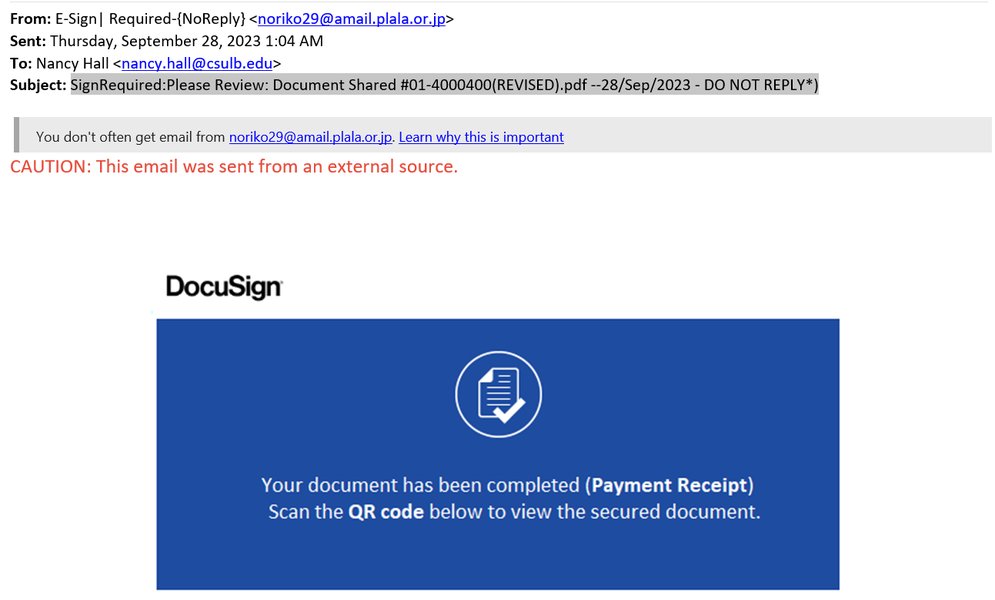
Recent alerts from DocuSign have highlighted campaigns involving fraudulent invoices and emails impersonating HR departments. These examples underscore the need for users to be cautious even when the email's context seems relevant to their work or activities.
This video from DocuSign provides visual examples and tips on how to identify phishing emails, illustrating the tell-tale signs discussed in this guide.
Frequently Asked Questions
How can I tell if a DocuSign email is real?
Legitimate DocuSign emails often contain a unique security code, have correct branding and grammar, and links will direct to official DocuSign domains. If you are unsure, do not click any links or open attachments. Instead, go directly to the DocuSign website and log in or use the security code to access your documents.
What should I do if I clicked on a suspicious link in a fake DocuSign email?
If you suspect you have clicked on a phishing link or provided information, immediately change your DocuSign password and any other accounts that share the same password. Run a full system scan with reputable antivirus software. Report the incident to DocuSign at spam@docusign.com and your IT department if applicable.
Will DocuSign ever ask me for my password via email?
No, DocuSign will never ask for your password or other sensitive personal information through email. Be extremely wary of any email requesting this information.
Can DocuSign phishing emails install malware?
Yes, some DocuSign phishing emails contain malicious attachments or links that lead to websites designed to download and install malware on your device.
How does DocuSign combat phishing?
DocuSign employs a dedicated security team, uses automated tools and machine learning to detect phishing attempts, enforces DMARC, and partners with security vendors and law enforcement to take down malicious sites. They also provide resources to educate users.
References
Last updated May 13, 2025