
Unraveling Digital Transfers: Download vs. Export – What Your Articles Reveal
Explore the fundamental distinctions between retrieving and transforming digital content, and how these actions shape your experience with information.
Key Insights into File Handling and Content Purpose
- Downloading: This action typically involves retrieving a direct copy of a file from a remote source to your local device, preserving its original format. Think of it as pulling a ready-to-use document directly to your computer.
- Exporting: This process entails preparing and transferring data from one application or system, often involving a conversion or restructuring of the data into a different format suitable for external use or another application. It's about tailoring content for a specific purpose or new environment.
- "Left Hand" vs. "Right Hand" Articles: In the context of your query, these terms likely refer to two distinct methods of obtaining content. The "left hand" article, being downloaded, is probably an unaltered, raw version. The "right hand" article, being exported, suggests a version that has undergone some transformation or packaging within a system before being saved for external use.
Understanding the Core Mechanics of Digital Content Transfer
The distinction between "downloading" and "exporting" digital content, such as articles, lies in the underlying process and purpose of the file transfer. While both actions result in a file being accessible on your local device, the journey and potential modifications to the file are quite different. Your "left hand article" and "right hand article" serve as excellent metaphors for these two distinct processes, highlighting how content can be acquired in its original form versus a transformed or prepared state.
Downloading: A Direct Retrieval
When you "download" a file, you are essentially pulling a direct, unaltered copy of that file from a remote source—such as a server, cloud storage, or a website—to your local device. The primary characteristic of downloading is that the file's format and content remain largely unchanged from its original state on the source. For example, downloading a PDF article from a website means you receive the exact PDF document that was hosted there, ready for immediate reading or archiving on your computer.
This process is straightforward and user-centric, emphasizing immediate access and local availability. It's like taking a book directly off a shelf and bringing it home. The "left hand article" in your query likely represents such a direct acquisition—a raw, original version of the content that you saved as-is.
Exporting: A Transformative Transfer
Conversely, "exporting" involves a more complex process where data or content is transferred from one application or system to another, often with an inherent transformation or conversion of the file's format or structure. This action is typically performed when you need to use the data in a different program, share it in a specific format, or prepare it for a new context.
For instance, if an article is part of a research management tool or a content creation platform, "exporting" it might involve compiling notes, annotations, or specific sections, and then converting the entire package into a universally readable format like a PDF, CSV, or a Word document. This conversion ensures compatibility and usability outside the originating system. The "right hand article" you mentioned is likely a product of such an export, having been processed, formatted, or curated by an application before being saved to your device.
The essence of exporting is the preparation and often the reformatting of data for external consumption, unlike the simple retrieval of downloading.
A Comparative Overview: Download vs. Export
To further clarify the functional differences between these two common digital actions, the following table summarizes their key characteristics:
| Aspect | Download ("Left Hand Article") | Export ("Right Hand Article") |
|---|---|---|
| Process | Direct retrieval of a file from a remote source to a local device. | Preparation and transfer of data from an application/system, often with format conversion, for external use. |
| Source Location | Usually an external server, website, or cloud storage. | Within a specific software application, database, or content management system. |
| File Format Changes | Typically none; the file retains its original format. | Often involves a conversion to a different, more compatible format (e.g., from proprietary to PDF, CSV, DOCX). |
| User Control/Customization | Minimal; you simply save the file as it is. | Often high; users can select format, included content, or apply filters. |
| Primary Purpose | To acquire a copy of a file for offline access, local storage, or immediate use. | To make data usable in another application, share it, or integrate it into a different workflow. |
| Resulting File Nature | An exact replica of the source file. | A transformed or packaged version, potentially containing selected data or modified structure. |
The Symbolic Significance of "Left Hand" and "Right Hand" Articles
While "left hand" and "right hand" often refer to physical handedness or directional cues in user interfaces, in the context of your query about articles and file transfers, they serve as a conceptual framework for distinguishing between two methods of obtaining digital content. They represent distinct approaches to how you interact with and manage information.
The "Left Hand" Article: Raw and Ready
This article represents the original, untransformed data. It's the content as it was initially created or hosted. When you download it, you're essentially getting the "truth" of the file, unedited and unmodified by your local applications or systems. This approach emphasizes accessibility and preservation of the original state.
The "Right Hand" Article: Processed and Purposeful
This article signifies content that has been curated, refined, or adapted for a specific purpose. It implies interaction with a software environment that allows for modification or selection before the final output is saved. The "export" function facilitates this transformation, making the content more versatile for subsequent uses, such as presentations, data analysis, or integration into other documents.
Visualizing Data Handling Capabilities
The difference between downloading and exporting can be conceptualized by looking at various dimensions of data handling. The radar chart below illustrates these differences across several key attributes. Each axis represents a specific characteristic, and the "Download" and "Export" datasets demonstrate their relative strengths in each area.
Radar chart illustrating the comparative strengths of Download vs. Export actions across various data handling attributes.
Exploring the Nuances of Content Presentation
Beyond the technical aspects of file transfer, the difference between a "left hand" and "right hand" article can also be interpreted as a distinction in how content is presented and utilized. This is particularly relevant when dealing with topics that might have multiple facets or interpretations, such as human handedness, which was mentioned in some sources. While your query focuses on file operations, it's worth noting how content itself can be seen from different "hands" or perspectives.
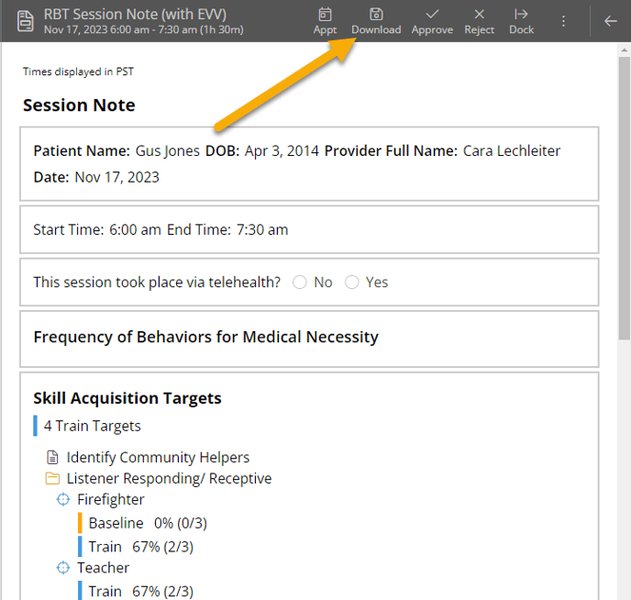
Example of a "Download Note" button, symbolizing direct file retrieval.
For instance, if a "left hand article" you downloaded discusses the prevalence and challenges faced by left-handed individuals, it provides a specific, self-contained view. Meanwhile, a "right hand article" that you exported might be a compilation of data on the neurological advantages of right-handedness, prepared for a comparative study. This dual perspective allows for a richer, more comprehensive understanding of a subject matter.
The Process of Content Acquisition and Transformation
The mindmap below illustrates the journey of an article from its source to your device, highlighting the different paths taken by downloaded and exported content.
A mindmap illustrating the distinct processes and outcomes of downloading versus exporting digital content.
Understanding the "Export" Function in Action
Many software applications and platforms leverage the "export" functionality to allow users to take data or content from their proprietary environment and use it elsewhere. This often involves a conversion process to ensure the exported file is compatible with other standard software. A good example of this is exporting data from a spreadsheet or a video editing program.
This video explains the difference between exporting collected data to Excel, highlighting the transformative nature of exporting.
The embedded YouTube video titled "The difference between EXPORTING collected data to excel..." directly illustrates the concept of exporting data. It shows how raw, collected information is processed and prepared into a structured format like an Excel spreadsheet. This is a practical demonstration of how exporting involves more than just a simple file copy; it's about making data consumable and usable in a new context, often for analysis or reporting, which perfectly aligns with the purpose of an "exported" right-hand article.
Frequently Asked Questions
What does "Left hand article" and "Right hand article" refer to?
Is downloading always simpler than exporting?
Can an exported file also be downloaded?
Why would I choose to export an article instead of just downloading it?
Conclusion
The distinction between downloading and exporting, as highlighted by your "left hand" and "right hand" articles, lies in the underlying intent and process of digital content transfer. Downloading is about direct retrieval and preservation of the original file, making it immediately available for local use. Exporting, on the other hand, is a more active and often transformative process, involving the preparation and conversion of data from one system for use in another context or format. Understanding these differences empowers you to manage your digital assets more effectively, ensuring that you obtain content in the most suitable form for your specific needs, whether it's a raw, untouched document or a highly curated and reformatted version.
Recommended Further Exploration
- How do user interface designs distinguish between download and export functionalities?
- What are the common features of software used for file format conversion?
- What are the best practices for ensuring data interoperability across different applications?
- How do different file transfer methods impact data integrity and security?
Referenced Search Results
 s3.amazonaws.com