
Unlock the Power of Polished Emails: Transforming Your Message for Maximum Impact
Elevate your professional communication by refining your email's tone, clarity, and structure for a lasting positive impression.
Crafting an email that is not only functional but also professional and engaging is a key skill in today's communication landscape. Your original message, while conveying the necessary information, can be significantly enhanced to project a stronger sense of professionalism and helpfulness. Let's explore how to refine your email to make it sound even better.
Key Enhancements for Your Email
- Refined Greetings and Closings: Selecting appropriate salutations and sign-offs significantly impacts the recipient's perception of your professionalism and the overall tone of your message.
- Clarity and Conciseness in the Body: Ensuring your email's purpose is immediately clear and free of grammatical errors makes it easier for the recipient to understand and act upon.
- The Importance of a Subject Line: A well-crafted subject line provides context, helps with email prioritization, and contributes to a more organized and professional exchange.
Analyzing and Improving Your Original Email
Your initial email draft was:
"Good afternoon, I hope you are well.
Please find attached, the updated BRC for your reference.
Please let me know if you have any questions, we are here to help."
This draft is polite and gets the point across. However, there are several areas where we can make improvements to enhance its professionalism and impact:
- Missing Subject Line: A subject line is crucial for context and prioritization.
- Punctuation: The comma in "Please find attached, the updated BRC" is a comma splice and should be removed for better flow.
- Clarity of "BRC": While the recipient may know what "BRC" stands for, spelling it out (at least initially) can improve clarity, especially if the email might be forwarded or if you're communicating with someone less familiar with the acronym.
- Closing Tone: The closing is helpful but can be phrased more formally or with varied levels of warmth depending on your relationship with the recipient.
- Professional Signature: Adding a full signature lends credibility and provides essential contact information.
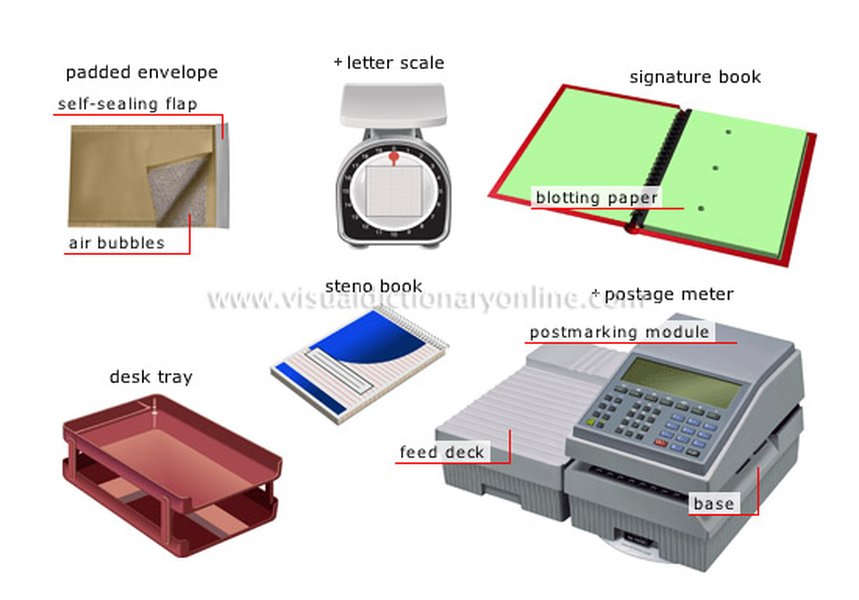
Effective email communication is as essential as well-crafted physical correspondence.
Refined Email Options
Here are a few revised versions of your email, each with a slightly different tone and level of formality, incorporating best practices for professional communication.
Option 1: Standard Professional and Direct
This option is clear, polite, and suitable for most business communications.
Subject: Updated BRC for Your Reference
Dear [Recipient Name],
I hope this email finds you well.
Please find attached the updated BRC (e.g., Business Requirements Checklist) for your reference. I have incorporated the latest revisions to ensure it aligns with our recent discussions.
Should you have any questions or require further clarification, please do not hesitate to contact me. We are here to assist you.
Sincerely,
[Your Full Name]
[Your Position]
[Your Company]
[Your Contact Information]
Why this works: It includes a clear subject, a standard professional greeting, clarifies the acronym (optional but good practice), removes the comma splice, and offers a more formal closing and assistance. The signature block adds professionalism.
Option 2: Friendly yet Professional
This version maintains a professional tone but with a slightly warmer, more approachable feel, suitable if you have an established, friendly relationship with the recipient.
Subject: Updated BRC Attached
Hello [Recipient Name],
Hope you're having a good afternoon.
Attached is the updated BRC for your review. We've made sure it reflects all the recent updates discussed.
Please let us know if anything is unclear or if you need any further information. We're happy to help!
Best regards,
[Your Name]
[Your Position]
Why this works: The greeting is slightly less formal. The body is concise and friendly. The offer of help is enthusiastic. "Best regards" is a versatile and widely accepted closing.
Option 3: Concise and Efficient
This option is very direct and suitable for situations where brevity is key, perhaps with colleagues you communicate with frequently.
Subject: Updated BRC
[Recipient Name],
The updated BRC is attached for your reference.
Please let me know if you have any questions.
Thanks,
[Your Name]
Why this works: It's extremely to-the-point. Using just the recipient's name can be acceptable in less formal internal communications. The offer of help is clear and simple.
Deconstructing the Perfect Professional Email
Crafting an effective email involves several key components. Understanding these elements can significantly improve your communication.
The Crucial Role of the Subject Line
A clear, concise, and informative subject line is paramount. It's the first thing the recipient sees and helps them understand the email's purpose at a glance, influencing whether and when they open it. A good subject line summarizes the email's content and can indicate any required action.
Tips for Effective Subject Lines:
- Be specific: "Updated BRC for Your Review" is better than just "Update."
- Keep it brief: Aim for under 50 characters if possible, as many email clients truncate longer subjects.
- Indicate urgency if necessary: e.g., "Action Required: BRC Feedback Needed by EOD."
Greetings: Setting the Right Tone
The greeting, or salutation, sets the tone for your entire message. The choice of greeting depends on your relationship with the recipient and the formality of the situation.
Common Greeting Options:
- Formal: "Dear Mr./Ms./Dr. [Last Name]," (Use when you don't know the person well or in very formal contexts). "Dear [First Name]," (Standard professional).
- Slightly Less Formal: "Hello [First Name]," (Good for ongoing professional relationships).
- Informal (use with caution): "Hi [First Name]," (Suitable for colleagues you know well).
- Always try to use the recipient's name. Avoid generic greetings like "To Whom It May Concern" if a name is available.
Crafting a Clear and Concise Body
The body of your email should be easy to read and understand.
Best Practices for Email Body:
- State your purpose early: Get to the point quickly in the first paragraph.
- Be clear and concise: Avoid jargon, overly complex sentences, or unnecessary information. Use short paragraphs and bullet points for readability if conveying multiple pieces of information.
- Provide context: As in the BRC example, briefly explaining an attachment ("I have incorporated the latest revisions...") adds value.
- Proofread: Always check for grammar, spelling, and punctuation errors. Mistakes can undermine your professionalism.
- Maintain a professional tone: Even in less formal emails, avoid slang, excessive informality, or emotional language.
Closings and Signatures: Leaving a Professional Impression
The way you end your email is just as important as how you begin it.
Professional Closing Options:
- Formal: "Sincerely," "Yours sincerely," (Often used with "Dear Mr./Ms. [Last Name],").
- Standard Professional: "Best regards," "Kind regards," "Regards," (Versatile and widely accepted).
- Slightly Less Formal/Warm: "Thank you," "Thanks," (Appropriate when expressing gratitude or for routine communication).
The Importance of a Signature Block:
A professional email signature typically includes:
- Your Full Name
- Your Title/Position
- Your Company Name
- Contact Information (phone number, website)
- Optional: Company logo, social media links (if relevant to your role)
Visualizing Email Professionalism
The following chart provides a comparative look at different aspects of email communication, rated on a scale where higher values indicate greater emphasis. This is an opinionated analysis to illustrate how different email styles might balance these factors.
This radar chart helps visualize how different email styles prioritize various communication attributes. For instance, a "Standard Professional" email might score high on formality and completeness, while a "Concise & Efficient" email would prioritize clarity and directness.
Mapping the Anatomy of a Professional Email
To further illustrate the structure of a well-composed professional email, the mindmap below outlines its essential components and considerations at each stage.
(e.g., Dear Mr./Ms. [Name], Hello [Name])"] id2b["Personalized (Use Recipient's Name)"] id3["3. Opening Statement"] id3a["Pleasantry (e.g., Hope you are well)"] id3b["State Purpose Briefly"] id4["4. Main Body"] id4a["Clear & Logical Flow"] id4b["Concise Information"] id4c["Paragraphs/Bullet Points for Readability"] id4d["Provide Necessary Context/Details
(e.g., Explain attachments)"] id4e["Professional Tone"] id4f["Proofread for Errors"] id5["5. Call to Action (if applicable)"] id5a["Clearly State Desired Next Steps"] id6["6. Closing Statement"] id6a["Offer Assistance (e.g., Let me know if you have questions)"] id6b["Polite and Professional"] id7["7. Sign-off"] id7a["Appropriate Closing
(e.g., Sincerely, Best regards, Thanks)"] id8["8. Signature Block"] id8a["Full Name"] id8b["Title/Position"] id8c["Company"] id8d["Contact Information"]
This mindmap visually breaks down a professional email into its core parts, from the initial subject line to the final signature, highlighting key considerations for each element to ensure effective communication.
Choosing Your Words: Greetings and Closings Table
The choice of greeting and closing can significantly influence the tone of your email. This table provides a quick reference for common options and their typical formality levels.
| Element | Highly Formal | Standard Professional | Friendly Professional | Informal (Use Cautiously) |
|---|---|---|---|---|
| Greetings | Dear Mr./Ms./Dr. [Last Name]: | Dear [First Name], | Hello [First Name], Good morning/afternoon [First Name], |
Hi [First Name], Hey [First Name], |
| Openers (Optional) | I hope this email finds you well. | I hope you are having a productive week. | Hope you're having a good day. | Hope you're well. |
| Closings (Offer of Help) | Should you require any further information, please do not hesitate to contact me. | Please let me know if you have any questions. | Feel free to reach out if you need anything. | Questions? Just ask. |
| Sign-offs | Sincerely, Yours faithfully, (if salutation was "Dear Sir/Madam") |
Best regards, Kind regards, Regards, |
Thanks, Thank you, Best, |
Cheers, (Highly informal, context-dependent) |
This table helps you select greetings and closings that match the desired tone and your relationship with the recipient, ensuring your email starts and ends appropriately.
Further Insights on Email Greetings
Understanding the nuances of email greetings can greatly enhance your professional communication. The video below offers valuable tips and examples for choosing the right salutation for various situations.
This video, "How to begin a business email in English," delves into common greeting practices, explaining which phrases are suitable for different levels of formality and professional contexts. It reinforces the importance of tailoring your greeting to your audience and the purpose of your email, ensuring you make a positive first impression. The presenter covers various options, from formal to more relaxed greetings, providing a practical guide for everyday email situations.
Frequently Asked Questions (FAQ)
Recommended Further Exploration
- What are common mistakes to avoid in business email writing?
- How to tailor email formality based on recipient and context?
- What are best practices for attaching documents to professional emails?
- How to write effective follow-up emails?
References
Last updated May 8, 2025