
Exploring Flutter: Google's UI Toolkit for Multi-Platform Development
Building Beautiful, Natively Compiled Applications from a Single Codebase
Flutter is an open-source UI software development kit (SDK) created by Google. Its primary purpose is to empower developers to build beautiful, natively compiled applications for a wide array of platforms—including mobile (iOS and Android), web, desktop (Windows, macOS, and Linux), and even embedded devices—all from a single codebase. This revolutionary approach transforms the traditional app development process, significantly reducing development time and cost while ensuring a consistent user experience across different devices.
Key Highlights of Flutter
- Single Codebase: Develop for multiple platforms (iOS, Android, web, desktop, embedded) using one unified codebase, streamlining development and maintenance.
- Beautiful and Customizable UIs: Leverage a rich set of pre-built and customizable widgets based on Material Design and Cupertino (iOS) to create visually appealing and highly interactive user interfaces.
- High Performance: Flutter compiles directly to native ARM or Intel machine code (and JavaScript for the web), ensuring fast performance and smooth animations that are often indistinguishable from native applications.
What is Flutter? A Deeper Dive
At its core, Flutter is more than just a framework; it's a complete SDK that provides everything a developer needs to build software. This includes a rendering engine, ready-made widgets, testing and integration APIs, and more. Unlike some other cross-platform frameworks that rely on the device's native components, Flutter uses its own high-performance rendering engine, which draws widgets directly to the screen. This control over the rendering pipeline simplifies multi-platform support and helps achieve consistent UI across all targets.
The Role of Dart
Flutter applications are written in the Dart programming language, also developed by Google. Dart is an object-oriented, class-based, garbage-collected language that is optimized for UI development. It supports both ahead-of-time (AOT) compilation for release builds (resulting in fast startup and performance) and just-in-time (JIT) compilation for debug builds (enabling features like hot reload).
Everything is a Widget
A fundamental concept in Flutter is that "everything is a widget." Widgets are the building blocks of Flutter applications. They describe the structure, layout, and appearance of a part of the user interface. Widgets are immutable, and when the state of an application changes, Flutter rebuilds the part of the UI affected by the change efficiently. This widget-based architecture, similar in concept to React, provides significant flexibility and customization options.
Flutter provides two sets of widgets that adhere to specific design languages:
- Material Design widgets: Implement Google's widely used design system.
- Cupertino widgets: Implement Apple's iOS Human Interface Guidelines, allowing applications to have an authentic iOS look and feel on Apple devices.
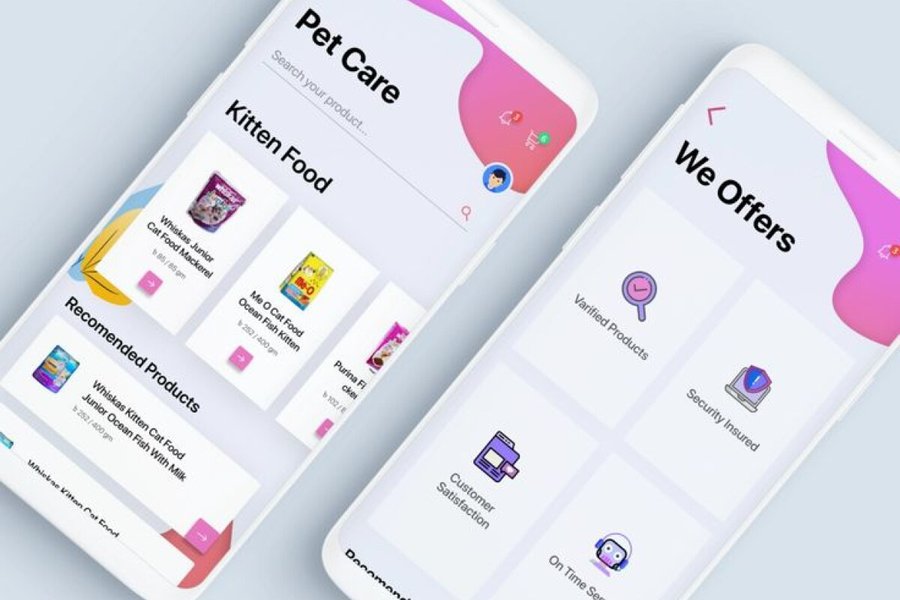
An illustration showcasing the flexibility and customization possible with Flutter widgets.
Why Choose Flutter? Advantages and Benefits
Flutter has rapidly gained popularity among developers and businesses due to its numerous advantages:
Efficient Cross-Platform Development
The ability to use a single codebase for multiple platforms is a significant time and cost saver. Developers write the code once, and it can be deployed on iOS, Android, web, and desktop, reducing the need for separate development teams and maintenance efforts for each platform.
Fast Development with Hot Reload
Flutter's hot reload feature is a game-changer for developer productivity. It allows developers to see the effect of their code changes instantly without restarting the application. This significantly speeds up the development cycle, facilitates quick iteration, and simplifies debugging and experimentation.
Expressive and Flexible UI
Flutter's rich set of customizable widgets and its layered architecture provide developers with unparalleled control over the user interface. This allows for the creation of unique, aesthetically pleasing, and highly interactive applications with complex animations and transitions.
Native Performance
Because Flutter compiles to native machine code, applications built with Flutter offer excellent performance. Users often find it difficult to distinguish between a Flutter app and a native app in terms of speed and responsiveness.
Reduced Testing Time
With a single codebase, testing efforts are also reduced. Developers only need to write and maintain one set of tests (unit, widget, and integration tests) for all platforms, further contributing to faster development cycles.
Strong Community and Google Support
Flutter is an open-source project with active support from Google and a large, growing community of developers. This provides access to extensive documentation, tutorials, libraries, and community support, making it easier for developers to learn and troubleshoot issues.
Exploring Flutter's Architecture
Flutter's architecture is designed as an extensible, layered system. It consists of a series of independent libraries that depend on the layer below them. No layer has privileged access to the layer below, emphasizing the modular and replaceable nature of the framework.
The Framework Layer
Developers primarily interact with the Flutter framework, which is written in Dart. This layer provides a modern, reactive framework and includes a rich set of platform, layout, and foundational libraries.
The Engine Layer
The engine, written primarily in C++, provides low-level rendering support. It uses either Google's Skia graphics library or the custom "Impeller" graphics layer to draw the UI directly to the screen.
The Embedder Layer
This layer provides the platform-specific code that hosts the Flutter engine. It is responsible for integrating Flutter with the native operating system, handling input, managing the application lifecycle, and providing access to platform-specific services.
Learning Flutter: A Path for Beginners
Flutter is approachable to programmers familiar with object-oriented and imperative programming concepts. There are numerous resources available to help beginners get started:
Official Flutter Documentation and Codelabs
The official Flutter website (flutter.dev/learn) offers comprehensive documentation, tutorials, and codelabs that guide users through setting up their environment and building their first applications. The "Write your first app" codelab is an excellent starting point, taking about an hour and a half to complete.
Online Tutorials and Courses
Platforms like GeeksforGeeks, Tutorialspoint, and various online course providers offer detailed tutorials covering Flutter basics to advanced concepts. Many of these resources are specifically designed for beginners.
Community Resources
The Flutter community is a valuable resource. Websites like Reddit (r/FlutterDev), Stack Overflow, and GitHub provide platforms for asking questions, sharing knowledge, and finding solutions to common issues.
Here is a relevant video providing a comprehensive beginner's course on Flutter:
This video offers a complete 37-hour course on cross-platform app development with Flutter, ideal for beginners.
Flutter in Action: Real-World Applications
Many well-known companies and organizations have adopted Flutter for their applications. This demonstrates Flutter's capability to handle complex and large-scale projects.
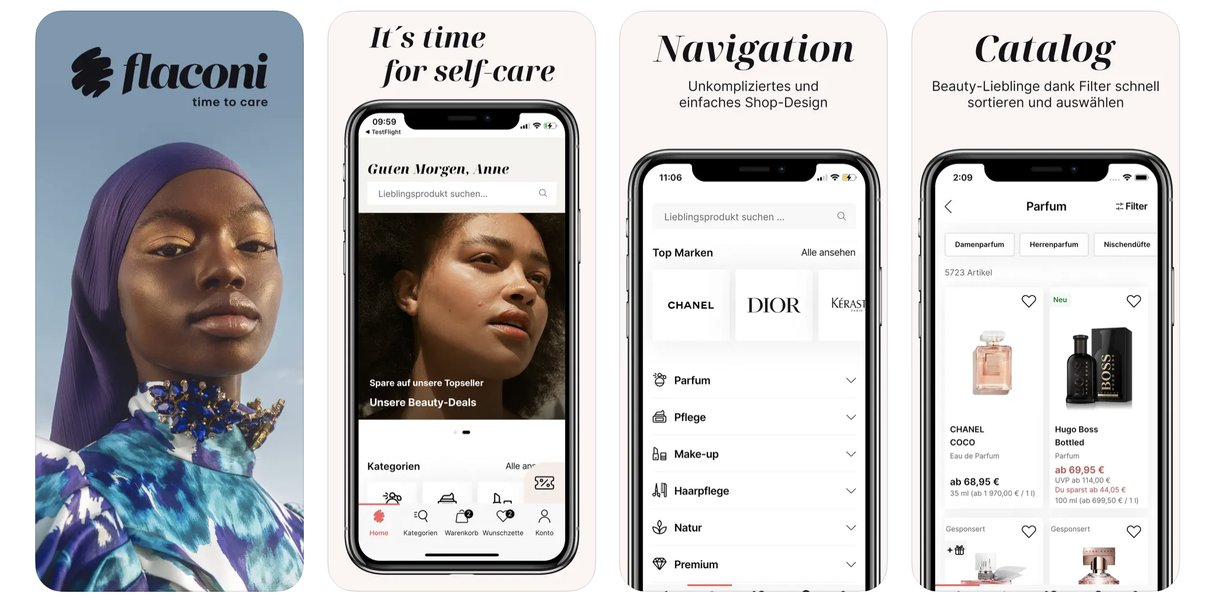
Some of the popular apps built with Flutter.
Notable examples of apps built with Flutter include:
-
Google Pay
-
Google Earth
-
Alibaba
-
Tencent
-
ByteDance
-
BMW
The increasing adoption of Flutter by major players in the tech industry highlights its effectiveness and potential for future development.
Flutter vs. Native Development vs. Other Cross-Platform Frameworks
Understanding how Flutter compares to other development approaches is crucial for choosing the right tool for a project.
| Feature | Flutter | Native Development | Other Cross-Platform Frameworks (e.g., React Native) |
|---|---|---|---|
| Codebase | Single codebase for multiple platforms | Separate codebase for each platform (iOS, Android, etc.) | Typically single codebase, may require platform-specific modules |
| Performance | High, near-native performance due to native compilation and own rendering engine | Highest performance, direct access to native APIs | Performance can vary, often relies on bridges to communicate with native components |
| UI Rendering | Uses its own rendering engine to draw widgets directly | Uses platform's native UI components | Often uses native UI components through a bridge |
| Development Speed | Fast, with hot reload and single codebase | Can be slower due to maintaining separate codebases | Generally faster than native, but hot reload may not be as seamless as Flutter |
| Code Reusability | High across all supported platforms | Low, platform-specific code | High, but may need adjustments for platform differences |
| Access to Native Features | Good access through platform channels and plugins | Direct and full access | Access through bridges and modules, can be limited for less common features |
A comparison of Flutter with native development and other cross-platform frameworks.
While native development offers the highest performance and direct access to all device features, it comes at the cost of maintaining separate codebases for each platform, increasing development time and expense. Other cross-platform frameworks like React Native offer a single codebase but often rely on bridges to interact with native components, which can sometimes impact performance. Flutter's approach of compiling to native code and using its own rendering engine provides a compelling balance of performance, development speed, and code reusability.
Future of Flutter
Flutter continues to evolve with regular updates and increasing support for more platforms, including embedded devices. The strong backing from Google and the active community contribute to its continuous improvement and expansion. As the demand for efficient multi-platform development grows, Flutter is well-positioned to remain a leading choice for building high-quality applications.
Frequently Asked Questions about Flutter
What programming language does Flutter use?
Flutter uses the Dart programming language, developed by Google.
Is Flutter free and open-source?
Yes, Flutter is a free and open-source project.
What platforms can I build apps for with Flutter?
You can build applications for mobile (iOS and Android), web, desktop (Windows, macOS, and Linux), and embedded systems from a single codebase.
What are the main benefits of using Flutter?
Key benefits include faster development with hot reload, single codebase for multiple platforms, expressive and flexible UI with customizable widgets, and near-native performance.
References
 aws.amazon.com
Last updated May 15, 2025