
Unlock Gemma 3's Full Potential: Your In-Depth Guide to Custom Fine-Tuning
Elevate Google's cutting-edge AI by tailoring it to your specific needs. Discover the steps, tools, and techniques for optimal performance.
Gemma 3, Google's latest family of open-source large language models, offers remarkable capabilities across various tasks and languages. Fine-tuning these models allows you to adapt their pre-trained knowledge to your specific datasets or application domains, significantly enhancing their performance and tailoring their responses. This guide provides a comprehensive walkthrough of the fine-tuning process, empowering you to customize Gemma 3 effectively.
Key Insights: Fine-Tuning Gemma 3
- Efficiency is Key: Parameter-Efficient Fine-Tuning (PEFT) methods like LoRA and QLoRA, especially when combined with tools like Unsloth, dramatically reduce computational and memory requirements, making fine-tuning accessible even on consumer-grade GPUs.
- Dataset Preparation is Crucial: The quality and format of your training data, particularly adherence to Gemma's instruction-tuned style with specific tokens (e.g.,
<start_of_turn>user,<end_of_turn>,<start_of_turn>model), are paramount for successful fine-tuning. - Framework Flexibility: Gemma 3 can be fine-tuned using a variety of popular frameworks and libraries, including Hugging Face Transformers, TRL, PEFT, Bitsandbytes, and Keras, offering multiple pathways to achieve your customization goals.
Understanding Gemma 3 Models
Gemma 3 models come in various sizes, each catering to different needs and computational capacities. These include 1B, 4B, 12B, and 27B parameter versions. Most variants support multimodal inputs (text and images), boast a large context window (up to 128K tokens), and possess multilingual capabilities across over 140 languages. Instruction-tuned (IT) versions are also available, which are pre-adapted for following instructions and engaging in dialogue.
Visual representation related to Gemma 3 models.
Prerequisites and Environment Setup
Before embarking on the fine-tuning journey, ensure your environment is correctly configured.
Hardware Considerations
Fine-tuning large language models is computationally intensive. While PEFT methods lower the barrier, a capable GPU is still recommended. GPUs like NVIDIA's A100, Tesla T4, or RTX series (e.g., RTX 3090 with 24GB VRAM) are commonly used. Optimizations, such as those provided by Unsloth, can enable fine-tuning of larger Gemma 3 models (e.g., 12B or even 27B) on GPUs with 24GB VRAM or even free-tier Google Colab GPUs.
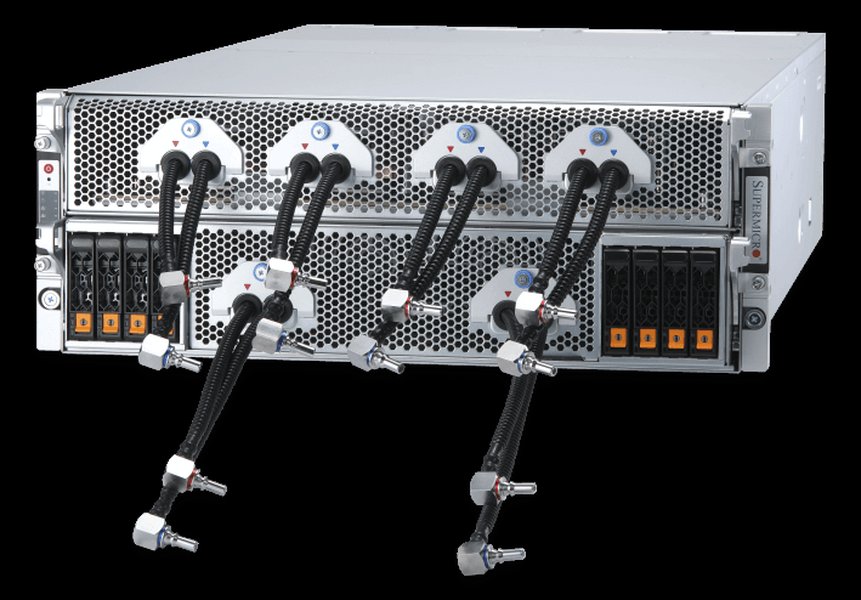
Example of GPU hardware suitable for AI model training.
Software and Libraries
You'll need several Python libraries. It's crucial to use versions compatible with Gemma 3. Key libraries include:
- Transformers (Hugging Face): For model loading, tokenization, and core LLM functionalities. Version 4.49.0 or later with Gemma 3 support is often cited.
- TRL (Transformer Reinforcement Learning): For supervised fine-tuning (SFT) and reinforcement learning from human feedback (RLHF).
- PEFT (Parameter-Efficient Fine-Tuning): Provides implementations of LoRA, QLoRA, and other PEFT methods.
- Bitsandbytes: Essential for quantization (e.g., 4-bit loading) to reduce memory footprint.
- Accelerate (Hugging Face): Simplifies distributed training and mixed-precision training.
- Unsloth: An optimization library claiming significant speedups and VRAM reduction for fine-tuning models like Gemma 3, often making it feasible on less powerful hardware.
- Datasets (Hugging Face): For easy loading and processing of datasets.
Installation typically involves pip:
# Basic installations
pip install -U transformers datasets accelerate peft trl bitsandbytes

# Ensure Gemma 3 compatible Transformers version (example)
pip install git+https://github.com/huggingface/transformers@v4.49.0-Gemma-3

# For Unsloth (if using)
pip install unsloth
Authentication
If you're accessing models or datasets from the Hugging Face Hub, you'll need to authenticate. This usually involves logging in with an API token.
from huggingface_hub import login

# Replace 'YOUR_HF_TOKEN' with your actual Hugging Face token
# It's good practice to load tokens from environment variables or secret managers
hf_token = "YOUR_HF_TOKEN"
login(token=hf_token)
Choosing Your Gemma 3 Variant
Selecting the right Gemma 3 model variant depends on your specific task, desired performance, and available computational resources:
- Gemma 3 1B: The smallest variant, ideal for resource-constrained environments or simpler text-only tasks like basic sentiment analysis.
- Gemma 3 4B: Offers a good balance between performance and efficiency. It supports multimodal inputs and is a common choice for instruction tuning on various tasks.
- Gemma 3 12B & 27B: The largest variants, providing the highest performance for complex tasks, long-context understanding, and nuanced generation. These typically require more substantial GPU resources, although optimizations like QLoRA and Unsloth can make them more manageable.
Consider the instruction-tuned (IT) versions if your task involves following instructions or engaging in conversational AI, as they are already primed for such interactions.
Dataset Preparation: The Foundation of Success
The quality, quantity, and formatting of your dataset are critical for successful fine-tuning. Gemma models, particularly the instruction-tuned versions, expect a specific conversational format.
Sourcing and Formatting
Instruction-Tuned Format
For instruction fine-tuning, your data should typically be structured as a series of turns between a 'user' and the 'model'. Special tokens are used to delineate these turns:
<start_of_turn>user: Marks the beginning of a user's prompt or instruction.[User's text/instruction here]<end_of_turn>: Marks the end of the user's turn.<start_of_turn>model: Marks the beginning of the model's desired response.[Model's ideal response here]<end_of_turn>: Marks the end of the model's turn.
An entire training example would look like this in a string format:
"<start_of_turn>user\nWhat is the capital of France?<end_of_turn>\n<start_of_turn>model\nThe capital of France is Paris.<end_of_turn>"
Data Sources
You can use publicly available datasets from platforms like Hugging Face Datasets or create your own custom datasets. Tools like Firecrawl can help build datasets from web content. Ensure your dataset is relevant to the task you want the fine-tuned model to perform (e.g., financial Q&A, medical text summarization, code generation).
Preprocessing
Your raw data will need to be processed into the required format. This might involve:
- Cleaning the text (removing irrelevant characters, standardizing punctuation).
- Structuring question-answer pairs, instruction-response pairs, or dialogue turns.
- Applying the Gemma-specific chat template or formatting tokens.
- Tokenizing the formatted text using the Gemma 3 tokenizer.
Here's a conceptual Python snippet for formatting:
from datasets import load_dataset

# Example: Load a hypothetical dataset
# dataset = load_dataset("your_username/your_instruction_dataset")

def format_gemma_chat_style(example):
    # Assuming your dataset has 'instruction' and 'response' columns
    return {
        "text": f"<start_of_turn>user\n{example['instruction']}<end_of_turn>\n<start_of_turn>model\n{example['response']}<end_of_turn>"
    }

# processed_dataset = dataset.map(format_gemma_chat_style)
Fine-Tuning Approaches
There are two main strategies for fine-tuning Gemma 3:
1. Full Parameter Fine-Tuning
This method involves updating all the weights of the pre-trained model. While it can lead to the highest performance, it is extremely resource-intensive, requiring significant VRAM and long training times. It's generally impractical for individuals or organizations without access to substantial GPU clusters.
2. Parameter-Efficient Fine-Tuning (PEFT)
PEFT methods update only a small subset of the model's parameters or add a small number of new, trainable parameters. This drastically reduces computational and memory requirements, making fine-tuning feasible on more accessible hardware.
LoRA (Low-Rank Adaptation)
LoRA freezes the pre-trained model weights and injects trainable rank decomposition matrices (adapters) into specific layers of the Transformer architecture (often the attention layers). Only these adapters are updated during training. This significantly reduces the number of trainable parameters (e.g., from billions to millions).
QLoRA (Quantized Low-Rank Adaptation)
QLoRA builds upon LoRA by further reducing memory usage. It involves:
- Quantizing the pre-trained model to a lower precision (e.g., 4-bit).
- Freezing these quantized weights.
- Attaching LoRA adapters, which are trained in higher precision (e.g., 16-bit or 32-bit).
bitsandbytes are crucial for implementing the quantization aspect.
Visualizing Fine-Tuning Methodologies
The choice of fine-tuning methodology significantly impacts resource requirements and potential outcomes. The radar chart below offers a comparative overview of common approaches, evaluating them across several key dimensions. This is an opinionated analysis to illustrate general trade-offs rather than precise benchmarks.
This chart illustrates general trends: 'Full Fine-Tuning' is highly resource-intensive but offers maximum potential uplift. 'LoRA' and 'QLoRA' improve accessibility, with 'Unsloth + QLoRA' aiming for the best balance of low VRAM, high speed, and good performance gain with easier implementation. (Scale: 1=Low/Difficult, 10=High/Easy)
Step-by-Step Fine-Tuning Process
The following steps outline a typical fine-tuning workflow using Hugging Face libraries and PEFT (specifically QLoRA).
1. Load Model and Tokenizer
Load the chosen Gemma 3 model and its corresponding tokenizer. If using QLoRA, configure BitsAndBytesConfig for 4-bit quantization.
import torch
from transformers import AutoModelForCausalLM, AutoTokenizer, BitsAndBytesConfig

model_name = "google/gemma-3-4b-it" # Or your chosen Gemma 3 variant
# model_name = "unsloth/gemma-3-4b-it-bnb-4bit" # Example for Unsloth pre-quantized

# Configuration for 4-bit quantization
bnb_config = BitsAndBytesConfig(
    load_in_4bit=True,
    bnb_4bit_quant_type="nf4",        # nf4 is a common choice
    bnb_4bit_compute_dtype=torch.bfloat16, # Or torch.float16
    bnb_4bit_use_double_quant=True,   # Optional, can save a bit more memory
)

# Load model with quantization config
model = AutoModelForCausalLM.from_pretrained(
    model_name,
    quantization_config=bnb_config,
    device_map="auto" # Automatically distribute model across available GPUs/CPU
)

# Load tokenizer
tokenizer = AutoTokenizer.from_pretrained(model_name)
# Important: Add padding token if not present, common for fine-tuning
if tokenizer.pad_token is None:
    tokenizer.add_special_tokens({'pad_token': '[PAD]'}) # Or tokenizer.eos_token
    model.resize_token_embeddings(len(tokenizer))
If using Unsloth, the loading process might be simplified using FastModel:
# from unsloth import FastLanguageModel
# model, tokenizer = FastLanguageModel.from_pretrained(
# model_name = "unsloth/gemma-3-4b-it", # Or your chosen Gemma 3 variant
# max_seq_length = 2048, # Optional
# dtype = None, # None for auto detection. torch.float16 for Tesla T4, V100, Bfloat16 for Ampere+
# load_in_4bit = True, # Use 4bit quantization to reduce memory usage. Can be False.
# )
2. Configure LoRA (PEFT)
If using LoRA/QLoRA, define the LoraConfig specifying which modules to adapt, the rank (r), alpha, and other parameters.
from peft import LoraConfig, get_peft_model, prepare_model_for_kbit_training

# Prepare model for k-bit training (important for QLoRA)
model = prepare_model_for_kbit_training(model)

lora_config = LoraConfig(
    r=16,  # Rank of the LoRA matrices (common values: 8, 16, 32, 64)
    lora_alpha=32, # Alpha scaling factor (often 2*r)
    target_modules=["q_proj", "k_proj", "v_proj", "o_proj", "gate_proj", "up_proj", "down_proj"], # Modules to apply LoRA to
    lora_dropout=0.05, # Dropout probability for LoRA layers
    bias="none",
    task_type="CAUSAL_LM"
)

model = get_peft_model(model, lora_config)
model.print_trainable_parameters() # To see how many parameters are being trained
Unsloth handles PEFT setup internally when FastLanguageModel.get_peft_model is called.
3. Define Training Arguments and Trainer
Use TrainingArguments from Hugging Face Transformers to specify hyperparameters like learning rate, batch size, number of epochs, etc. Then, instantiate a Trainer (or SFTTrainer from TRL for instruction fine-tuning).
from transformers import TrainingArguments
from trl import SFTTrainer

# Assuming 'processed_dataset' is your formatted and tokenized dataset
# train_dataset = processed_dataset["train"]
# eval_dataset = processed_dataset["test"] # Optional, for evaluation

output_dir = "./gemma3-finetuned-model"

training_args = TrainingArguments(
    output_dir=output_dir,
    per_device_train_batch_size=2, # Adjust based on VRAM
    gradient_accumulation_steps=4, # Effective batch size = batch_size * grad_accum_steps
    learning_rate=2e-4, # Common learning rate for LoRA
    num_train_epochs=3,
    logging_steps=10,
    save_steps=100, # Save checkpoints periodically
    fp16=True, # Use mixed precision (if GPU supports it, requires bfloat16 for Ampere+)
    # bf16=True, # Use bfloat16 if on Ampere GPU or newer
    optim="paged_adamw_8bit", # Memory-efficient optimizer
    lr_scheduler_type="cosine", # Learning rate scheduler
    warmup_ratio=0.03, # Warmup steps
    # evaluation_strategy="steps", # If eval_dataset is provided
    # eval_steps=50, # If eval_dataset is provided
)

trainer = SFTTrainer(
    model=model,
    args=training_args,
    train_dataset=train_dataset, # Your formatted training dataset
    # eval_dataset=eval_dataset, # Your formatted evaluation dataset (optional)
    dataset_text_field="text", # Name of the column in your dataset containing the formatted text
    tokenizer=tokenizer,
    peft_config=lora_config, # If using PEFT with SFTTrainer directly
    max_seq_length=1024, # Max sequence length for packing (adjust as needed)
    packing=True, # Packs multiple short examples into one sequence for efficiency
)
4. Start Training
Initiate the fine-tuning process.
trainer.train()
Monitor the training process for loss reduction and other metrics. Unsloth users might see specific logs related to its optimizations.
5. Save and Evaluate the Model
After training, save your fine-tuned adapters (or the full model if you merged them).
# Save the LoRA adapters
model.save_pretrained(f"{output_dir}/final_adapters")
tokenizer.save_pretrained(f"{output_dir}/final_adapters")

# To save a merged model for easier deployment (optional, requires more disk space)
# merged_model = model.merge_and_unload()
# merged_model.save_pretrained(f"{output_dir}/final_merged_model")
# tokenizer.save_pretrained(f"{output_dir}/final_merged_model")
Evaluate the model's performance on a hold-out test set or by generating sample responses to prompts relevant to your task. Compare these with the base model's outputs to quantify improvement.
from peft import PeftModel

# Load base model and tokenizer again (if needed in a new session)
# base_model = AutoModelForCausalLM.from_pretrained(model_name, quantization_config=bnb_config, device_map="auto")
# tokenizer = AutoTokenizer.from_pretrained(model_name)

# Load the fine-tuned LoRA adapters
# fine_tuned_model = PeftModel.from_pretrained(base_model, f"{output_dir}/final_adapters")

# Or if you used Unsloth and saved with its method:
# from unsloth import FastLanguageModel
# model, tokenizer = FastLanguageModel.from_pretrained(
#     model_name = f"{output_dir}/final_adapters", # YOUR MODEL YOU USED FOR TRAINING
#     # ... other params from loading
# )


prompt = "<start_of_turn>user\nWrite a short poem about fine-tuning AI models.<end_of_turn>\n<start_of_turn>model\n"
inputs = tokenizer(prompt, return_tensors="pt").to(model.device)

outputs = model.generate(**inputs, max_new_tokens=100, do_sample=True, temperature=0.7, top_k=50, top_p=0.95)
print(tokenizer.decode(outputs[0], skip_special_tokens=True))
Fine-Tuning Workflow Mindmap
The following mindmap provides a visual overview of the key stages involved in fine-tuning a Gemma 3 model. It outlines the journey from initial setup and data preparation through to training and final evaluation, highlighting the cyclical nature of model improvement.
(Transformers, PEFT, TRL, Unsloth etc.)"] id1_3["Authentication (Hugging Face)"] id2["2. Model Selection"] id2_1["Choose Gemma 3 Variant
(1B, 4B, 12B, 27B, IT)"] id3["3. Dataset Preparation"] id3_1["Source/Create Data"] id3_2["Format Data
(Instruction/Chat Style, Special Tokens)"] id3_3["Preprocess & Tokenize"] id4["4. Choose Fine-Tuning Method"] id4_1["Full Parameter Tuning (High Resource)"] id4_2["PEFT (Parameter-Efficient)"] id4_2_1["LoRA"] id4_2_2["QLoRA (Quantization + LoRA)"] id5["5. Configuration"] id5_1["Load Model & Tokenizer
(with Quantization if QLoRA)"] id5_2["Define LoRA Config (if PEFT)"] id5_3["Set Training Arguments
(Learning Rate, Batch Size, Epochs)"] id6["6. Training"] id6_1["Initialize Trainer (SFTTrainer)"] id6_2["Run Training Loop"] id6_3["Monitor Metrics (Loss)"] id7["7. Evaluation & Iteration"] id7_1["Save Adapters/Model"] id7_2["Test on Hold-out Set"] id7_3["Qualitative Assessment (Generate Samples)"] id7_4["Iterate (Adjust Hyperparameters, Data)"] id8["8. Deployment (Optional)"] id8_1["Merge Adapters (if PEFT)"] id8_2["Deploy for Inference"]
This mindmap illustrates the structured approach required for effective fine-tuning, emphasizing critical decision points and processes.
Key Libraries for Fine-Tuning Gemma 3
Several libraries are instrumental in the Gemma 3 fine-tuning process. The table below summarizes some of the most important ones and their primary roles.
| Library | Primary Purpose | Key Features/Benefits | Typical Usage |
|---|---|---|---|
| Hugging Face Transformers | Core LLM operations | Model loading (AutoModelForCausalLM), tokenization (AutoTokenizer), training utilities (TrainingArguments, Trainer) |
Foundation for loading Gemma 3, its tokenizer, and managing the training loop. |
| Hugging Face PEFT | Parameter-Efficient Fine-Tuning | Implementations of LoRA, QLoRA (LoraConfig, get_peft_model, prepare_model_for_kbit_training) |
Applying LoRA/QLoRA to Gemma 3 for efficient fine-tuning. |
| Hugging Face TRL | Specialized Training | Supervised Fine-Tuning (SFTTrainer), Reinforcement Learning from Human Feedback (RLHF) tools. |
Streamlining instruction fine-tuning with features like dataset packing and PEFT integration. |
| Bitsandbytes | Quantization | Functions for 4-bit, 8-bit quantization (BitsAndBytesConfig), enabling QLoRA. |
Reducing model memory footprint by quantizing model weights. |
| Unsloth | Optimization for Speed & Memory | Optimized kernels, automatic handling of common issues (e.g., exploding gradients), claims significant VRAM reduction and speedup. (FastLanguageModel) |
Fine-tuning Gemma 3 faster and with less memory, especially on consumer GPUs. |
| Hugging Face Accelerate | Distributed & Mixed Precision Training | Simplifies running training scripts on various hardware setups (single/multi-GPU, TPU) and managing mixed precision. | Enhancing training efficiency and scalability. |
| Keras | Alternative Deep Learning Framework | Can be used for fine-tuning Gemma models, often with KerasNLP and LoRA implementations. | Provides another ecosystem for users familiar with Keras. |
Understanding the role of each library helps in navigating the fine-tuning landscape and selecting the appropriate tools for your specific needs and hardware.
Visual Guide: Fine-Tuning Gemma 3
For a more visual walkthrough and practical demonstration, the following video offers insights into the Gemma 3 fine-tuning process. While specific tools or datasets might vary, the core concepts often align with the steps discussed in this guide.
This video, "Fine-Tune Google Gemma 3 on YOUR Data – Step-by-Step ...", demonstrates how to fine-tune Gemma models. It can provide practical context to the theoretical steps, showing how data preparation, model configuration, and training are executed in a real-world scenario. Such visual guides are excellent for understanding the nuances of setting up the environment and interpreting outputs.
Advanced Tips and Considerations
- Context Length: Gemma 3 supports long context windows (e.g., 128K tokens). If your task requires understanding long documents or maintaining coherence over extended conversations, ensure your fine-tuning data and sequence lengths are set appropriately. Unsloth, for example, mentions optimizations enabling much longer context fine-tuning on given hardware.
- Multimodality: For Gemma 3 variants that support vision-language tasks, your fine-tuning dataset will need to include both image and text inputs, and your preprocessing pipeline must handle both modalities.
- Resource Optimization: Beyond QLoRA, techniques like gradient checkpointing (enabled via
TrainingArguments) can further save memory at the cost of some computational overhead. Carefully tune batch sizes and gradient accumulation steps to maximize GPU utilization without causing out-of-memory errors. - Prompt Engineering during Inference: Even after fine-tuning, the way you prompt the model at inference time significantly impacts output quality. Ensure consistency between the formatting used during fine-tuning and the prompts used for generation.
- Experimentation: Fine-tuning is often an iterative process. Experiment with different learning rates, LoRA ranks, batch sizes, and dataset variations to find the optimal configuration for your specific task.
- Exploding Gradients / Double BOS Tokens: Some fine-tuning setups, especially with earlier library versions or configurations, might encounter issues like exploding gradients or inadvertent double "beginning-of-sequence" (BOS) tokens. Libraries like Unsloth aim to automatically mitigate such common problems.
Frequently Asked Questions (FAQ)
What hardware do I realistically need to fine-tune Gemma 3?
For smaller Gemma 3 variants (like 1B or 4B) using QLoRA, a consumer GPU with 12-24GB VRAM (e.g., NVIDIA RTX 3060 12GB, RTX 3090/4090 24GB) can be sufficient, especially with optimizations from libraries like Unsloth. Free-tier Google Colab (Tesla T4 with ~15GB VRAM) is also often cited as viable for QLoRA fine-tuning smaller models. Larger models (12B, 27B) will generally require GPUs with 24GB+ VRAM, with 48GB+ being more comfortable, unless aggressive optimization techniques are very effective.
What is the difference between LoRA and QLoRA?
LoRA (Low-Rank Adaptation) fine-tunes only a small set of adapter weights while keeping the main model frozen. QLoRA (Quantized LoRA) takes this further by first quantizing the main model weights to a lower precision (typically 4-bit) before adding the LoRA adapters. This drastically reduces the memory footprint of the base model, making it possible to fine-tune much larger models on limited hardware. The LoRA adapters in QLoRA are still typically trained in higher precision (e.g., 16-bit).
How long does fine-tuning Gemma 3 typically take?
Training time varies greatly depending on the model size, dataset size, hardware (GPU speed), batch size, number of epochs, and sequence length. Fine-tuning a smaller Gemma 3 model (e.g., 4B) on a moderate dataset (a few thousand to tens of thousands of examples) for a few epochs using QLoRA on a decent GPU might take anywhere from a few hours to a day. Larger models or datasets will take proportionally longer. Unsloth claims significant speedups (e.g., 1.6x faster) which can reduce this time.
Can I fine-tune Gemma 3 for a new language?
Gemma 3 models are pre-trained with multilingual capabilities. Fine-tuning can help improve performance on a specific language, especially if it's low-resource or if you want the model to adopt a particular style or domain knowledge in that language. You would need a high-quality dataset in the target language, formatted appropriately. For languages vastly different from those in the pre-training data or with unique scripts, more extensive adaptation might be needed.
What are "target_modules" in LoRA configuration?
In LoRA configuration, target_modules specifies which layers or components of the neural network will have LoRA adapters applied to them. For Transformer models like Gemma, these are typically the linear projection layers within the attention mechanism (e.g., query (q_proj), key (k_proj), value (v_proj), output (o_proj)) and sometimes layers in the feed-forward networks (e.g., gate_proj, up_proj, down_proj). Selecting the right target modules can impact the effectiveness of fine-tuning.
Recommended Further Exploration
To deepen your understanding of Gemma 3 fine-tuning and related concepts, consider exploring these queries:
- How can I optimize LoRA hyperparameters like rank and alpha for Gemma 3 fine-tuning?
- What are some advanced techniques for creating high-quality datasets for instruction fine-tuning large language models?
- What are the detailed performance differences when fine-tuning Gemma 3 with Unsloth versus standard Hugging Face PEFT implementations?
- How can I deploy a fine-tuned Gemma 3 model (with LoRA adapters) for efficient production inference?
References
Last updated May 11, 2025