
Complete Guide to Fine-Tuning DeepSeek-R1-Distill-Qwen-7B
An in-depth walkthrough for adapting the model for Programming and RAG Applications
Key Highlights
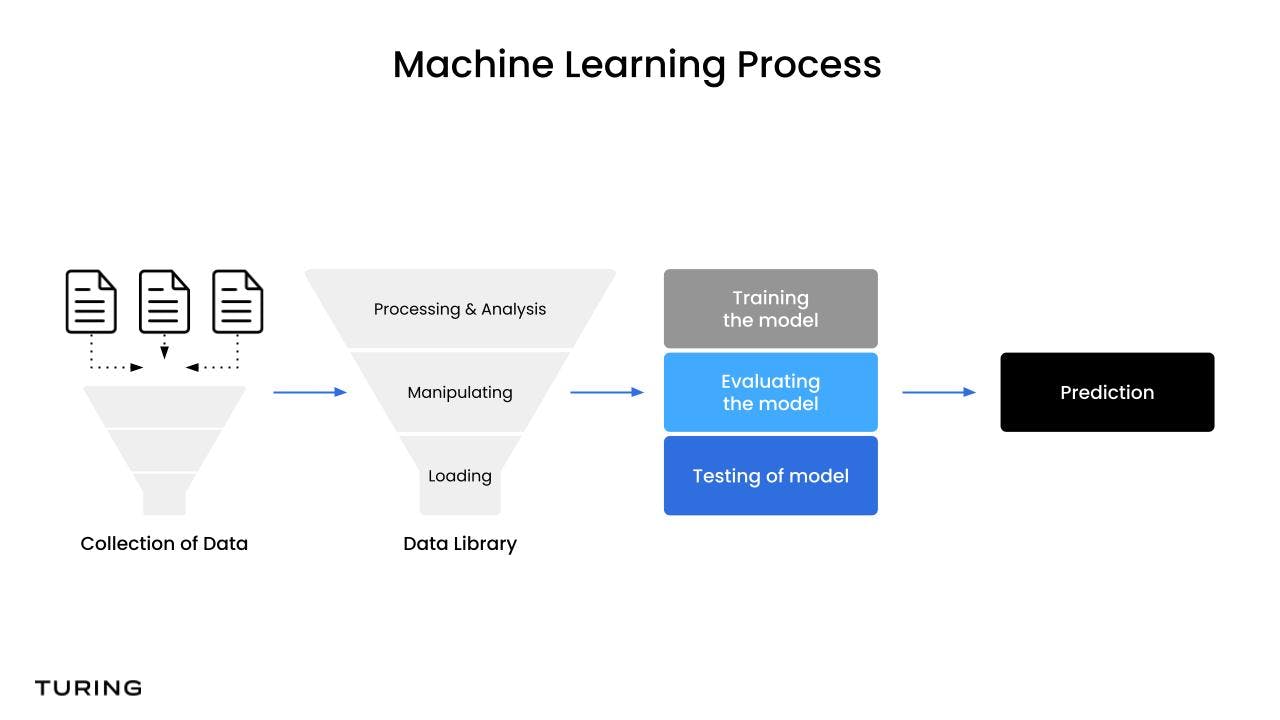
- Dataset Preparation & Environment Setup: Detailed instructions for gathering and preprocessing data, and configuring both CPU and GPU environments.
- Fine-Tuning Process: Step-by-step guide covering model loading, hyperparameter tuning, low-rank adaptation (LoRA), and training monitoring.
- Deployment & Optimization: Guidance on post-training evaluation, deploying the model, and best practices for continuous improvement.
Overview
DeepSeek-R1-Distill-Qwen-7B is a highly efficient, distilled language model designed for complex reasoning and code generation tasks. Its architecture leverages a condensed version of the original DeepSeek-R1 model while maintaining robust capabilities in handling programming-related problems and retrieval-augmented generation (RAG). This comprehensive guide outlines the entire process for fine-tuning this model so that it can be effectively deployed for programming tasks—such as code generation, debugging, or explanation—and RAG applications where external data retrieval buttresses language generation.
1. Preparation and Setup
1.1. Dataset Selection and Preprocessing
Choosing the Right Data
Selecting an appropriate dataset is critical to ensure that the fine-tuned model meets specific application requirements:
- Programming Tasks: Use datasets consisting of code snippets, algorithm challenges, documentation, and Q&A pairs relevant to common programming languages (Python, Java, etc.).
- RAG Tasks: Consider document collections that include technical articles, structured prompt-response pairs, or retrieval-rich texts like academic papers and operational manuals.
Data Formatting and Preprocessing
After selecting your dataset, ensure that it is properly formatted for the model. Convert data into JSON or CSV formats where each entry clearly defines input and expected output. When dealing with programming data, structure prompts to include code contexts and problem statements. For RAG workflows, incorporate metadata that links prompts with the corresponding reference documents.
Preprocessing might include normalizing text, removing extraneous noise, and splitting the dataset into training and validation sets. Ensuring consistency across the dataset allows the model to generalize more effectively during fine-tuning.
1.2. Infrastructure and Environment Setup
Setting Up Your Development Environment
Start by ensuring your system has the required software and libraries. Follow these steps:
- Python Installation: Ensure Python 3.8+ is installed.
- Dependency Management: Use package managers like pip or Anaconda. Essential packages include:
- torch (with CUDA support where available)
- transformers
- datasets
- Ollama (if deploying locally or with Docker)
- Repository Cloning: Obtain the DeepSeek-R1-Distill-Qwen-7B repository from GitHub. For example:
# Clone the repository git clone https://github.com/deepseek-ai/DeepSeek-R1-Distill-Qwen-7B cd DeepSeek-R1-Distill-Qwen-7B - GPU Deployment: Configure PyTorch with CUDA if available, as GPU acceleration drastically reduces fine-tuning time.
2. Fine-Tuning Process
2.1. Loading the Model and Tokenizer
Retrieving Pre-Trained Weights
Using the Hugging Face Transformers library, load the pre-trained DeepSeek-R1-Distill-Qwen-7B model alongside its tokenizer. This ensures that both inference and training proceed with coherent tokenization rules.
from transformers import AutoModelForCausalLM, AutoTokenizer

model_name = "deepseek-ai/DeepSeek-R1-Distill-Qwen-7B"
model = AutoModelForCausalLM.from_pretrained(model_name)
tokenizer = AutoTokenizer.from_pretrained(model_name)
Utilizing this method allows you to access the distilled weights, ensuring the model retains its efficiency while having a robust foundation for further fine-tuning.
2.2. Implementing Low-Rank Adaptation (LoRA)
Efficient Weight Updates
Given the model’s complexity, it is advantageous to employ LoRA (Low-Rank Adaptation) techniques during fine-tuning. LoRA updates a subset of parameters, typically in the projection layers (e.g., q_proj and k_proj), allowing efficient modification without retraining the entire model.
This approach not only shortens training times but also reduces computational costs, making it feasible to adjust parameters even on systems with limited resources.
2.3. Configuring the Training Setup
Training Loop and Hyperparameter Settings
Fine-tuning involves setting up a training loop using libraries like Hugging Face’s Trainer. Define your hyperparameters—including learning rate, batch size, number of epochs, and gradient accumulation steps—to suit your computational resources and dataset size.
For example, a typical configuration might look like:
from transformers import Trainer, TrainingArguments

training_args = TrainingArguments(
    output_dir='./results',
    evaluation_strategy="epoch",
    learning_rate=5e-5,
    per_device_train_batch_size=4,
    num_train_epochs=3,
    weight_decay=0.01,
)
trainer = Trainer(
    model=model,
    args=training_args,
    train_dataset=train_dataset,  # your preprocessed training dataset
    eval_dataset=val_dataset,      # your validation dataset
)
trainer.train()
Continually monitor metrics like loss and accuracy. Tuning these metrics can help determine if further adjustments or additional epochs might be required to enhance task-specific performance.
2.4. Integration with RAG Frameworks
Enhancing Context through Retrieval
When optimizing for retrieval-augmented generation (RAG), integrate the fine-tuned model with retrieval systems and chatbots. Utilize libraries such as LangChain and vector databases like Faiss or Milvus to dynamically pull relevant documents during inference.
Structured prompts combined with retrieved information help avoid context window saturation and ensure that the output remains precise and contextually coherent. This synergy of retrieval and generation is central to RAG tasks.
3. Post-Fine-Tuning and Deployment
3.1. Model Evaluation and Metrics
Assessing Performance
After fine-tuning, it is essential to evaluate the model using a dedicated validation dataset. For programming tasks, consider metrics such as code accuracy and BLEU scores. For RAG applications, metrics like F1 scores and ROUGE can be instrumental in measuring the quality of generated responses.
Regular evaluation helps identify overfitting; if the model’s performance stagnates, consider revisiting hyperparameters or expanding your dataset further.
3.2. Saving and Exporting the Model
Preserving Trained Weights
When the model reaches satisfactory performance levels, save the fine-tuned weights and tokenizer configurations. This ensures that your improvements are preserved and can be deployed in different environments.
# Save the fine-tuned model and tokenizer
model.save_pretrained("./fine-tuned-deepseek")
tokenizer.save_pretrained("./fine-tuned-deepseek")
Additionally, pushing the model to the Hugging Face Hub or similar platforms enables easy integration and accessibility.
3.3. Deployment Strategies
Integrating into Production
Deployment entails choosing an appropriate hosting solution. If you are developing a web application or chatbot:
- Cloud Environments: Platforms like Amazon SageMaker or Alibaba Cloud’s PAI provide scalable environments.
- Containerization: Docker and Kubernetes can be used to containerize the application, ensuring reproducibility and scalability.
- API Integration: Expose model inference through RESTful APIs to enable seamless interaction with frontend applications.
In RAG scenarios, the integration layer should efficiently handle retrieval queries and dynamically merge the retrieved context with model outputs.
4. Best Practices and Optimization Strategies
4.1. Balancing Efficiency and Performance
Resource Optimization Techniques
When running fine-tuning exercises:
- Employ low-rank adaptation (LoRA) as a method to update only a fraction of model parameters.
- Use quantization methods (such as 4-bit quantization) to reduce memory footprints while retaining performance.
- Maintain a systematic approach to hyperparameter tuning to achieve optimal trade-offs between training time and accuracy.
4.2. Iterative Training and Feedback
Refining the Model with Continuous Improvement
Fine-tuning is often an iterative process. Post-deployment user feedback or performance metrics can be invaluable in further refining the model. Regularly retrain or update the model with new or more diverse data. This continuous learning strategy is essential for maintaining state-of-the-art performance, especially as new programming paradigms and RAG requirements evolve.
4.3. Community Engagement and Contribution
Leveraging Collaborative Platforms
Joining communities, such as GitHub discussions or specialized forums on fine-tuning language models, provides access to shared insights and troubleshooting tips. Collaborating on open-source projects can help identify innovative tweaks and offer real-world testing advantages.
5. Summary Table of Fine-Tuning Steps
| Step | Action | Key Tools/Technologies |
|---|---|---|
| 1. Dataset Preparation | Select, clean, and format the dataset for programming and RAG tasks | Python, JSON/CSV, Data Preprocessing Libraries |
| 2. Environment Setup | Install dependencies, clone repositories, configure GPU and local settings | PyTorch, Transformers, CUDA, Docker |
| 3. Model Loading & Initialization | Load pre-trained DeepSeek-R1-Distill-Qwen-7B model and tokenizer | Hugging Face Transformers |
| 4. Fine-Tuning Process | Configure training loop, apply LoRA, and adjust hyperparameters | Trainer, SFTTrainer, PyTorch |
| 5. Evaluation & Deployment | Validate performance, save model, and integrate into applications | API Deployment, Cloud Platforms, Docker/Kubernetes |
References
-
DeepSeek-R1 Distill Qwen 7B - Qwen AI
- DeepSeek-R1 Distill Qwen 7B - Fireworks AI
- DeepSeek-R1 Distill Qwen 7B on Hugging Face
-
DeepSeek-R1 GitHub Repository
- Fine-Tuning DeepSeek-R1 - Medium
Recommended Further Research
 aws.amazon.com
Last updated March 15, 2025