
Designing a Robust Firestore Schema for Your Pet Care Application
Structuring Users, Pets, and Appointments for Scalability and Efficient Queries
Key Insights for Your Firestore Schema
- Firestore's Document-Oriented Model: Understand that Firestore is a NoSQL document database, organizing data into collections and documents. This differs from traditional relational databases and requires a different approach to data modeling.
- Optimizing for Reads: Design your schema based on how you anticipate querying the data. Storing related data together or duplicating data where necessary can significantly improve read performance and reduce costs.
- Linking Data with User IDs: Leverage Firebase Authentication's unique user IDs to establish relationships between users, their pets, and appointments. This is a fundamental way to link data in a NoSQL environment.
Designing an effective database schema is crucial for the performance, scalability, and maintainability of any application, especially a pet care app with interconnected data like users, pets, and appointments. For a NoSQL database like Firestore, the approach differs significantly from relational databases. Instead of strict tables and foreign keys, you work with collections and documents, and relationships are often managed through embedding data or using references.
Firestore is a powerful and flexible NoSQL, document-oriented database provided by Firebase. It excels at storing and syncing data in real-time, making it ideal for dynamic applications like a pet care service where updates need to be immediately reflected across devices. Understanding Firestore's data model – collections of documents, with documents containing fields or even subcollections – is the first step towards designing an efficient schema. Unlike SQL databases, there are no tables or rows in the traditional sense. Instead, data is organized hierarchically.
When structuring your data in Firestore, a primary consideration is how you will query the data. Firestore is optimized for fast queries that retrieve specific documents or small sets of documents. This often leads to data models that might seem denormalized compared to relational databases, but which are designed to minimize the number of reads required for common operations. For a pet care app, common queries would include retrieving all pets belonging to a specific user, or fetching all appointments for a particular pet.
Core Collections and Their Structure
Structuring Users, Pets, and Appointments
Based on the requirements for a pet care app allowing users to manage multiple pets and their appointments, a logical Firestore schema would involve at least three main top-level collections: users, pets, and appointments.
The users Collection
The users collection will store information about each user of the application. The document ID for each user document should be the unique user ID provided by Firebase Authentication. This provides a direct and efficient way to retrieve user-specific data after authentication.
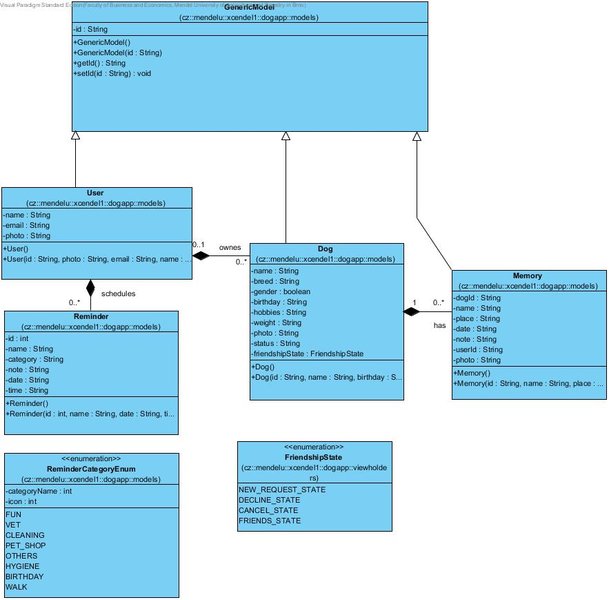
Illustrative class diagram, conceptually similar to structuring relationships in a database.
Sample users Document:
/users/{user_id}
{
  "uid": "firebase_auth_user_id", // The unique ID from Firebase Authentication
  "email": "user@example.com",
  "displayName": "Jane Doe",
  "createdAt": "timestamp", // Timestamp of user creation
  "phoneNumber": "123-456-7890"
}
The pets Collection
The pets collection will store information about each pet. Each pet document should include a field that links it back to its owner. The most efficient way to do this is by including the owner's user_id in the pet document. This allows for easy querying of all pets owned by a specific user.
Sample pets Document:
/pets/{pet_id}
{
  "ownerId": "firebase_auth_user_id", // Link to the owner in the users collection
  "name": "Buddy",
  "species": "Dog",
  "breed": "Golden Retriever",
  "dateOfBirth": "YYYY-MM-DD",
  "medicalHistory": [
    {
      "date": "YYYY-MM-DD",
      "description": "Vaccination",
      "notes": "Annual rabies vaccine"
    }
    // ... more medical entries
  ]
}
Embedding a basic medical history array within the pet document can be efficient for simple cases. However, for extensive or complex medical records, a subcollection within the pet document might be more appropriate to avoid large document sizes.
The appointments Collection
The appointments collection will store details about each scheduled appointment. Each appointment document needs to link to the specific pet it's for, and indirectly to the user who owns the pet. Including both petId and potentially ownerId in the appointment document facilitates different query patterns.
Sample appointments Document:
/appointments/{appointment_id}
{
  "petId": "pet_document_id", // Link to the pet in the pets collection
  "ownerId": "firebase_auth_user_id", // Link to the owner (useful for some queries)
  "dateTime": "timestamp", // Timestamp of the appointment
  "type": "Veterinary Check-up",
  "veterinarian": "Dr. Smith",
  "notes": "Annual wellness exam"
}
Including the ownerId in the appointment document allows you to query appointments for a specific user directly, without first having to find all of their pets. This is an example of denormalization to optimize for a specific access pattern (fetching all appointments for a user).
Linking Data and Querying
Establishing Relationships in Firestore
In a NoSQL database like Firestore, relationships between documents are typically established through references or by embedding related data. For this pet care app schema, we are using references by storing the IDs of related documents.
Linking Users to Pets:
Each document in the pets collection includes an ownerId field, which is the uid of the corresponding user in the users collection. To get all pets for a specific user, you would query the pets collection where the ownerId field is equal to the user's uid.
// Example query (conceptual)
db.collection("pets").whereEqualTo("ownerId", "firebase_auth_user_id").get()
Linking Pets to Appointments:
Each document in the appointments collection includes a petId field, which is the document ID of the corresponding pet in the pets collection. To get all appointments for a specific pet, you would query the appointments collection where the petId field is equal to the pet's document ID.
// Example query (conceptual)
db.collection("appointments").whereEqualTo("petId", "pet_document_id").get()
As mentioned earlier, including the ownerId in the appointments collection allows for efficient retrieval of all appointments for a given user:
// Example query (conceptual)
db.collection("appointments").whereEqualTo("ownerId", "firebase_auth_user_id").get()
This demonstrates a common NoSQL pattern of denormalization to optimize read operations. While it introduces some data redundancy, the benefit in query performance is often significant.
Exploring Alternative Structures (Subcollections)
Considering Subcollections for Related Data
Instead of top-level collections for pets and appointments, you could also consider using subcollections. Subcollections are collections nested within a document.
Subcollection Approach Example:
/users/{user_id}
  /pets/{pet_id}
    {
      "name": "Buddy",
      "species": "Dog",
      // ... other pet details
    }
    /appointments/{appointment_id}
      {
        "dateTime": "timestamp",
        "type": "Veterinary Check-up",
        // ... other appointment details
      }
  /appointments/{appointment_id} // Alternatively, appointments could be a subcollection directly under user if less pet-specific
    {
      "petId": "pet_document_id", // Still need to link to the pet
      "dateTime": "timestamp",
      "type": "Veterinary Check-up",
      // ... other appointment details
    }
In this structure, pets could be a subcollection under a user document, and appointments could be a subcollection under a pet document (or potentially a user document, depending on the query patterns). While this creates a clear hierarchical relationship, querying across subcollections (e.g., finding all appointments for all of a user's pets) can be more complex and potentially more expensive in Firestore compared to querying a top-level collection with appropriate indexing.
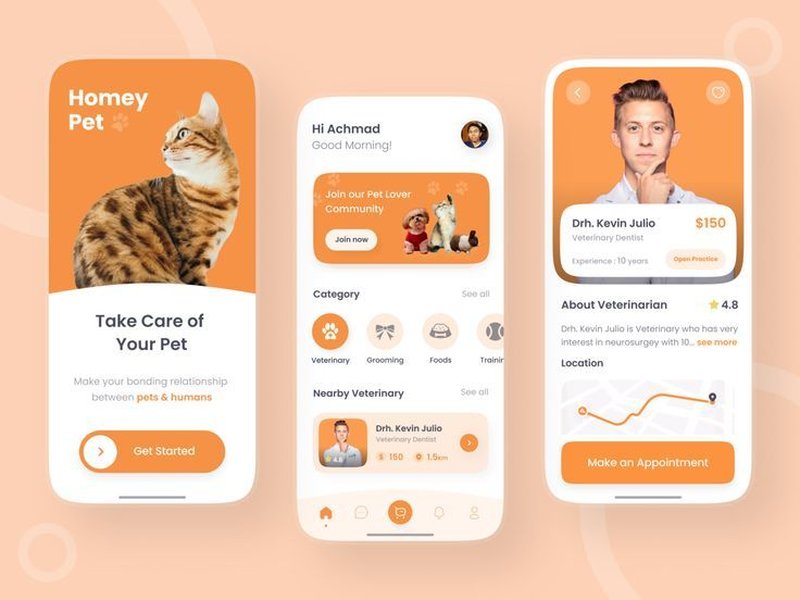
A visual representation of a pet care app's user interface, showing how data might be presented.
The choice between using top-level collections with IDs for linking and using subcollections depends heavily on your application's specific access patterns and how you need to query the data most frequently. For the requirement of querying all pets of a user and all appointments for a specific pet, the initial approach with top-level pets and appointments collections, linked by IDs, is generally more straightforward and efficient.
Indexing for Performance
Ensuring Fast Queries with Firestore Indexes
Firestore automatically creates indexes for some fields, but for many queries, especially those involving whereEqualTo, whereGreaterThan, orderBy, or multiple filter conditions, you will need composite indexes. Firestore will often suggest the indexes you need in the console when you attempt a query that requires one. Creating appropriate indexes is crucial for maintaining good performance as your database grows.
For the schema described, you would likely need indexes on:
petscollection on theownerIdfield to query pets by user.appointmentscollection on thepetIdfield to query appointments by pet.appointmentscollection on theownerIdfield to query appointments by user.- Depending on further query needs (e.g., appointments by date), you might also need indexes on the
dateTimefield, possibly combined withpetIdorownerIdfor composite indexes.
Data Modeling Considerations
Best Practices for NoSQL Design
When designing a NoSQL schema like this, keep the following best practices in mind:
-
Optimize for Reads: Design your schema to make retrieving the data your application needs as efficient as possible, even if it means duplicating data.
-
Flatten Data Structures: Avoid deeply nested data structures within documents. While subcollections are an option, overly deep nesting can make querying and managing data more complex.
-
Consider Document Size: Firestore has limits on document size. Avoid storing extremely large amounts of data within a single document. If a part of your data, like medical history, could become very large, consider using a subcollection.
-
Plan for Growth: Consider how your data volume will increase over time and ensure your schema and indexing strategy can handle the growth without performance degradation.
-
Security Rules: Design your Firestore Security Rules in conjunction with your data schema to ensure that users can only access the data they are authorized to see and modify. Rules based on user IDs and document IDs are fundamental.
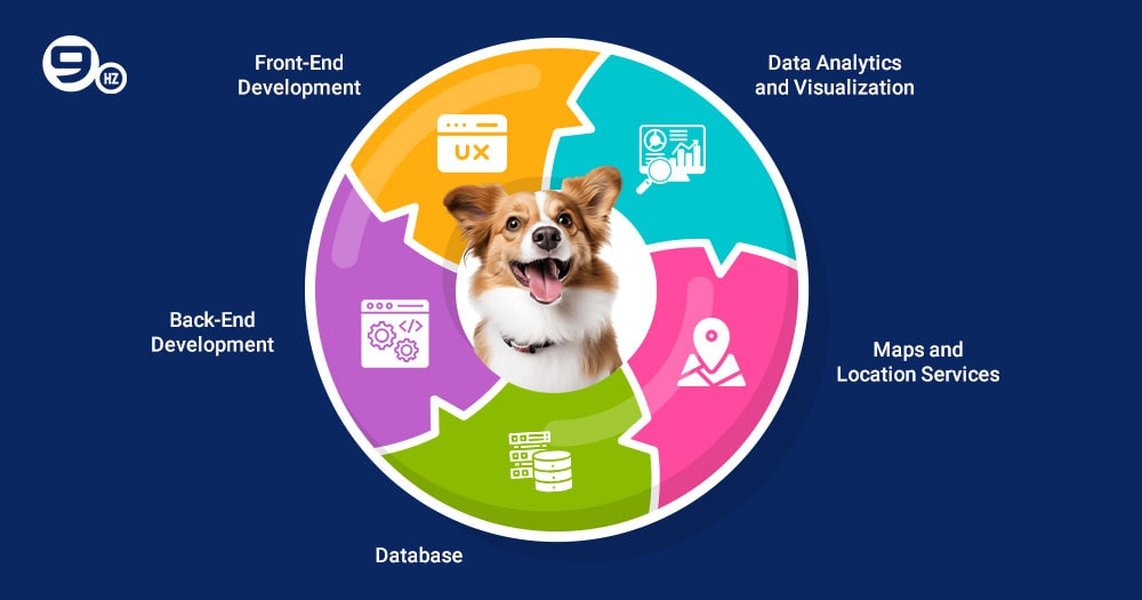
The technical components often involved in developing a pet care application.
HTML Table Representation of the Schema
Summarizing the Collection Structure
Here's a simple HTML table summarizing the proposed Firestore collection structure:
| Collection | Document ID | Key Fields | Relationship Links |
|---|---|---|---|
users |
Firebase Auth uid |
email, displayName, createdAt, etc. |
— |
pets |
Auto-generated ID | ownerId, name, species, breed, etc. |
Links to users via ownerId |
appointments |
Auto-generated ID | petId, ownerId (optional but recommended for queries), dateTime, type, etc. |
Links to pets via petId, potentially to users via ownerId |
This table provides a quick overview of the main collections and how they are related through the inclusion of relevant IDs.
Example Queries
Translating Requirements into Firestore Operations
Let's look at how the required queries would be performed with this schema:
Querying all pets of a user:
To get all pets for a user with a specific user_id:
firebase.firestore().collection("pets")
    .whereEqualTo("ownerId", "the_user_id")
    .get()
    .then((querySnapshot) => {
        querySnapshot.forEach((doc) => {
            // Access pet data: doc.data()
        });
    })
    .catch((error) => {
        console.log("Error getting documents: ", error);
    });
Querying all appointments for a specific pet:
To get all appointments for a pet with a specific pet_id:
firebase.firestore().collection("appointments")
    .whereEqualTo("petId", "the_pet_id")
    .get()
    .then((querySnapshot) => {
        querySnapshot.forEach((doc) => {
            // Access appointment data: doc.data()
        });
    })
    .catch((error) => {
        console.log("Error getting documents: ", error);
    });
These examples demonstrate how the chosen schema with top-level collections and ID linking directly supports the required query patterns.
Utilizing Firebase Services
Integrating with Authentication and Other Features
This schema design seamlessly integrates with Firebase Authentication. The user's unique ID from Firebase Auth serves as the primary link in your database structure, ensuring that data is tied to authenticated users. Firestore Security Rules can then leverage this structure to enforce data access control, allowing only authenticated users to read and write their own data and potentially the data of pets and appointments linked to them.
Firebase also offers other services that can complement your pet care app, such as Firebase Storage for storing pet photos or medical documents, and Firebase Cloud Functions for running backend code in response to database events (e.g., sending appointment reminders).
Understanding Firestore vs. Realtime Database
Choosing the Right Firebase Database
While Firebase offers two NoSQL databases, the Realtime Database and Cloud Firestore, Firestore is generally recommended for new applications due to its richer querying capabilities, better scalability for large datasets, and more robust security rules. The schema design discussed here is specifically for Firestore's document model.
Here is a video explaining what a NoSQL database is and how Cloud Firestore fits in:
This video provides a foundational understanding of NoSQL databases and introduces Cloud Firestore, helping to contextualize the schema design principles discussed.
Frequently Asked Questions about Firestore Schemas
Is denormalization always necessary in Firestore?
Denormalization is a common pattern in Firestore to optimize read performance. By duplicating data or embedding related information, you can often retrieve all the data needed for a particular view or operation in a single query, reducing the number of reads and improving latency. However, it's not always necessary and should be a conscious decision based on your application's read patterns. Excessive denormalization can lead to inconsistencies if not managed carefully.
How do I handle relationships in Firestore?
Relationships in Firestore are typically handled by storing the IDs of related documents (referencing) or by embedding related data within a document. The choice depends on the nature of the relationship and your query patterns. For one-to-many relationships (like a user having many pets), storing the parent ID in the child document is common. For many-to-many relationships, you might use a separate collection to link documents or use arrays of IDs.
How can I ensure data consistency with denormalization?
When denormalizing, you might need to update data in multiple locations. This can be managed using batched writes or transactions in Firestore to ensure that updates across multiple documents succeed or fail together, helping to maintain data consistency.
Are subcollections better than top-level collections?
Neither is inherently better; the choice depends on your data structure and access patterns. Subcollections are useful for organizing related data that belongs to a single document and when you primarily access this data in the context of the parent document. Top-level collections are better when you need to query across all documents of a certain type, regardless of their parent. Querying across subcollections can be less efficient than querying a top-level collection.
How do Firestore Security Rules affect schema design?
Firestore Security Rules are crucial for protecting your data. Your schema design should facilitate the implementation of your security rules. For example, including the ownerId in pet and appointment documents makes it easy to write rules that ensure users can only access their own data. Consider your security requirements early in the schema design process.
References
Last updated April 19, 2025