
Unlock Peak Productivity: Your Ultimate Free AI-Powered IDE Setup for Flutter & Supabase in 2025!
Discover the optimal, cost-effective combination of development environments and AI assistants to build your next mobile app with cutting-edge features.
Navigating the landscape of Integrated Development Environments (IDEs) and AI-powered coding assistants can be daunting, especially when aiming for a setup that is both powerful and budget-friendly. If you're planning to develop a mobile application using Flutter for the frontend and Supabase as your backend, you're in the right place. This guide synthesizes the best options available as of May 2025, focusing on free or minimal-cost solutions that offer advanced features, support for the latest AI models, and even local model capabilities.
Key Highlights: Your Quick Guide to an AI-Enhanced Workflow
- Best Free IDE: Visual Studio Code (VS Code) stands out for its versatility, extensive Flutter support, and vast ecosystem of extensions, making it the top free choice.
- Top Free AI Assistants: Codeium (for its generous free tier and local model support) and Gemini Code Assist (for access to Google's latest AI models) are excellent free AI companions for VS Code.
- Local Model Power: Several AI assistants, notably Codeium and the JetBrains AI Assistant, offer support for running AI models locally, enhancing privacy and offline capabilities.
Deep Dive into IDEs for Flutter & Supabase Development
Choosing the right IDE is foundational to a productive development experience. For Flutter and Supabase, a few contenders shine, especially when considering AI integration and cost.
Visual Studio Code (VS Code): The Versatile Powerhouse
VS Code is widely acclaimed as the de facto IDE for Flutter development. Its lightweight nature, fast performance, and extensive marketplace of extensions make it highly adaptable.
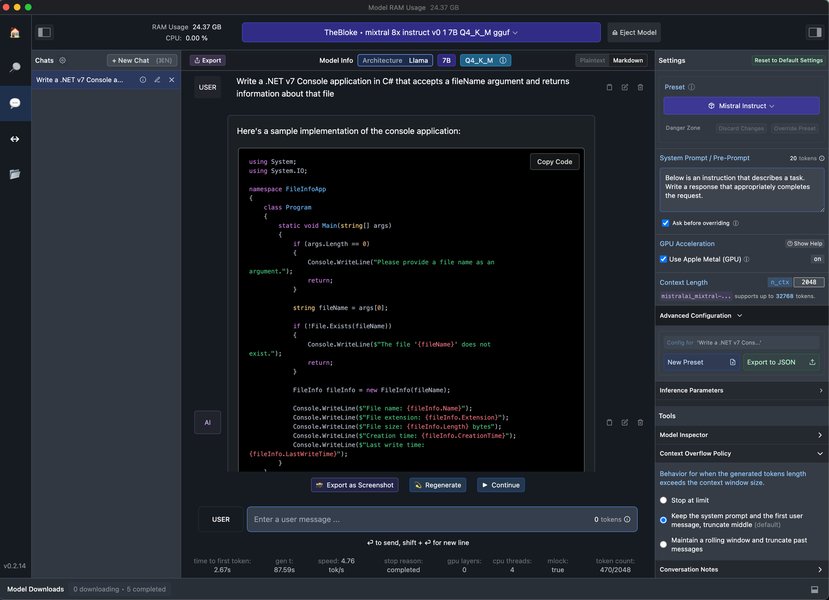
VS Code interface showcasing an integrated AI coding assistant.
Why VS Code is a Top Choice:
- Cost-Effective: Completely free to use.
- Excellent Flutter Support: Dedicated Flutter and Dart extensions provide rich features like intelligent code completion (IntelliSense), debugging tools, widget inspector integration, and seamless hot reload/hot restart capabilities.
- Supabase Integration: Easily integrate Supabase using the
supabase_flutterDart package. VS Code's tools for managing Dart projects, along with extensions for REST API testing and database management, facilitate smooth backend interactions. - AI Extensibility: A vast array of AI coding assistant extensions are available, many with robust free tiers.
- Customizable and Lightweight: Tailor the environment to your exact needs without the overhead of heavier IDEs.
JetBrains IDEs (Android Studio, IntelliJ IDEA, Fleet): Robust Alternatives
JetBrains IDEs, including Android Studio (the official IDE for Android development with excellent Flutter support), IntelliJ IDEA (Community Edition is free), and the newer, more lightweight Fleet, offer powerful development environments.
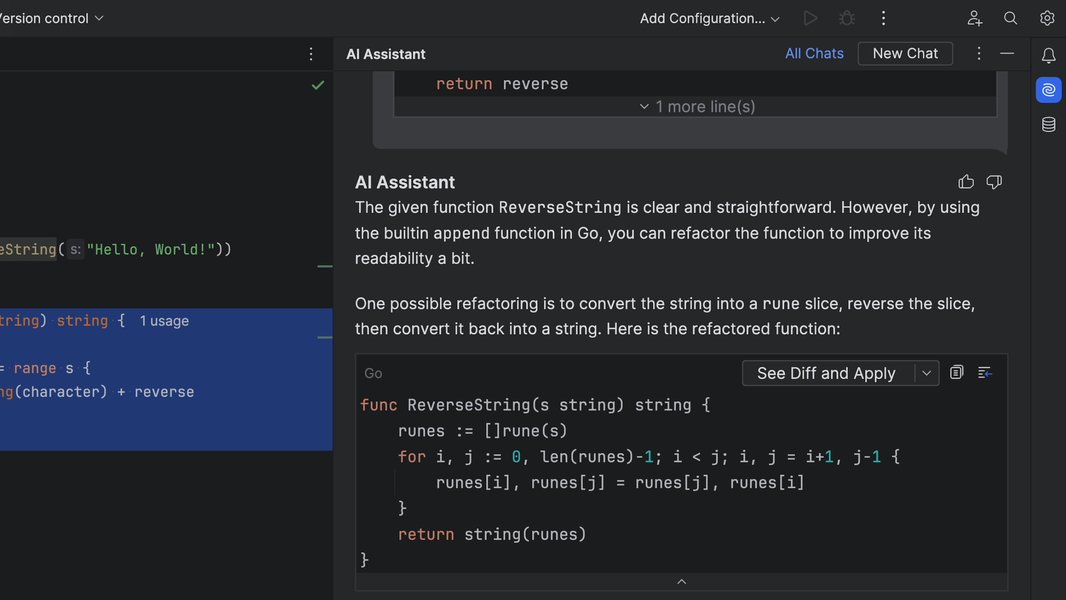
JetBrains AI Assistant offering chat-based refactoring suggestions within the IDE.
Key Features of JetBrains IDEs:
- Strong Flutter and Dart Support: Built-in or via high-quality plugins, offering advanced code analysis, refactoring, and debugging.
- JetBrains AI Assistant: As of 2025, JetBrains offers a free tier for its AI Assistant in its IDEs (version 2025.1 and later). This includes features like AI-powered code completion, chat, documentation generation, and importantly, support for local AI models alongside cloud-based ones (with a quota for the latter on the free tier).
- Integrated Environment: Known for a cohesive and powerful toolset, though Android Studio can be resource-intensive.
A Note on FlutterFlow for Visual Development
While not a traditional code-centric IDE, FlutterFlow deserves mention. It's a visual, low-code platform for building Flutter apps. FlutterFlow allows for rapid UI development and has built-in capabilities to integrate AI agents powered by models from Google (Vertex AI, including Gemini), OpenAI, and Anthropic. It can connect to Supabase via REST APIs. While its free tier is limited, it can be an excellent tool for quick prototyping or for specific AI-driven features within your app, complementing a primary IDE like VS Code.
Powering Your Workflow: AI Assistants & Agents in Your IDE
AI assistants can dramatically accelerate development by providing code suggestions, generating boilerplate, explaining complex code, and even helping with debugging.
Top AI Assistant Choices for VS Code
VS Code's strength lies in its extensibility, allowing you to choose from several excellent AI assistants:
- Codeium: Offers a very generous free tier with unlimited code autocomplete and an AI-powered chat. Crucially, Codeium supports running AI models locally, which is a significant advantage for privacy and offline work. It's a strong contender for the "best free" category.
- Gemini Code Assist (formerly Google Duet AI): Provided by Google, this AI assistant integrates with VS Code and offers free access to features powered by Google's latest Gemini models. It excels at code completion, generation, and chat-based assistance.
- GitHub Copilot: While its full version is subscription-based, GitHub Copilot offers free access for verified students and maintainers of popular open-source projects. It's known for its powerful code suggestions based on OpenAI's models.
- TabNine: Another popular choice offering a free tier with AI code completions. TabNine also supports local models, providing an alternative to Codeium for this feature.
AI Assistance in JetBrains IDEs
As mentioned, the JetBrains AI Assistant is the primary AI tool for JetBrains IDEs. Its free tier now includes unlimited local code completion and local model support, with a limited quota for features using third-party cloud models. This makes it a compelling option if you prefer the JetBrains ecosystem.
Specialized AI Tools
- CommandDash: This is a VS Code extension that provides an open marketplace of modular programming agents. These agents are trained on the documentation and code of specific APIs, SDKs, and packages (like those for Flutter or Supabase), helping you build faster without deep-diving into docs.
- Supabase AI Assistant: While less detailed in general discussions, Supabase has been developing AI tools, including a SQL editor with AI capabilities to help write and optimize database queries directly within the Supabase dashboard. While not an in-IDE agent for frontend code, it's a valuable asset for backend management.
Comparing AI Assistant Capabilities: A Visual Overview
To help you choose the right AI assistant, the radar chart below provides a visual comparison of some top contenders based on key criteria relevant to your needs. The scores are on a scale of 1 to 5 (higher is better), reflecting their strengths in areas like cost-effectiveness, feature set, access to cutting-edge cloud models, local model support, ease of integration, and specificity for Flutter/Dart development.
This chart illustrates that tools like Codeium and Gemini Code Assist offer exceptional value in their free tiers. Codeium stands out for its local model support, while Gemini provides access to Google's advanced AI. JetBrains AI is strong for those in its ecosystem, and GitHub Copilot remains a powerful, albeit conditionally free, option.
Visualizing Your Development Ecosystem
The mindmap below outlines the interconnected components of your Flutter and Supabase development setup, enhanced by AI tools. It provides a bird's-eye view of how IDEs, AI assistants, your backend, and in-app AI integrations can work together.
with AI Assistance"] id1["Integrated Development Environments (IDEs)"] id1_1["Visual Studio Code (VS Code)"] id1_1_1["Pros: Free, Lightweight, Extensible, Popular for Flutter"] id1_1_2["Key Plugins: Flutter, Dart, Supabase-related"] id1_2["JetBrains IDEs (Android Studio, IntelliJ, Fleet)"] id1_2_1["Pros: Robust, Feature-Rich, JetBrains Ecosystem"] id1_2_2["Strong Flutter/Dart Support"] id1_3["(Complementary) FlutterFlow"] id1_3_1["Visual Low-Code Development"] id1_3_2["Rapid UI Prototyping & AI Agent Integration"] id2["AI Assistants & Agents (In-IDE)"] id2_1["For VS Code"] id2_1_1["Codeium (Free Tier, Local Models)"] id2_1_2["Gemini Code Assist (Free, Google's Latest Models)"] id2_1_3["GitHub Copilot (Conditional Free Tier)"] id2_2["For JetBrains IDEs"] id2_2_1["JetBrains AI Assistant (Free Tier, Local Models)"] id2_3["Specialized Tools"] id2_3_1["CommandDash (API/SDK Specific Agents)"] id3["Backend as a Service (BaaS)"] id3_1["Supabase"] id3_1_1["PostgreSQL Database"] id3_1_2["Authentication"] id3_1_3["Realtime Subscriptions"] id3_1_4["Storage & Edge Functions"] id3_1_5["Integration: supabase_flutter SDK"] id4["In-App AI Feature Integration"] id4_1["Google AI Dart SDK (for Gemini models)"] id4_2["Vertex AI (for production-grade GenAI)"] id4_3["Custom Cloud Functions / Backend Logic for other AI providers"] id5["Key Selection Criteria"] id5_1["Cost Effectiveness (Free or Minimal)"] id5_2["Advanced Features & Tooling"] id5_3["Access to Latest AI Models"] id5_4["Local Model Support (Privacy/Offline)"] id5_5["Ease of Use & Integration"]
This mindmap helps to conceptualize how different tools and technologies interconnect, from your choice of IDE and AI assistant to how you'll manage your Supabase backend and potentially embed AI features directly into your Flutter application.
Integrating AI Beyond the IDE: In-App AI Features
While IDE-based AI assistants boost developer productivity, you might also want to build AI-powered features directly into your Flutter app. Here are some approaches:
- Google AI Dart SDK: This SDK allows you to leverage Google's state-of-the-art generative AI models, like Gemini, directly within your Dart and Flutter applications. You can use it for tasks like text generation, summarization, and building conversational experiences.
- Vertex AI: For more complex, production-grade generative AI features, Google Cloud's Vertex AI platform offers robust tools. There's a Vertex AI in Firebase Dart SDK that can be used for prototyping and deploying Gemini models in Flutter apps.
- Custom Backend Solutions with Cloud Functions: For integrating with other AI providers (like OpenAI or Anthropic) or for complex AI logic that you don't want to run on the client-side, you can use cloud functions (e.g., Supabase Edge Functions or Firebase Cloud Functions). Your Flutter app would make requests to these functions, which then interact with the AI models and your Supabase database.
- FlutterFlow AI Agents: If using FlutterFlow, it simplifies adding AI-powered interactions using LLMs directly into your app through configurable AI agents.
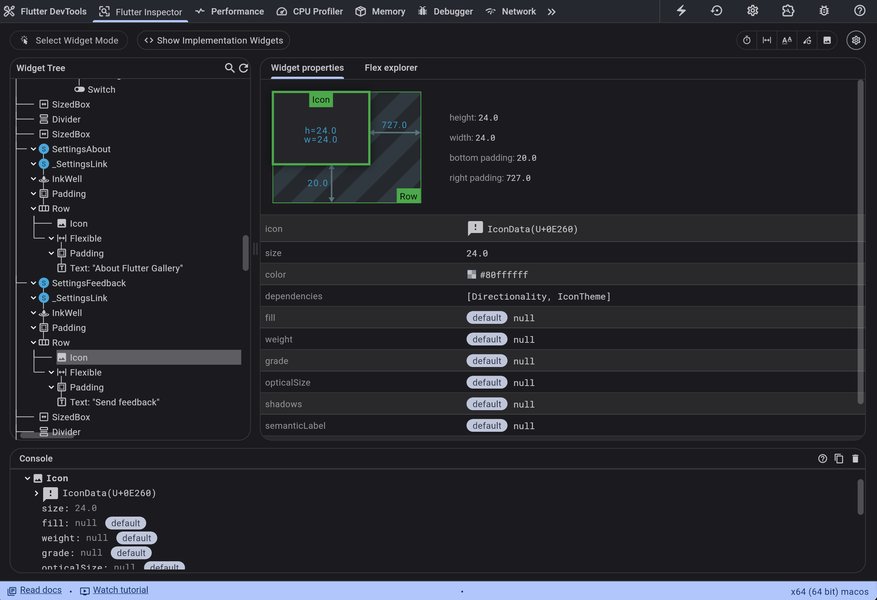
The Flutter DevTools Inspector, essential for UI debugging, accessible from IDEs like VS Code.
Your Optimal Setup: Recommended Combinations
Based on the criteria of being free or minimal cost, offering advanced features, supporting recent and local AI models, here’s the prime recommendation:
Primary Recommendation: VS Code + Codeium or Gemini Code Assist
- IDE: Visual Studio Code (VS Code). It's free, highly customizable, widely adopted for Flutter, and has excellent extension support.
- AI Assistant (Option 1): Codeium. Its generous free tier, unlimited code completion, AI chat, and, critically, local model support make it an outstanding choice for cost-conscious developers prioritizing privacy and offline capability.
- AI Assistant (Option 2): Gemini Code Assist. Also free, it provides access to Google's powerful Gemini models directly within VS Code, excellent for cutting-edge AI suggestions and code generation.
- Supabase Integration: Use the official
supabase_flutterpackage for seamless backend connectivity.
This combination offers the best balance of cost (entirely free), powerful Flutter development tools, and access to advanced AI assistance, including local model options with Codeium.
Strong Alternative: JetBrains IDE + JetBrains AI Assistant
- IDE: IntelliJ IDEA Community Edition / Android Studio / JetBrains Fleet. These are excellent, feature-rich IDEs.
- AI Assistant: JetBrains AI Assistant. The free tier (with 2025.1+ versions) provides local model support and integrated AI features. This is ideal if you are already comfortable within the JetBrains ecosystem.
Complementary Tool for Rapid UI/AI Agent Prototyping
- FlutterFlow: Consider using FlutterFlow (free tier available) for rapid visual UI development or for integrating pre-configured AI agents (chatbots, etc.) that connect to services like Vertex AI or OpenAI, especially if these features can then be integrated into a larger project managed in VS Code or a JetBrains IDE.
Feature Comparison: IDE and AI Tool Combinations
The table below provides a side-by-side comparison of the recommended IDE and AI assistant combinations, focusing on aspects crucial for your project:
| Aspect | VS Code + Codeium | VS Code + Gemini Code Assist | JetBrains IDE + JetBrains AI |
|---|---|---|---|
| IDE Cost | Free | Free | Free (Community/Fleet) to Paid (Ultimate) |
| AI Assistant Cost | Free (generous tier) | Free | Free (generous tier for local/some cloud features) |
| Primary Strength | Versatility, strong free AI, excellent local model support | Cutting-edge Google AI, seamless VS Code integration | Robust IDE, deeply integrated AI, good local model support |
| Flutter Dev Experience | Excellent | Excellent | Excellent |
| Supabase Integration | Smooth via supabase_flutter SDK & REST tools |
Smooth via supabase_flutter SDK & REST tools |
Smooth via supabase_flutter SDK & REST tools |
| Latest AI Model Access | Good (Cloud for some features, community can add more) | Excellent (Direct access to Gemini models) | Good (Cloud access for some features) |
| Local AI Model Support | Yes (Core Codeium feature) | Limited/Indirect (via general VS Code extensibility for other tools) | Yes (Core JetBrains AI feature) |
| Advanced IDE Features | Very Good (via rich extension ecosystem) | Very Good (via rich extension ecosystem) | Excellent (especially Ultimate versions) |
| Ease of Setup | High | High | Moderate to High |
| Overall Value (Free/Low Cost) | Excellent | Excellent | Very Good |
Getting Started with Flutter and Supabase
To give you a practical start, this video provides an excellent introduction to setting up Flutter with Supabase. While it may not cover AI assistants specifically, it lays the groundwork for your backend integration, which your AI-powered IDE setup will then help you build upon.
"Getting Started with Flutter and Supabase" - a helpful tutorial to begin your journey.
Frequently Asked Questions (FAQ)
What is the absolute cheapest (i.e., free) setup that still offers good AI capabilities?
The combination of Visual Studio Code + Codeium is an excellent completely free setup. VS Code is a free IDE, and Codeium offers a very generous free tier with unlimited AI code completions, AI chat, and support for local models. Alternatively, VS Code + Gemini Code Assist is also entirely free and gives you access to Google's latest AI models.
Can I effectively use local AI models with these setups for privacy and offline work?
Yes! Several recommended AI assistants support local models:
- Codeium: Explicitly offers local model support as part of its features, even in the free tier when configured.
- JetBrains AI Assistant: The free tier for JetBrains IDEs (2025.1+) includes support for running AI models locally.
- TabNine: Also has options for local model execution.
Using local models enhances privacy as your code doesn't need to be sent to a cloud server for processing, and it allows for offline AI assistance.
How does Supabase fit into this AI-assisted development workflow?
Supabase serves as your powerful, open-source backend. Your AI assistant in the IDE (like Codeium or Gemini in VS Code) will help you write the Flutter/Dart code that interacts with Supabase. This includes:
- Generating code for user authentication with Supabase Auth.
- Creating boilerplate for CRUD (Create, Read, Update, Delete) operations on your Supabase PostgreSQL database using the
supabase_flutterSDK. - Assisting in setting up real-time subscriptions for live data updates.
- Helping write Supabase Edge Functions if you need server-side logic.
Additionally, Supabase itself offers AI tools like an AI SQL editor in its dashboard to help you manage your database more effectively.
Is FlutterFlow a replacement for VS Code or Android Studio?
Not entirely. FlutterFlow is a visual low-code platform excellent for rapid UI development, prototyping, and integrating pre-built AI agents. It generates Flutter code that can be exported. However, for complex application logic, fine-grained control, extensive custom coding, and managing larger projects, a traditional IDE like VS Code or Android Studio is generally more suitable. FlutterFlow can be a great complementary tool to speed up initial development or build specific UI sections or AI features, which can then be integrated into a project managed by a more powerful IDE.
What if I'm a student or open-source contributor? Does that change AI tool recommendations?
Yes, it can! If you are a verified student or a maintainer of a popular open-source project, you are likely eligible for GitHub Copilot for free. GitHub Copilot is a very powerful AI pair programmer. This would make it a top-tier option alongside Codeium and Gemini Code Assist, potentially offering an even richer set of suggestions given its training on a vast corpus of code. Always check the current eligibility criteria for such programs.
Recommended Further Exploration
To deepen your understanding and explore related topics, consider these search queries:
- How to optimize Flutter app performance with Supabase backend.
- Step-by-step guide to integrating local AI models in VS Code for Flutter development.
- Advanced Supabase security practices for Flutter mobile applications.
- Building real-time collaborative features in Flutter using Supabase subscriptions and AI.
References
This response was synthesized using insights from various sources, including the following leading resources:
Last updated May 13, 2025