
Exploring Font Rendering Demo Programs
A Look at How Text is Brought to Life On Screen
Font rendering is the fascinating process by which digital text is transformed into the visually perceivable characters we see on our screens. It involves taking vector or bitmap font data and converting it into pixels that accurately represent the intended letterforms. This process is crucial for readability and the overall aesthetic of digital interfaces. Various demo programs exist that showcase different font rendering techniques and their capabilities, allowing developers and enthusiasts to understand and experiment with how fonts are displayed.
Key Highlights of Font Rendering Demos
- Understanding Different Techniques: Demo programs often illustrate various rendering methods, such as bitmap rendering, vector outline rendering, and Signed Distance Field (SDF) rendering, highlighting their strengths and weaknesses.
- Visualizing Rendering Quality: These demos allow users to visually compare the output of different rendering libraries or techniques, observing differences in sharpness, anti-aliasing, and handling of various font sizes and styles.
- Exploring Performance: Some demos may also showcase the performance of different rendering approaches, particularly relevant for applications requiring real-time text display, such as games or 3D environments.
Popular Font Rendering Libraries and Their Demos
Several libraries are widely used for font rendering, each with its own set of features and demo programs.
FreeType Project
The FreeType Project is a highly regarded, free, and portable software library for rendering fonts. Written in C, it is designed to be small, efficient, and customizable, capable of producing high-quality output from various font formats, including TrueType (.ttf) and OpenType (.otf).
FreeType includes demo programs that showcase its capabilities. For instance, the ftinspect demo program is an enhanced tool that combines the functionality of many other graphical FreeType demos into a single application.
FreeType is used in numerous products and operating systems, including GNU/Linux distributions, Android, iOS, and ChromeOS.
Screenshot of the FreeType ftinspect demo program.
Slug Font Rendering Library
Slug is a software library recognized as a professional standard for rendering high-quality, resolution-independent text and vector graphics in 3D applications, often leveraging the GPU. It's used for rendering graphical user interfaces, heads-up displays, and text within 3D environments.
A demo of the Slug library for Windows is available, allowing users to explore its rendering capabilities. This demo includes various pages showcasing text and vector graphics and highlighting features like resolution independence and the handling of complex glyphs, including multicolor emoji.
Slug's approach involves rendering each glyph by drawing a quad covering its bounding box and using a specialized shader to determine pixel coverage based on the original Bézier curve data. This method aims for sharp outlines at all resolutions without faceting or blurring.
Slug supports various graphics APIs, including Vulkan, Direct3D, OpenGL, Metal, and WebGL2.
Screenshot of the Slug library demo showing text rendering.
libschrift
libschrift is a lightweight TrueType font rendering library written in C. It prioritizes simplicity, ease of use, and portability, aiming for artifact-free and Unicode-aware rendering. It supports most TrueType (.ttf) and certain OpenType (.otf) fonts and has minimal dependencies, primarily relying on the C standard library.
libschrift has been tested on various operating systems, including Linux, OpenBSD, FreeBSD, Windows, iOS, and macOS, demonstrating its portability. While the provided sources don't explicitly detail a standalone demo program, the library's structure and documentation suggest it's designed for easy integration into other projects, where users would implement their own rendering demos.
Other Noteworthy Demos and Libraries
The world of font rendering is diverse, with many other libraries and demo programs available, often focusing on specific platforms or use cases.
OpenGL Font Rendering Demos
For developers working with computer graphics, particularly in game development or 3D applications, OpenGL font rendering demos are prevalent. These demos often illustrate techniques for rendering text efficiently within a 3D scene, such as using texture atlases (packing multiple glyphs into a single texture) or Signed Distance Fields (SDF). SDF rendering is particularly useful for scalable text that remains sharp at various sizes and angles.
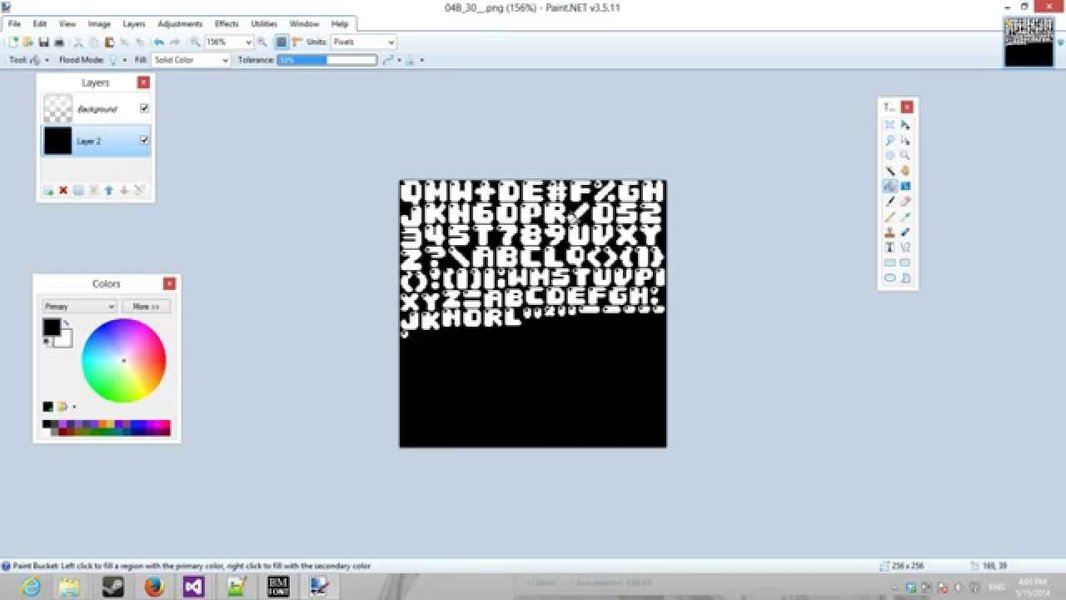
Screenshot of a C++ OpenGL bitmap font rendering sample.
Examples include demos for rendering text in Vulkan by estimating signed distance, OpenGL tutorials on text rendering using libraries like FreeTypeGL, and various small-scale implementations shared on platforms like GitHub and game development forums.
An OpenGL tutorial on text rendering.
WebGL Font Rendering Demos
For web-based graphics, WebGL font rendering demos showcase how to display text using the WebGL API. These demos often explore techniques suitable for real-time interactive graphics in a web browser, similar to OpenGL demos but tailored for the web environment.
Screenshot of a WebGL font rendering demo.
MCUFont
MCUFont is a font rendering library specifically designed for microcontroller systems. It focuses on efficiency and low resource usage, enabling high-quality anti-aliased text rendering on devices with limited processing power and memory. This highlights how font rendering needs can vary significantly depending on the target platform.
Font Rendering Techniques Demonstrated
Font rendering demos often serve to illustrate the visual output and performance characteristics of different rendering techniques. Understanding these techniques provides insight into how text appears on different devices and operating systems.
Bitmap Rendering
One of the simpler methods, bitmap rendering involves pre-rasterizing font glyphs into images (bitmaps) for specific sizes. When text is rendered, the corresponding glyph images are simply copied to the screen. This method is relatively easy to implement and can be efficient but lacks scalability; resizing text or displaying it at different resolutions can result in pixelation or blurriness. Bitmap font rendering demos often show how text looks at its intended size compared to scaled versions.
Illustration of bitmap font rendering.
Vector Outline Rendering
Vector fonts store glyphs as mathematical descriptions of their outlines (e.g., Bézier curves). Vector outline rendering involves converting these outlines into pixels at runtime. This approach allows for resolution-independent rendering, meaning text can be scaled to any size without losing quality. However, converting vector data to pixels can be computationally intensive, especially for complex fonts or large amounts of text. Demos showcasing vector rendering often emphasize the sharpness and scalability of the output.
Signed Distance Field (SDF) Rendering
SDF rendering is a technique that has become popular for rendering scalable text, particularly in graphics applications. It involves pre-calculating a distance field for each glyph, which stores the shortest distance from any point within a certain range to the glyph's outline. At render time, a shader uses this distance field to determine pixel coverage. SDF rendering offers good scalability and allows for effects like outlines and shadows, while being more efficient than pure vector rendering for certain use cases. SDF demos often highlight the smooth scaling and visual effects possible with this technique.
GIF demonstrating SDF font rendering with an outline effect.
Hinting and Anti-Aliasing
Font rendering demos may also touch upon concepts like hinting and anti-aliasing. Hinting involves using instructions embedded within a font to adjust the shape of glyphs at small sizes to align with the pixel grid, improving readability. Anti-aliasing, on the other hand, smooths the edges of characters by blending the colors of the text and background pixels, reducing the appearance of jagged edges. Different rendering engines and operating systems employ varying strategies for hinting and anti-aliasing, leading to noticeable differences in text appearance.
Platform-Specific Font Rendering
Font rendering implementation can vary significantly between operating systems, leading to different visual characteristics and available tools for customization.
Windows Font Rendering
Windows has historically used different rendering engines, including GDI and DirectWrite. Windows often employs heavy font hinting to align character strokes with pixel boundaries for sharper letterforms. Tools like the ClearType Tuner allow users to customize how ClearType (Microsoft's sub-pixel rendering technology) is applied to optimize readability on their specific display.
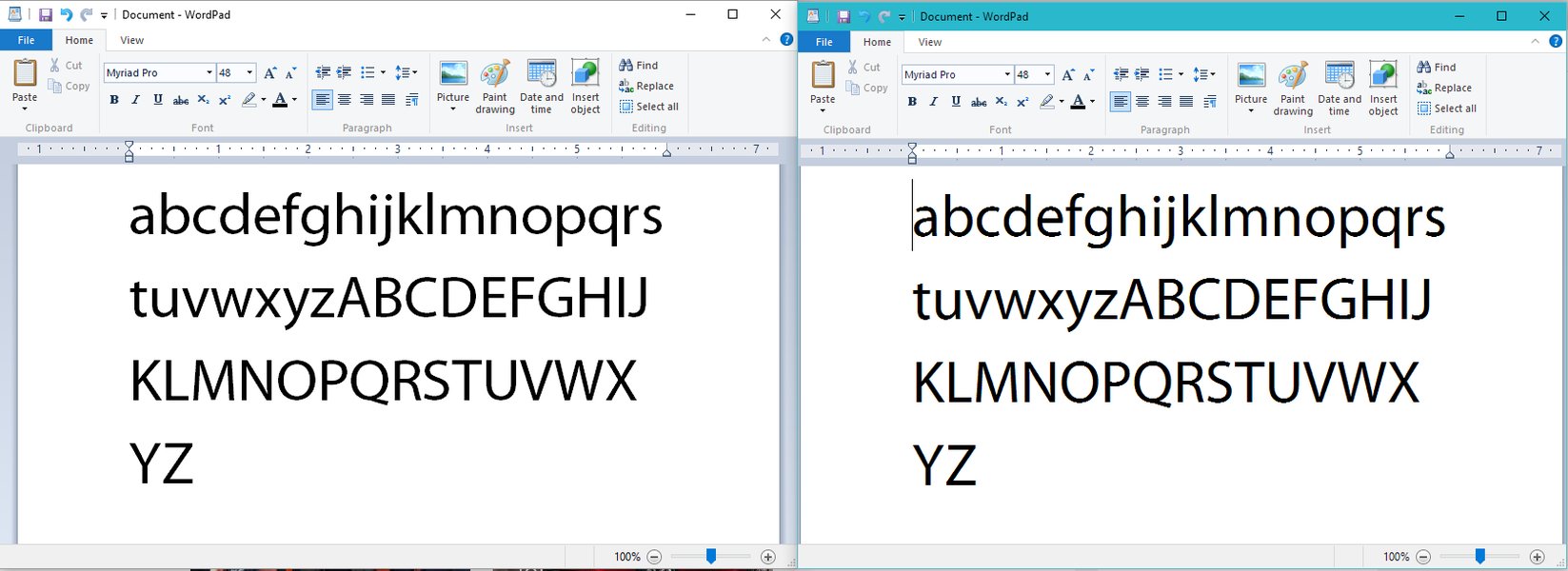
Screenshot showing a font rendering issue on Windows.
macOS Font Rendering
macOS is often noted for its font rendering, which historically favored aesthetics and smooth shapes over strict pixel alignment, resulting in thicker, less "sharp" characters compared to Windows' default rendering. This difference is a subject of debate among users, with some preferring the look of macOS rendering and others finding it less clear, especially on lower-resolution displays.
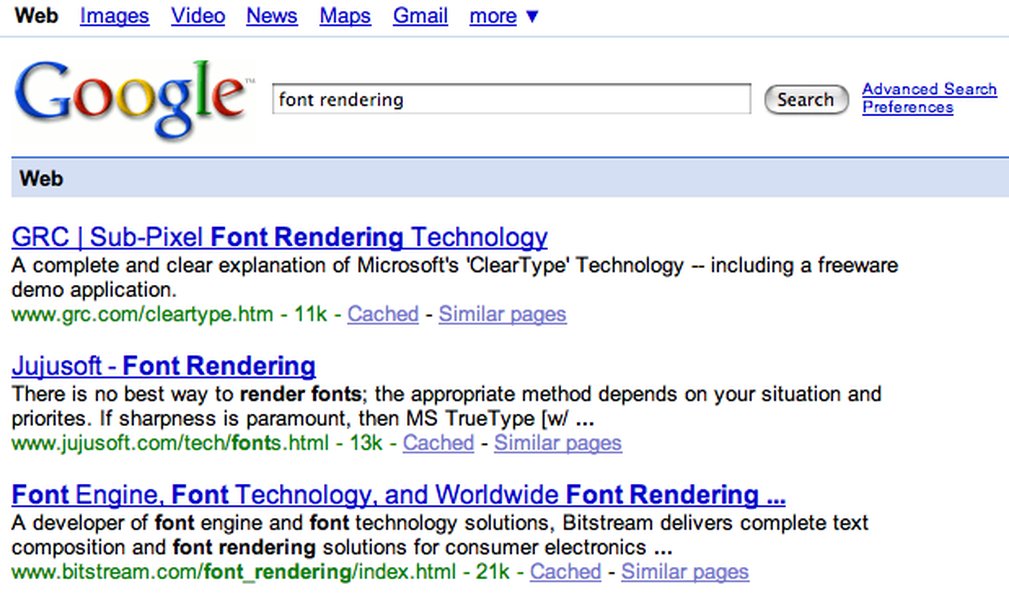
Comparison of font rendering between Windows and macOS.
Linux Font Rendering
Linux environments offer a high degree of customization for font rendering. Libraries like FreeType are fundamental to font rendering on Linux. Desktop environments like GNOME often provide tools (e.g., GNOME Tweaks) to adjust font settings, including hinting, anti-aliasing, and scaling. Some users report that distributions like Ubuntu, which often use the PANGO font rendering engine (built on top of FreeType), have excellent font rendering quality.
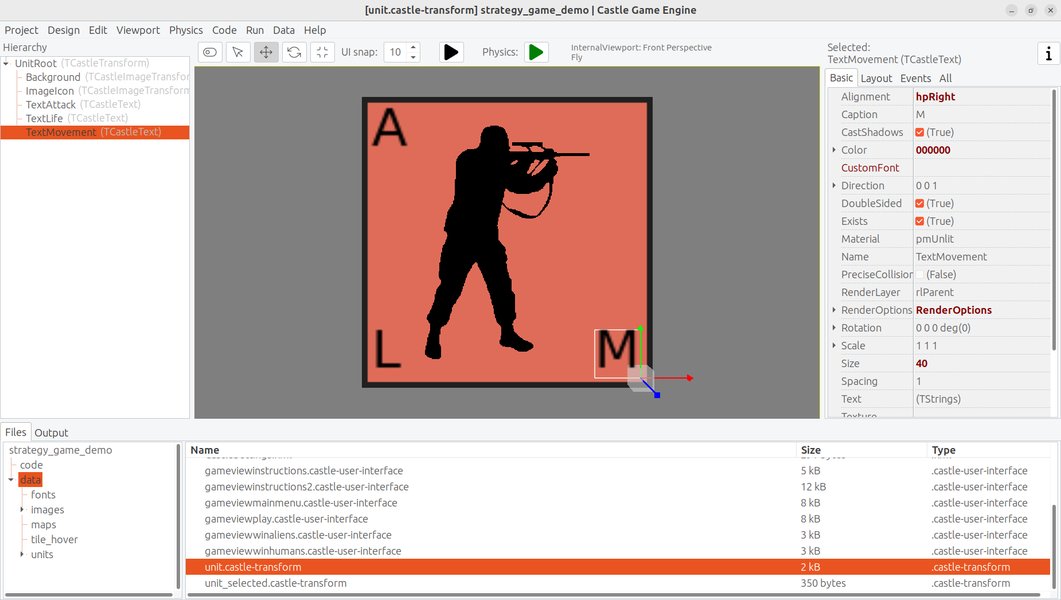
Screenshot of a Linux application showcasing font rendering.
Font Rendering in Different Applications
Font rendering is not just an operating system-level concern; it's also handled by individual applications, particularly web browsers and creative software.
Web Browser Font Rendering
Web browsers play a crucial role in font rendering as they display the vast majority of text consumed digitally. Browsers often utilize the operating system's font rendering capabilities but can also implement their own rendering engines or use libraries like HarfBuzz for text shaping (the process of converting characters into glyphs and positioning them correctly). Differences in browser rendering can lead to websites appearing slightly different across various browsers.
Comparing Browser Rendering
Users and developers sometimes compare font rendering across different web browsers to evaluate their quality. Factors considered include the sharpness of text, the accuracy of glyph shapes, and the handling of kerning and ligatures. While subtle, these differences can impact the overall reading experience.
Font Rendering in Creative Software
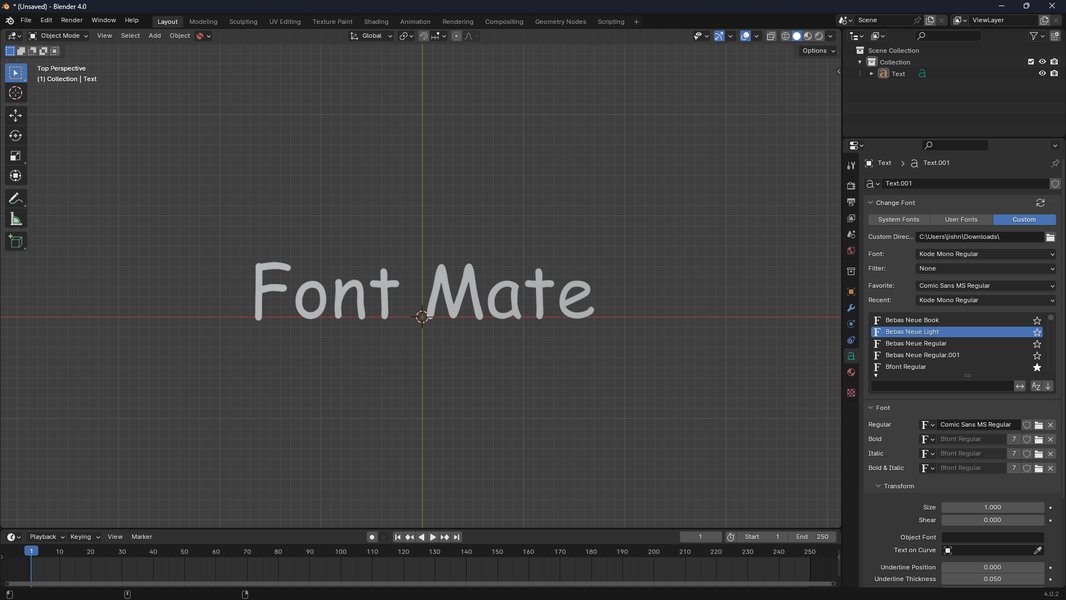
Creative software, such as graphic design tools and video editors, often requires high-quality and flexible text rendering. These applications may use specialized rendering engines or integrate libraries that provide advanced typographic controls and ensure accurate representation of fonts for design and output purposes.
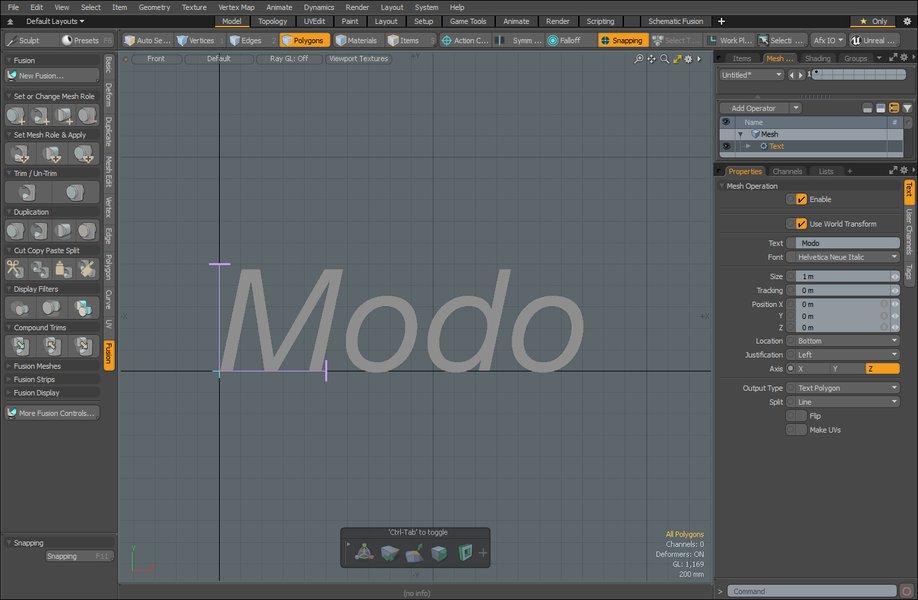
Screenshot of text rendering within a 3D modeling software.
Creating and Editing Fonts
While rendering focuses on displaying existing fonts, the process of creating and editing fonts is also closely related and involves specialized software.
Font Design Software
Font design software allows type designers to create new fonts or modify existing ones. These tools provide interfaces for drawing glyph outlines, defining kerning pairs, setting hinting instructions, and managing font metadata. Popular font editors include FontForge (free and open source), FontCreator, and Glyphs.
Screenshot of a font design software interface.
Variable Fonts
Variable fonts are a newer format that allows for a single font file to contain a continuous range of design variations (e.g., weight, width, slant). This reduces file size and provides greater flexibility for designers. Font rendering engines need to support the variable font specification to correctly display these dynamic font instances.
FAQ
What is the difference between font rendering and text shaping?
Font rendering is the process of drawing the individual glyphs of a font onto a display. Text shaping is the process that happens before rendering, which involves analyzing a sequence of characters, determining the correct glyphs to use (considering ligatures, contextual alternates, etc.), and positioning them correctly to form a readable string. Libraries like HarfBuzz are widely used for text shaping.
Why does font rendering look different on different operating systems?
Font rendering varies between operating systems due to differences in their rendering engines, default settings for hinting and anti-aliasing, and how they interpret font data. Each operating system has its own philosophy and implementation details for turning vector or bitmap font information into pixels.
What are Signed Distance Fields (SDF) and why are they used in font rendering?
Signed Distance Fields are data structures that store the distance from a point to the nearest boundary of a shape. In font rendering, SDFs allow for efficient rendering of scalable text. By using an SDF texture, a shader can determine how much a pixel is covered by a glyph's outline, enabling sharp and resolution-independent rendering, often with the ability to add effects like outlines and shadows.
Can I improve the font rendering on my system?
Yes, in many cases, you can improve font rendering. On Windows, you can use the ClearType Tuner. On Linux, desktop environment settings often allow for adjustments to hinting and anti-aliasing. Some operating systems or applications might also support the use of alternative font rendering libraries.
References
Last updated May 6, 2025