
Unlocking Productivity: The Ultimate Guide to Free Document Creation, Editing, and Reading Apps
Navigate the world of free document tools with ease, discovering powerful applications for every need.

- 1.Key Takeaways for Optimal Document Management
- 2.The All-Rounders: Web-Based Solutions for Comprehensive Document Tasks
- 3.Specialized Tools for PDF Management
- 4.Mobile Document Management: Productivity on the Go
- 5.Open-Source and Versatile Suites
- 6.Understanding Your Needs: Choosing the Right Tool
- 7.Detailed Comparison of Top Free Document Tools
- 8.Watch and Learn: Harnessing Free PDF Editing Power
- 9.Frequently Asked Questions
- 10.Conclusion
- 11.Recommended Further Reading
- 12.Referenced Search Results
In today's digital landscape, the ability to create, edit, and read documents seamlessly across various devices and platforms is more crucial than ever. Fortunately, a wealth of free applications exists, offering robust functionalities that often rival their paid counterparts. Whether you're drafting a complex report, making quick edits to a PDF, or simply reading an e-book, there's a free app designed to meet your needs. The key lies in understanding your specific requirements and choosing the tools that best align with your workflow.
Key Takeaways for Optimal Document Management
- Google Docs and Canva Docs are top contenders for versatile document creation and collaborative editing, accessible directly from your browser.
- PDFgear stands out as a leading free solution for comprehensive PDF editing, including merging, splitting, and converting files.
- Dedicated mobile apps like Adobe Acrobat Reader and Microsoft Office Mobile offer powerful on-the-go document management for various formats.
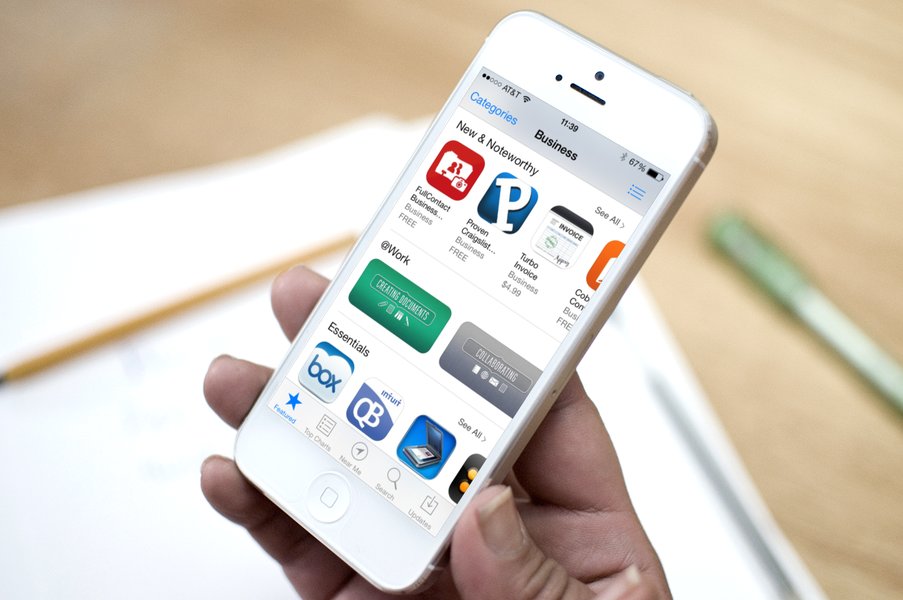
An illustrative graphic depicting various apps for creating, editing, and sharing documents across devices.
The All-Rounders: Web-Based Solutions for Comprehensive Document Tasks
For users seeking a holistic solution that covers creation, editing, and reading across different document types, web-based applications often provide the most convenience. Their accessibility from any device with an internet connection, coupled with collaborative features, makes them invaluable tools for both individual and team-based work.
Google Docs: The Collaborative Powerhouse
Google Docs remains a dominant force in free document management. Its web-based nature means no software installation is required, and its real-time collaboration features are unparalleled. Users can create and edit text documents, presentations, and spreadsheets, with extensive formatting options and the ability to integrate images and drawings. Its deep integration with Google Drive ensures seamless cloud storage and accessibility from any device.
Canva Docs: Visual Appeal Meets Functionality
Canva Docs offers a compelling alternative, particularly for those who prioritize visual aesthetics in their documents. It provides a free online document editor focused on creating visually engaging reports, proposals, and other materials. Like Google Docs, it supports real-time collaboration and even offers document translation features, making it ideal for creative professionals and marketing teams.
Microsoft Word Online: Familiarity in the Cloud
For users accustomed to the Microsoft Office ecosystem, Microsoft Word Online provides a free, browser-based version of the familiar Word experience. It allows for basic document creation, editing, and saving, offering a comfortable transition for those who prefer the interface and features of traditional Microsoft Word. This is particularly useful for quick edits or creating simple documents without needing a full software suite installed.
Specialized Tools for PDF Management
PDFs are a ubiquitous document format, and managing them effectively often requires specialized tools. Fortunately, a range of free applications provides robust capabilities for viewing, annotating, and even editing these files.
PDFgear: A Versatile PDF Editor
PDFgear stands out as a top-tier free PDF editor available across multiple platforms, including Windows and mobile devices. It offers a comprehensive suite of features, allowing users to edit text and images within PDFs, merge multiple files, split documents, compress large files, and convert PDFs to other formats and vice-versa. Its capability for cross-platform use makes it a highly flexible option.
This radar chart compares popular free document tools across key features, illustrating their relative strengths in areas like document creation, collaborative editing, PDF editing, visual design capabilities, and cross-platform accessibility, on a scale of 0 to 5.
Adobe Acrobat Reader: The Standard for Viewing and Annotation
For simply viewing, annotating, and digitally signing PDF documents, Adobe Acrobat Reader remains the industry standard. It's a trusted, free application available across Windows, macOS, iOS, and Android, offering reliable performance and comprehensive tools for interacting with PDFs without requiring editing capabilities.
DocFly: Online PDF Solutions
DocFly provides a suite of free online PDF tools that enable users to edit, convert, merge, and sign PDF documents without the need for any software installation. This web-based solution is particularly useful for quick, on-the-fly PDF adjustments from any computer.
Mobile Document Management: Productivity on the Go
The ubiquity of smartphones and tablets has made mobile document management essential. Several free applications bring powerful document creation, editing, and reading capabilities directly to your handheld devices.
Microsoft Office Mobile: Your Pocket Office Suite
For Android users, the free Microsoft Office Mobile app is an indispensable tool. It allows for the creation, viewing, and editing of Word, Excel, and PowerPoint documents, with seamless integration with OneDrive for cloud access. This app provides a familiar and functional experience for managing office documents on the go.
Kingsoft Office and Polaris Office: Robust Android Alternatives
Kingsoft Office and Polaris Office are popular free alternatives for Android devices. They offer compatibility with Microsoft Office formats and often include built-in cloud storage integration. These suites provide a comprehensive set of tools for various document types, making them excellent choices for mobile productivity.
Dedicated Reading Apps: ReadEra and ElevenReader
For an optimal reading experience on mobile devices, apps like ReadEra and ElevenReader provide ad-free, high-quality viewing for various document formats, including PDFs and e-books. Some even offer text-to-speech support, enhancing accessibility and convenience for consuming long-form content.
A user engaged with Microsoft Word on a laptop, symbolizing modern document processing.
Open-Source and Versatile Suites
Beyond the major players, several open-source and versatile office suites provide comprehensive document management capabilities at no cost, often with a strong community backing.
LibreOffice: The Free and Open-Source Champion
LibreOffice is a robust, free, and open-source office suite that offers a comprehensive set of tools for word processing, spreadsheets, presentations, databases, and more. It's a powerful alternative to commercial office suites, boasting a rich feature set and broad compatibility with various document formats.
WPS Office: An All-in-One Solution
WPS Office is another excellent free suite that includes word processing, spreadsheet, and PDF editing tools. It supports Microsoft Office formats and often comes with integrated cloud storage options, making it a versatile choice for users seeking an all-in-one productivity package.
Understanding Your Needs: Choosing the Right Tool
The "best" free app ultimately depends on your individual requirements. Consider the following factors when making your choice:
Document Formats
Do you primarily work with Word documents, PDFs, spreadsheets, or a combination? Some apps excel in specific formats, while others offer broad compatibility.
Collaboration Needs
If you frequently work with others, real-time collaboration features are essential. Web-based platforms like Google Docs and Canva Docs are particularly strong in this area.
Platform Preference
Are you primarily working on a desktop computer, a laptop, or a mobile device? Ensure the app you choose is well-suited for your preferred operating system and device type.
Visual Requirements
If your documents require a high degree of visual polish, tools like Canva Docs might be more appropriate than a simple text editor.
Offline Access
While many excellent tools are web-based, consider whether you need offline access to your documents and choose apps that offer this capability.
This mindmap visually categorizes the best free document applications based on their primary functionalities and target platforms, offering a quick overview of the diverse options available.
Detailed Comparison of Top Free Document Tools
To further assist in your decision-making, here's a detailed comparison of some of the most highly recommended free document creation, editing, and reading applications:
| Application | Primary Functionality | Platform(s) | Key Features | Best For |
|---|---|---|---|---|
| Google Docs | Document Creation, Editing, Collaboration | Web, Android, iOS | Real-time collaboration, extensive formatting, cloud integration | Collaborative projects, general text documents |
| Canva Docs | Visually Rich Document Creation, Editing | Web | Visual design focus, templates, real-time collaboration, translation | Reports, proposals, marketing materials with strong visual elements |
| Microsoft Word Online | Word Processing | Web | Familiar Word interface, basic editing, cloud saving | Quick edits, users familiar with MS Word |
| PDFgear | PDF Editing, Conversion, Management | Windows, macOS, iOS, Android | Edit text/images, merge, split, compress, convert PDFs | Comprehensive PDF manipulation |
| Adobe Acrobat Reader | PDF Viewing, Annotation, Signing | Windows, macOS, iOS, Android | Reliable PDF rendering, commenting tools, digital signatures | Reading and basic interaction with PDFs |
| LibreOffice | Full Office Suite (Word, Spreadsheets, Presentations) | Windows, macOS, Linux | Open-source, extensive features, format compatibility | Users seeking a robust, free desktop office suite |
| WPS Office | All-in-One Office Suite (Word, Spreadsheets, PDF) | Windows, Linux, Android, iOS | MS Office format compatibility, PDF tools, cloud storage | Versatile office tasks, good for mobile and desktop |
| Microsoft Office Mobile | Mobile Office Suite (Word, Excel, PowerPoint) | Android, iOS | On-the-go editing, OneDrive integration | Productivity on Android/iOS devices |
This bar chart evaluates various free document applications across key performance indicators such as ease of use, feature richness, collaboration potential, file format support, and mobile accessibility, on a scale of 0 to 10.
Watch and Learn: Harnessing Free PDF Editing Power
For those looking to dive deeper into the capabilities of free PDF editors, the following video offers a visual guide on using one of the highly-rated options, PDFgear.
This video provides a comprehensive tutorial on how to effectively use PDFgear, highlighting its features for editing, managing, and converting PDF documents, showcasing why it's considered a top free solution.
The video demonstrates PDFgear's user-friendly interface and robust functionalities, from simple text and image edits to more complex tasks like merging, splitting, and converting PDF files. It serves as an excellent resource for anyone looking to maximize their productivity with a free, powerful PDF editor without needing to invest in costly software. Learning to navigate these features can significantly streamline workflows for students, professionals, and anyone who regularly interacts with PDF documents.
Frequently Asked Questions
What is the absolute best free app for general document creation and editing?
Are there any free alternatives to Microsoft Word that are equally powerful?
Which free app is best for editing PDF documents?
Can I edit documents on my phone for free?
Do any free document apps support real-time collaboration?
Conclusion
The landscape of free document creation, editing, and reading applications is rich and diverse, offering powerful solutions for nearly every need. From the collaborative prowess of Google Docs and Canva Docs to the specialized PDF management capabilities of PDFgear, and the on-the-go convenience of mobile office suites, users have a wealth of options at their disposal. By carefully considering your specific requirements—whether they involve extensive collaboration, intricate PDF manipulations, or just simple document viewing on your smartphone—you can select the ideal tools to enhance your productivity without incurring any cost. Embrace these free resources to streamline your digital document workflow and unlock new levels of efficiency.
Recommended Further Reading
- Advanced tips for Google Docs power users
- Best free OCR (Optical Character Recognition) apps
- How to securely share documents online for free
- Comparing open-source office suites for productivity
Referenced Search Results
 tenorshare.com